Amazon How to Use Image Examples

We have 2,802 how to use image examples from 1,891 Amazon listings, 3% of the library. Sellers place them most often as image 6, 5 or 4 (48% of examples with a known position). Beauty & Personal Care has the most (13%, 1.6× its share of the library). Common themes: Easy Installation, Usage Instructions and Easy Setup.

Page 40
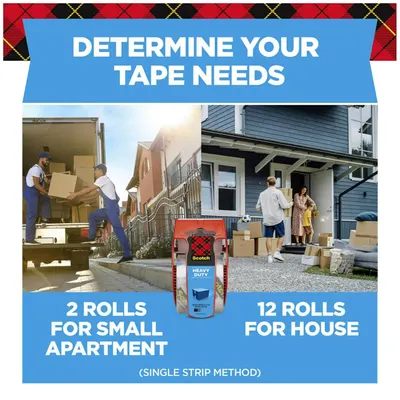
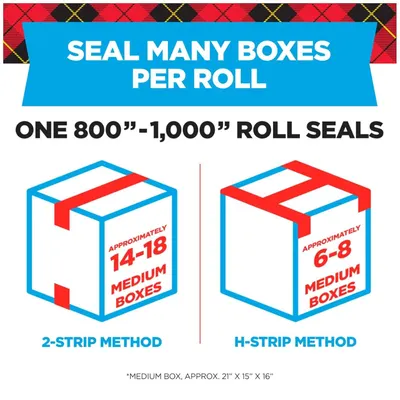
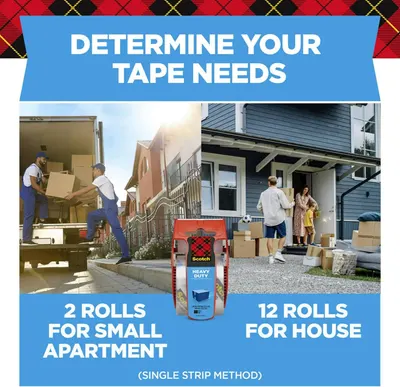
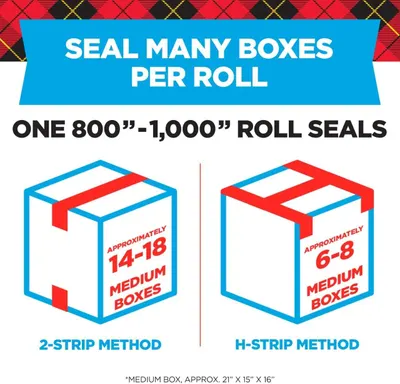
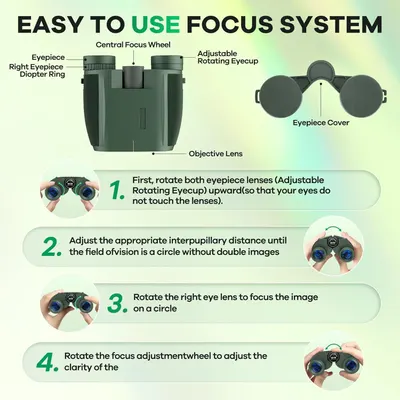
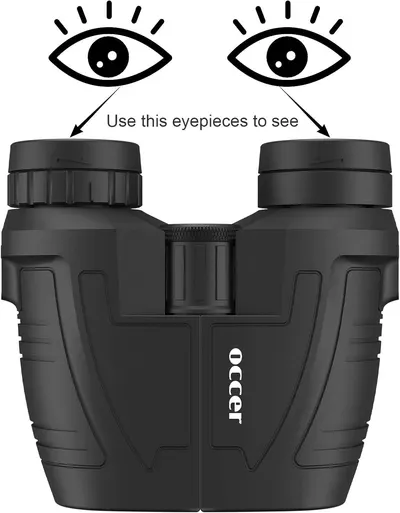
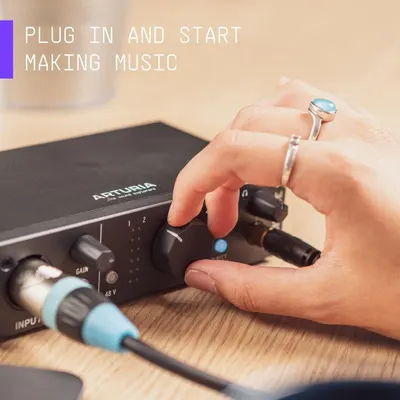
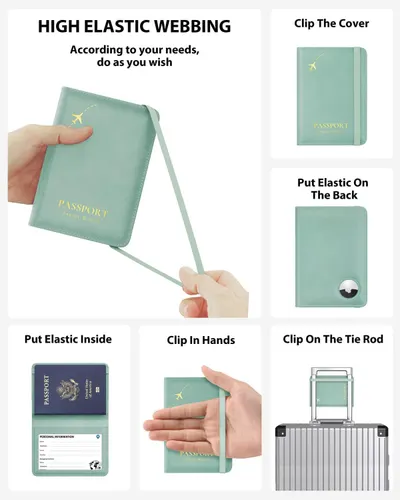
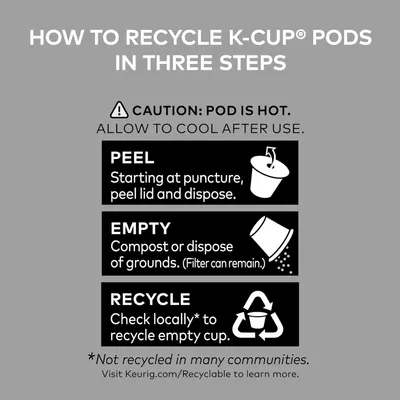
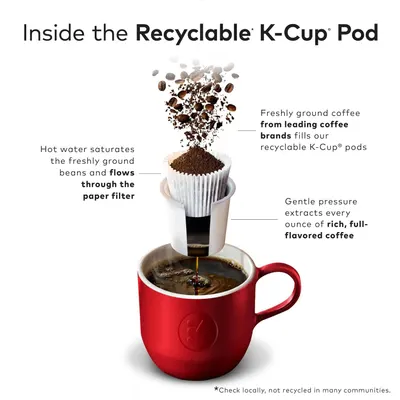
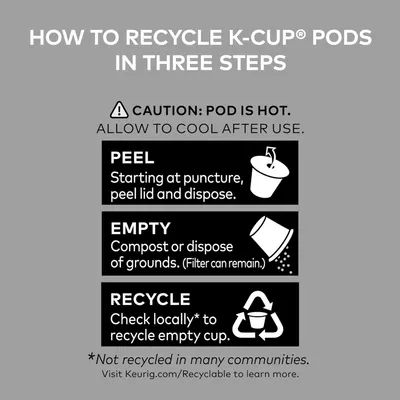
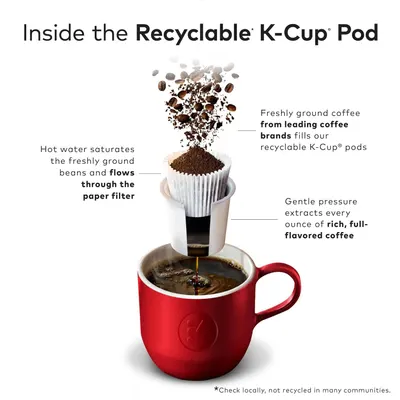
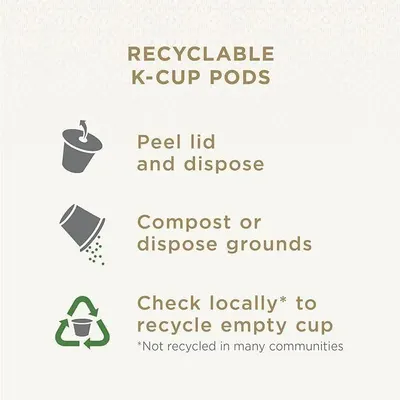
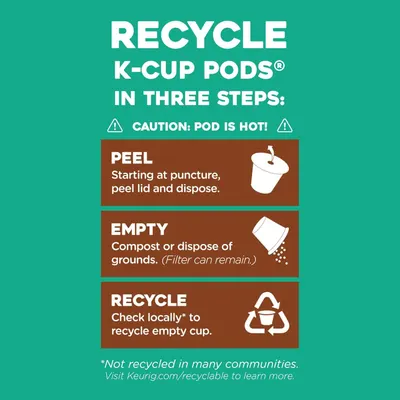
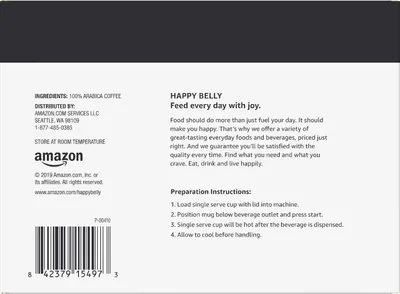
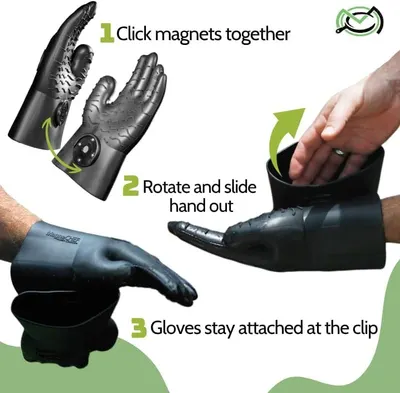
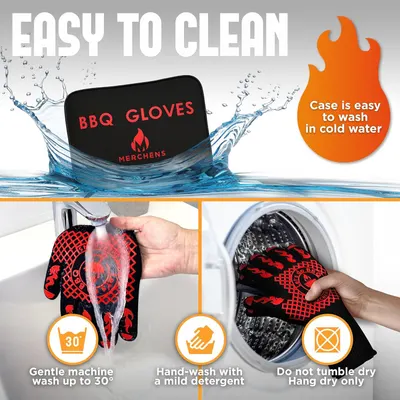
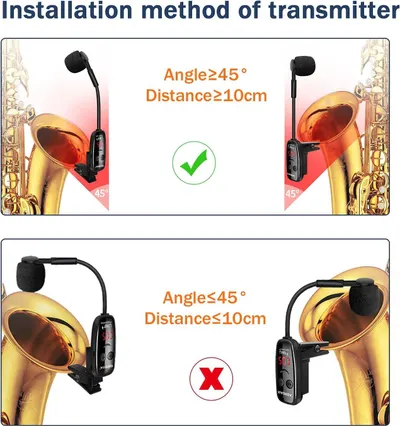
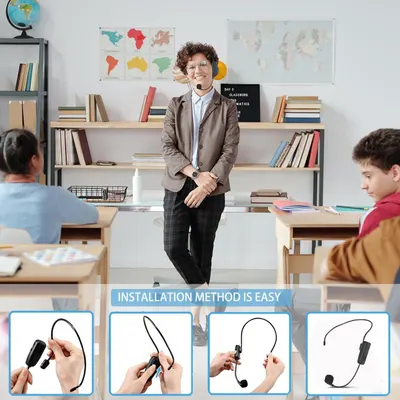
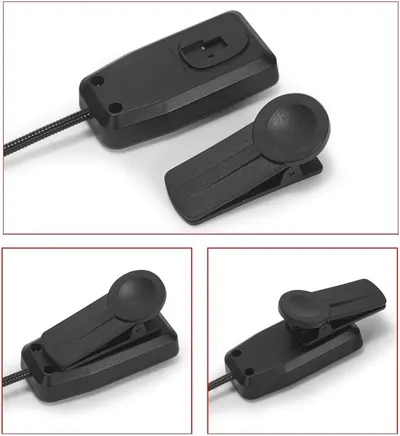
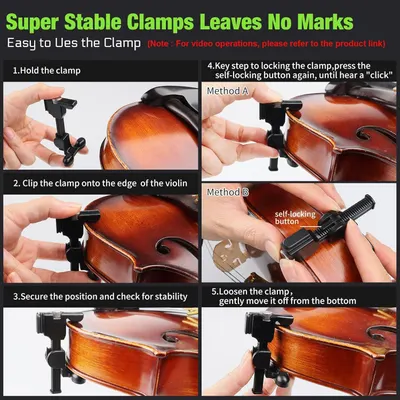
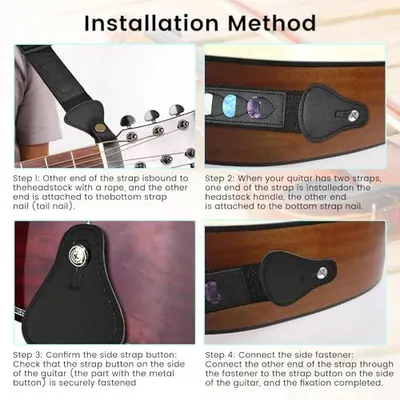
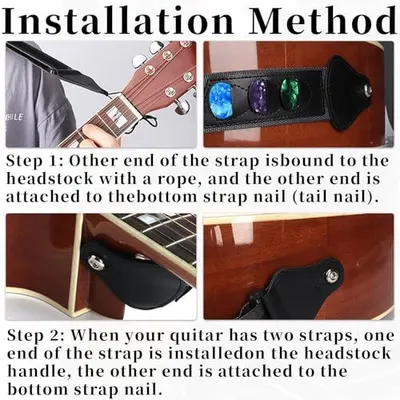
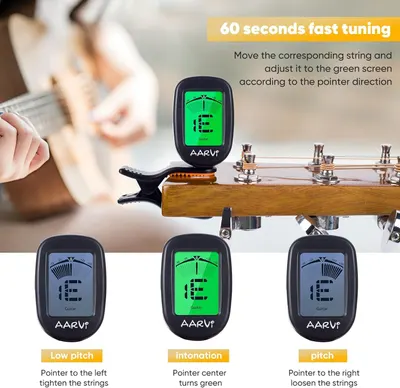
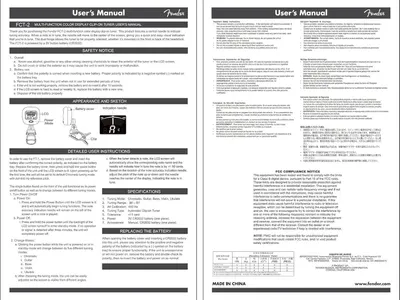
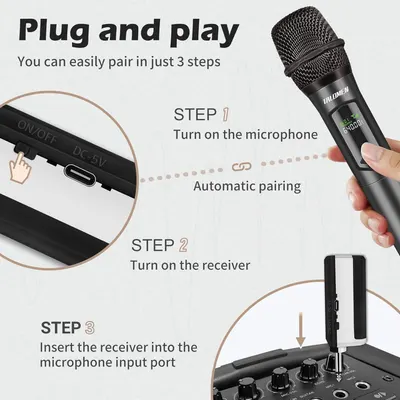
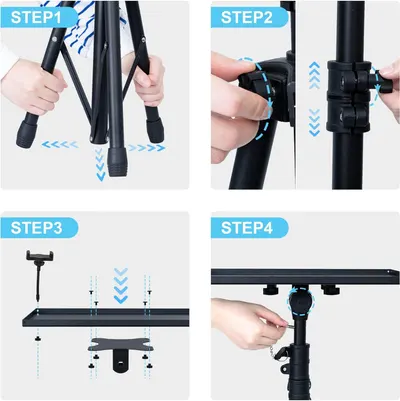
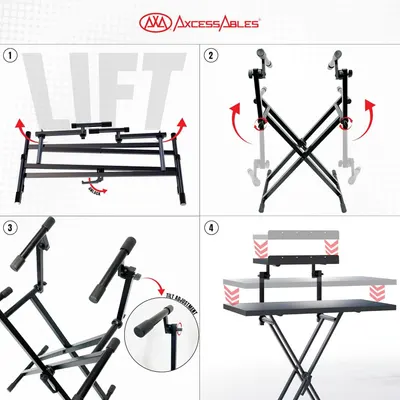
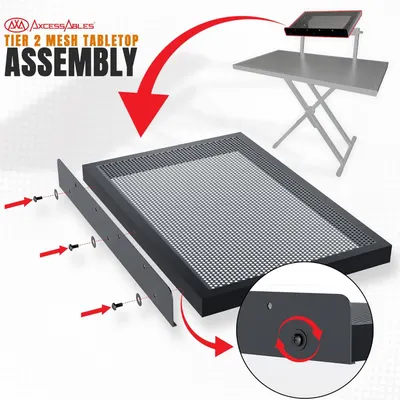
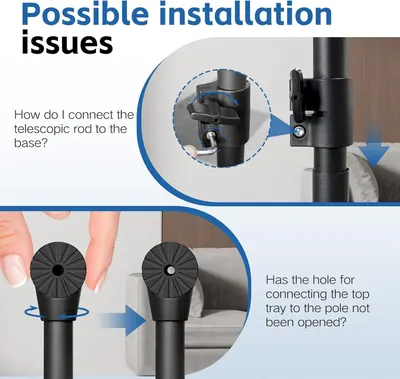
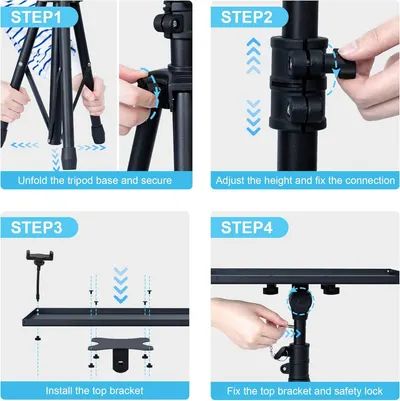
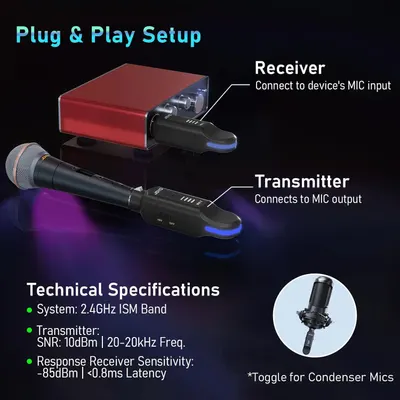
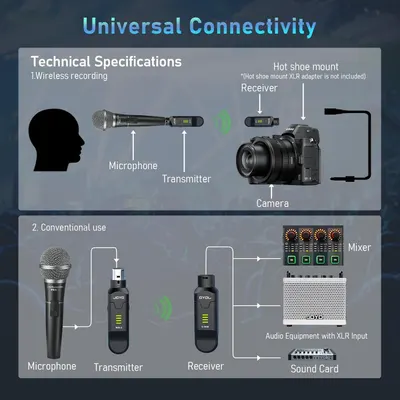
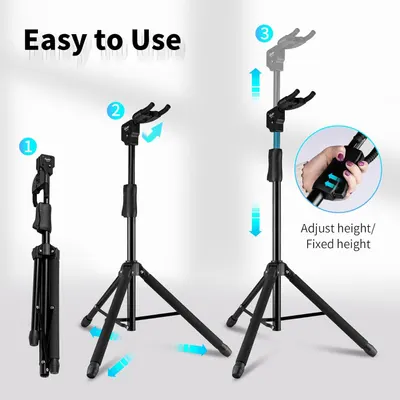
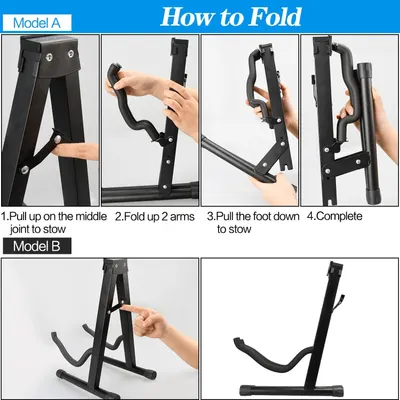
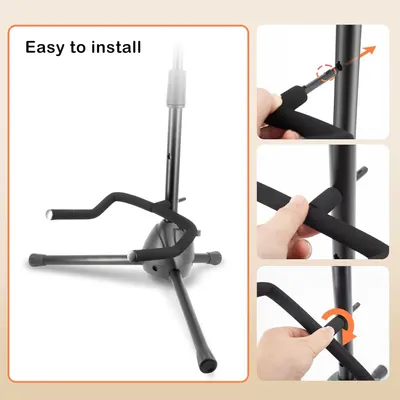
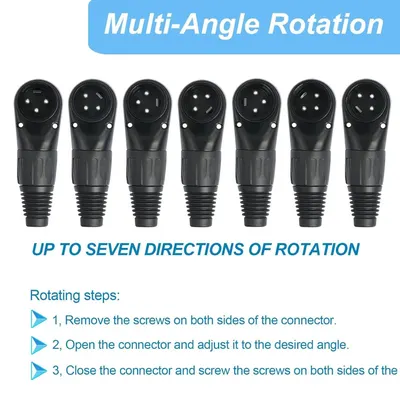
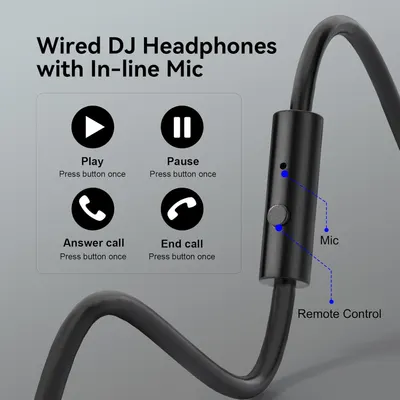
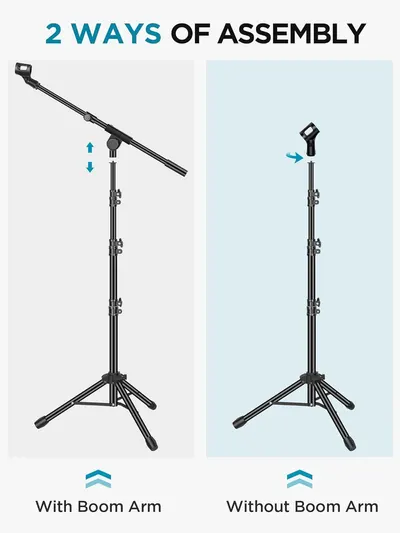
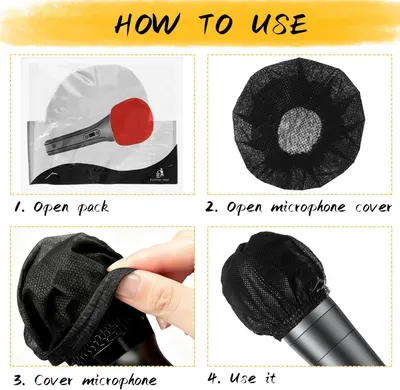
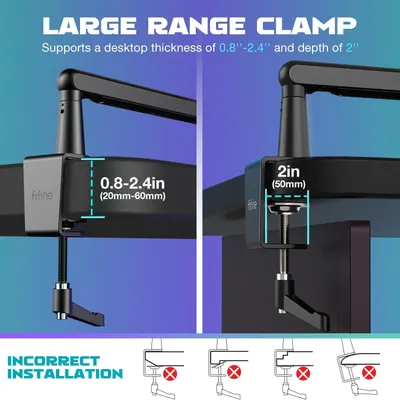
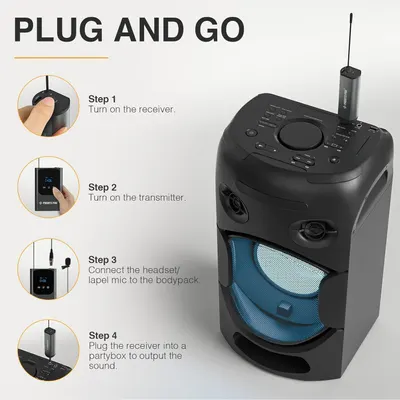
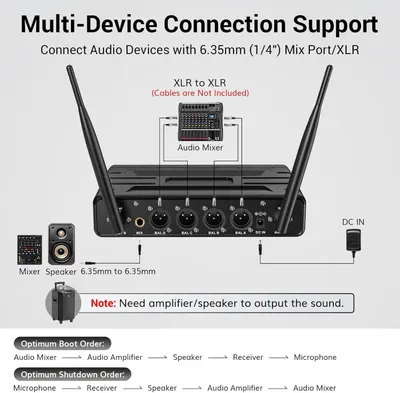
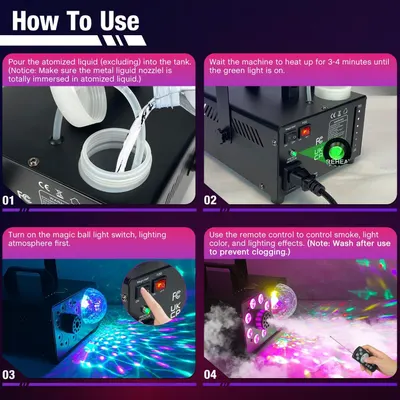
Demonstrates different usage scenarios for the tape product by showing how much is needed for different moving situations (small apartment vs. house), helping shoppers determine the right quantity…Scotch Heavy Duty Shipping Packing TapeCommunicates the high capacity of the packing tape roll by showing it can seal 800-1000 inches worth of boxes, helping shoppers understand the product's value and longevity. Demonstrates two…Scotch Heavy Duty Shipping Packing TapeHelps shoppers determine how many rolls of tape they need based on their moving scenario, providing practical guidance for small apartments versus houses. Demonstrates two different moving scenarios…Scotch Heavy Duty Shipping Packing TapeCommunicates the quantifiable capacity of one roll of tape by showing how many medium boxes it can seal using different application methods. Demonstrates two different taping methods and their…Scotch Heavy Duty Shipping Packing TapeProvides step-by-step instructions on how to properly adjust and focus the binoculars for optimal viewing, helping shoppers understand the setup process. Labels and identifies the key physical parts…Leacco 10x25 Compact Binoculars for Adults and KidsInstructs the shopper on how to properly use the binoculars by looking through the eyepieces, making the product easier to understand and use. Communicates the simple and intuitive nature of using…Occer 12x25 Compact Binoculars for Adults and KidsDemonstrates how simple it is to connect and start using the audio interface by plugging in cables, reassuring shoppers that setup is quick and straightforward. Communicates the plug-and-play…ArturiaThis image provides step-by-step instructions on how to use the elastic webbing feature of the passport holder, showing customers various ways to attach and secure the product for different needs.Stouchi AirTag Passport HolderProvides step-by-step instructions on how to properly dispose of and recycle K-Cup pods, helping customers understand the environmental process. Communicates that the K-Cup pods are recyclable and…Dunkin' Original Blend Medium Roast CoffeeEducates customers on how to properly recycle K-Cup pods in three clear steps, reducing environmental concerns and demonstrating the brand's commitment to sustainability.Green Mountain Coffee Roasters Caramel Vanilla Cream Keurig Single-Serve K-Cup podsExplains how the recyclable K-Cup pod works by showing the step-by-step brewing process from ground coffee to finished cup, helping customers understand the product mechanism.Green Mountain Coffee Roasters Caramel Vanilla Cream Keurig Single-Serve K-Cup podsEducates customers on how to properly recycle K-Cup pods in three clear steps, reducing environmental concerns and demonstrating the brand's commitment to sustainability.McCafe Premium Roast CoffeeExplains how the recyclable K-Cup pod works by showing the step-by-step brewing process from ground coffee to finished cup, helping customers understand the product mechanism.McCafe Premium Roast CoffeeEducates shoppers on the proper step-by-step process for disposing of recyclable K-Cup pods in an environmentally responsible way.Peet's CoffeeProvides step-by-step instructions on how to properly recycle K-Cup pods, helping customers understand the disposal process and environmental responsibility.The Original Donut Shop Regular Keurig Single-Serve K-Cup PodsProvides step-by-step instructions on how to properly dispose of and recycle K-Cup pods, helping customers understand the environmental process and reduce confusion about recycling.Starbucks K-Cup Coffee PodsProvides step-by-step instructions on how to prepare the coffee product using a single-serve brewer, reducing friction and answering common usage questions.Amazon BrandProvides step-by-step instructions on how to prepare the coffee product using a single-serve machine to help customers use the product correctly.Amazon BrandDemonstrates the three-step process for attaching and removing the gloves using the magnetic clip system, helping customers understand how the product works.MagneCHEF Magnetic BBQ Grill GlovesDemonstrates how to properly clean and care for the BBQ gloves using multiple washing methods, reassuring shoppers that maintenance is simple and convenient.BBQ Grill & Oven Gloves 1472°F Heat ResistantInstructs users on the correct way to install the wireless transmitter on a saxophone by showing proper angle and distance specifications versus incorrect positioning.Wireless Saxophone MicrophoneDemonstrates the simple step-by-step process for installing and assembling the headset microphone, reducing friction and answering how the product is set up.Wireless Saxophone Microphone SystemDemonstrates how to properly attach and position the two-piece sensor system, showing the open and closed states to help customers understand the installation and operation process.Wireless Saxophone Microphone SystemThis image provides step-by-step instructions on how to properly attach and use the violin clamp, demonstrating the ease of use and self-locking feature to reassure customers about the product's…UHF Wireless Violin Cello Microphone System Violin Pickup Clip-on Instrument Microphones…Provides step-by-step instructions on how to properly install a guitar strap to the instrument, reducing confusion and helping customers use the product correctly.Universal Guitar Strap with 3 Pick Holders and 6 PicksProvides step-by-step instructions on how to properly install a guitar strap, showing where to attach each end of the strap to the guitar to help customers set up the product correctly.Guitar Strap With 3 Pick HoldersExplains how to use the guitar tuner by showing the visual indicators and what actions to take based on the screen display to achieve proper tuning in 60 seconds.AARVI Clip On Guitar Tuner for All InstrumentsProvides comprehensive user manual instructions to help customers understand how to set up, operate, and maintain the Fender FCT-2 clip-on tuner.Fender FCT-2 Professional Multi-Instrument Clip-On Tuner for GuitarThis image explains how to set up and pair the wireless microphone system in three simple steps, reducing friction during onboarding and showing customers the product is easy to use.Wireless MicrophoneProvides step-by-step visual instructions showing how to assemble and set up the product, reducing confusion and helping customers understand the installation process.Projector Stand Tripod AdjustableProvides step-by-step visual instructions showing how to assemble and set up the keyboard stand, including lifting, folding, adjusting tilt, and final configuration.AxcessAbles Portable Two-Tier DJ Table Stand| Two Tier Piano Keyboard Stand for Sheet…This image provides step-by-step visual instructions showing how to assemble the mesh tabletop accessory by attaching the side panels with screws, helping customers understand the setup process.AxcessAbles Portable Two-Tier DJ Table Stand| Two Tier Piano Keyboard Stand for Sheet…Addresses common installation issues by showing how to properly connect the telescopic rod to the base and ensure the hole for the top tray is opened, helping customers avoid setup mistakes.Projector StandProvides step-by-step visual instructions for setting up and installing the tripod, helping customers understand how to unfold, adjust height, install brackets, and secure the product properly.Projector Stand Tripod AdjustableExplains how to set up the wireless microphone system by showing which components connect where, making installation simple and clear for the customer. Communicates multiple technical features…JOYO 2.4GHz Wireless Microphone System 4-Channel XLR Transmitter & Receiver…Demonstrates how the wireless microphone system is compatible with various devices including cameras, mixers, and audio equipment with XLR inputs, reassuring shoppers about versatile connectivity…JOYO 2.4GHz Wireless Microphone System 4-Channel XLR Transmitter & Receiver…Demonstrates the simple 3-step process for setting up and adjusting the tripod stand, reassuring shoppers that the product is user-friendly and quick to assemble.GUITTO Guitar StandProvides step-by-step visual instructions on how to fold and stow the product for easy storage and portability.DkOvn 1/2/4 Pack A-Frame Folding Guitar Stand with Non-Slip Rubber and Foam ArmsDemonstrates the step-by-step installation process for the product stand, showing shoppers how simple it is to assemble the tripod legs onto the central pole.Universal Guitar Stand with Secure Lock Neck HolderDemonstrates the step-by-step installation process for the product stand, showing shoppers how simple it is to assemble the tripod legs onto the central pole.Universal Guitar Stand with Secure Lock Neck HolderInstructs shoppers on how to adjust the connector to different angles by following a 3-step process, reducing setup confusion and demonstrating ease of use. Highlights the product's ability to…Devinal Right Angle XLR CableExplains how to use the in-line microphone and remote control buttons for play, pause, answering calls, and ending calls to help users understand the product's functionality. Highlights the specific…OneOdio Wired Over Ear Headphones Hi-Res Studio Monitor & Mixing DJ Stereo Headsets with…Demonstrates the two different ways the microphone stand can be assembled, either with or without the boom arm, helping customers understand the product's flexibility and setup process.InnoGear Microphone StandProvides clear step-by-step instructions on how to open the package and install the microphone cover, reducing friction during product setup and answering how the product works.800 PCS Disposable Microphone CoverCommunicates the exact dimensions and compatibility range of the clamp mechanism to help shoppers understand if it will fit their desk setup. Shows common installation mistakes to avoid, helping…FIFINE Microphone Boom ArmProvides step-by-step instructions on how to set up and use the wireless microphone system with the party speaker, reducing setup friction and answering common usage questions.Phenyx Pro Single Digital Wireless Microphone SystemDemonstrates how the product connects with various audio devices including mixers, speakers, and amplifiers through XLR and 6.35mm ports, reassuring shoppers about compatibility with their existing…TONOR Wireless Microphone SystemProvides step-by-step instructions on how to set up and operate the smoke and light machine, reducing friction during onboarding and answering common usage questions.Fog Machine with Remote

How to Use Images by category

Related image types

Need how to use images for your own listing?

Our design team makes Amazon listing images, infographics and A+ content. £750 per day, with revisions the next day.

Last example added 2026-11-03 · 2,787 examples. Image types are tagged by AI and checked by hand in samples.