How To Secondary Image Examples for Electronics
247 real how to secondary images examples from Electronics listings on Amazon, with the purpose of each image explained. See all Electronics examples.
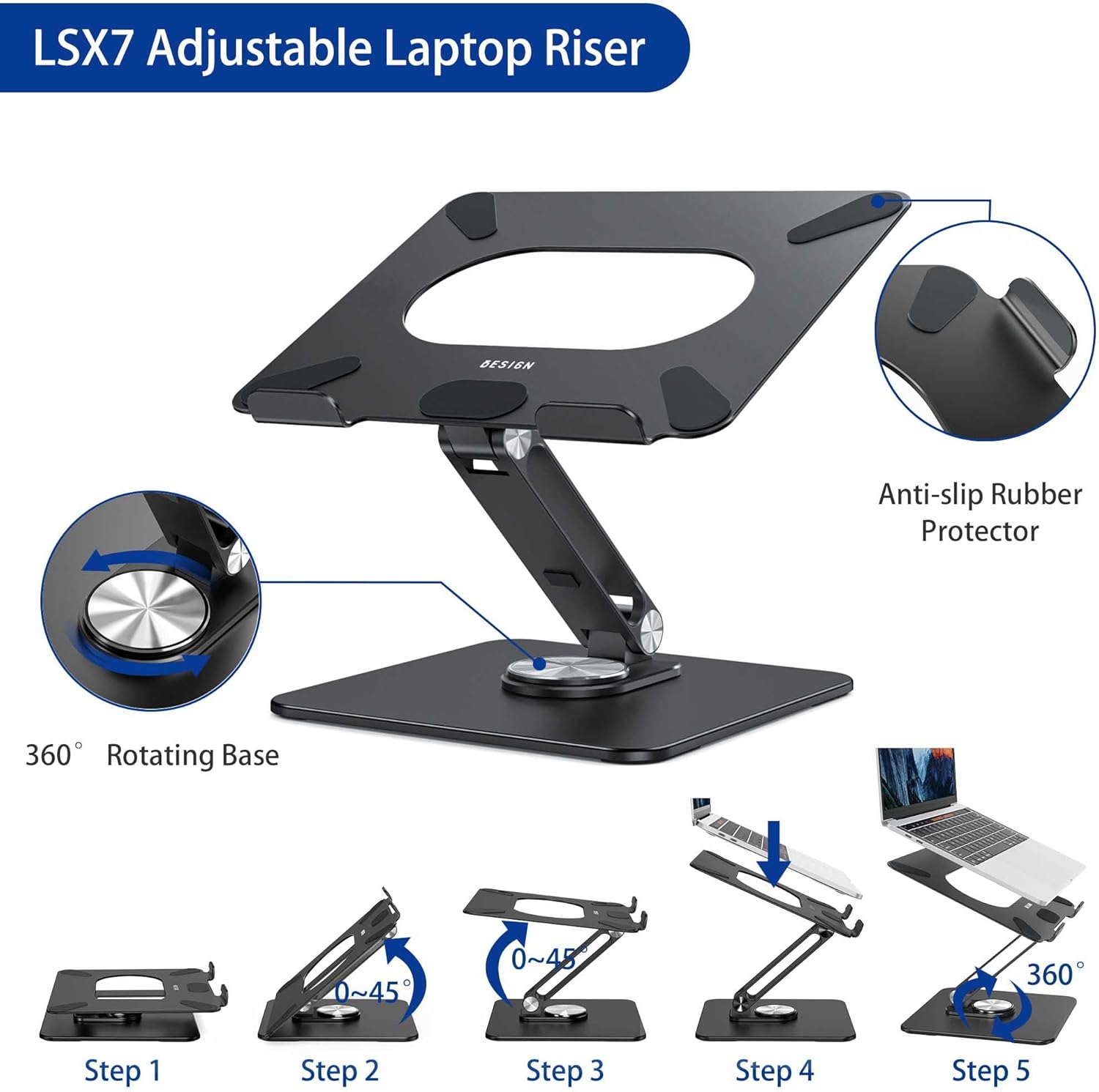 BESIGN LSX7 Laptop Stand with 360 Rotating Base
 acer Wireless Mouse for Laptop
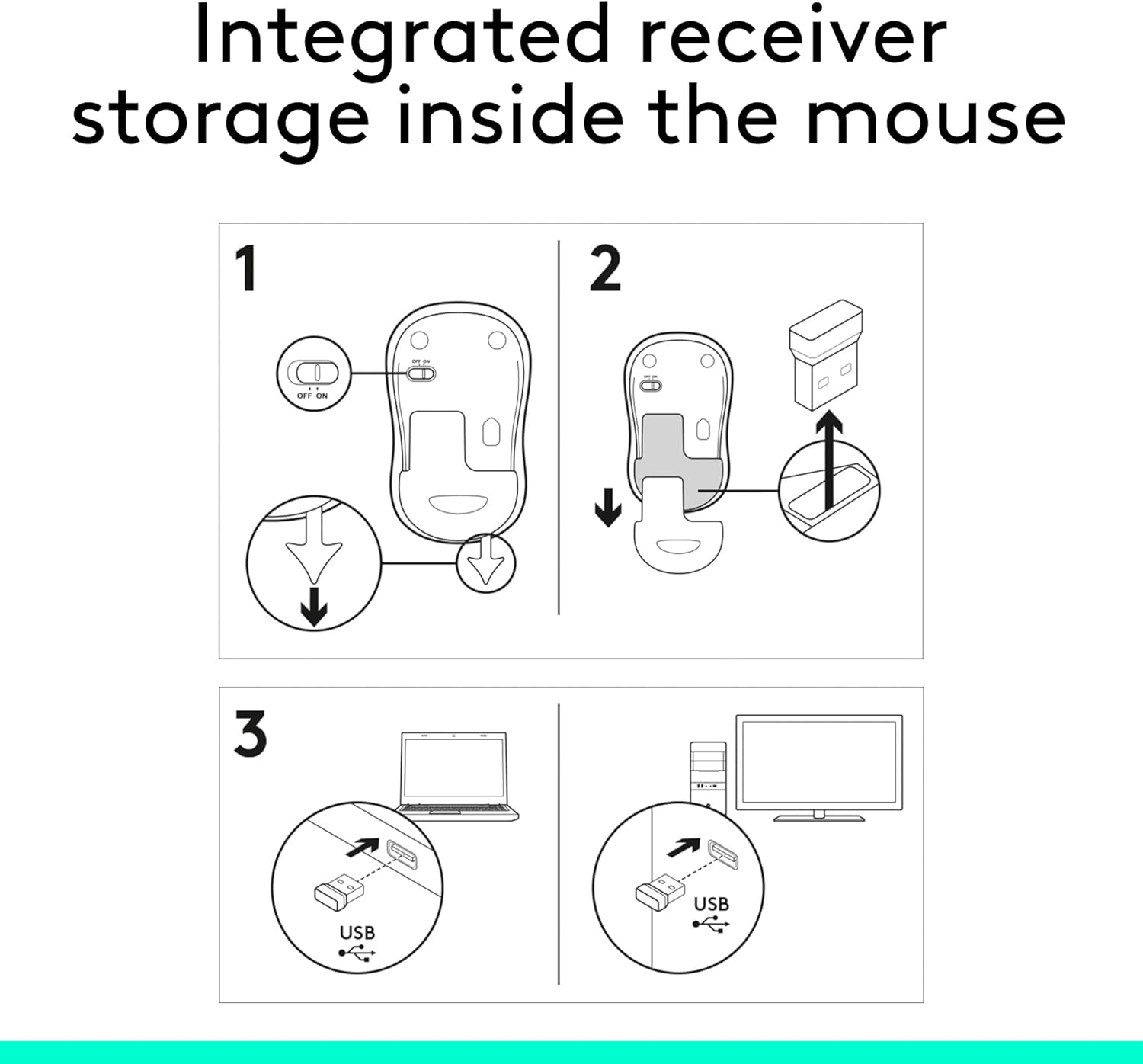 Logitech M185 Wireless Mouse
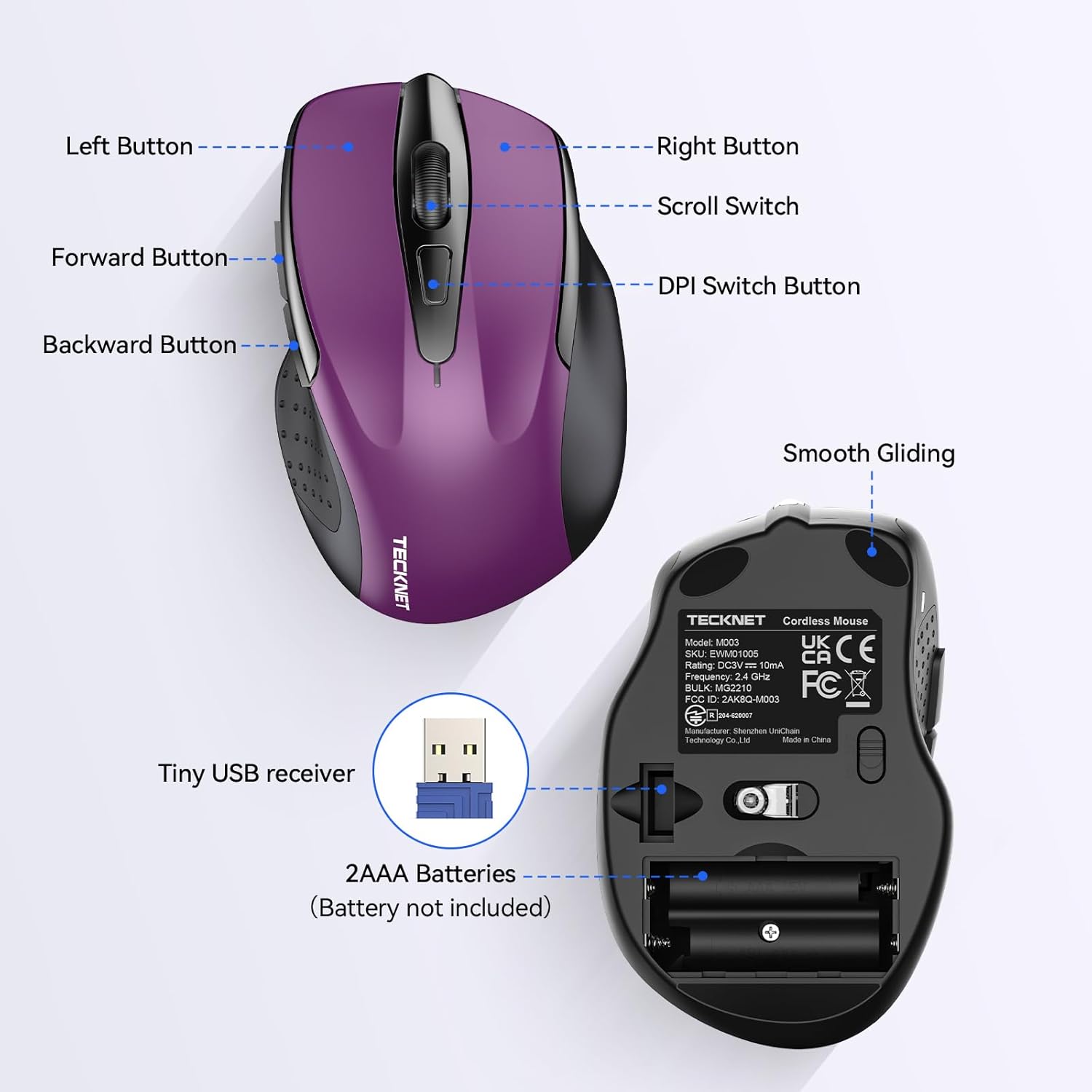 TECKNET Wireless Mouse
 Logitech ERGO K860 Wireless Ergonomic Keyboard
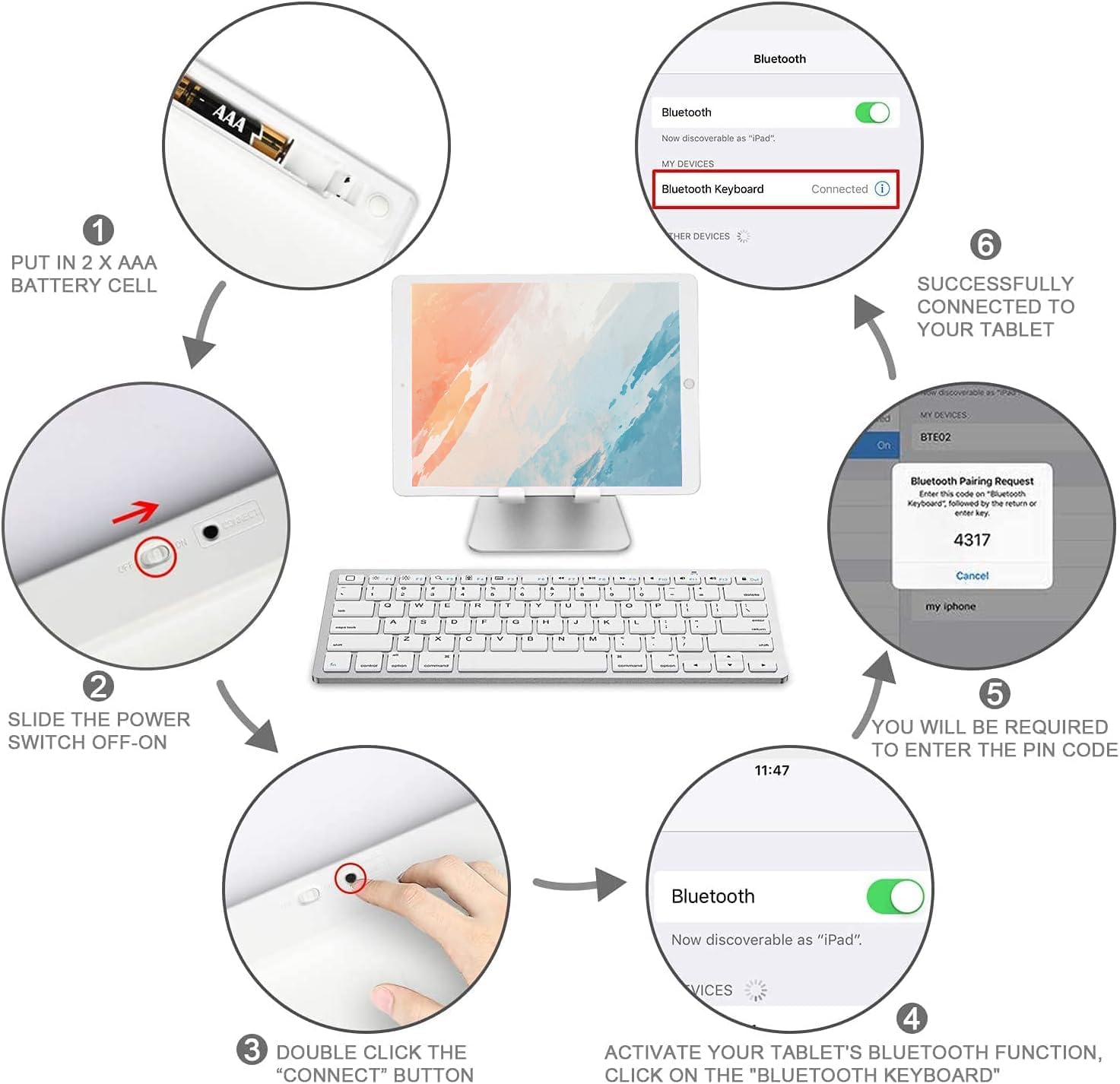 OMOTON Bluetooth Keyboard Compatible with iPad 10th Generation
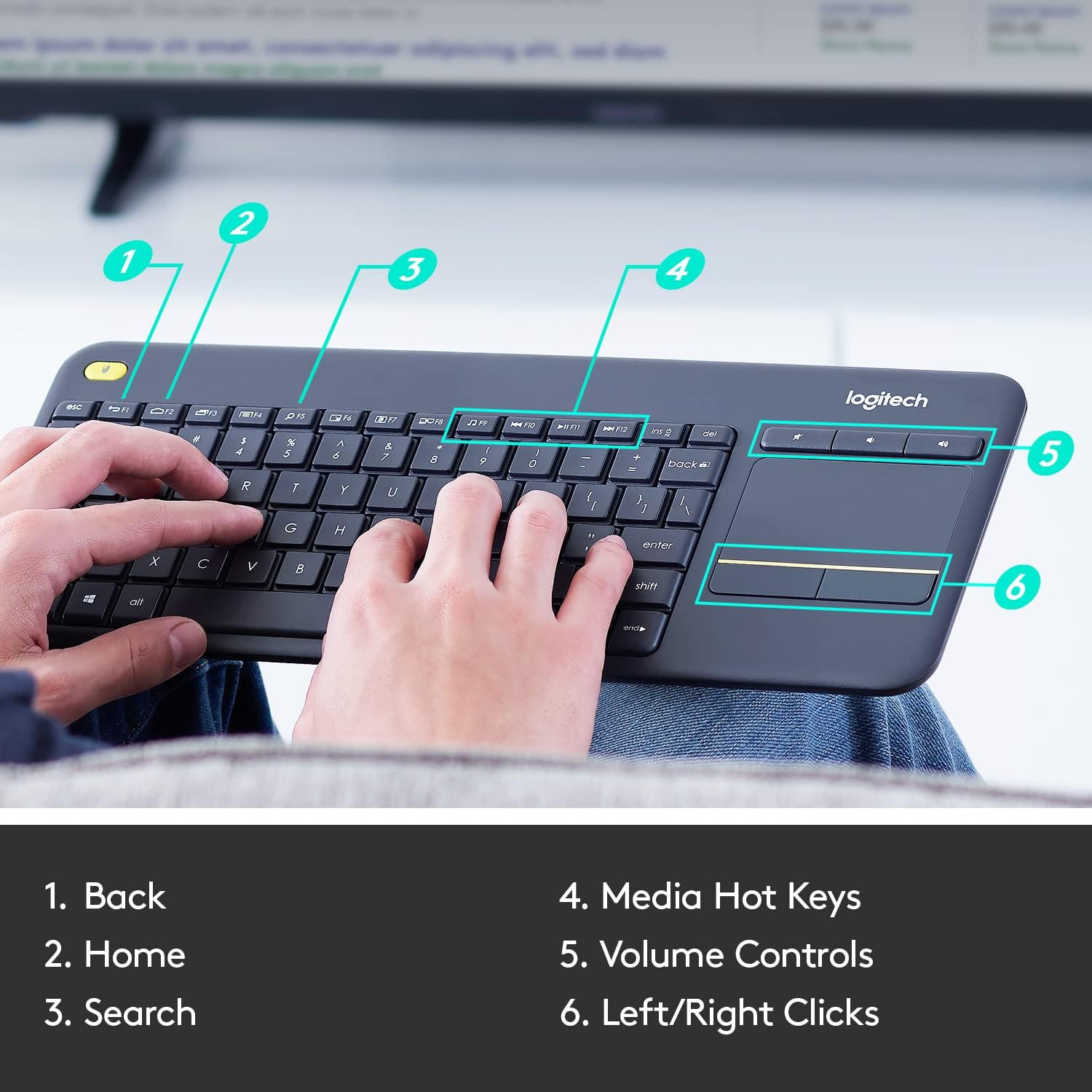 Logitech K400 Plus Wireless Touch TV Keyboard With Easy Media Control and Built-in…
More Electronics image types
- Infographics4,495
- Single Feature / Benefit Secondary Images1,472
- Multi Feature / Benefit Secondary Images729
- Hero Images656
- Product Hero Images627
- Applications Secondary Images501
- Product Anatomy Secondary Images424
- Metric Secondary Images404
- WBG Secondary Images368
- Inclusions Secondary Images288
- Sizing Secondary Images281
- Lifestyle Secondary Images227
- Safety / Compatibility Secondary Images217
- Parts Hero Images168
- Brand Secondary Images130
- Competitor Comparison Secondary Images122
- Anchor Hero Images66
- Function Hero Images57
- Decal Hero Images55
- Before After Secondary Images43
- Package Hero Images30
- Variations Hero Images15
- Press Secondary Images15
- UGC Secondary Images12
Our design team makes Amazon listing images, infographics and A+ content. £750 per day, with revisions the next day.