Logitech ERGO K860 Wireless Ergonomic Keyboard: How to Use Images
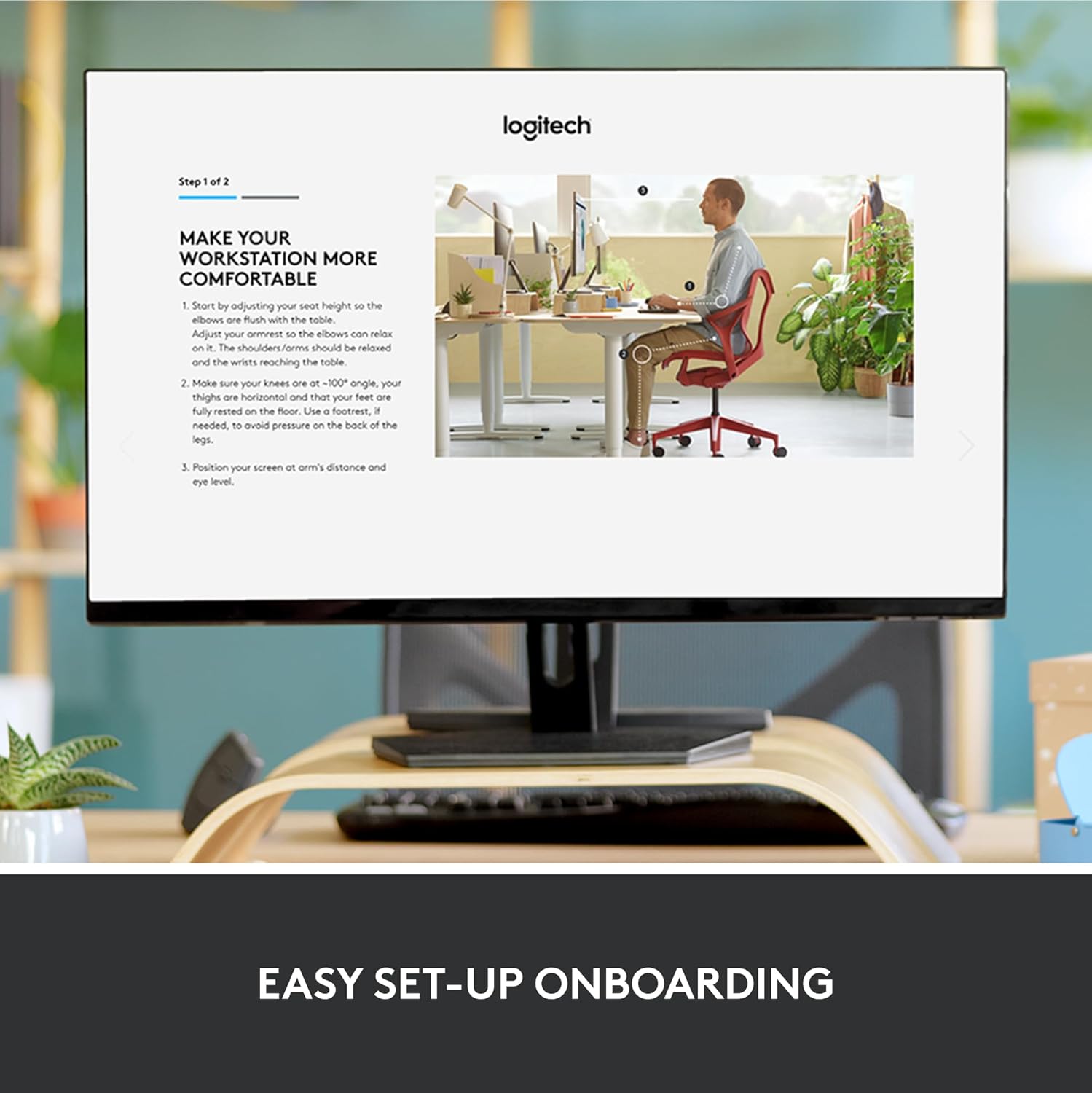
Provides step-by-step instructions on how to properly set up an ergonomic workstation using the product to ensure comfort and avoid strain.
- Brand
- Logitech
- Category
- Electronics › Computers & Accessories › Computer Accessories & Peripherals › Keyboards, Mice & Accessories › Keyboards
- Image type
- How to Use Images, Secondary Images
- Design focus
- Ergonomic workstation setup
- Listing position
- Image 10
- Marketplace
- United States
- Best Sellers Rank
- #7 in Computer Keyboards
- Full listing
- See all 12 images in order
- ASIN
- B07ZWK2TQT
See your listing next to your competitors
Paste your Amazon link. We score every image and show what the top sellers do differently. Your first comparison is free.
What this image does at a glance
- Score
- 15 / 100 · Unreadable small
- Headline
- EASY SET-UP ONBOARDING
- Headline height
- 2.9% of the image
- Headline contrast
- Lc 99
- Text on the image
- 4.5% of the image, 14 blocks
- Blurred to tile size
- headline no longer readable
Listing bullet points
- Improved Typing Posture: Type more naturally with a curved, split keyframe and reduce muscle strain on your wrists and forearms thanks to the sloping keyboard design
- Pillowed Wrist Rest: Curved wrist rest with memory foam layer offers typing comfort with 54 per cent more wrist support; 25 per cent less wrist bending compared to standard keyboard without palm rest
- Perfect Stroke Keys: Scooped keys match the shape of your fingertips so you can type with confidence on a wireless keyboard crafted for comfort, precision and fluidity
- Adjustable Palm Lift: Whether seated or standing, keep your wrists in total comfort and a natural typing posture with ergonomically-designed tilt legs of 0, -4 and -7 degrees
- Ergonomist Approved: The ERGO K860 wireless ergonomic keyboard is certified by United States Ergonomics to improve posture and lower muscle strain
- Familiar Features: Conveniently connect with the USB receiver or Bluetooth, customise Fn key use, and enjoy the quiet keys, full-size layout and CAPS LOCK indicator
- Sustainability: Plastic parts in ERGO K860 Graphite include 71% certified post consumer recycled plastic; uses FSC-certified paper for responsible packaging
- Powered by Logitech Options: Customize Fn Keys, create custom shortcuts and get battery-life notifications via Logitech Options computer software
Similar how to use images in Electronics
 GEEKOM A7 Mini PC
 Sennehiser ACCENTUM Plus Wireless Headphones
 Sennehiser ACCENTUM Plus Wireless Headphones
 Sennehiser ACCENTUM Plus Wireless Headphones
 Sennheiser Consumer Audio Momentum 4 Wireless Headphones
 Sennheiser Consumer Audio Momentum 4 Wireless Headphones
 Sennheiser Consumer Audio Momentum 4 Wireless Headphones
 Sennehiser ACCENTUM Wireless Headphones
 Anker Adaptador hub USB-C
 Metal Switch Opener GPL 205G0 0.35oz
 Metal Switch Opener GPL 205G0 0.35oz
 RUNJRX
This image belongs to Logitech and is shown for design research. Request removal.