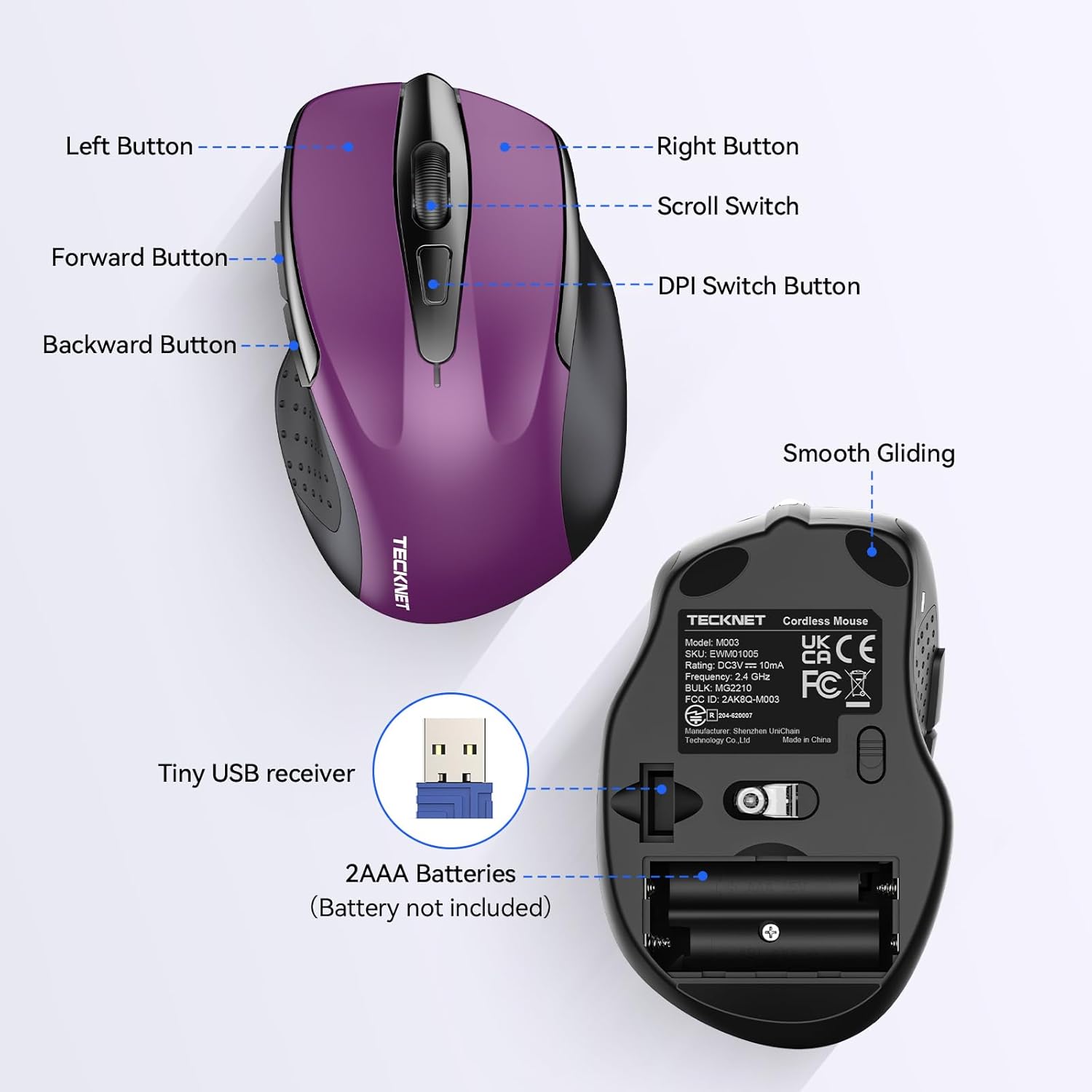
TECKNET Wireless Mouse: How to Use Images
Explains the different buttons and features of the wireless mouse, as well as how to set it up with the USB receiver and batteries.
- Brand
- TECKNET
- Category
- Electronics › Computers & Accessories › Computer Accessories & Peripherals › Keyboards, Mice & Accessories › Mice
- Image type
- How to Use Images, Secondary Images
- Design focus
- Button functions; Setup instructions
- Listing position
- Image 5
- Marketplace
- United States
- Best Sellers Rank
- #5 in Computer Mice
- Full listing
- See all 8 images in order
- ASIN
- B015NBTAOW
See your listing next to your competitors
Paste your Amazon link. We score every image and show what the top sellers do differently. Your first comparison is free.
What this image does at a glance
- Score
- 19 / 100 · Unreadable small
- Headline
- TECKNET
- Headline height
- 6.8% of the image
- Headline contrast
- Lc 67
- Text on the image
- 5.4% of the image, 19 blocks
- Blurred to tile size
- headline no longer readable
Listing bullet points
- Compact Design, Travel Friendly - With the dimension of 4.09*2.68*1.49 in, this compact mouse provides more portability and a better travel experience. Only compatible with USB-A Port Devices.
- Ergonomic Design, Comfort Grip - The contoured shape of this mouse is ergonomically designed to fit the natural curve of your hand, ensuring lasting comfort and productivity. Featuring rubber side-grips, it offers added thumb support for a superior working experience.
- Advanced Optical Tracking - Featuring 5-level adjustable DPI (800/1200/1600/2000/2600), this mouse provides high-performance precision and smart cursor control on most surfaces. ( Glass surface is Not included )
- 24 Months Battery Life - Combined with a power-saving mode and on/off switch, this efficiently engineered mouse grants you up to 24 months of battery life.
- Plug and Play - Simply plug the USB-A mini-receiver into your Windows, Mac, Chrome OS, or Linux computer and enjoy seamless connectivity up to 49 feet.
- Notice - Please be aware that the AAA batteries are not included. The USB receiver is stored at the back of the mouse.
Similar how to use images in Electronics
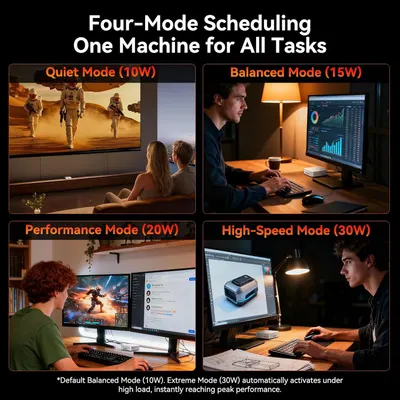 GEEKOM A7 Mini PC
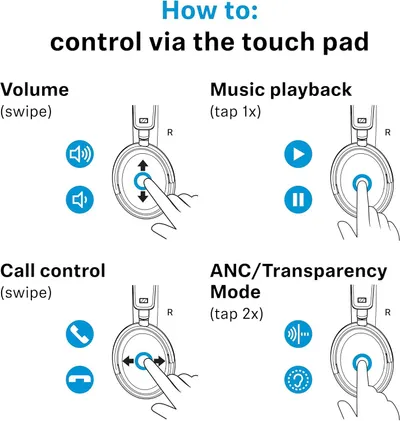 Sennehiser ACCENTUM Plus Wireless Headphones
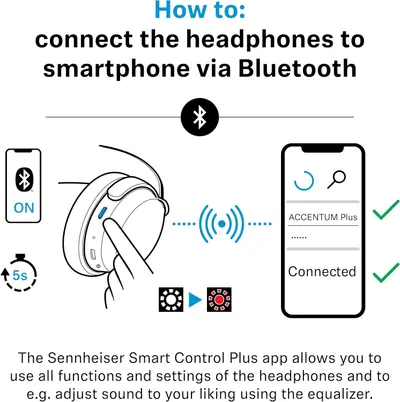 Sennehiser ACCENTUM Plus Wireless Headphones
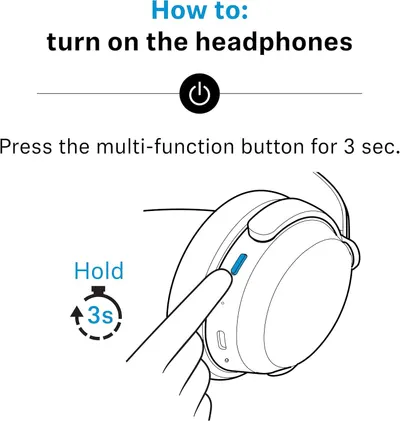 Sennehiser ACCENTUM Plus Wireless Headphones
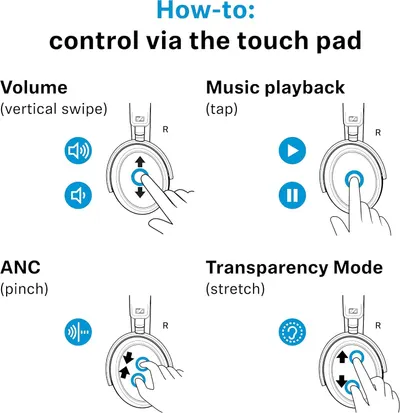 Sennheiser Consumer Audio Momentum 4 Wireless Headphones
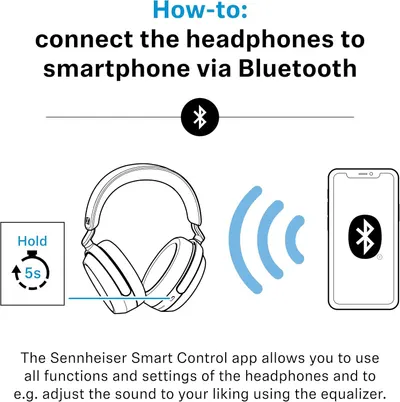 Sennheiser Consumer Audio Momentum 4 Wireless Headphones
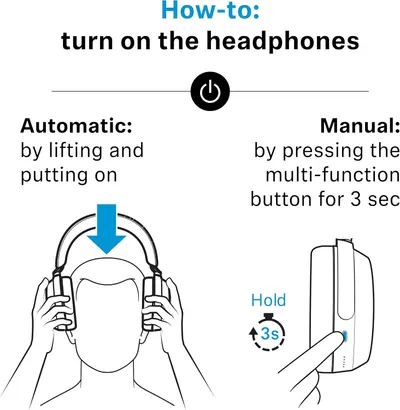 Sennheiser Consumer Audio Momentum 4 Wireless Headphones
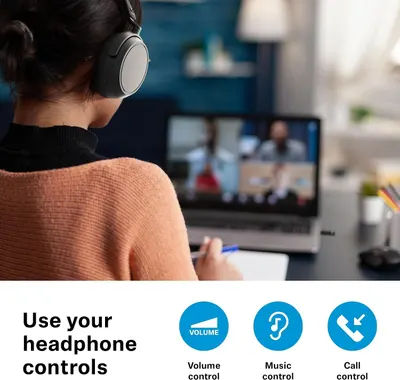 Sennehiser ACCENTUM Wireless Headphones
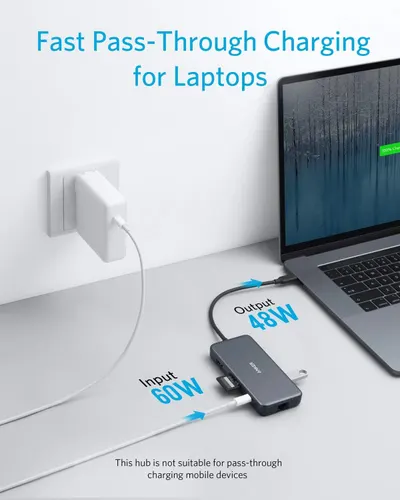 Anker Adaptador hub USB-C
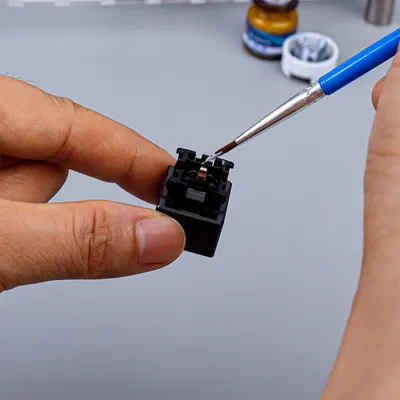 Metal Switch Opener GPL 205G0 0.35oz
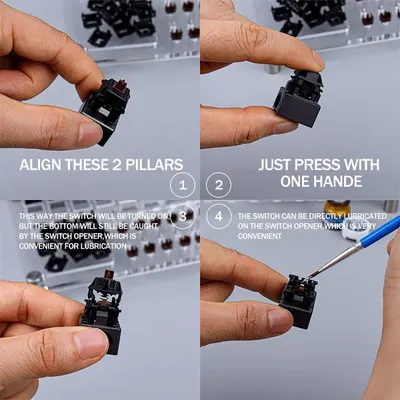 Metal Switch Opener GPL 205G0 0.35oz
 RUNJRX
This image belongs to TECKNET and is shown for design research. Request removal.