Product Anatomy Secondary Image Examples for Electronics

424 real product anatomy secondary images examples from Electronics listings on Amazon, with the purpose of each image explained. See all Electronics examples.
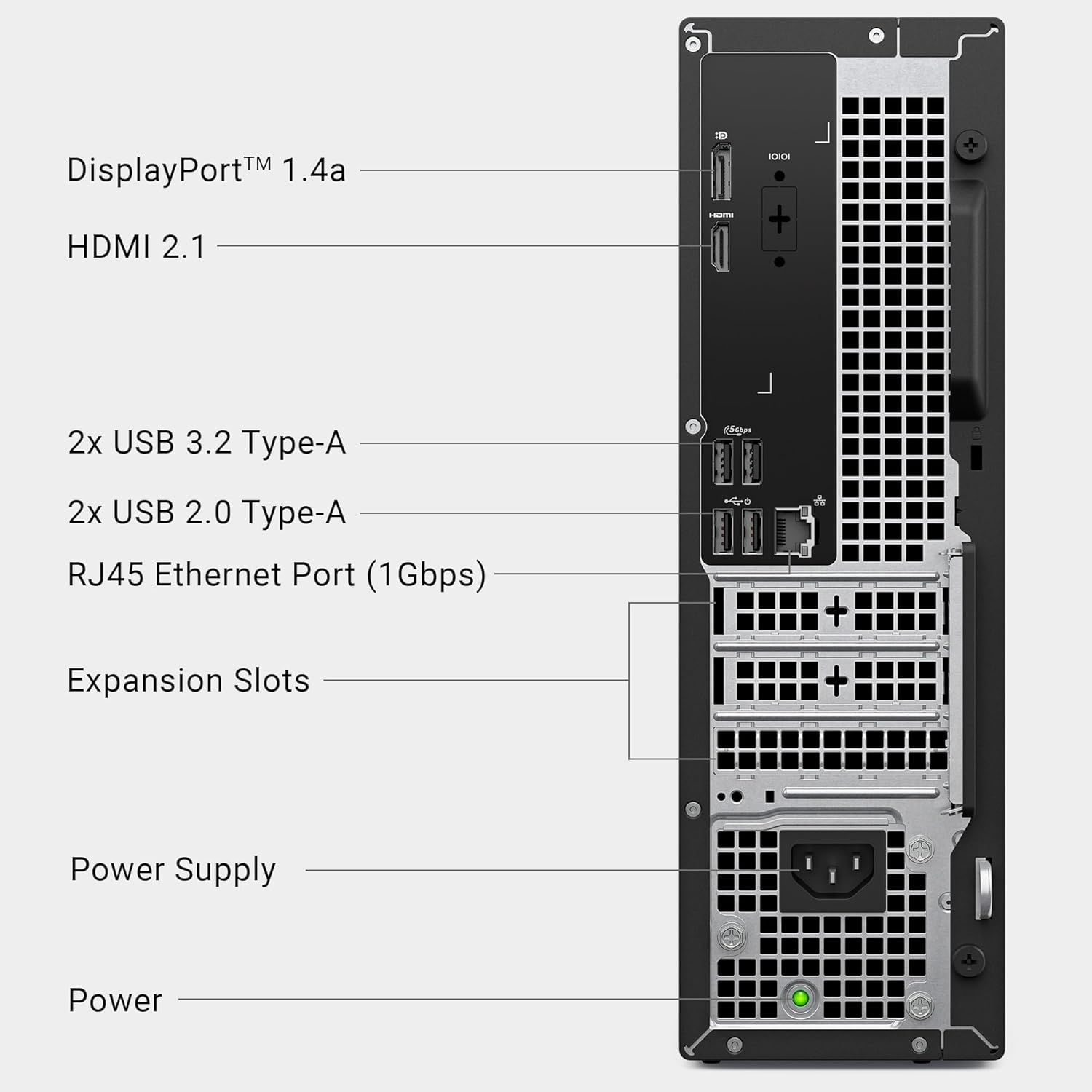
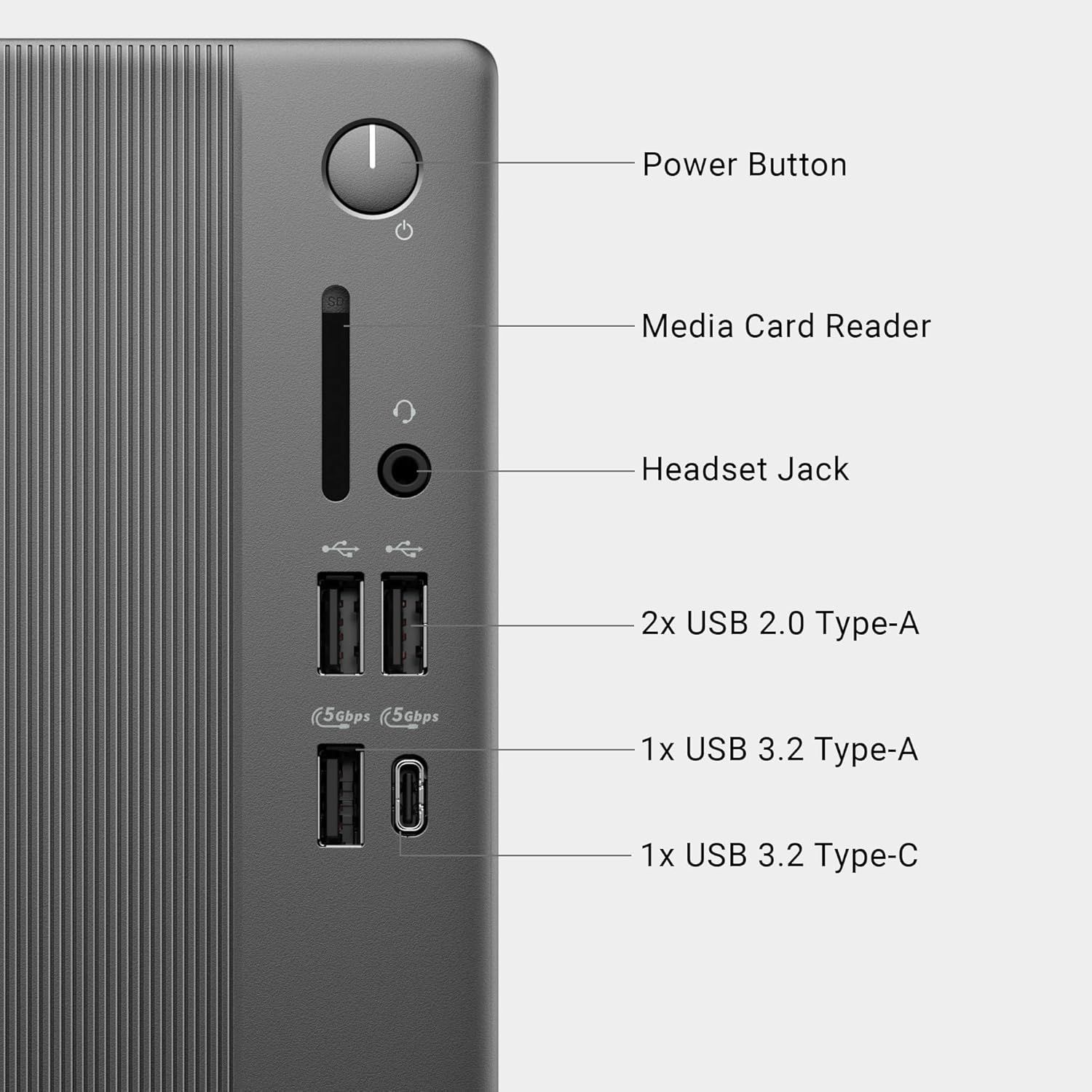
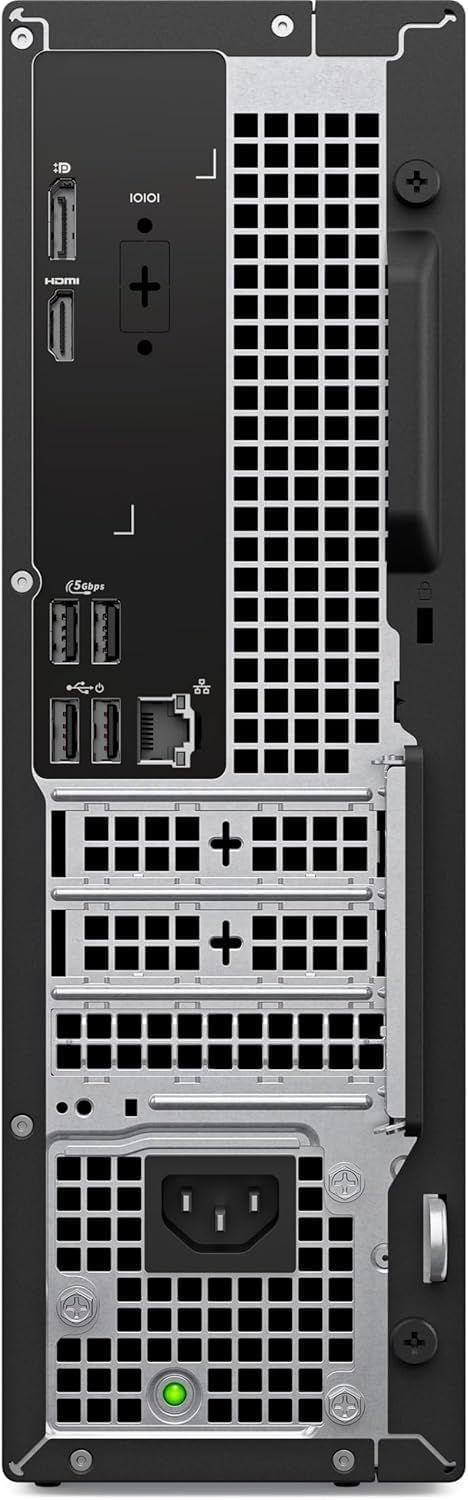
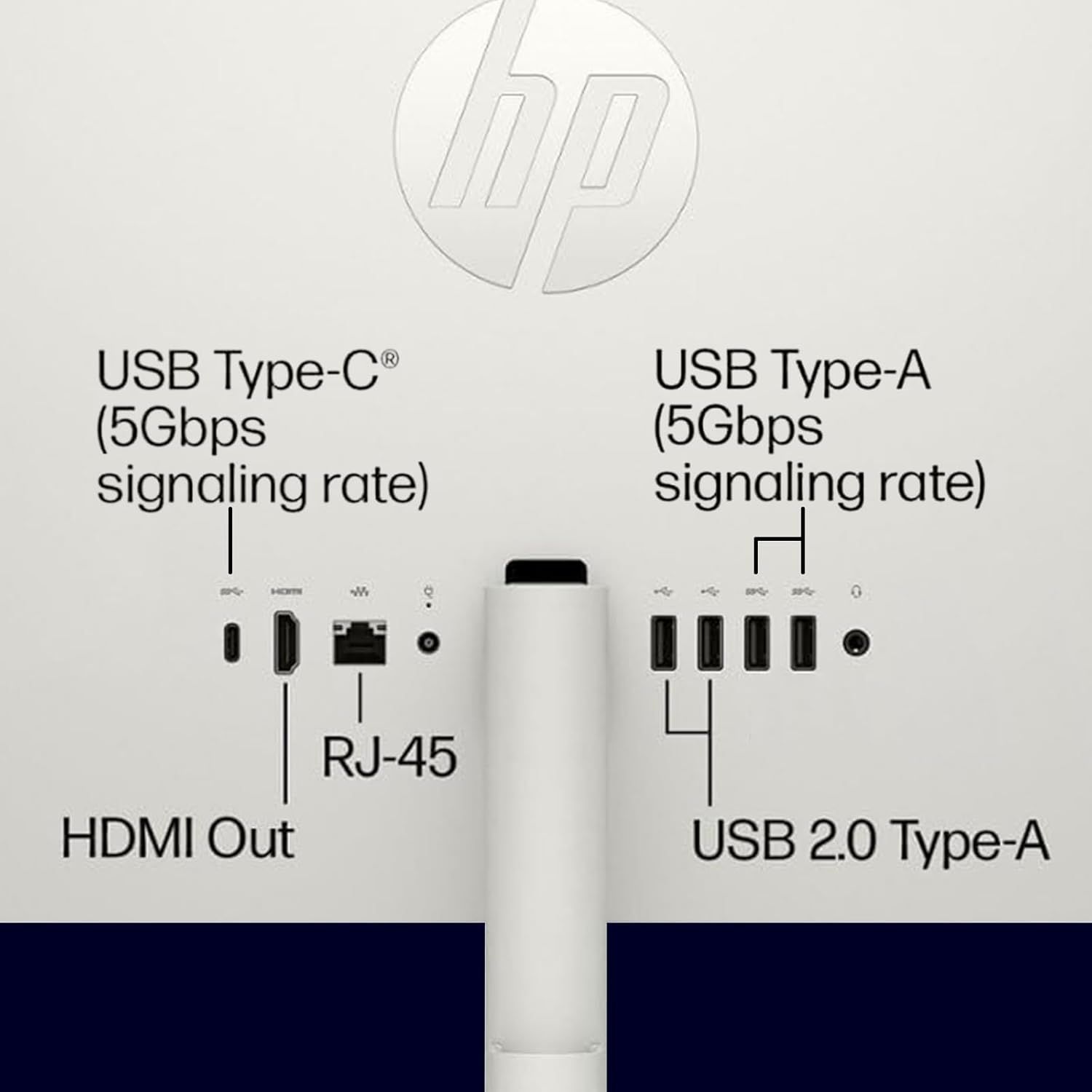
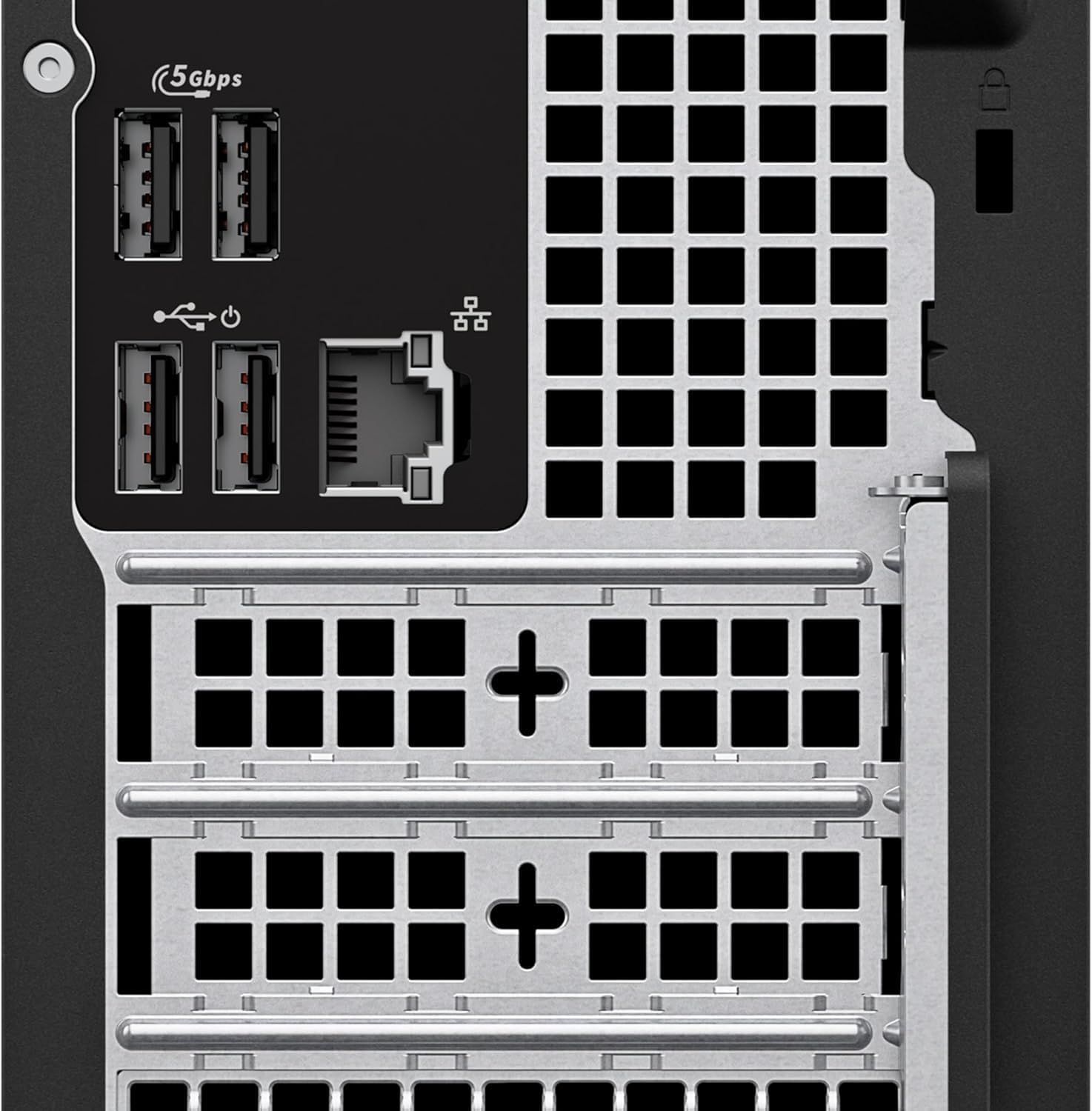
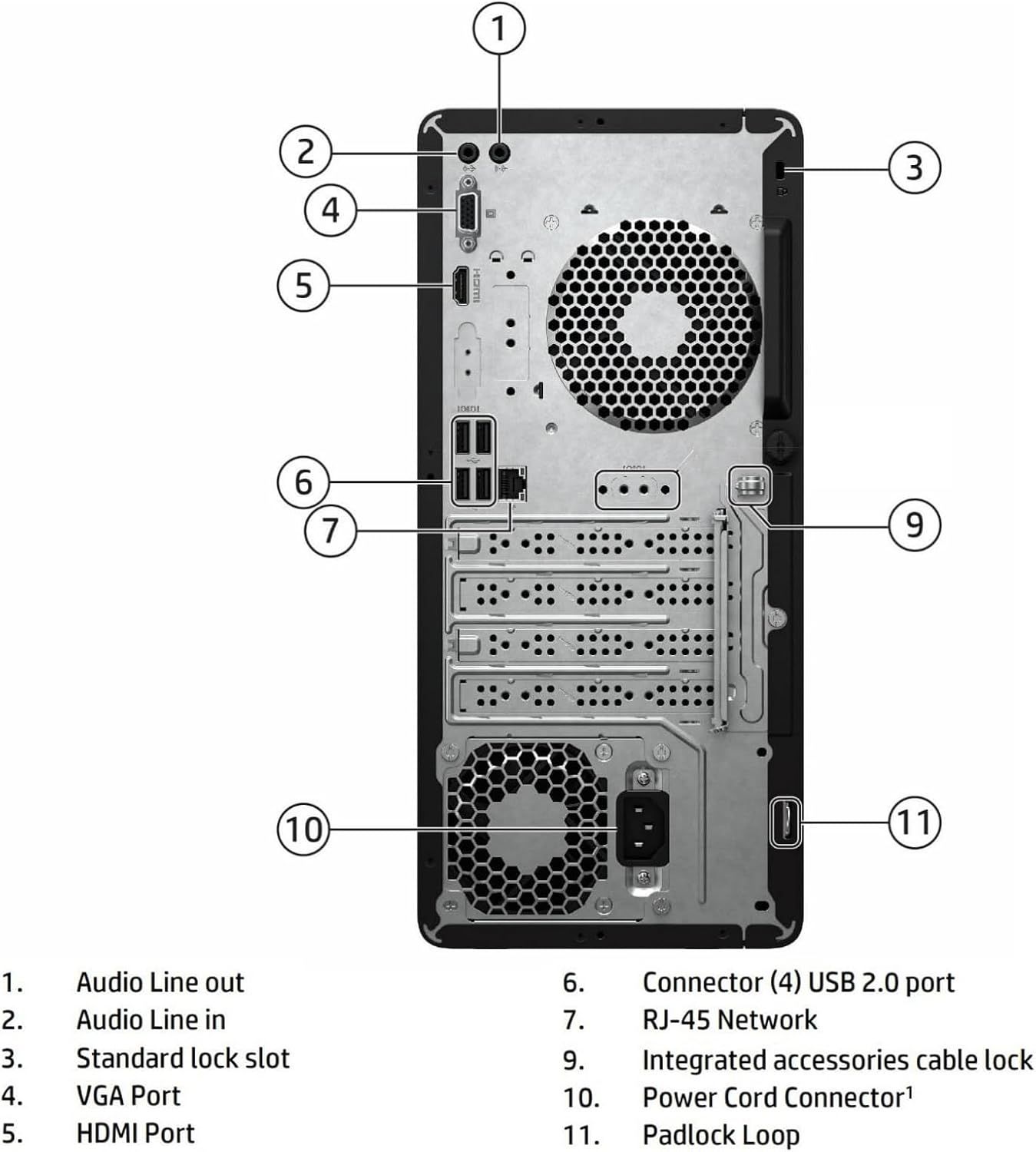
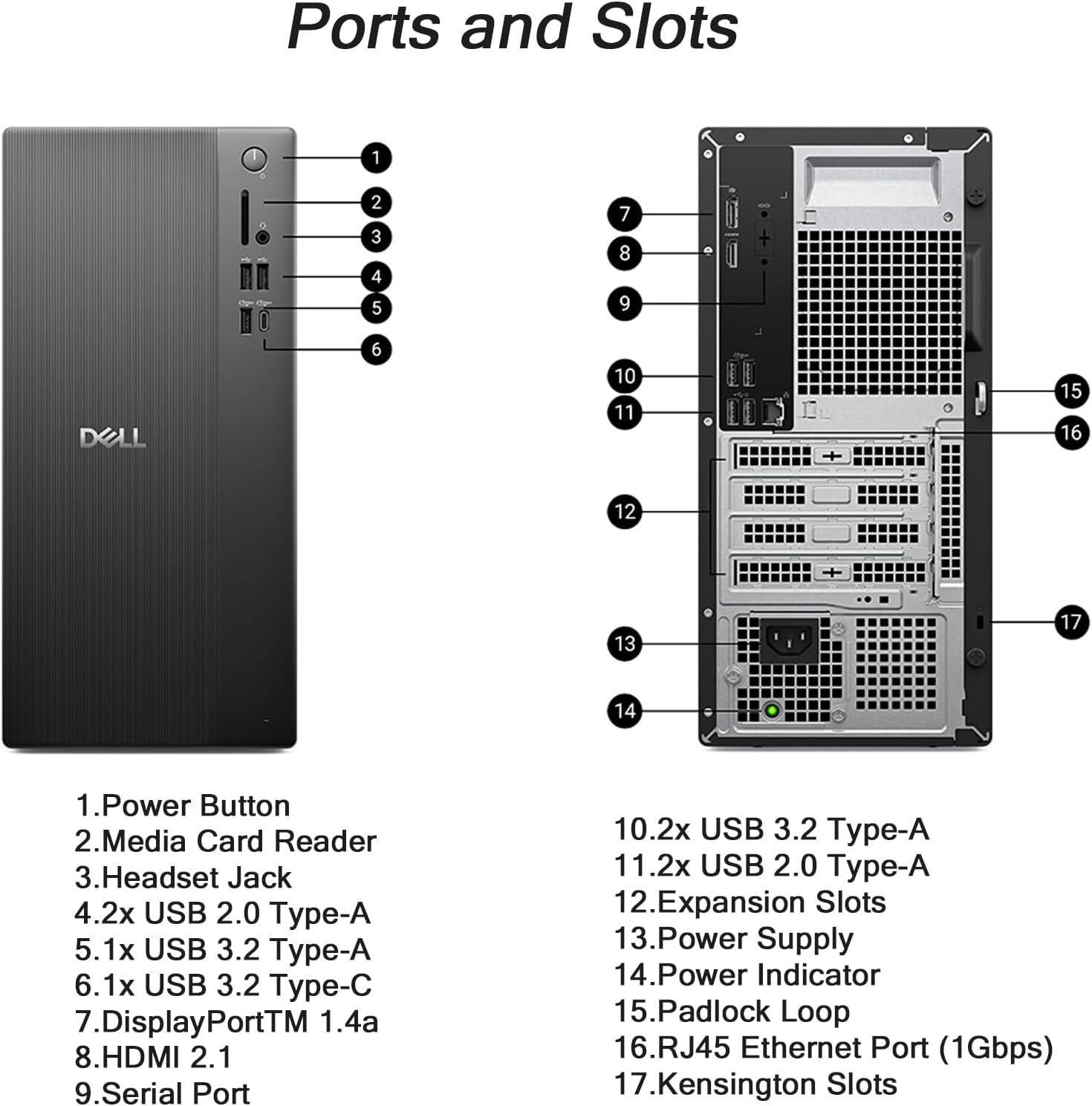
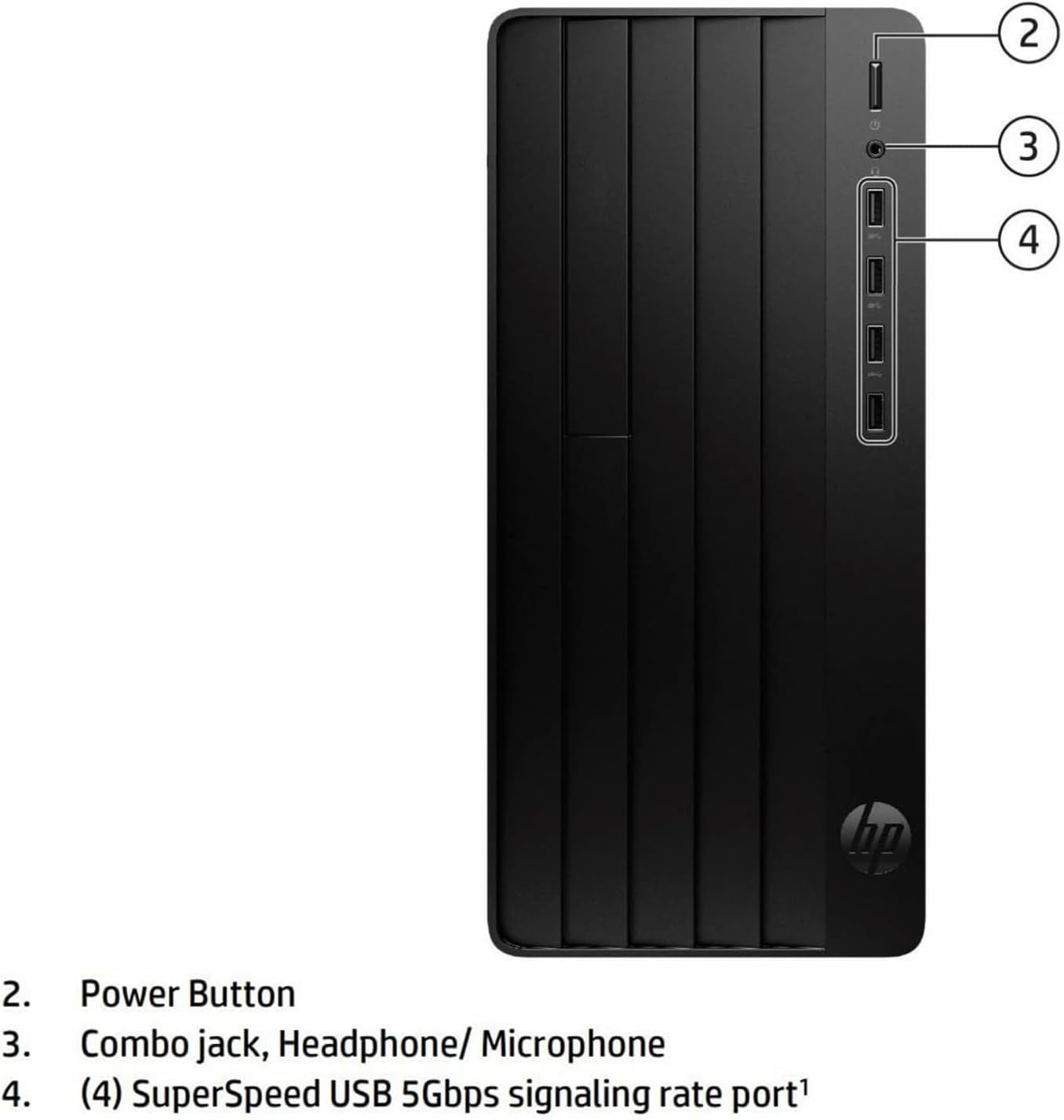
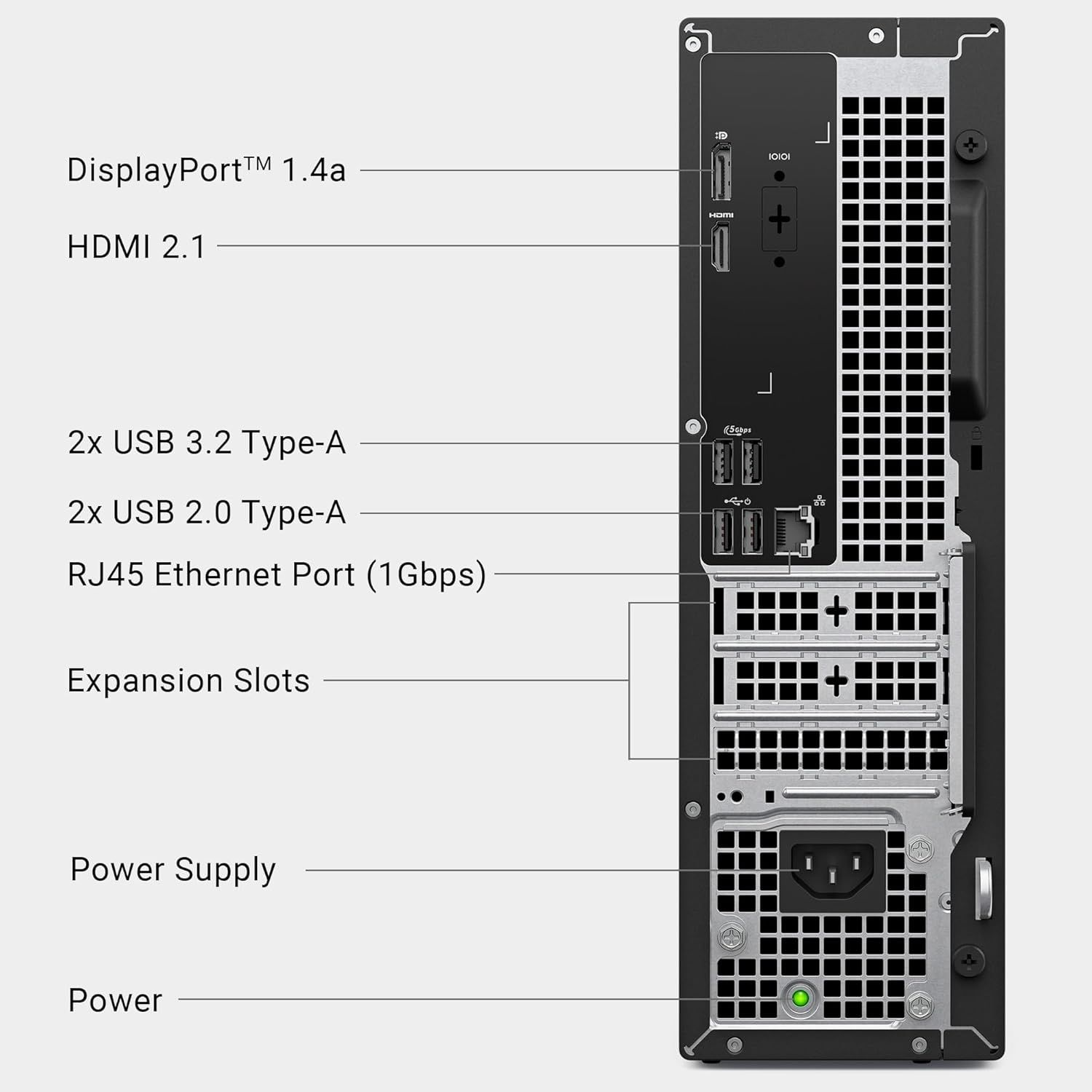
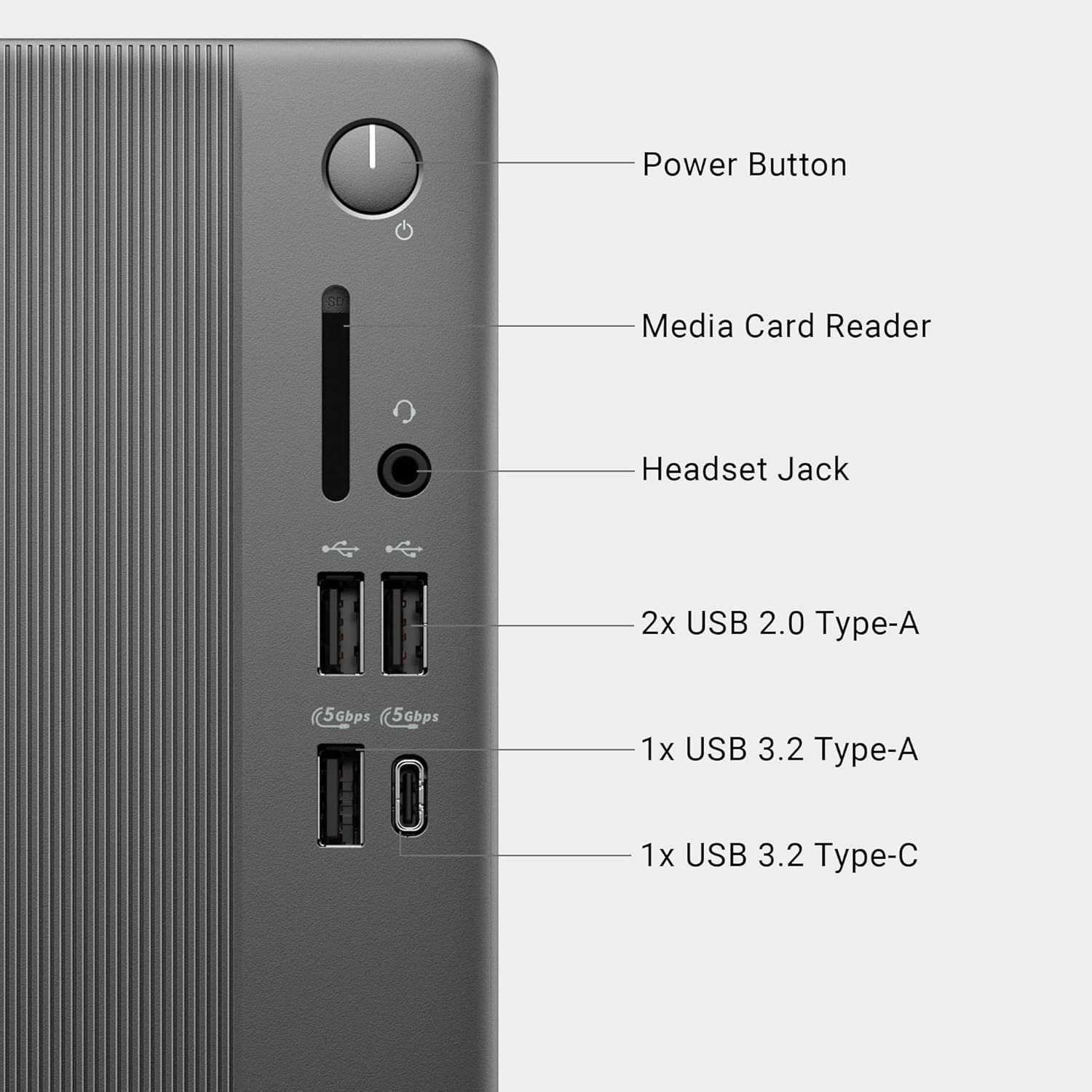
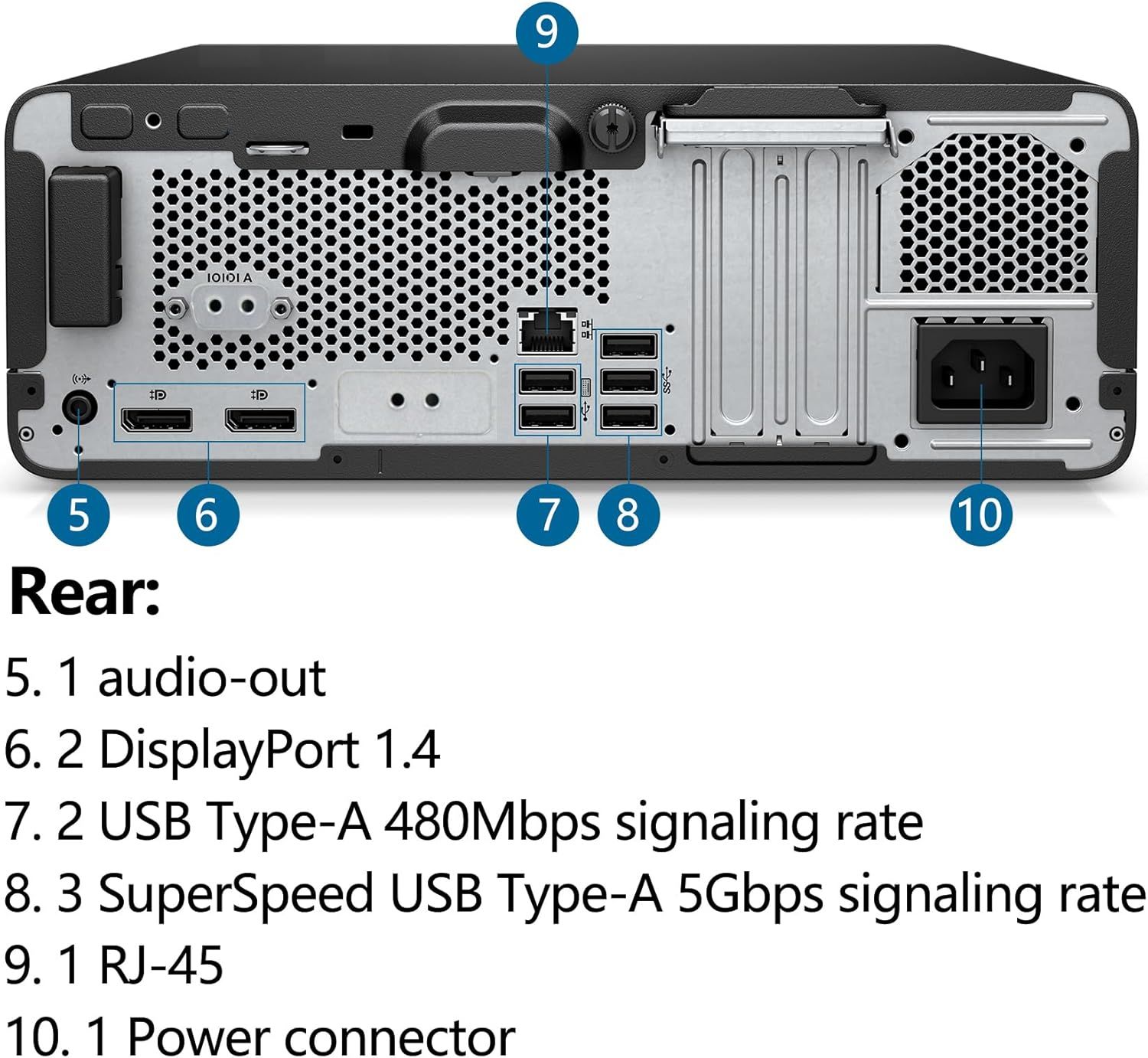
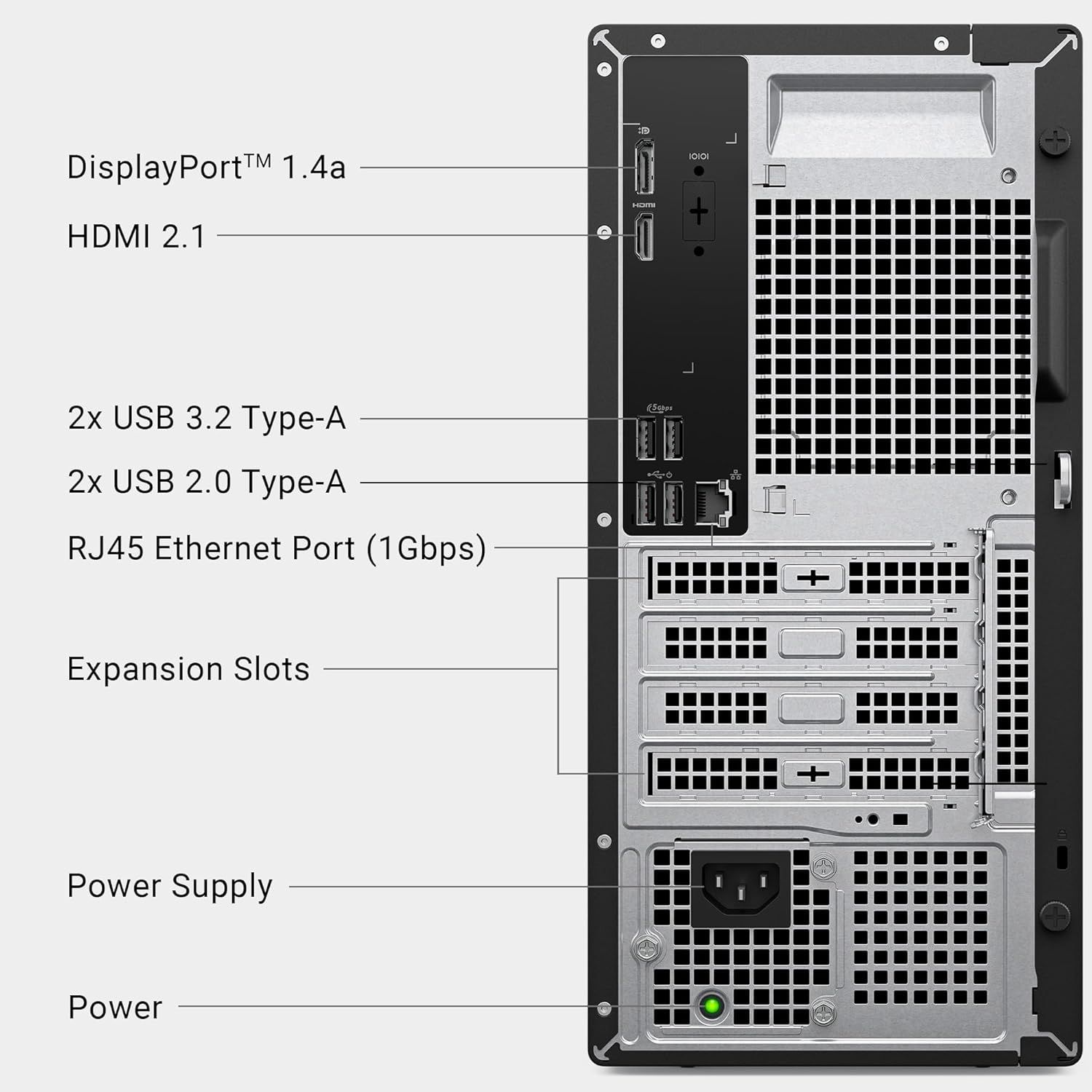
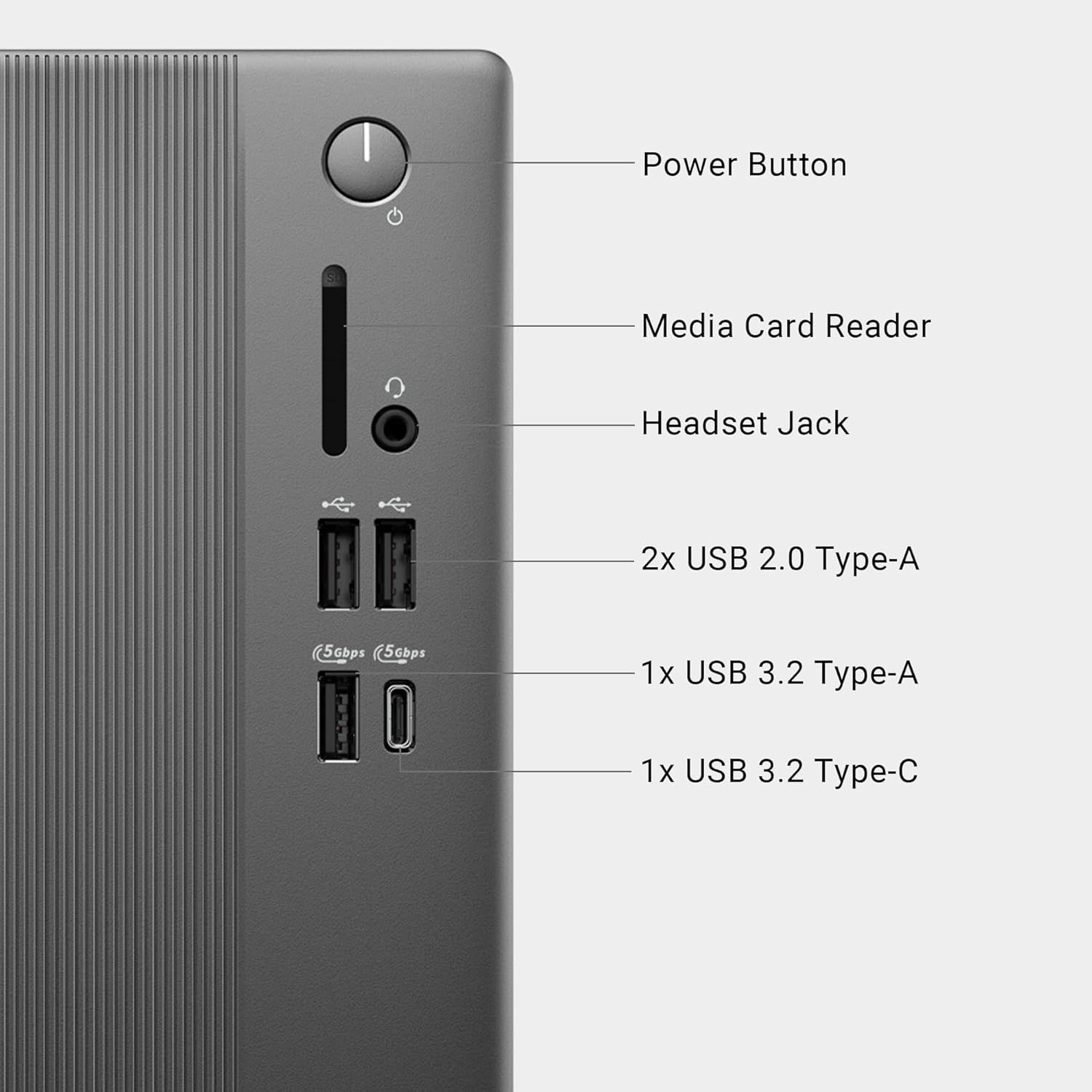
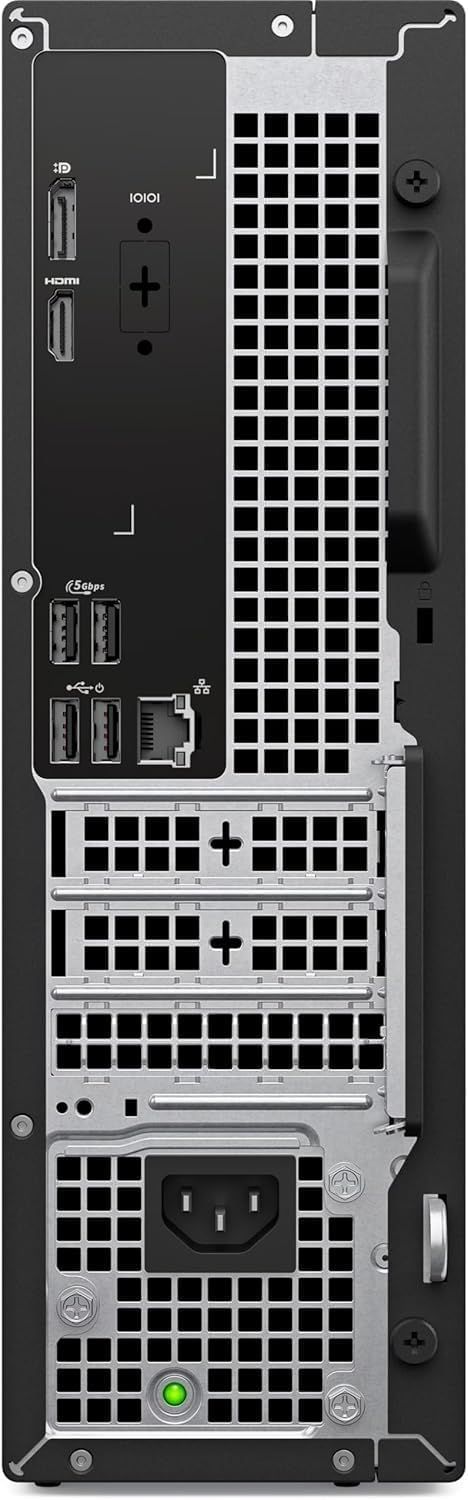
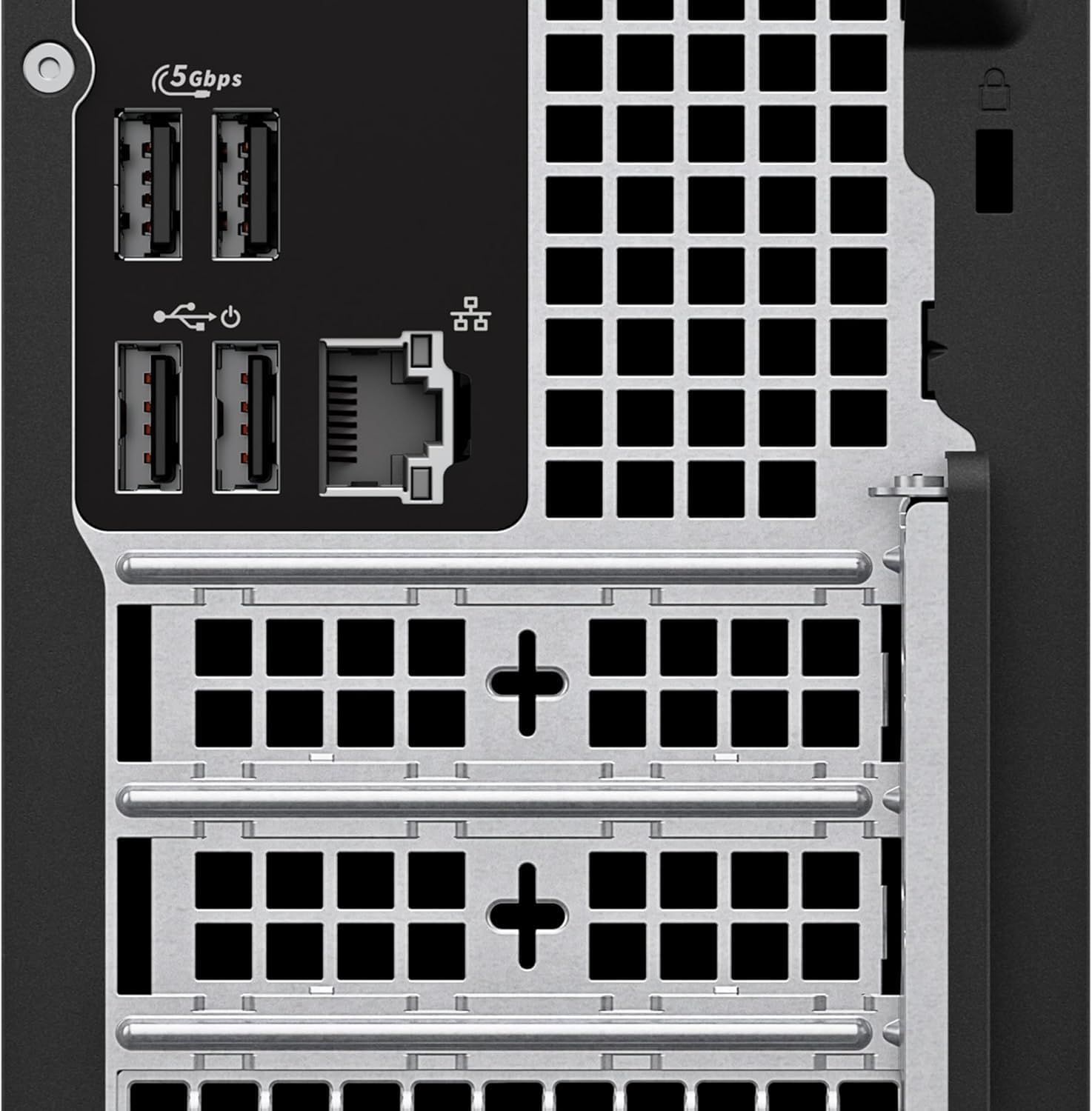
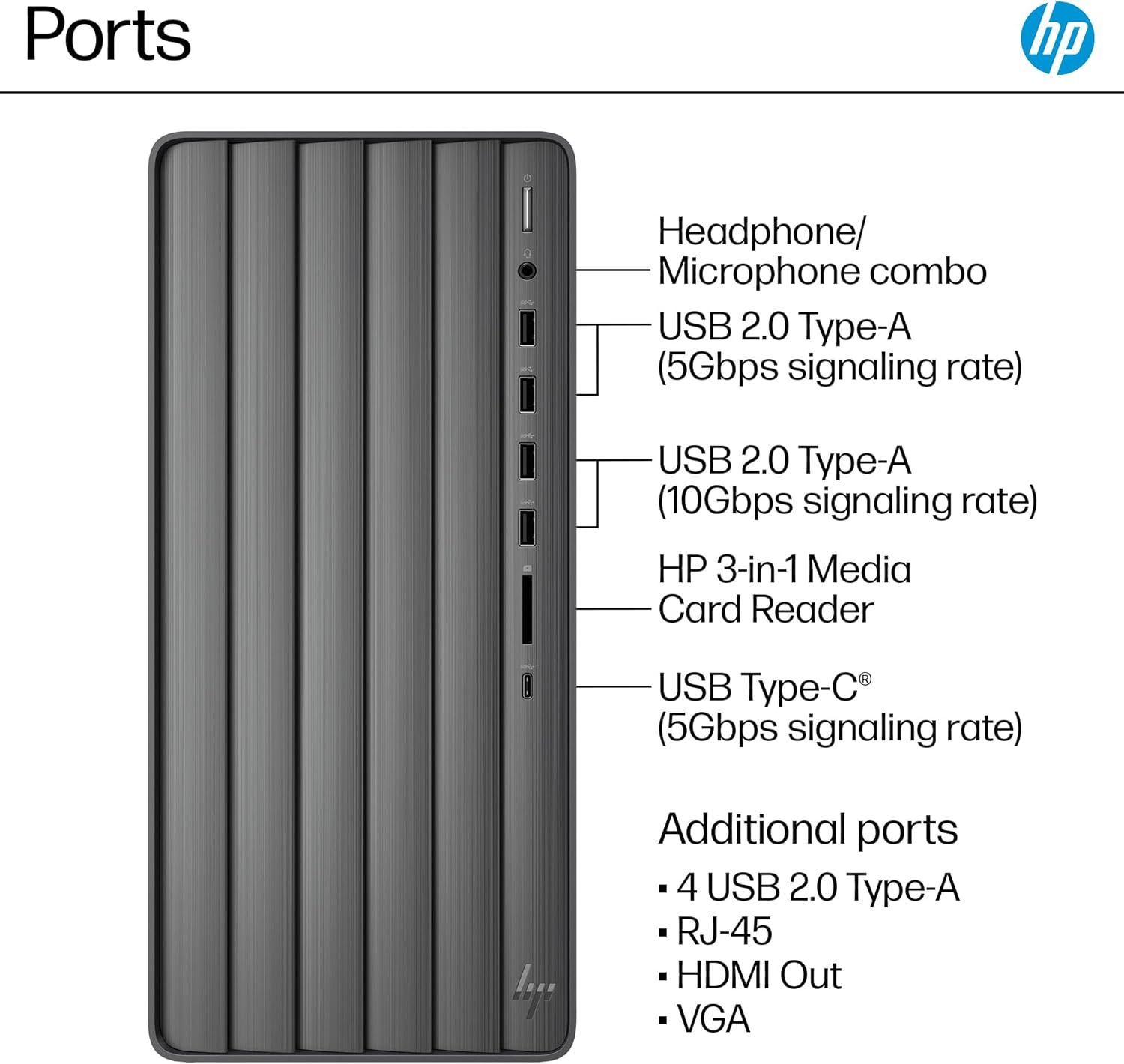
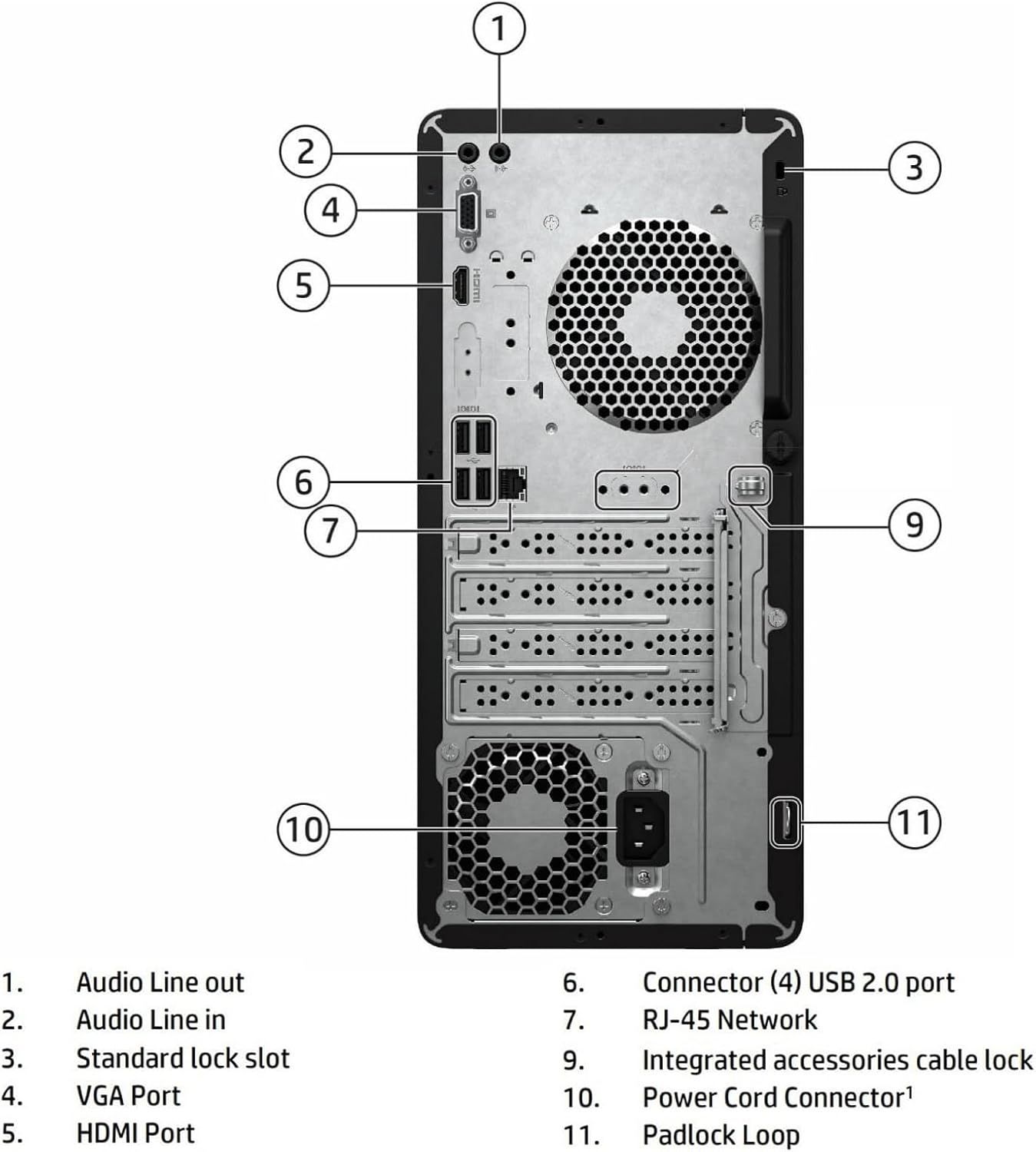
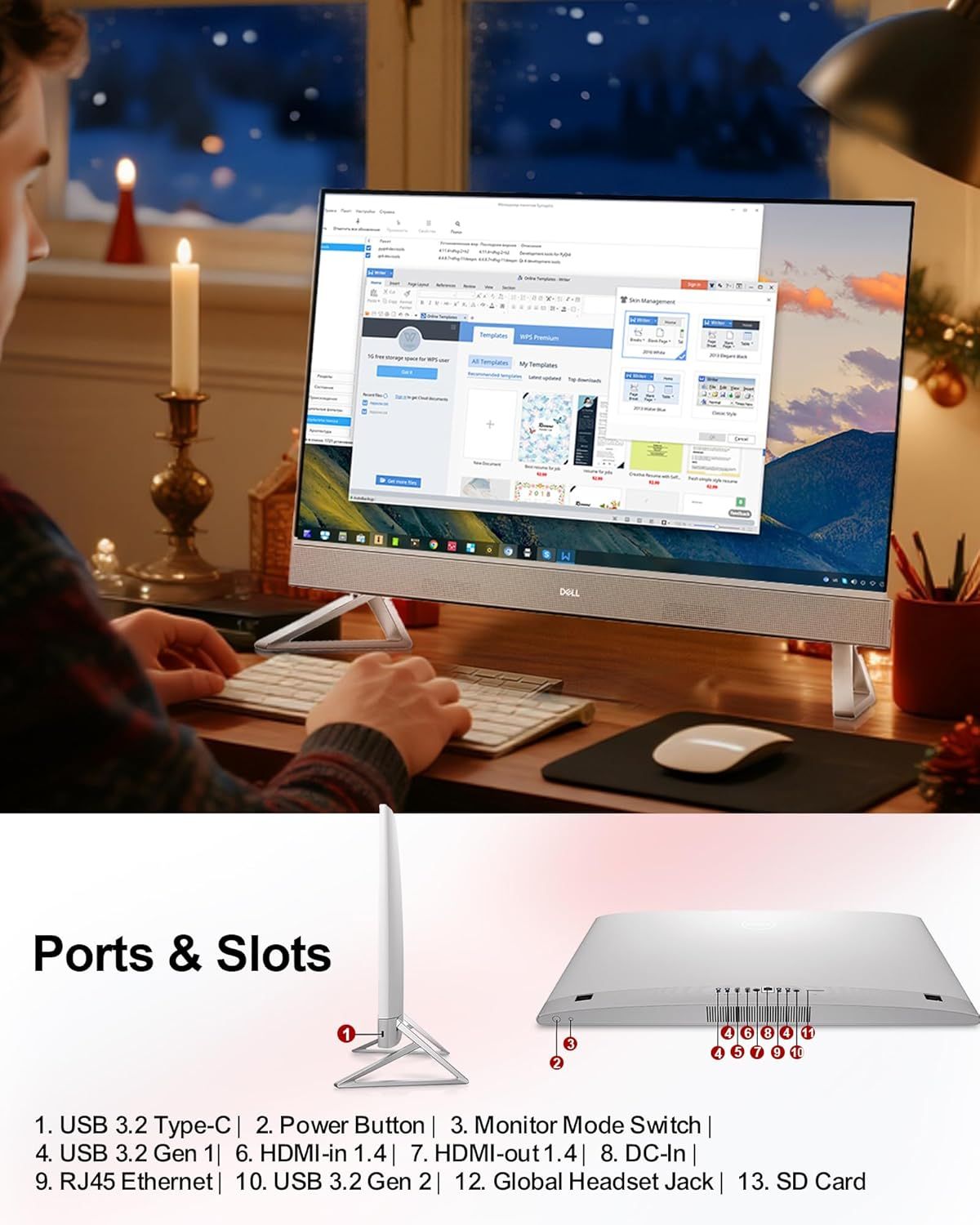
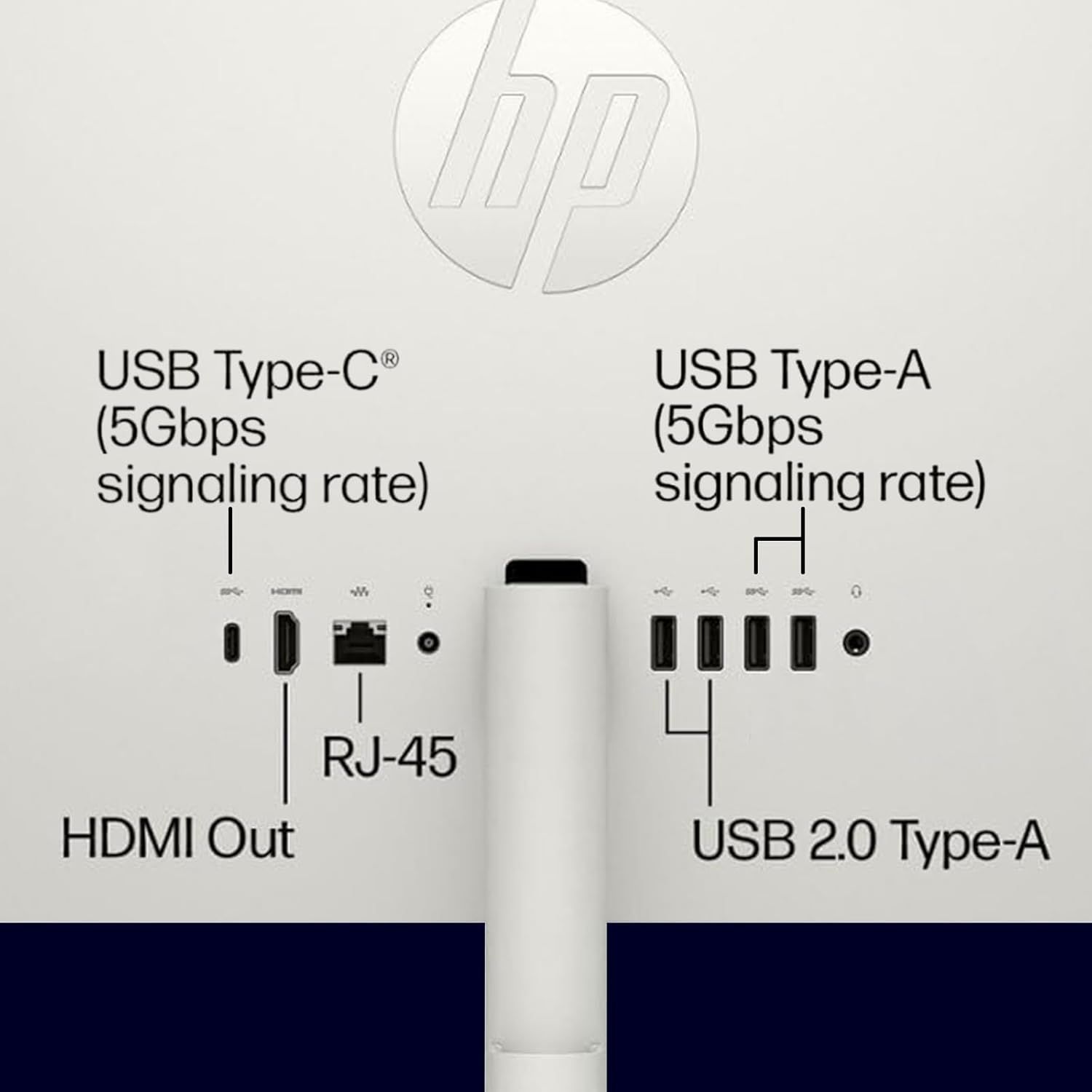
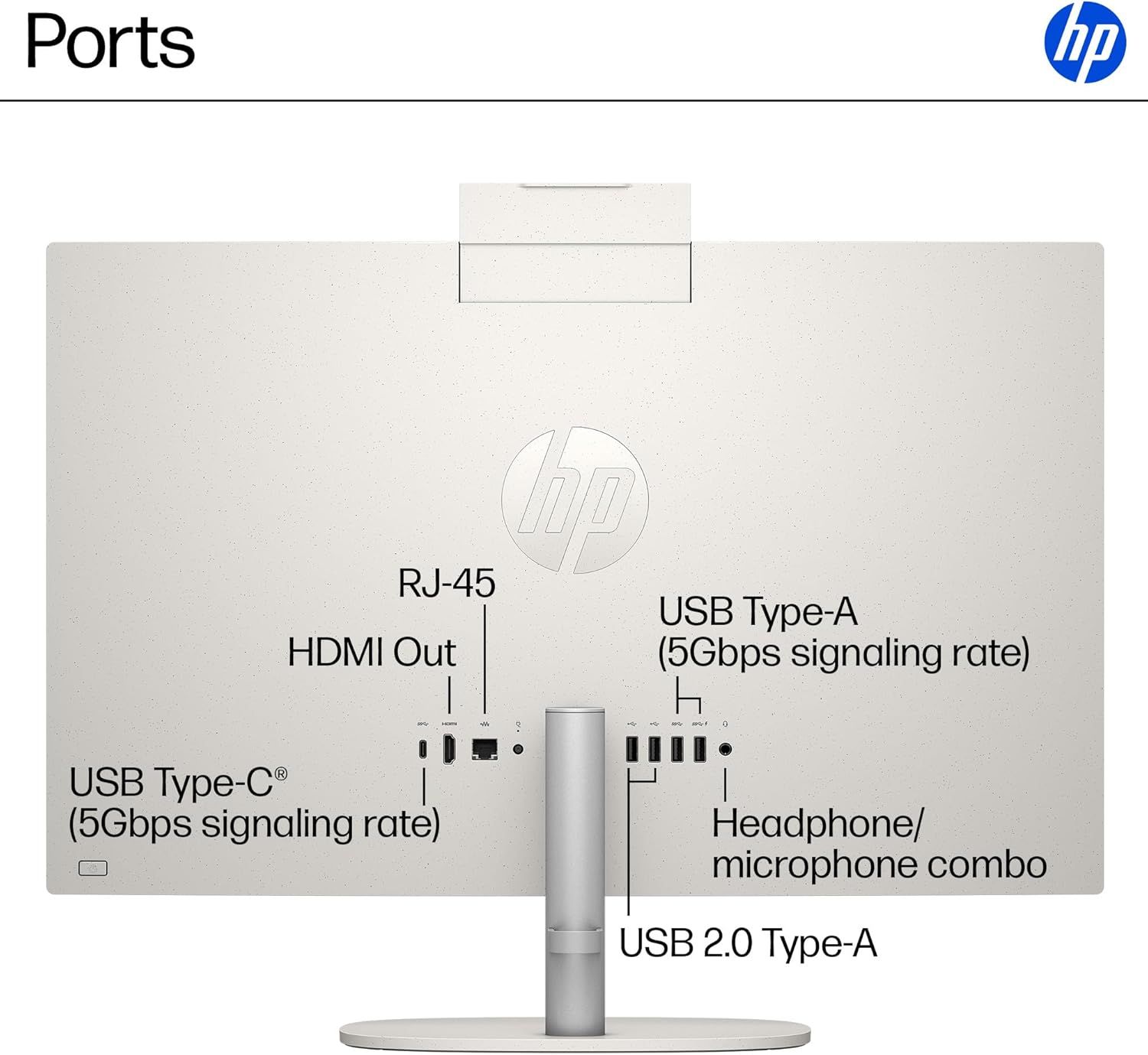
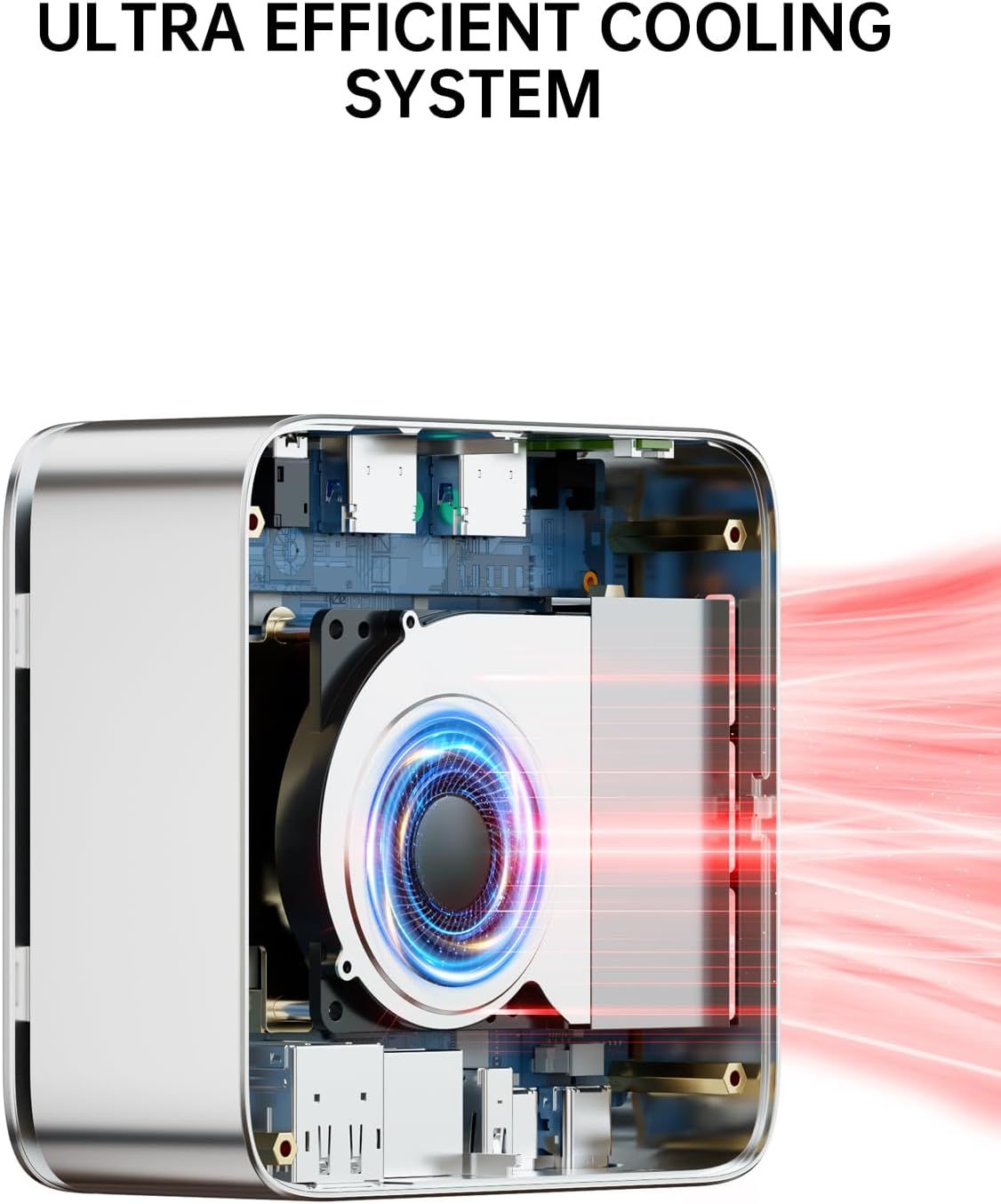
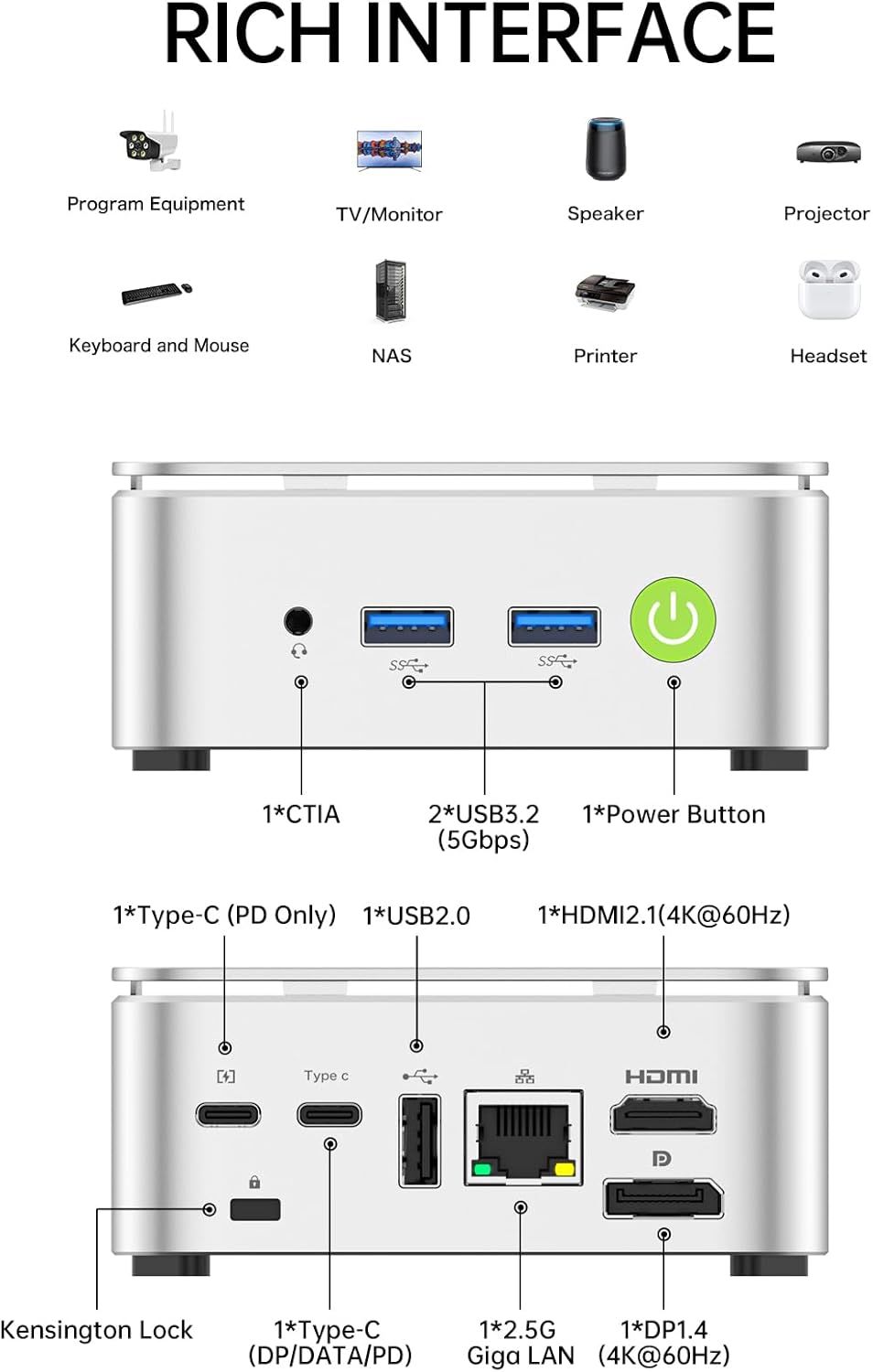
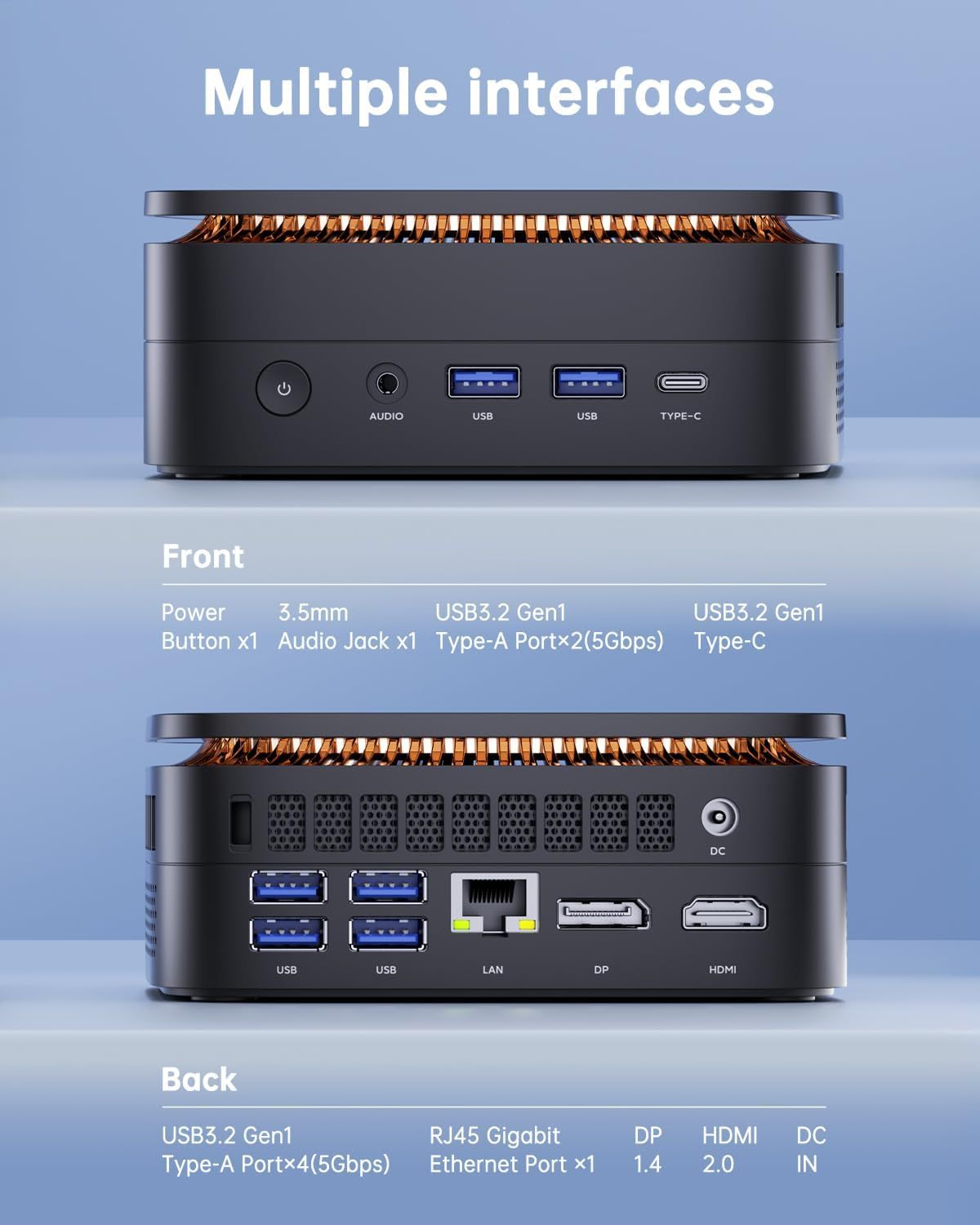
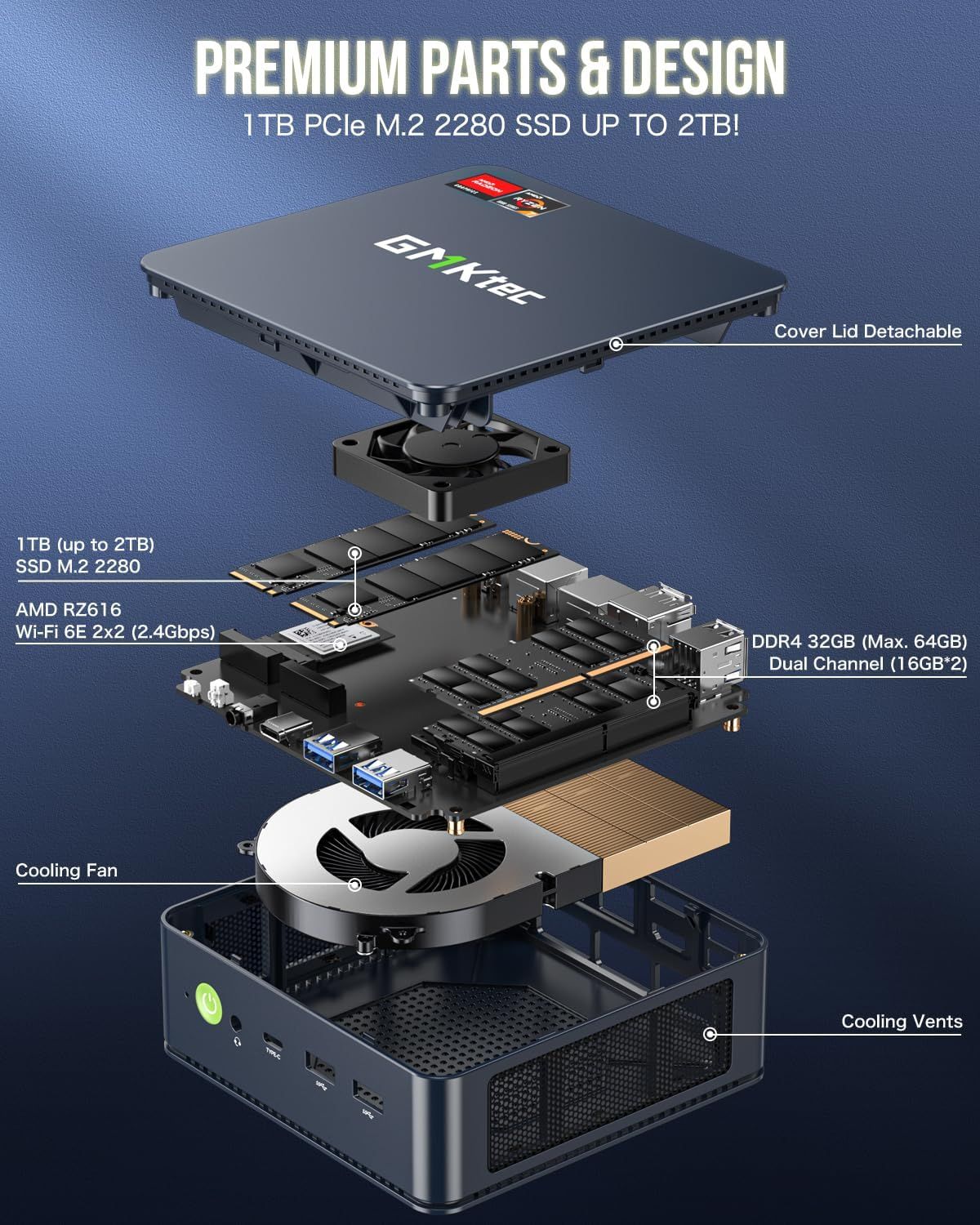
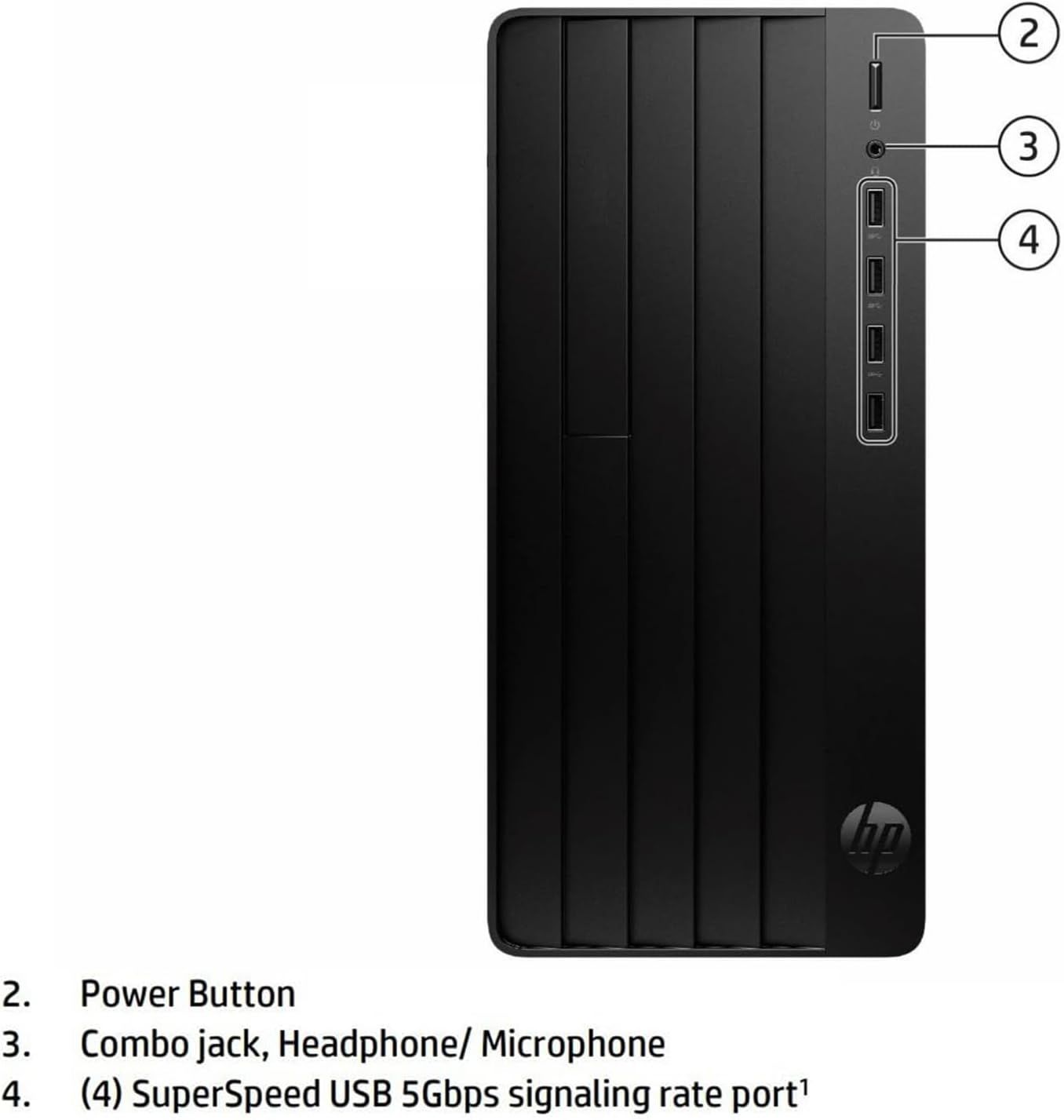
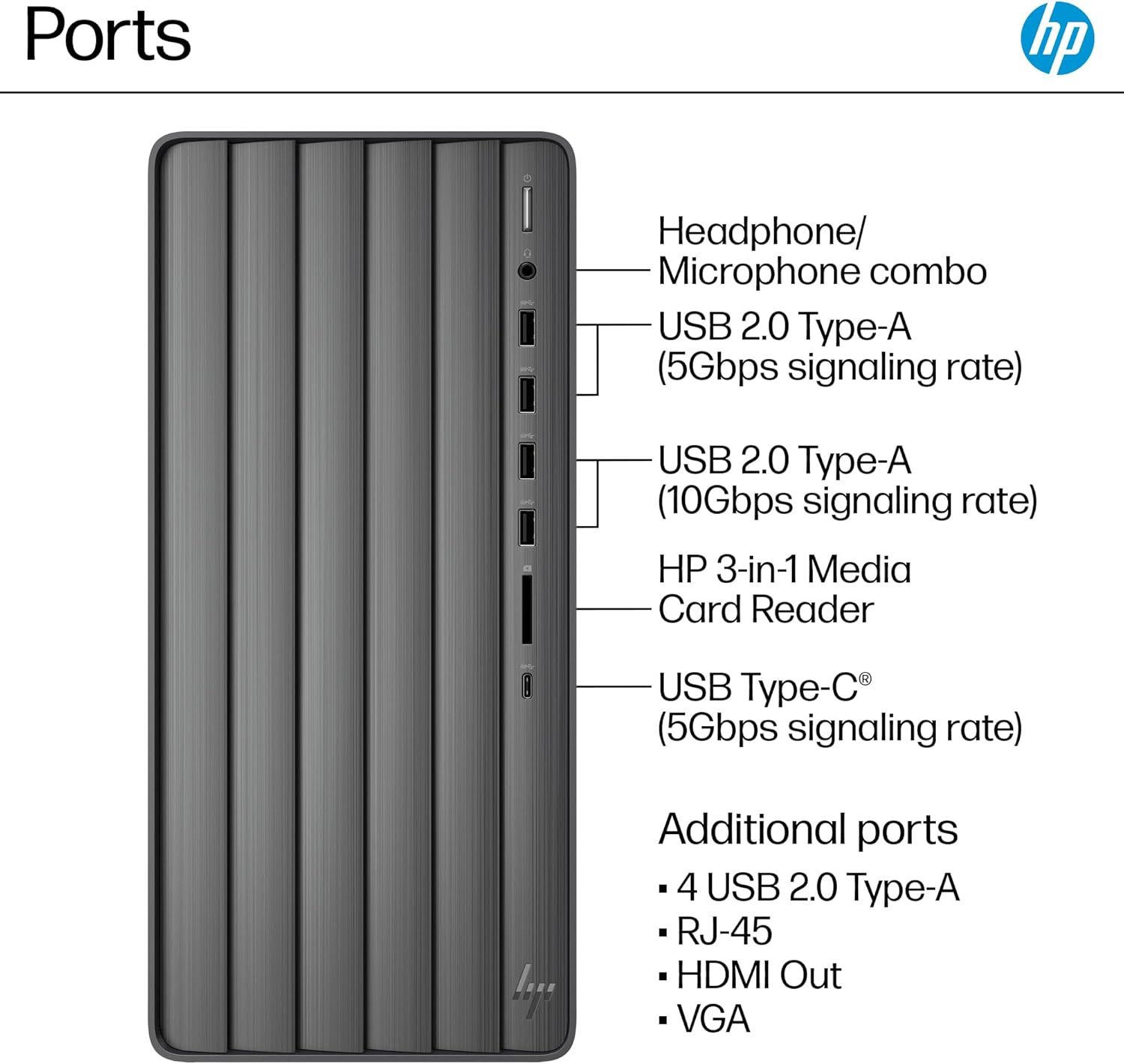
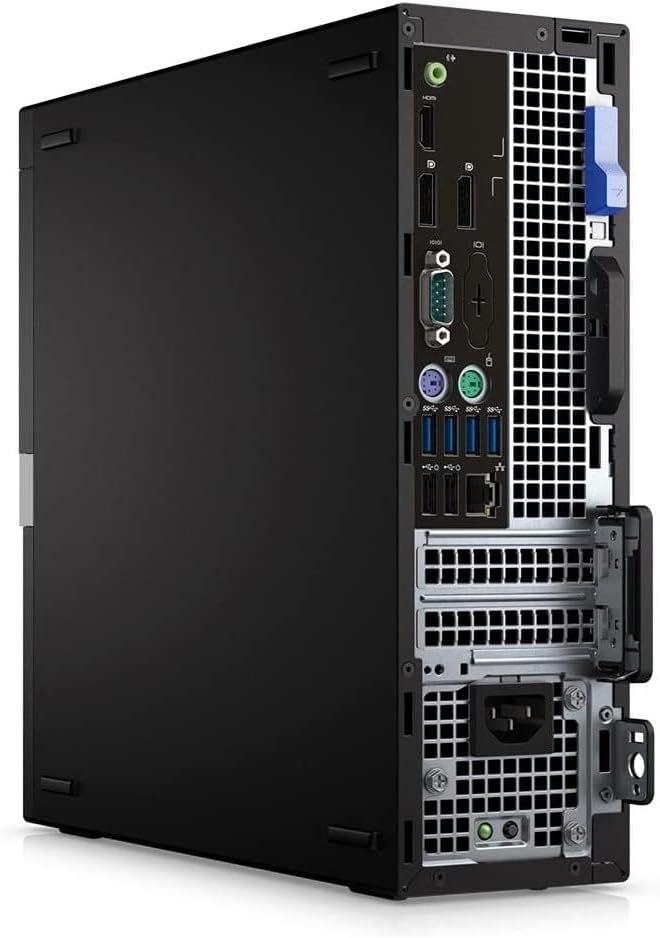
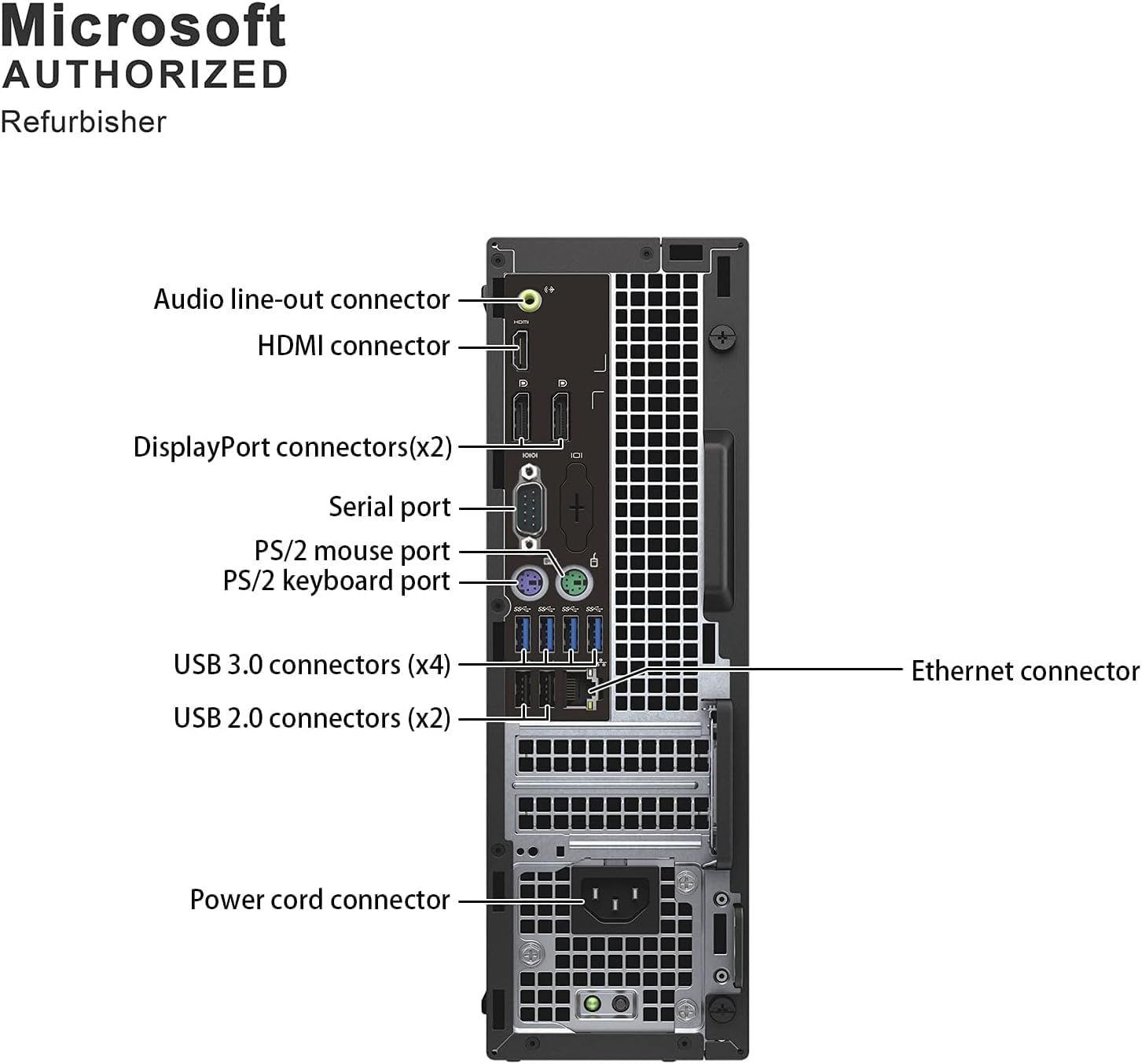
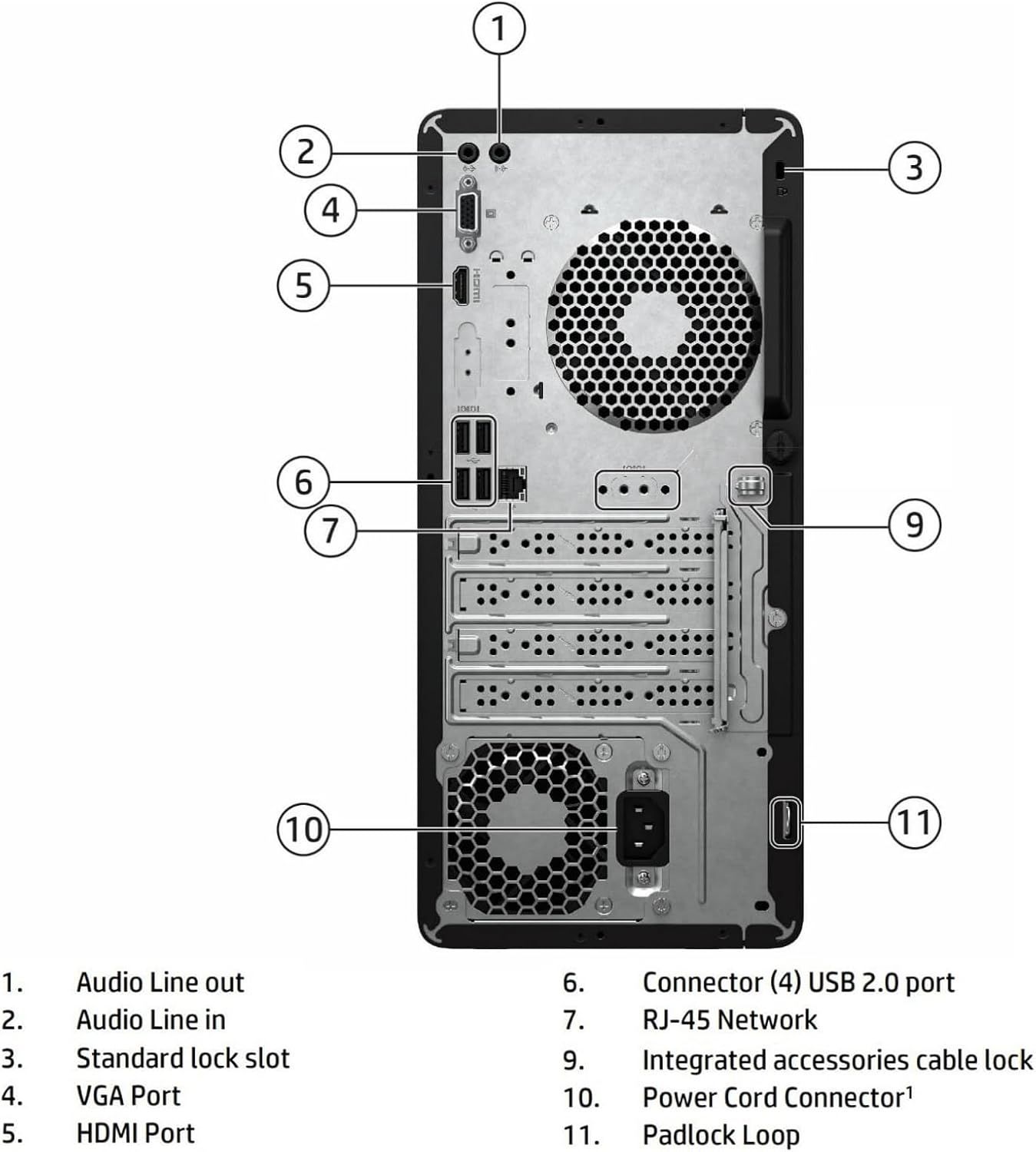
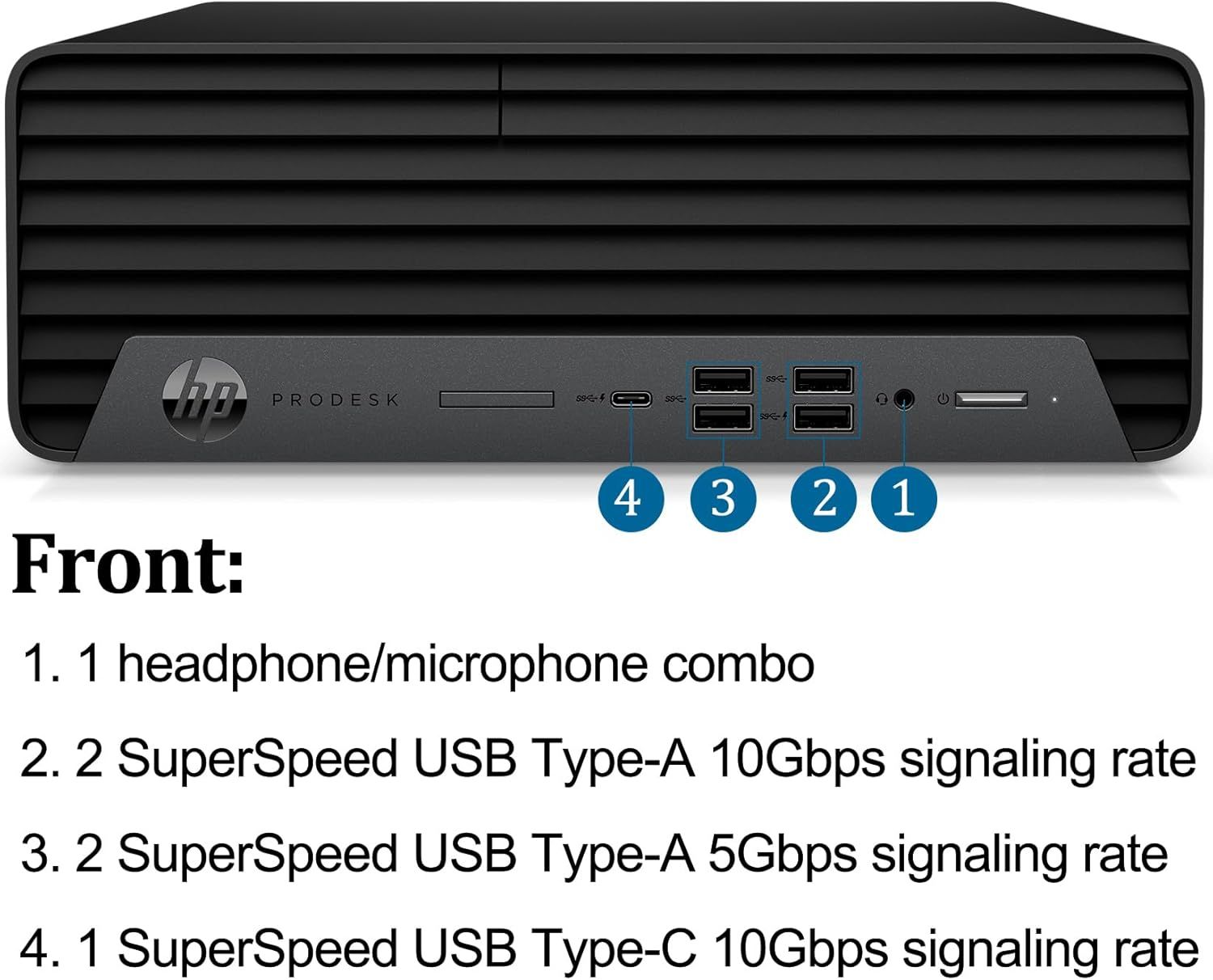
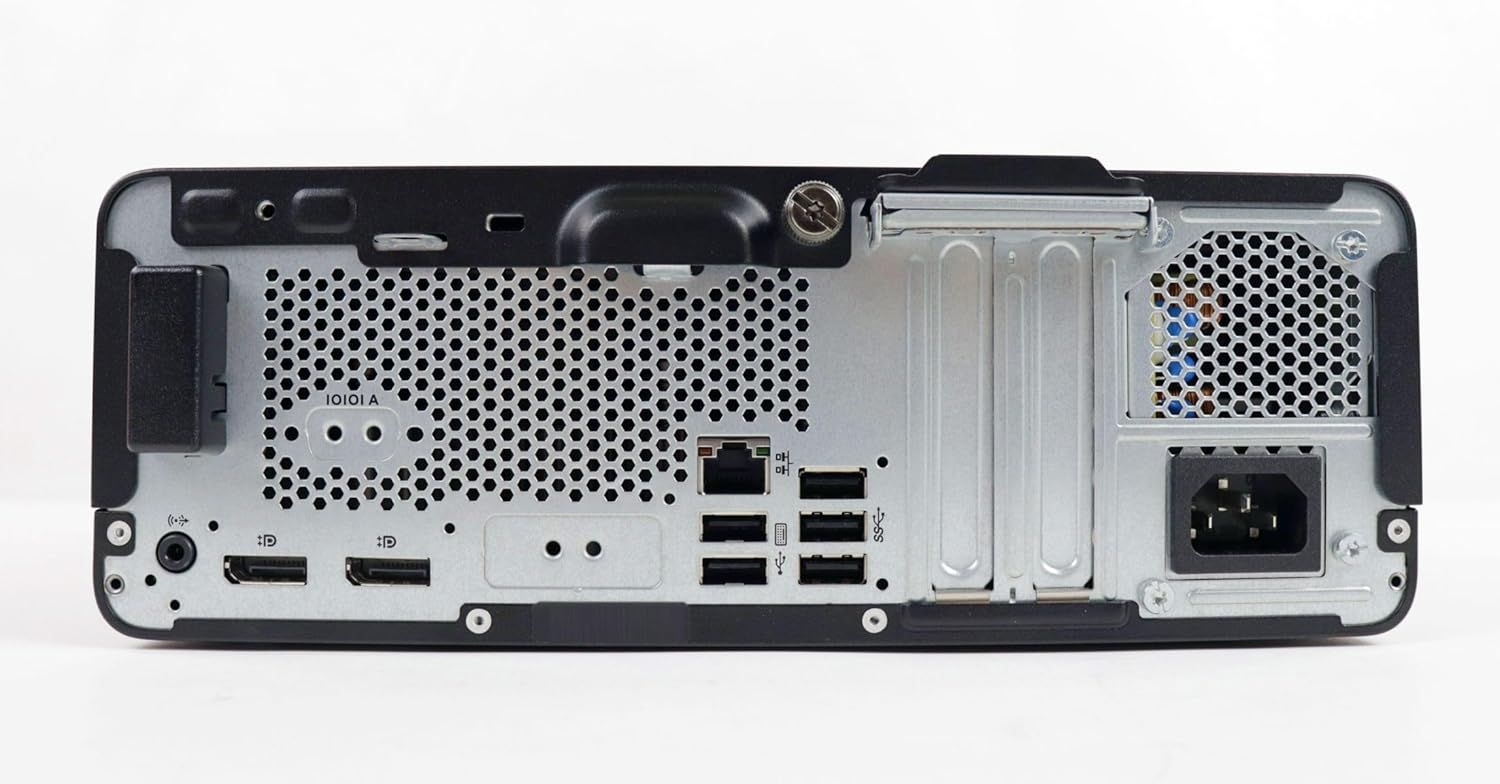
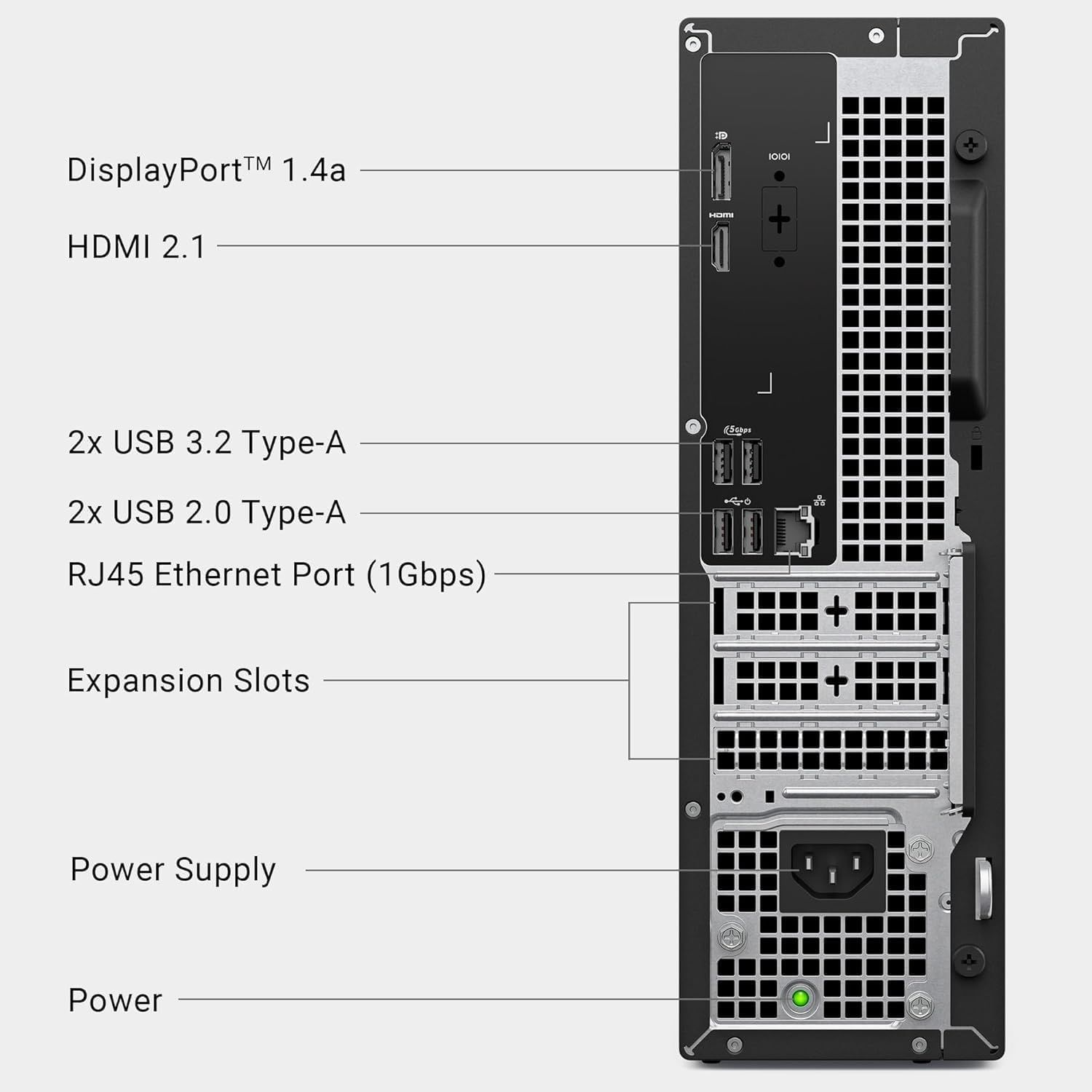
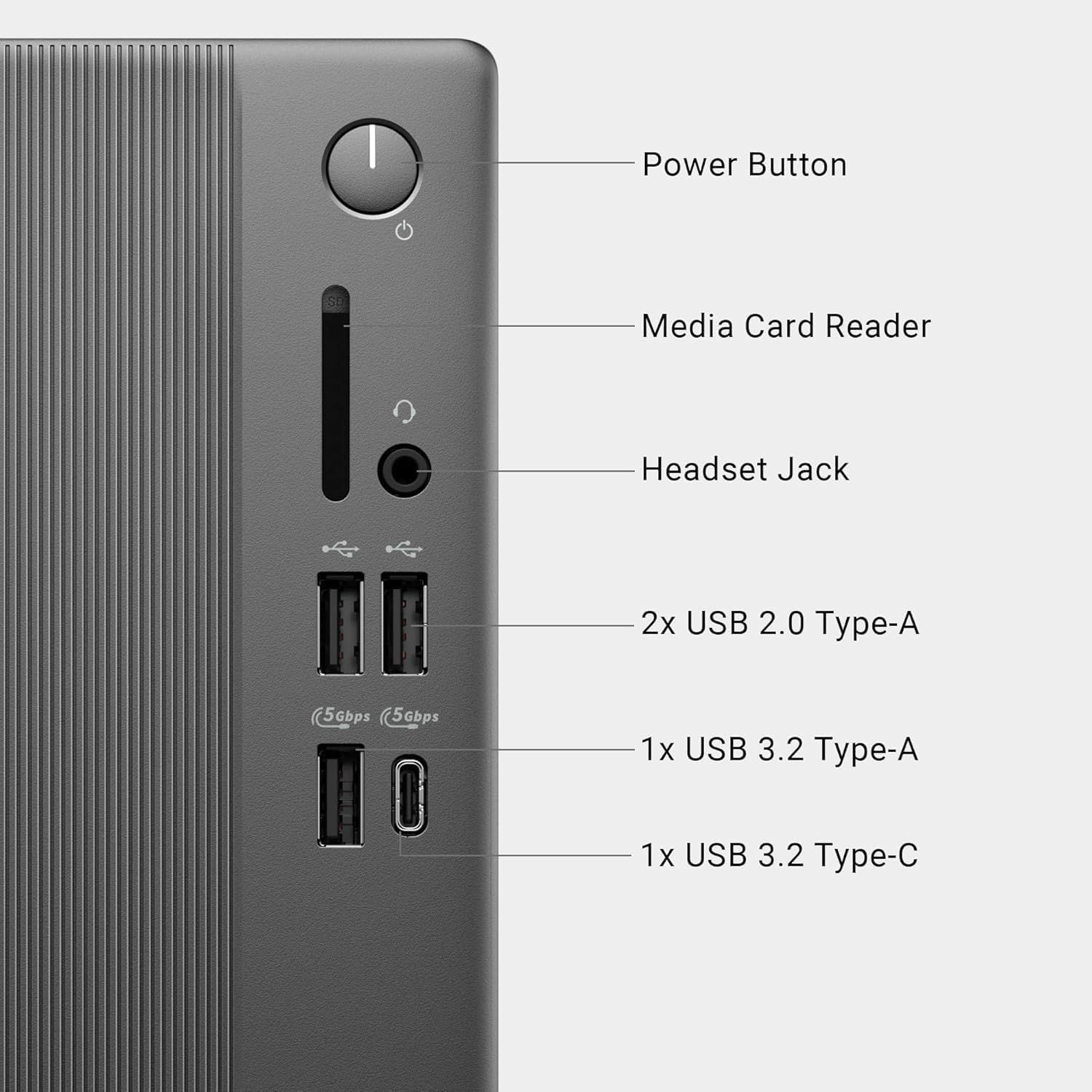
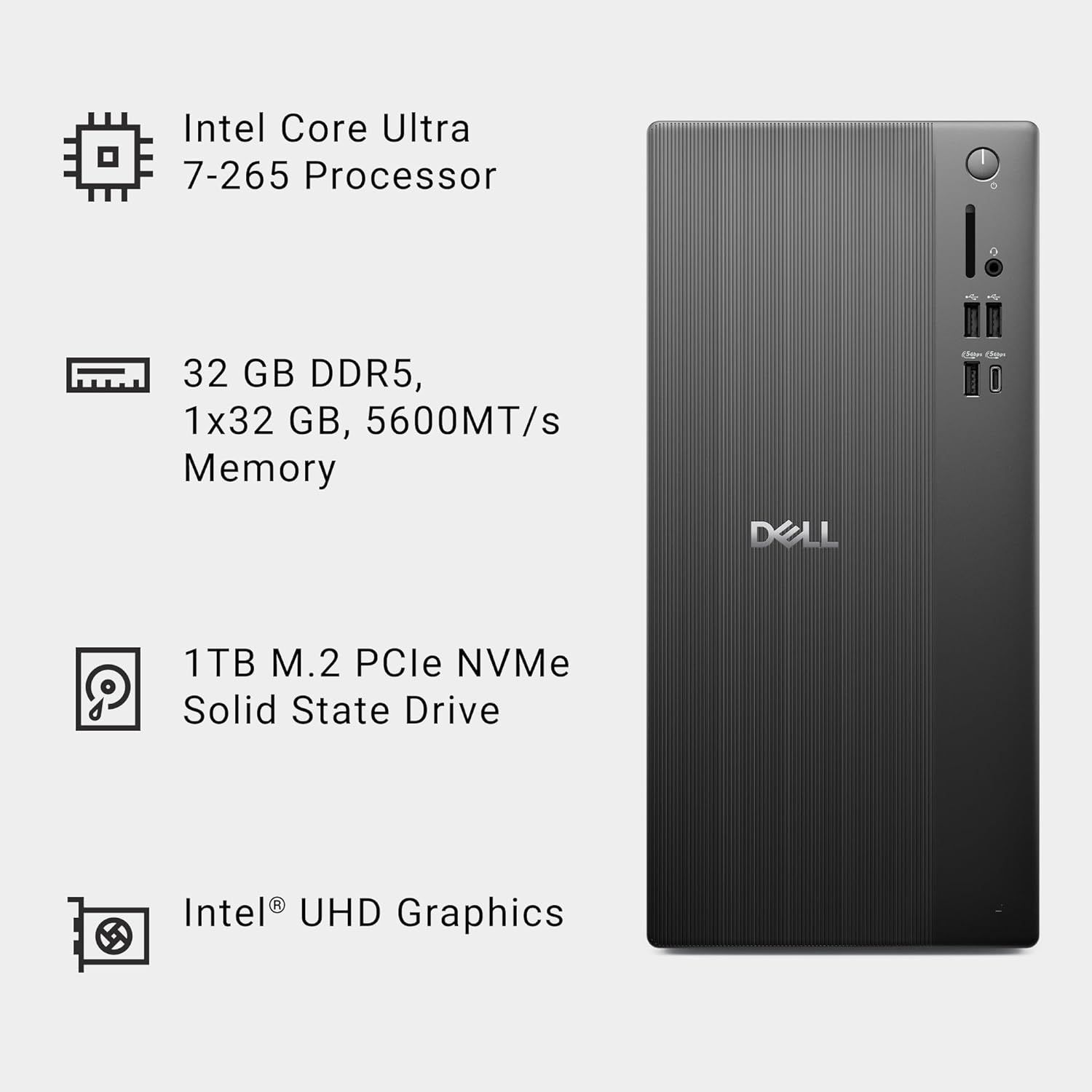
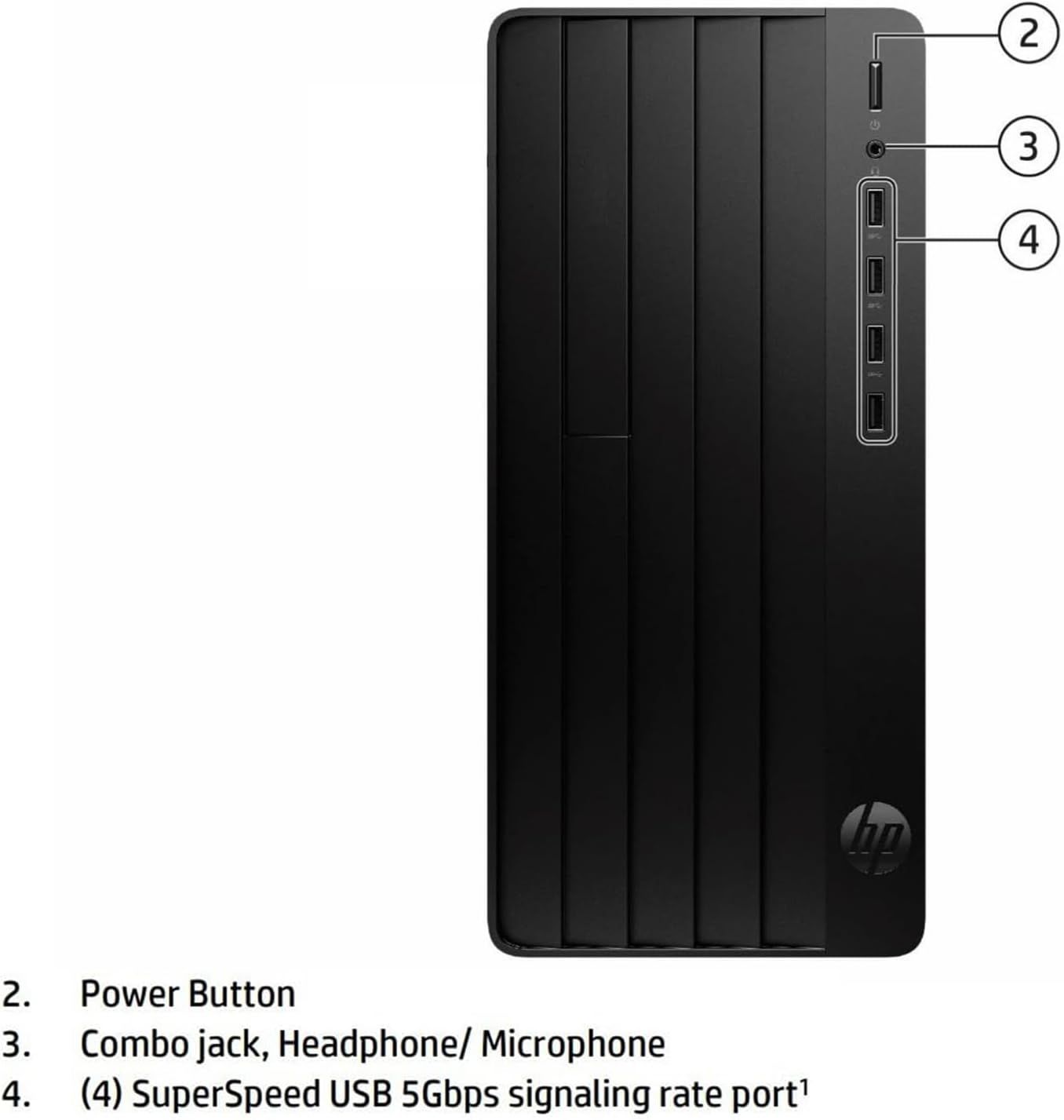
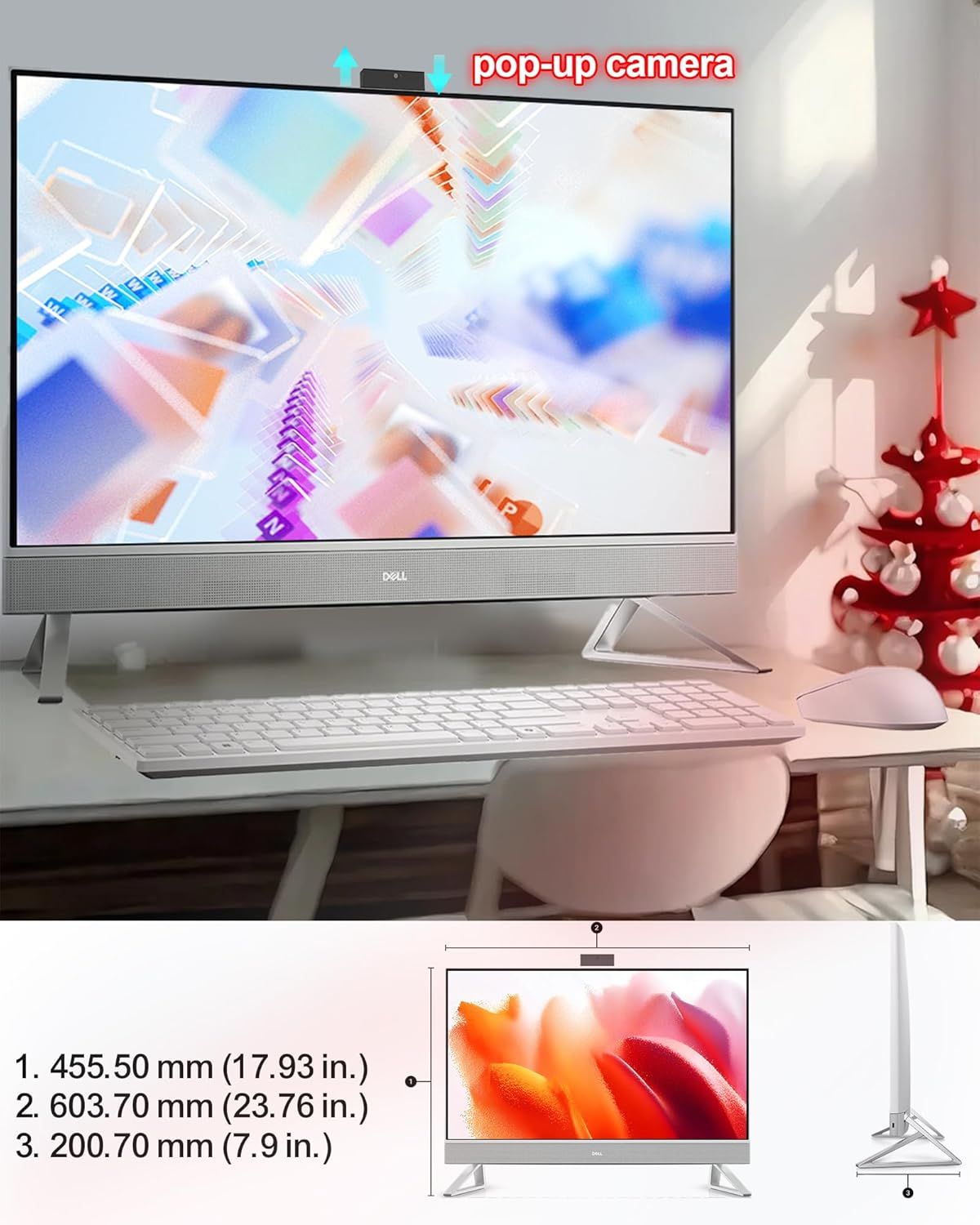
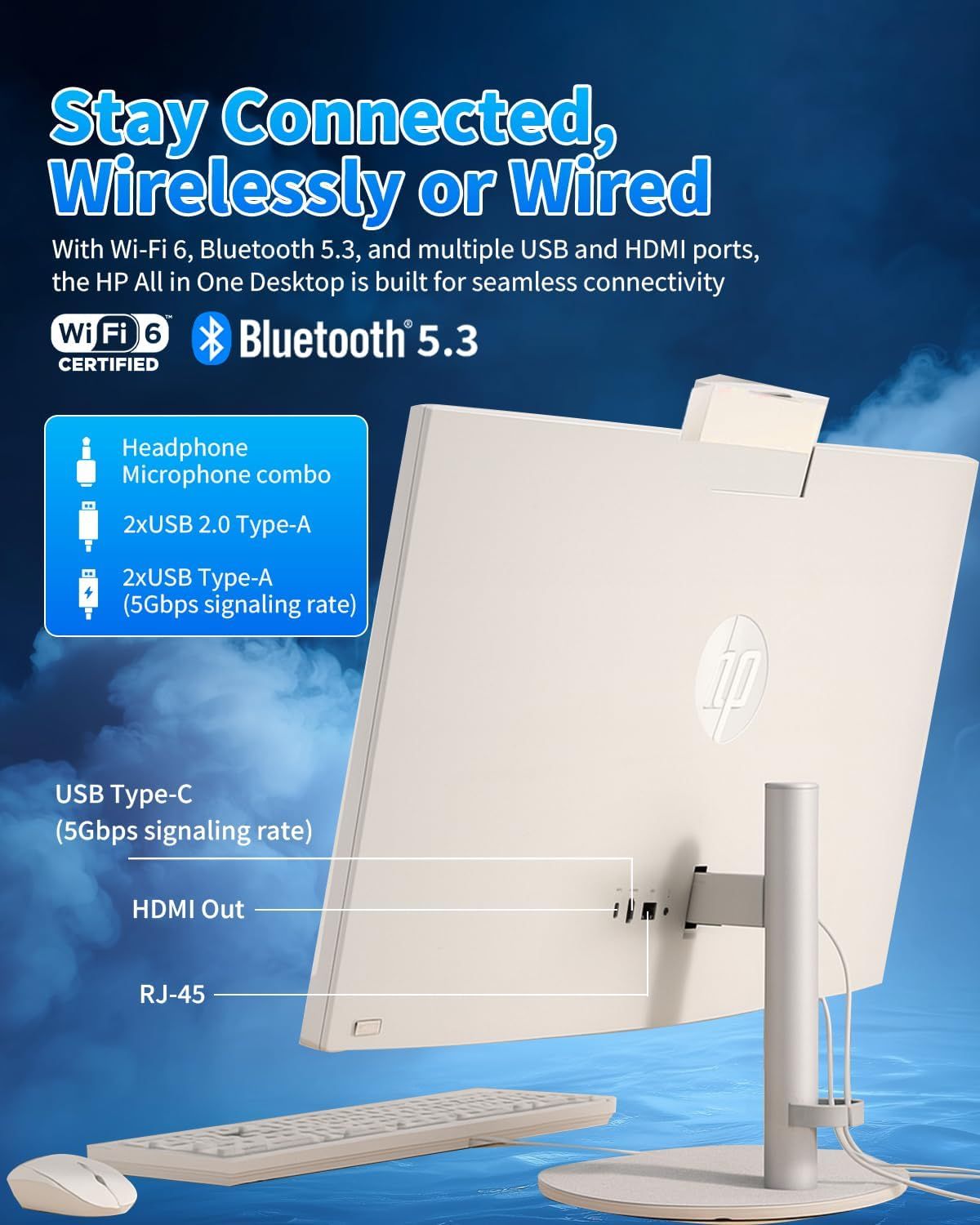
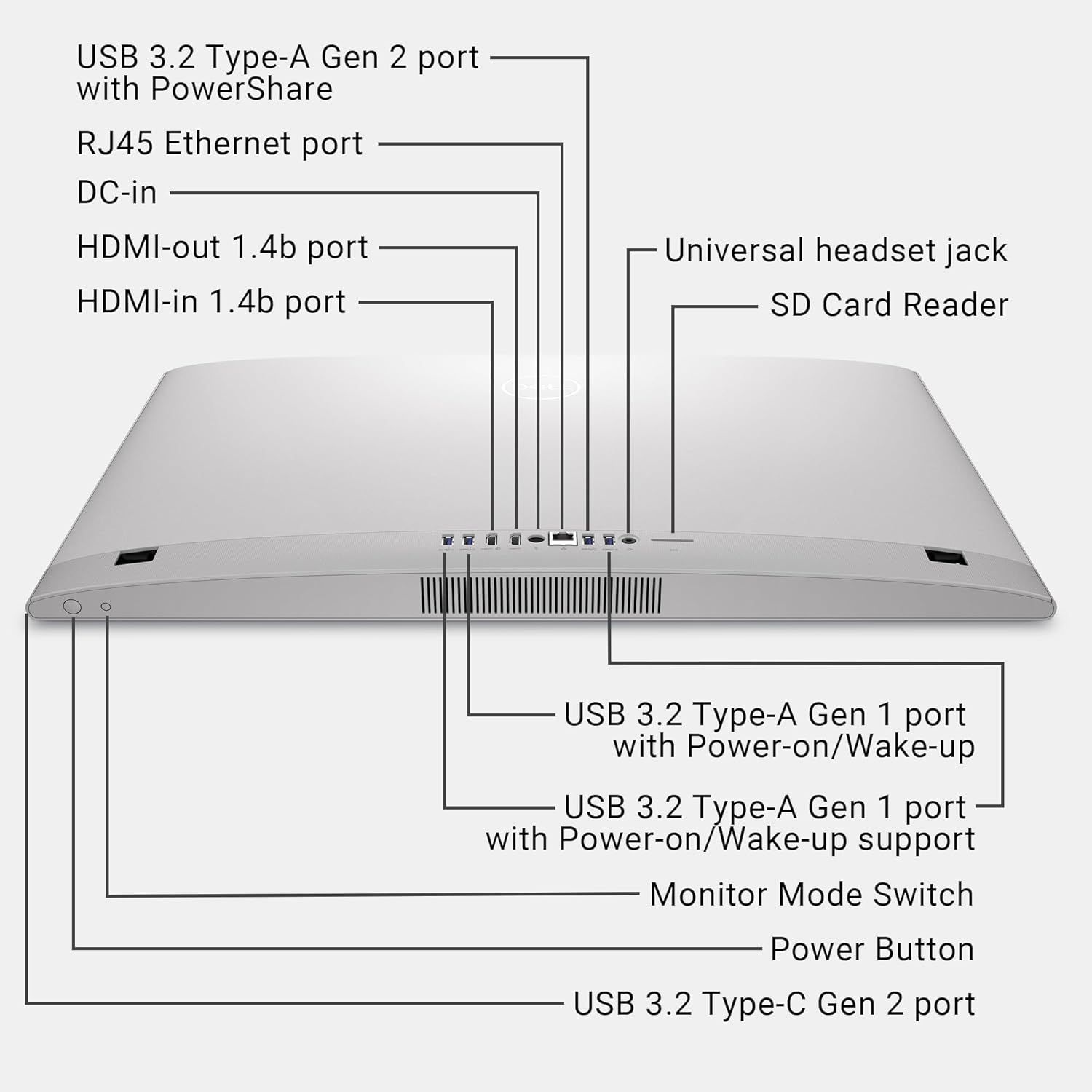
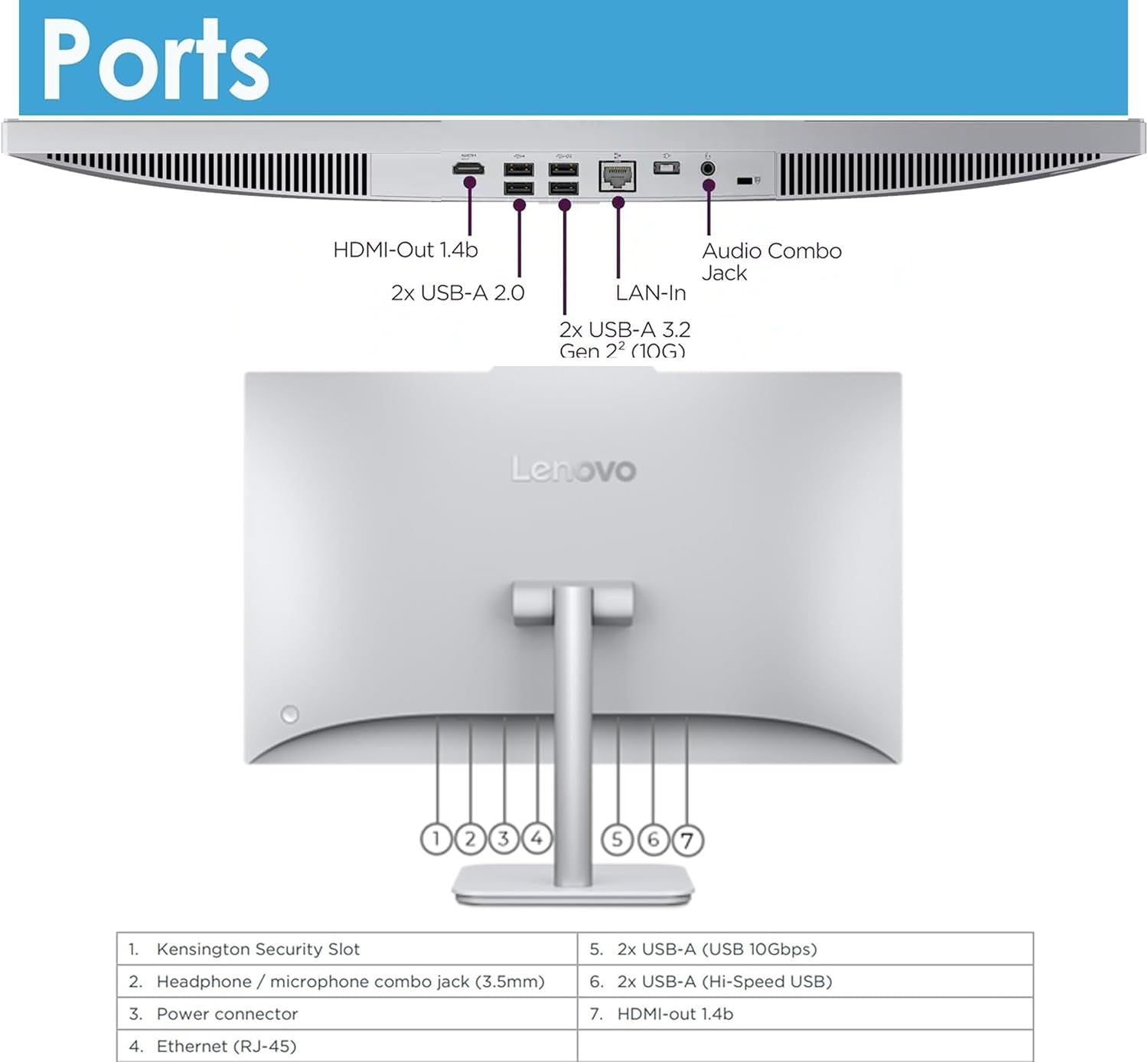
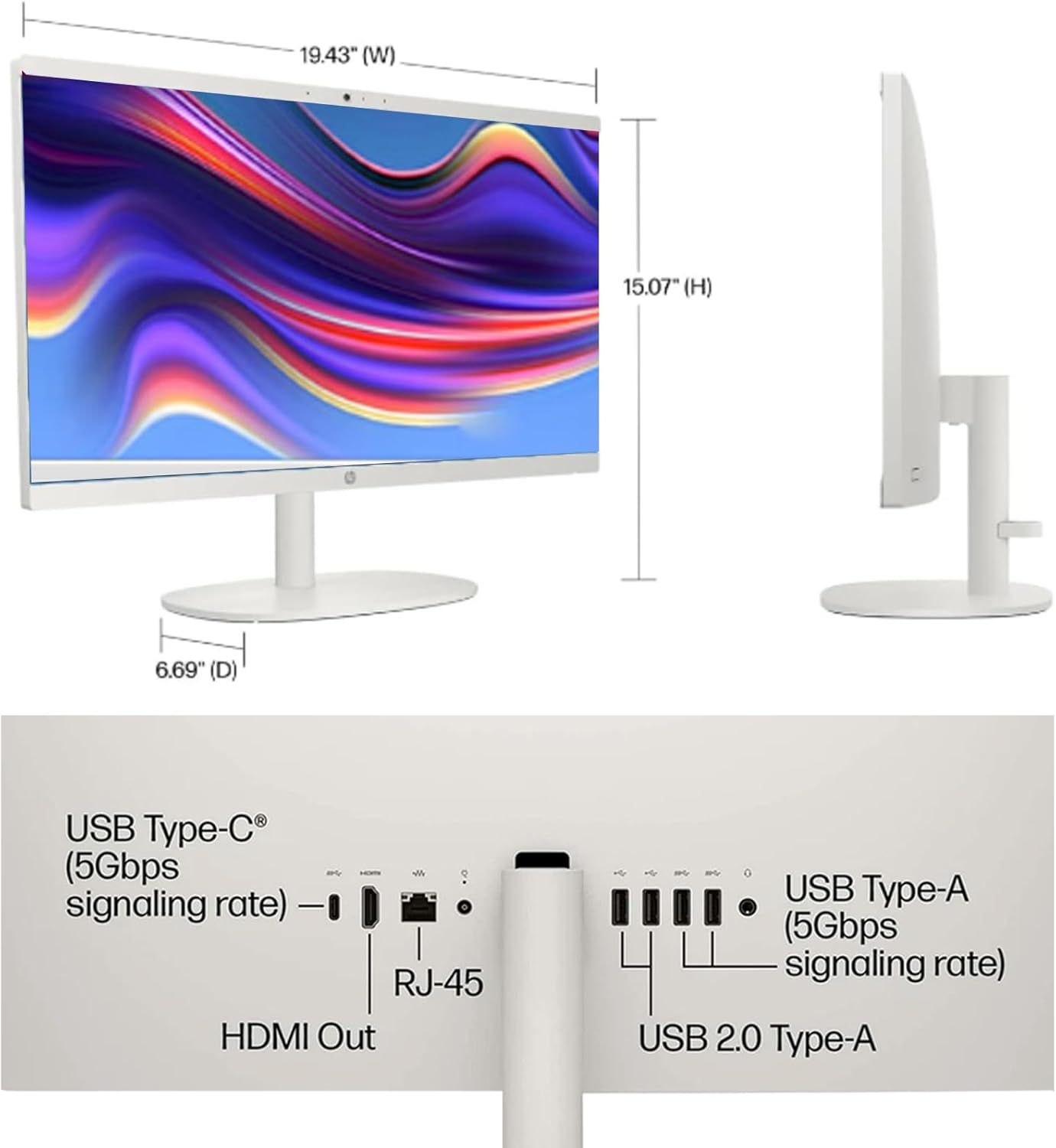
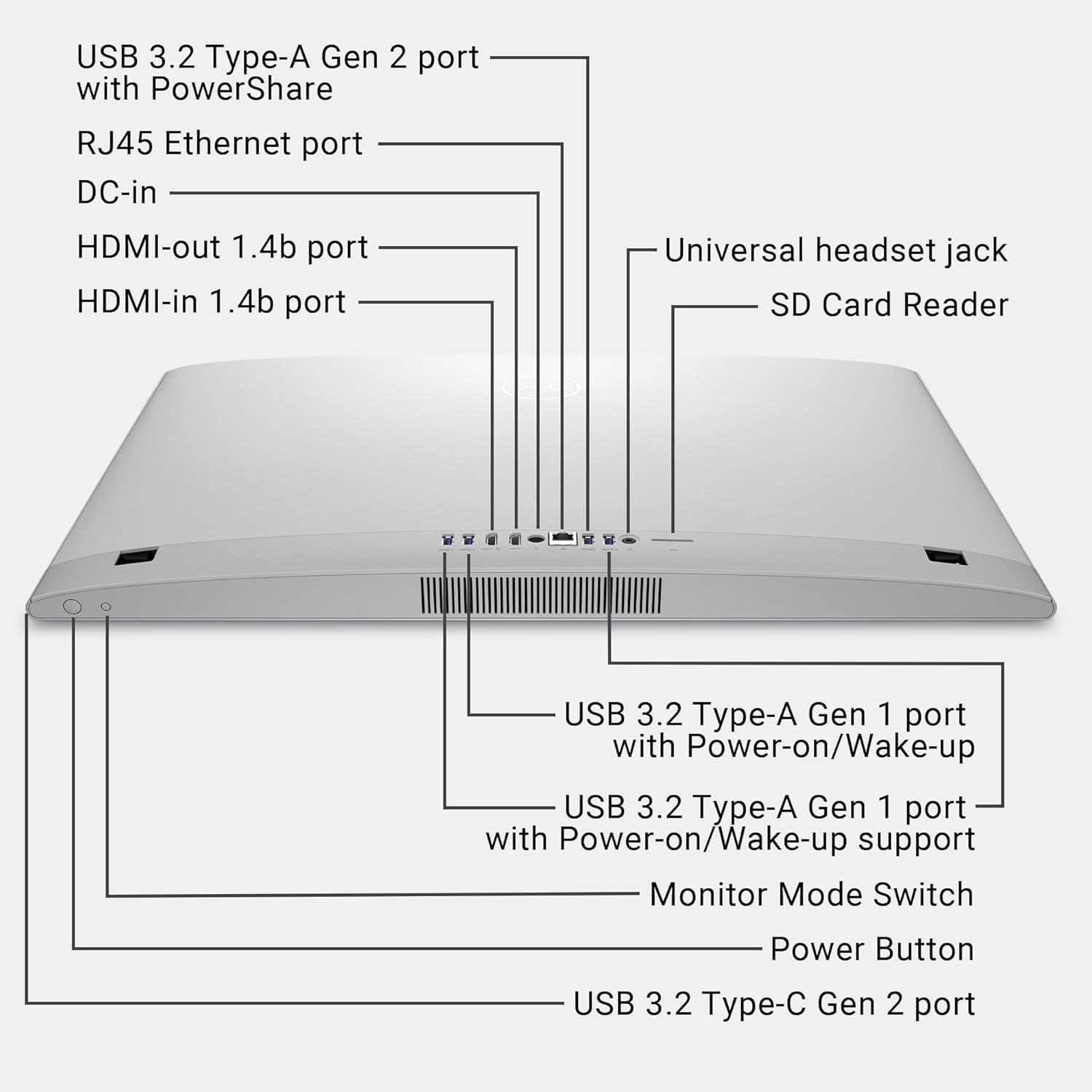
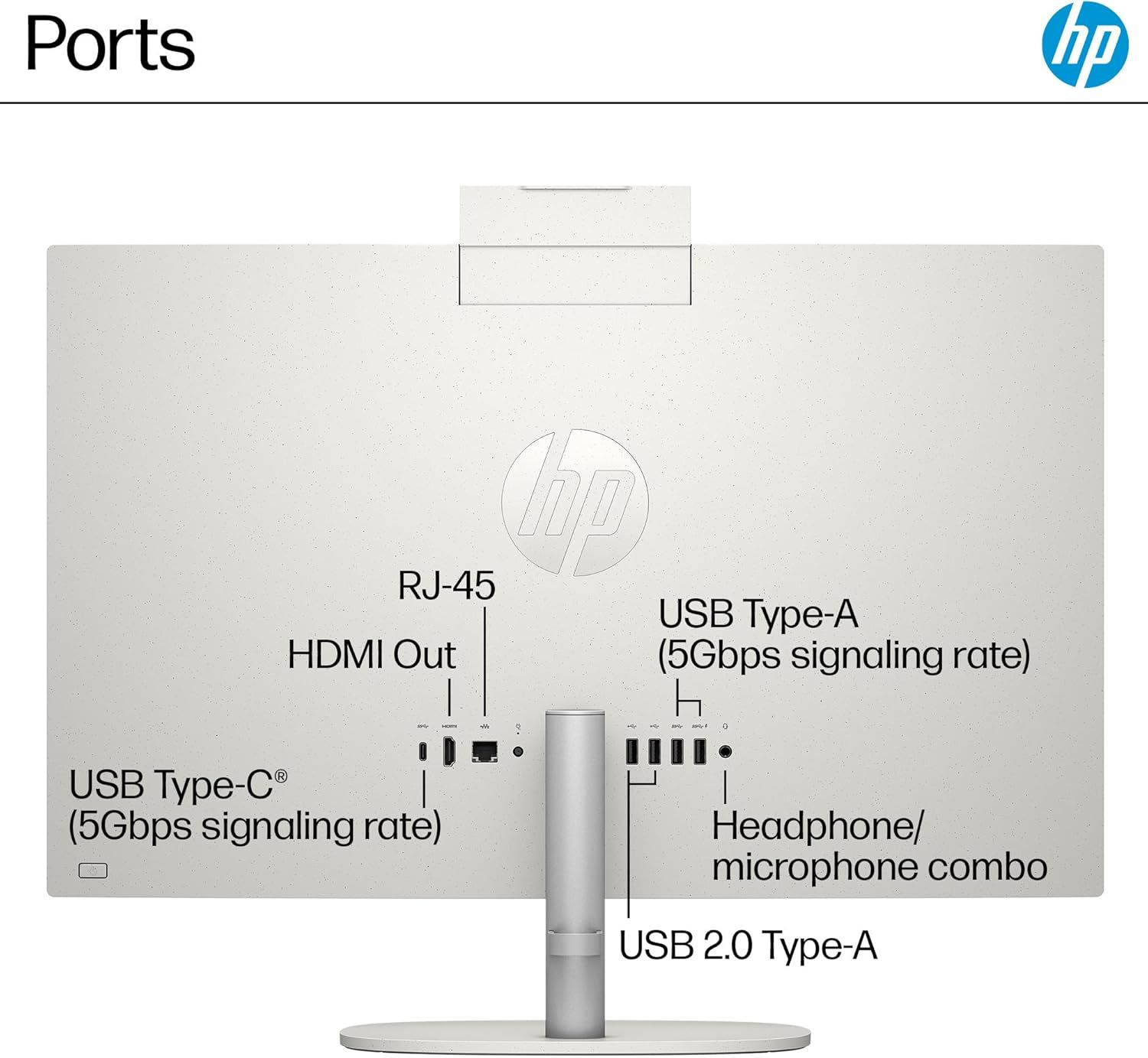
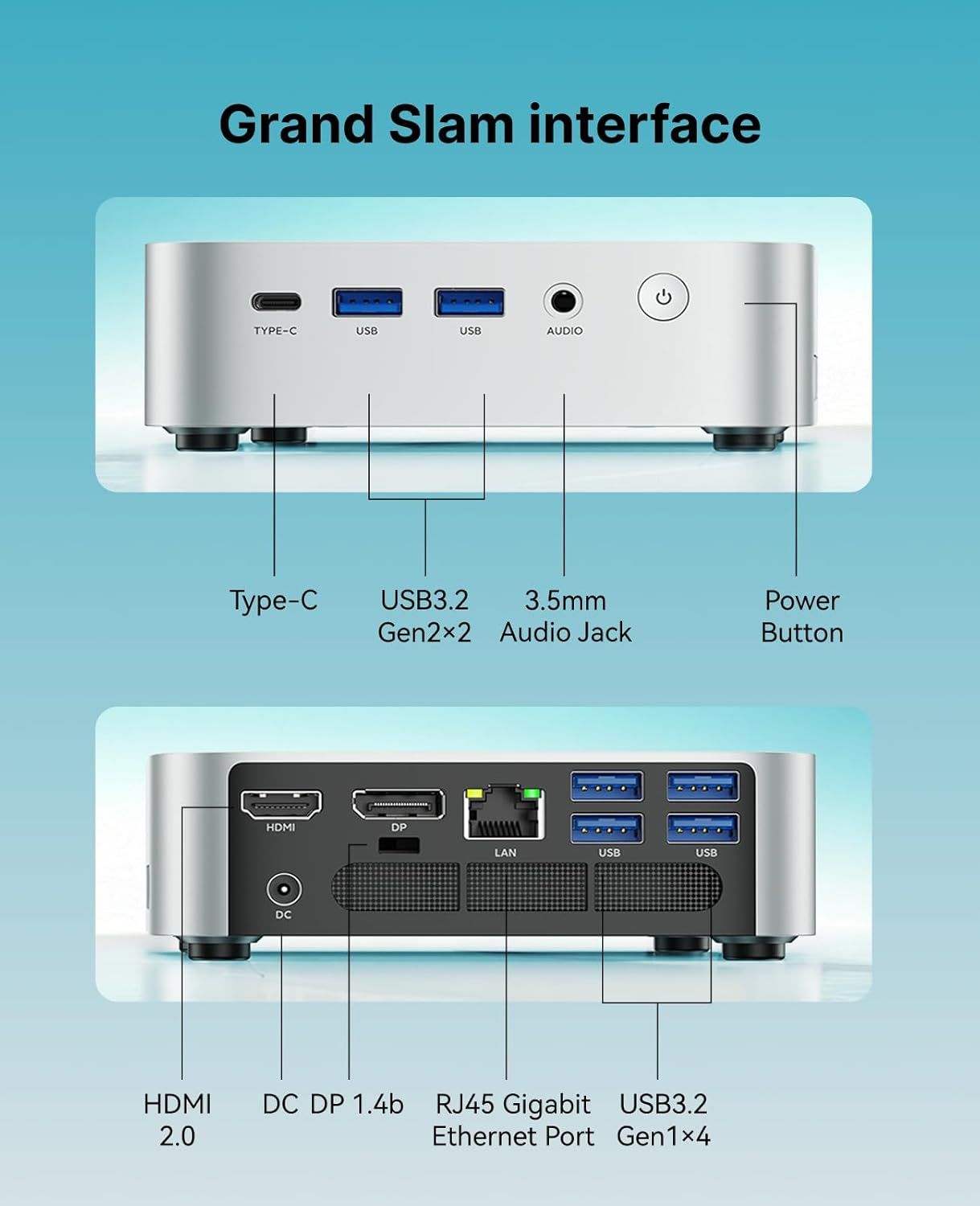
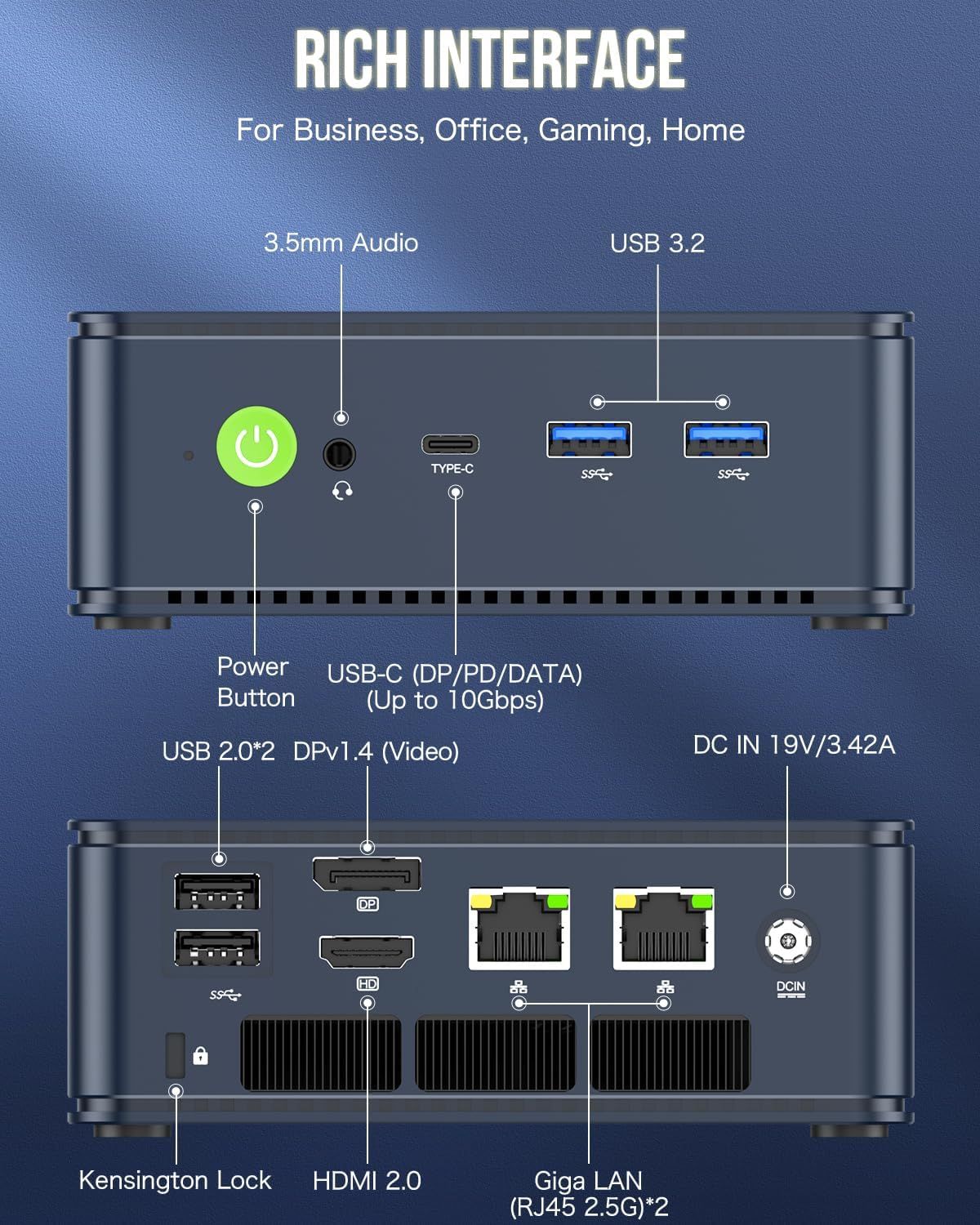
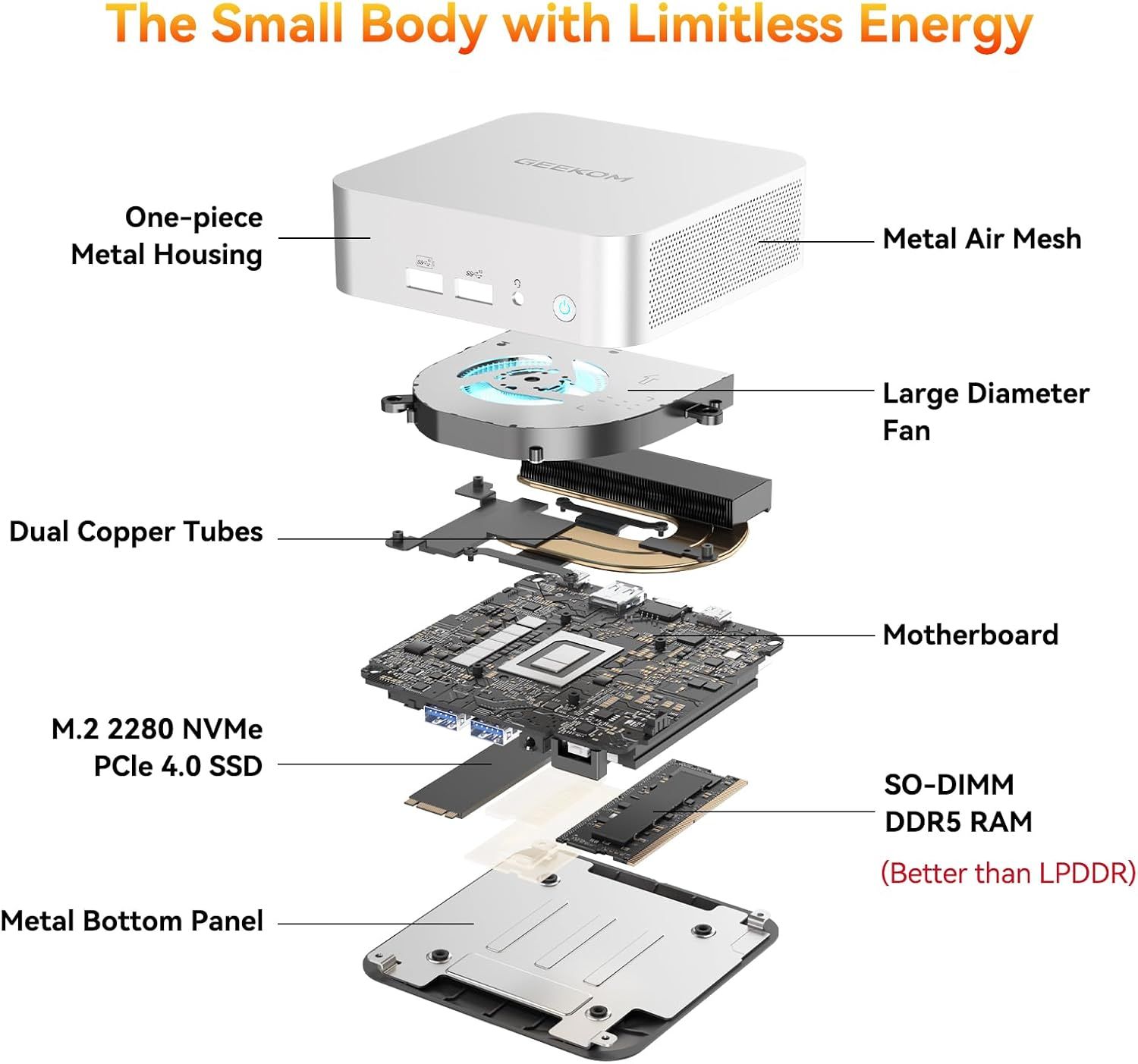
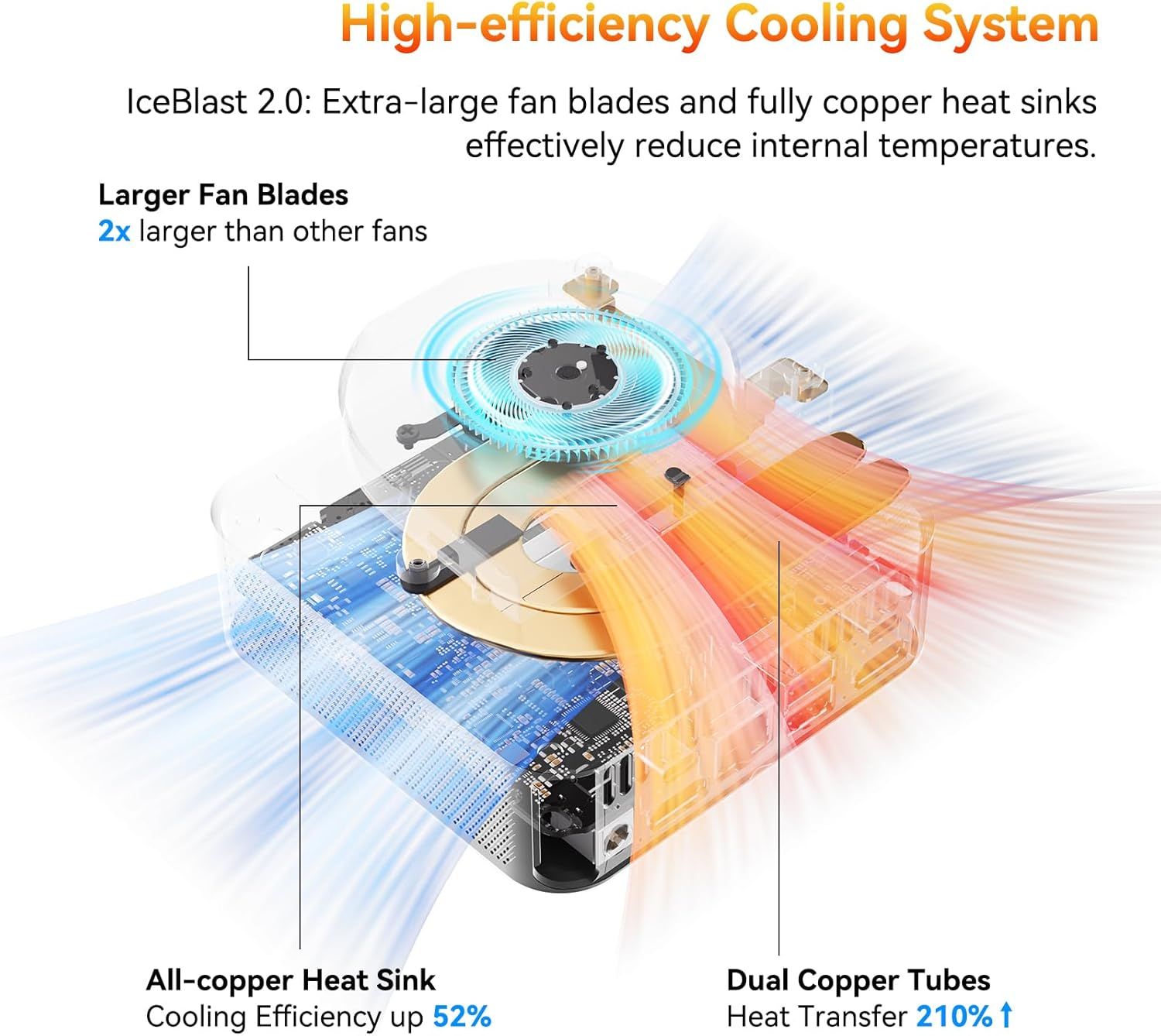
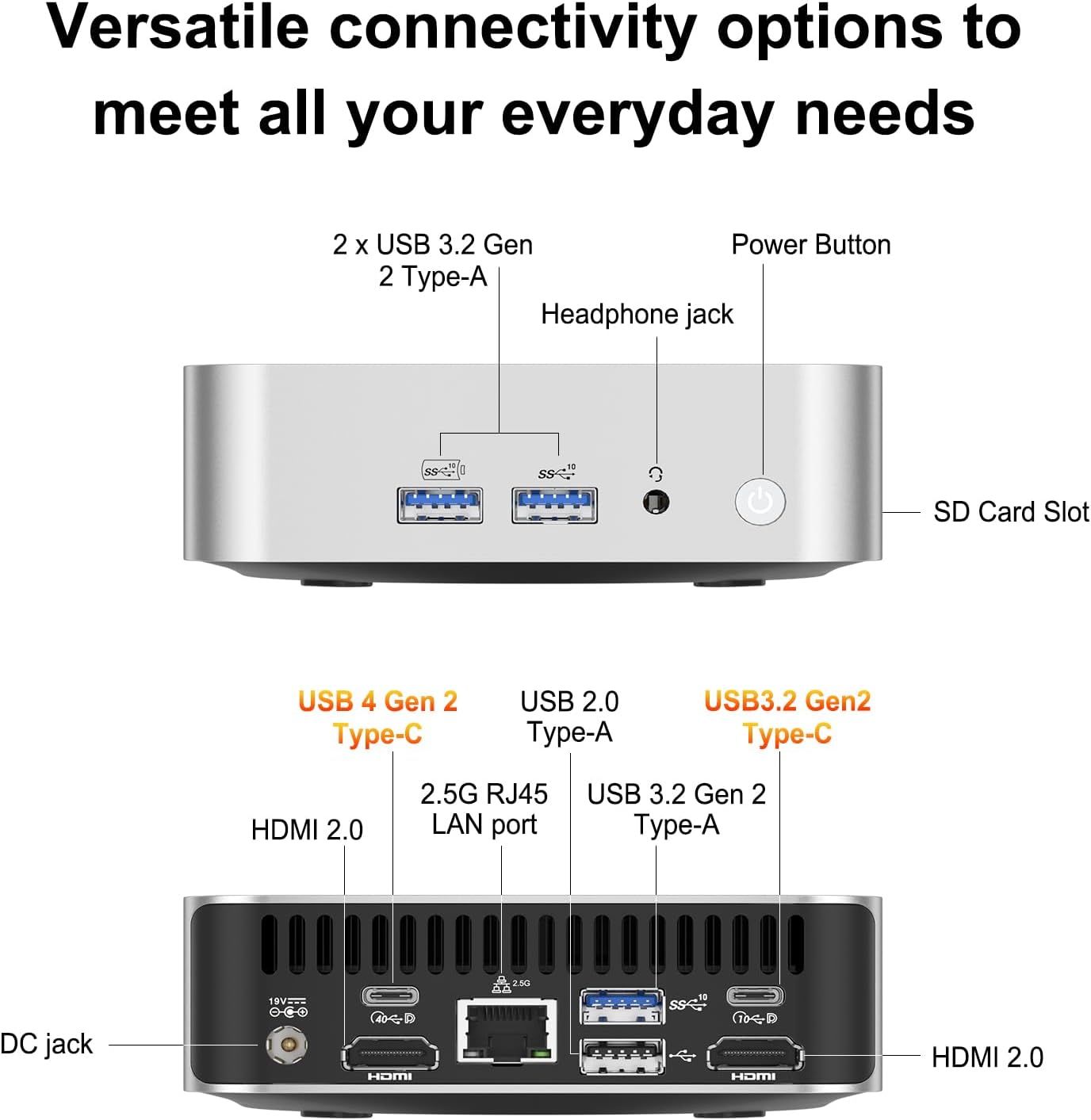
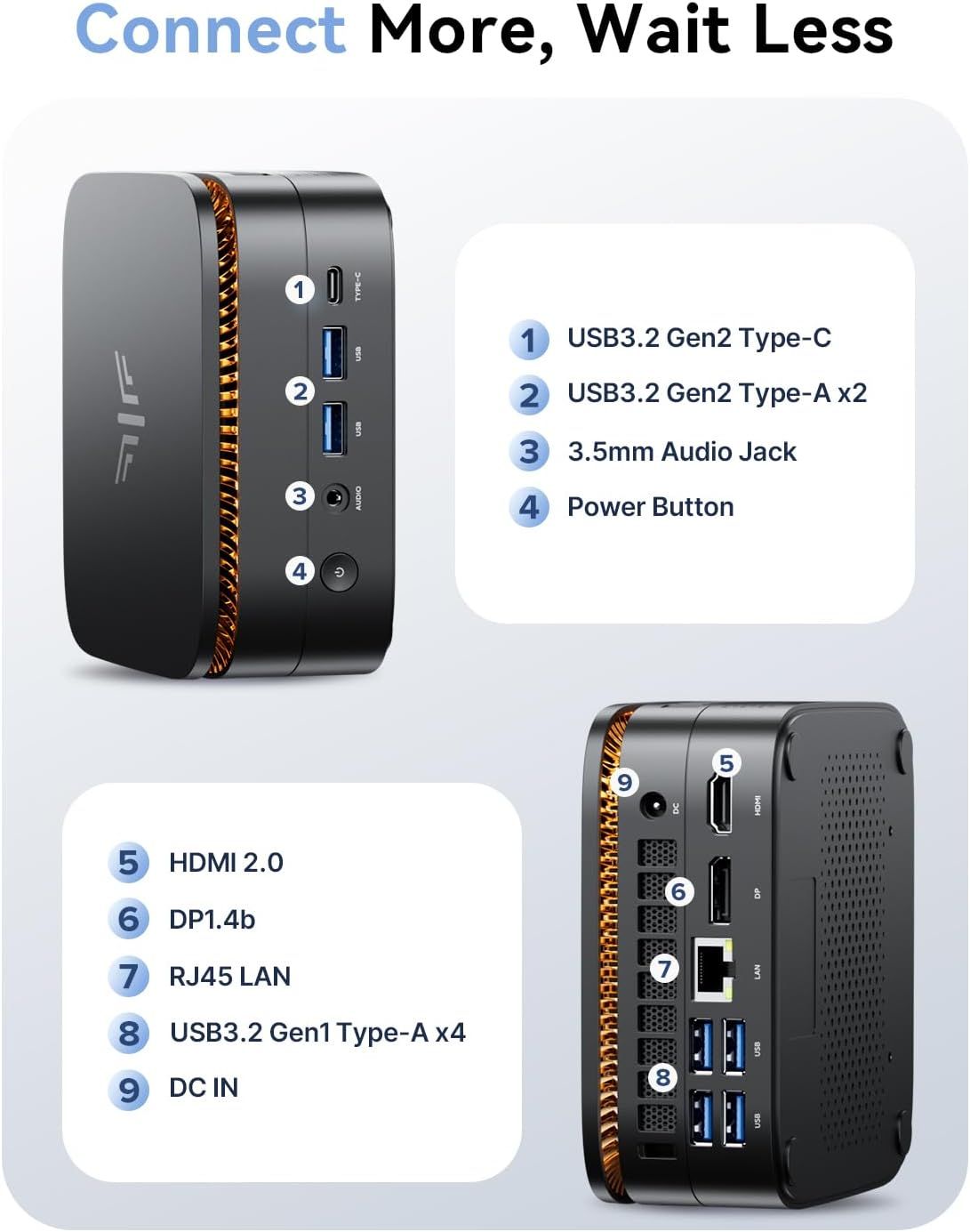
This image breaks down the rear panel of a computer or server by labeling all the physical ports, connectors, and components, helping shoppers understand the connectivity options and hardware layout.Dell Slim Desktop ECS1250This image breaks down the physical components and ports on the device to help shoppers understand the product's connectivity options and interface layout.Dell Slim Desktop ECS1250Shows the back panel layout of the device, highlighting all physical ports, connectors, ventilation grilles, and power components to help shoppers understand connectivity options and physical…Dell ECT1250 Slim Tower Desktop(2025)This image labels and identifies all the ports and connectivity options available on the device, helping shoppers understand what they can plug in and how to use each connection point.HP All in one Desktop PC for HomeThis image breaks down the physical components and ports of the device, showing shoppers the connectivity options and hardware layout including high-speed USB ports, network connectivity, and…Dell ECT1250 Slim Tower Desktop(2025)This image breaks down the rear panel of the computer, labeling all physical ports, connectors, and security features to help shoppers understand the product's connectivity options and physical…HP Desktop Computer Tower for Home Student & BusinessThis image breaks down the physical components and ports on the HP desktop computer to help shoppers understand the location and function of key hardware features.HP Desktop Computer Tower for Home Student & BusinessThis image breaks down the physical ports and connectivity options on the HP desktop computer, helping shoppers understand what devices and peripherals they can connect to the system.HP Envy Desktop PCThis image breaks down the physical components and ports of the Dell computer, showing shoppers exactly where each connection and feature is located on the front and back of the device.Dell Slim Tower Desktop Computer ECT1250Displays the back panel of the computer tower to show shoppers the available ports, connectivity options, and physical layout of the I/O interfaces.Dell Optiplex 7050 SFF Desktop PC Intel i7-7700 4-Cores 3.60GHz 32GB DDR4 1TB SSD WiFi…This image breaks down the physical ports and connectors on the back of a Microsoft refurbished computer, helping shoppers understand the connectivity options and technical specifications available.Dell Optiplex 7050 SFF Desktop PC Intel i7-7700 4-Cores 3.60GHz 32GB DDR4 1TB SSD WiFi…This image breaks down the rear panel of the computer, labeling all physical ports, connectors, and security features to help shoppers understand the product's connectivity options and physical…HP Desktop Computer Tower PCThis image breaks down the physical components and ports on the HP desktop computer to help shoppers understand the location and function of key hardware features.HP Desktop Computer Tower PCThis image breaks down the rear panel of a computer or server by labeling all the physical ports, connectors, and components, helping shoppers understand the connectivity options and hardware layout.Dell Slim Desktop ECS1250This image breaks down the physical components and ports on the device to help shoppers understand the product's connectivity options and interface layout.Dell Slim Desktop ECS1250This image breaks down the rear panel of the device by labeling each physical port and connector, helping shoppers understand the connectivity options and technical specifications available.HP Desktop Computer Tower PC ProDesk 600 G6 SFF for Home BusinessThis image breaks down the front panel ports and connections of the HP ProDesk, helping shoppers understand the physical connectivity options available and their technical specifications.HP Desktop Computer Tower PC ProDesk 600 G6 SFF for Home BusinessShows the back panel of the device with all its physical ports, connectors, and components to help shoppers understand the connectivity options and physical layout of the product.HP Desktop Computer Tower PC ProDesk 600 G6 SFF for Home BusinessThis image breaks down the physical components and ports on the back panel of the computer, helping shoppers understand the connectivity options and hardware layout available.Dell Tower Desktop Computer Ect1250 for BusinessThis image breaks down the physical components and ports on the device to help shoppers understand the product's connectivity options and interface layout.Dell Tower Desktop Computer Ect1250 for BusinessBreaks down the key internal specifications and components of the Dell mini PC to help shoppers understand the technical capabilities and hardware configuration.Dell Tower Desktop ECT1250This image breaks down the physical components and ports of the computer tower, helping shoppers understand the connectivity options and hardware layout available on the device.Dell Tower Desktop ECT1250This image breaks down the physical components and ports on the device's front panel, helping shoppers understand the product's connectivity options and interface layout.Dell Tower Desktop ECT1250Shows the back panel layout of the device, highlighting all physical ports, connectors, ventilation grilles, and power components to help shoppers understand connectivity options and physical…Dell ECT1250 Slim Tower Desktop(2025)This image breaks down the physical components and ports of the device, showing shoppers the connectivity options and hardware layout including high-speed USB ports, network connectivity, and…Dell ECT1250 Slim Tower Desktop(2025)This image breaks down the physical ports and connectivity options on the HP desktop computer, helping shoppers understand what devices and peripherals they can connect to the system.HP Envy Desktop PCThis image breaks down the rear panel of the computer, labeling all physical ports, connectors, and security features to help shoppers understand the product's connectivity options and physical…HP Desktop Computer Tower for Home Student & BusinessThis image breaks down the physical components and ports on the HP desktop computer to help shoppers understand the location and function of key hardware features.HP Desktop Computer Tower for Home Student & BusinessCommunicates the exact physical dimensions of the monitor (width, height, depth) to help shoppers understand the product's size and ensure it fits their workspace. Highlights the pop-up camera…Dell 27" Touchscreen All-in-One Desktop Computer PC for BusinessThis image breaks down the HP All in One Desktop's connectivity features by labeling and pointing to specific ports and wireless capabilities, helping shoppers understand all available connection…HP 27" All-in-One Desktop ComputerThis image breaks down the physical ports and connectivity options available on the Dell monitor, helping shoppers understand the technical specifications and connection capabilities of the product.Dell 27" Touchscreen All-in-One Desktop Computer PC for BusinessThis image breaks down all the physical ports, buttons, and components of the laptop to help shoppers understand the device's connectivity options and physical interface locations.Dell 27 All-in-One Desktop ec27250-27-inch FHD Touch DisplayThis image breaks down the physical port locations and types on the Lenovo monitor, helping shoppers understand what devices and cables they can connect and where each port is located.Lenovo 24" FHD All-in-One Desktop Computer for Home & OfficeCommunicates the exact physical dimensions of the monitor (width, height, depth) to help shoppers understand the product's size and footprint before purchase. Shows the specific ports and…HP 21.5" FHD All-in-One Desktop ComputerThis image breaks down all the physical ports, buttons, and components of the laptop to help shoppers understand the device's connectivity options and physical interface locations.Dell 27 All-in-One Desktop ec27250-27-inch FHD (1920 x 1080) DisplayThis image identifies and labels all the physical ports and connectivity options on the HP device, helping shoppers understand what devices and peripherals they can connect.HP 27 inch All-in-One Desktop PCThis image labels and identifies all the ports and connectivity options available on the device, helping shoppers understand what they can plug in and how to use each connection point.HP All in one Desktop PC for HomeThis image identifies and labels all the physical ports and connectivity options on the HP monitor, helping shoppers understand what devices and cables they can connect.HP 24 Touchscreen All-in-One Desktop Computer for Home and SchoolThis image breaks down the physical ports and interface components on both the front and back of the device, helping shoppers understand what connections are available and where they are located.ACEMAGIC Mini PC Windows 11 ProThis cutaway view reveals the internal cooling fan and heat dissipation system to demonstrate the advanced engineering and efficient cooling technology inside the device. Communicates the primary…GMKtec Mini PC ComputerThis image breaks down the physical ports and connection points on both sides of the device, helping shoppers understand what devices they can connect and how to use each interface.GMKtec Mini PC ComputerThis image breaks down the physical ports and interfaces on both the front and back of the device, helping shoppers understand all available connectivity options and where each port is located.KAMRUI Pinova P1 Mini PCThis exploded-view image breaks down the mini PC's internal components and physical structure to showcase the quality of parts, upgradeability, and engineering design, reassuring shoppers about the…GMKtec M5 Plus Gaming Mini PC Ryzen 7 5825U (Upgraded 7430U)This image breaks down all the physical ports and connection points on the device, helping shoppers understand the full connectivity options available for business, office, gaming, and home use.GMKtec M5 Plus Gaming Mini PC Ryzen 7 5825U (Upgraded 7430U)This exploded view breaks down the mini PC's internal components and construction to showcase the quality of engineering, cooling system, and premium hardware specifications.GEEKOM A6 Mini PC with AMD Ryzen 7 6800HThis image breaks down the cooling system's key physical components—extra-large fan blades, all-copper heat sink, and dual copper tubes—to show shoppers what makes the IceBlast 2.0 cooling system…GEEKOM A6 Mini PC with AMD Ryzen 7 6800HThis image breaks down all the physical ports and connectivity options available on the device, helping shoppers understand the comprehensive connectivity features and where each port is located on…GEEKOM A6 Mini PC with AMD Ryzen 7 6800HThis image breaks down all the physical ports and buttons on the device, helping shoppers understand exactly what connectivity options are available and where each port is located.KAMRUI Pinova P1 Mini PC Computer
More Electronics image types

Need Electronics listing images designed?

Our design team makes Amazon listing images, infographics and A+ content. £750 per day, with revisions the next day.