Dell Slim Tower Desktop Computer ECT1250: Product Detail Images
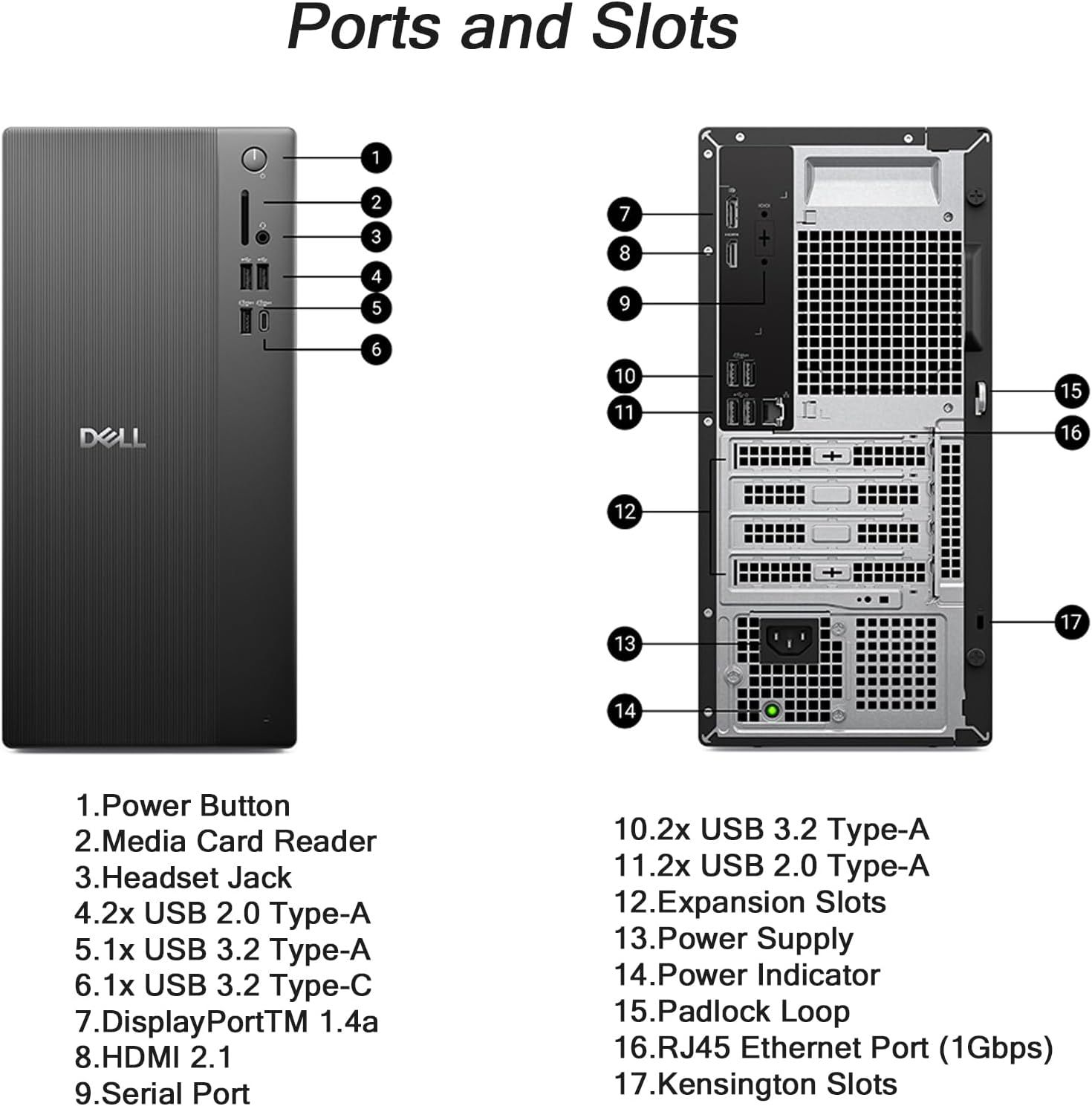
This image breaks down the physical components and ports of the Dell computer, showing shoppers exactly where each connection and feature is located on the front and back of the device.
- Brand
- Dell
- Category
- Electronics › Computers & Accessories › Computers & Tablets › Desktops › Towers
- Image type
- Product Detail Images, Secondary Images
- Design focus
- Ports and Slots; Power Button; Media Card Reader; Headset Jack; USB Ports; DisplayPort; HDMI; Serial Port; Expansion Slots; Power Supply; Ethernet Port; Kensington Slots
- Listing position
- Image 5
- Marketplace
- United States
- Best Sellers Rank
- #17,262 in Computers & Accessories (See Top 100 in Computers & Accessories) #574 in Tower Computers
- Full listing
- See all 7 images in order
- ASIN
- B0FYMPHQ12
See your listing next to your competitors
Paste your Amazon link. We score every image and show what the top sellers do differently. Your first comparison is free.
What this image does at a glance
- Score
- 21 / 100 · Unreadable small
- Headline
- Ports and Slots
- Headline height
- 4.3% of the image
- Headline contrast
- Lc 103
- Text on the image
- 15.2% of the image, 23 blocks
- Blurred to tile size
- headline no longer readable
Listing bullet points
- 💡 AI-Driven Power for Smarter Performance: Take on every challenge with confidence. The Dell Tower Desktop, powered by the latest Intel Ultra 5-225 processor (10 cores, 20MB cache, up to 4.9GHz Turbo), uses built-in AI acceleration to optimize your workflow. Whether you're managing demanding…
- ⚡ Speed Meets Storage: DDR5 + NVMe Power: Experience unmatched responsiveness with up to 64GB DDR5 5600 MT/s memory and lightning-fast PCIe NVMe SSDs (up to 4TB). the Dell Tower Desktop ensures rapid boot-ups, seamless multitasking, and smooth data-heavy performance—ideal for Excel, editing, or…
- 🖥️ Expand Your View, Multiply Productivity: Go beyond limits with flexible multi-display support—connect up to four FHD monitors through DisplayPort 1.4a or two 4K screens via HDMI 2.1 and DisplayPort. Perfect for analysts, creators, and multitaskers who thrive on visual workspace.
- 🧠 Windows 11 Pro + Copilot: Your Built-In AI Partner: Boost your productivity with Windows 11 Pro and Microsoft Copilot AI integrated right into your workflow. Automate reports, summarize files, or generate content—all through simple natural commands. The Dell Desktop transforms everyday tasks…
- 🖼️ Compact Design, Sustainable Strength: Slim, stylish, and smart—the Dell Tower Desktop fits any workspace at just 3.74 inches wide. Featuring a modern black finish, energy-efficient 180W PSU, and sustainable materials, it’s designed to last—and to look good doing it.
Similar product detail images in Electronics
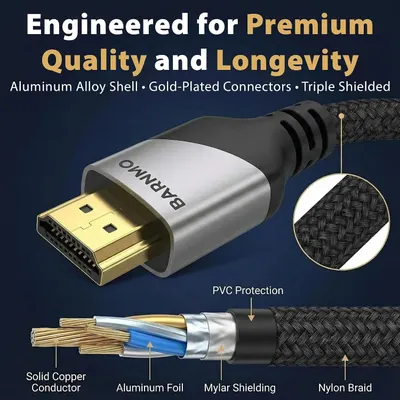 HDMI 8K 2.1 Certified
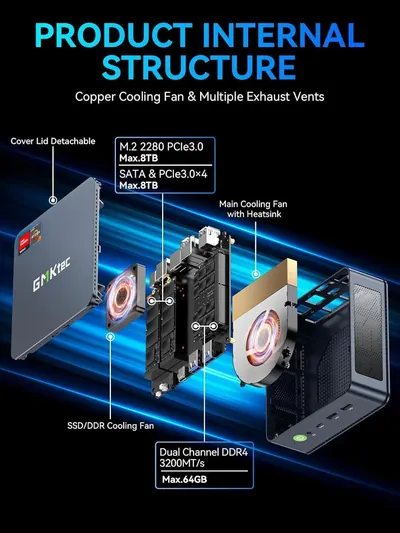 GMKtec M5 Ultra Mini PC AMD Ryzen 7 7730U (Turbo 4.5GHz) Upgradeable RAM
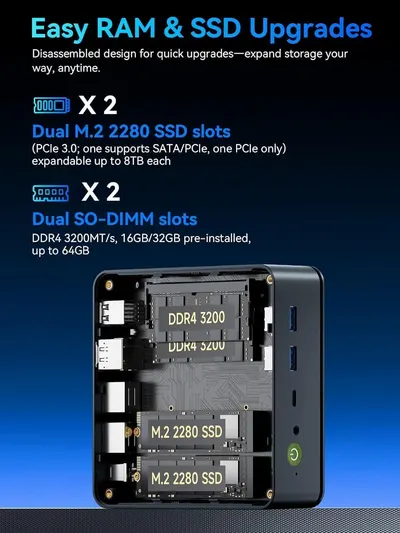 GMKtec M5 Ultra Mini PC AMD Ryzen 7 7730U (Turbo 4.5GHz) Upgradeable RAM
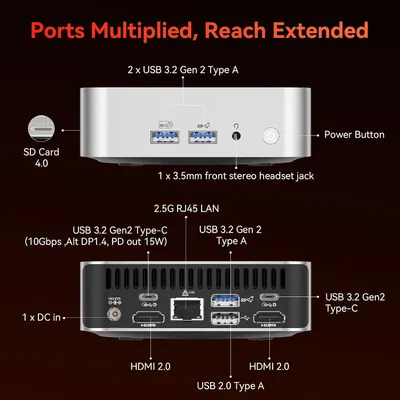 GEEKOM A7 Mini PC
 GEEKOM A7 Mini PC
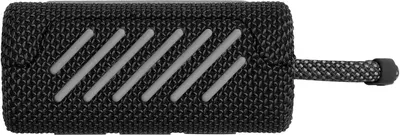 JBL Go 3
 JBL Go 3
 JBL Go 3
 JBL Go 3
 JBL FLIP 5
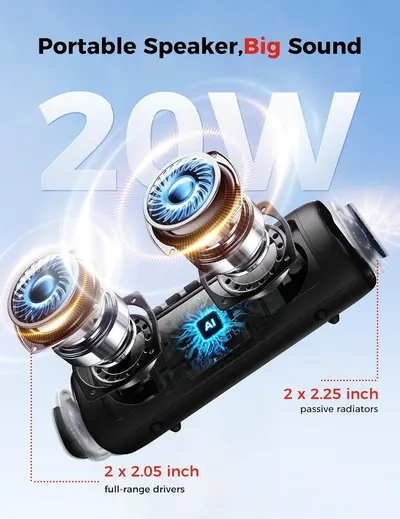 Bluetooth Speaker
 Sennehiser ACCENTUM Plus Wireless Headphones
This image belongs to Dell and is shown for design research. Request removal.