Anker Prime Docking Station (DL7400): full Amazon image stack
Anker Prime Docking Station (DL7400) by Anker uses 9 gallery images. Image 1 is a product main image. The rest of the stack uses product detail images, how to use images and key stat images. It ranks #1,424 in Electronics.
See your listing next to your competitors
Paste your Amazon link. We score every image and show what the top sellers do differently. Your first comparison is free.
- Brand
- Anker
- Niche
- Laptop Docking Stations
- Category
- Electronics
- Gallery images
- 9
- Best Sellers Rank
- #1,424 in Electronics (See Top 100 in Electronics)
- ASIN
- B0DTSZC5Y7
Gallery images in order
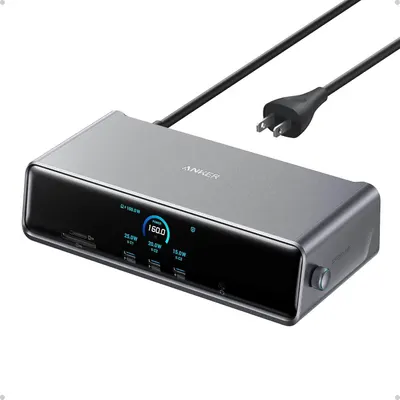 Image 1 · Product Main Images, In-Use Main Images
Shows the core product clearly on a white background, displaying its premium design, multiple charging ports, and digital power monitoring screen to communicate its functionality and quality. Demonstrates the product's active power monitoring feature through the illuminated digital display showing wattage distribution across ports, communicating intelligent charging capabilities.
Multi-port charging station with digital display; Real-time power monitoring display
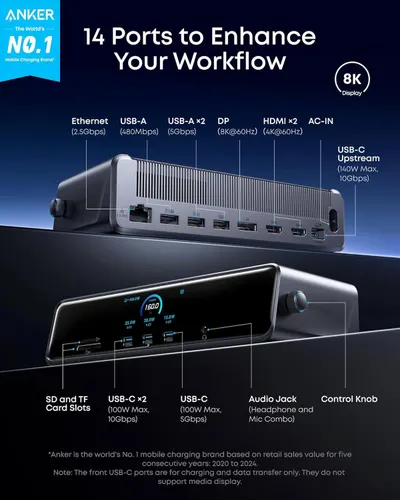 Image 2 · Product Detail Images
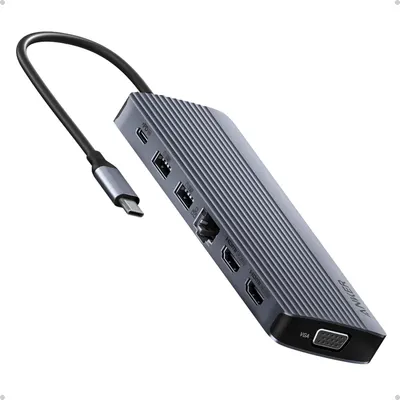
This image breaks down all 14 ports and connection types available on the docking station, helping shoppers understand the comprehensive connectivity options and technical specifications of each port.
14 Ports; Ethernet; USB-A; USB-C; HDMI; DisplayPort; SD Card Slots; Audio Jack; AC-IN
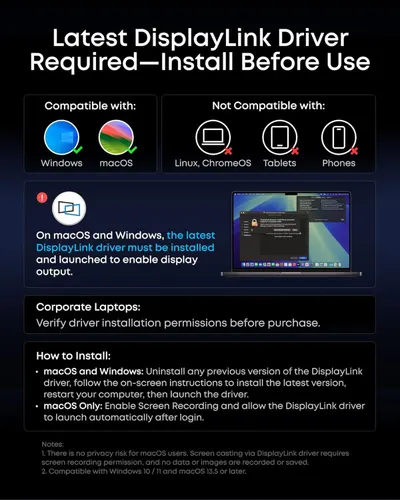 Image 3 · How to Use Images
Provides step-by-step instructions for installing the DisplayLink driver and explains system compatibility requirements to ensure shoppers can successfully set up and use the product.
Driver Installation; System Compatibility
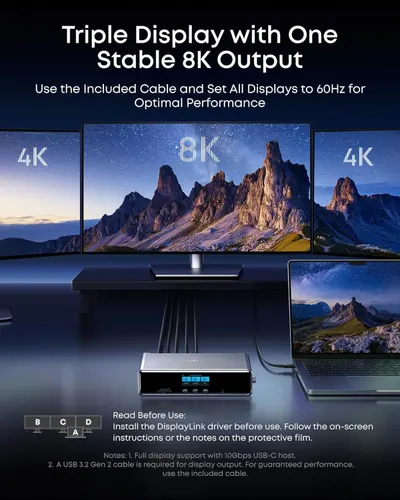 Image 4 · How to Use Images, Use Case Images
Demonstrates how to set up a triple display configuration with 8K output and provides installation guidance to help shoppers understand the setup process and optimal performance settings. Shows the product's capability to support multiple displays simultaneously, demonstrating its versatility for multi-monitor workstation setups.
Triple Display Setup; Installation Instructions; Multi-Monitor Support; Triple Display Configuration
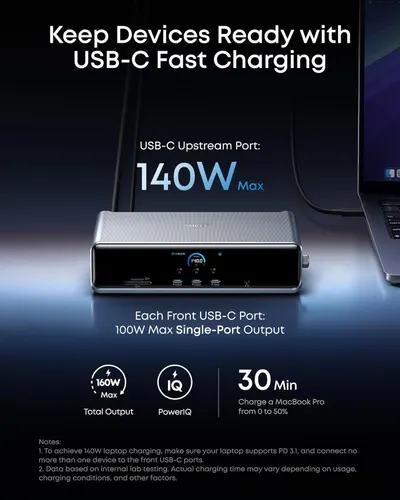 Image 5 · Key Stat Images, Infographic Images
Communicates the powerful charging capabilities of the product through multiple quantifiable performance metrics, emphasizing fast charging speeds and high wattage output to reassure shoppers of its efficiency and capability. Showcases multiple distinct benefits in a segmented layout with icons and callouts, highlighting the product's total output capacity, intelligent charging technology, and real-world charging performance.
140W Max USB-C Upstream Port; 100W Max Single-Port Output; 160W Max Total Output; 30 Min Charge Time; Fast Charging Speed; High Power Output; PowerIQ Technology; Quick MacBook Charging
 Image 6 · Infographic Images
Communicates two distinct product benefits in a segmented layout: the smart display feature for checking device status in real-time, and the Anker Dock Manager software for detailed management and control.
Real-Time Updates via Smart Display; Detailed Device Management Software
 Image 7 · Product Detail Images, Single Benefit Images
Demonstrates the internal cooling architecture and thermal management system to reassure shoppers that the product maintains consistent peak performance through active cooling technology. Highlights the product's ability to deliver consistent peak performance through active cooling, ensuring reliable operation across multiple functions like screen casting, data transfer, and charging.
Active Cooling System; Built-In Cooling Fan; ActiveShield 3.0; Consistent Peak Performance; Reliable Operation
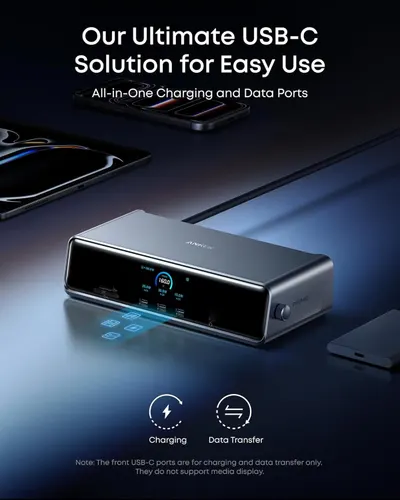 Image 8 · Single Benefit Images
Communicates the product's versatility as an all-in-one USB-C solution that handles both charging and data transfer, reassuring shoppers of its comprehensive functionality.
All-in-One USB-C Charging and Data Ports
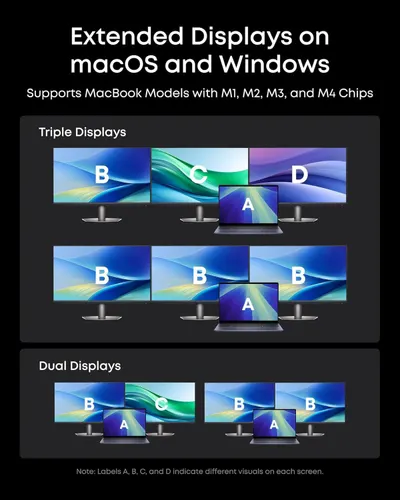 Image 9 · Use Case Images, Safety / Compatibility Images
Demonstrates the various multi-monitor setup configurations (triple and dual displays) that the product supports, showing shoppers the flexibility and compatibility across different display arrangements. Communicates broad compatibility with specific MacBook chip models and operating systems, reassuring shoppers that the product will work with their existing hardware.
Multiple Display Configurations; Extended Display Support; MacBook M1, M2, M3, M4 Chip Compatibility; macOS and Windows Support
Design themes in this listing
- 100W Max Single-Port Output1
- 14 Ports1
- 140W Max USB-C Upstream Port1
- 160W Max Total Output1
- 30 Min Charge Time1
- AC-IN1
- Active Cooling System1
- ActiveShield 3.01
Other Laptop Docking Stations listings
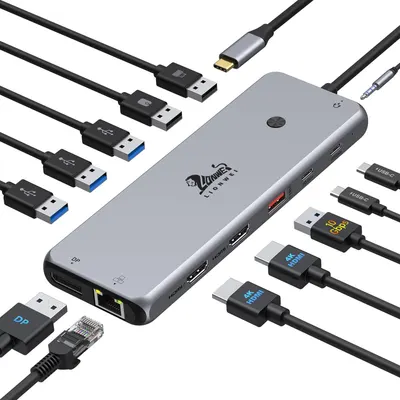 13 in 1 USB C Docking Station9 gallery images · #9 in Laptop Docking Stations
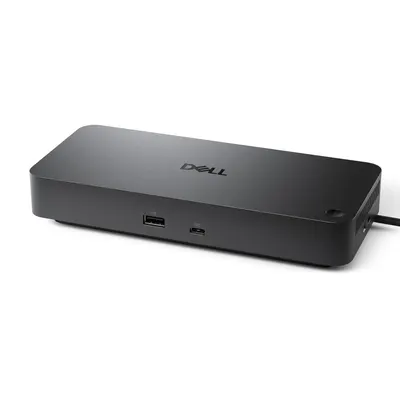 Dell Pro Dock WD258 gallery images · #72 in Computers & Accessories
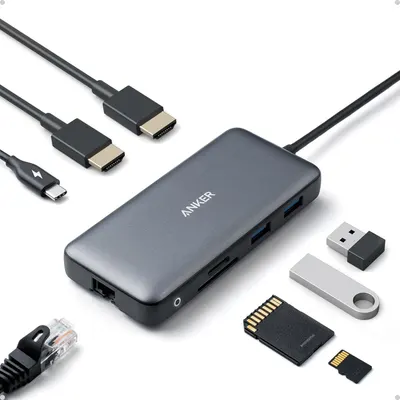 Anker Laptop Docking Station Dual Monitor8 gallery images · #261 in Electronics
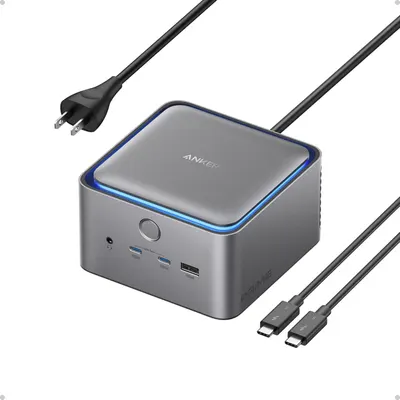 Anker Prime TB5 Docking Station7 gallery images · #2,157 in Electronics
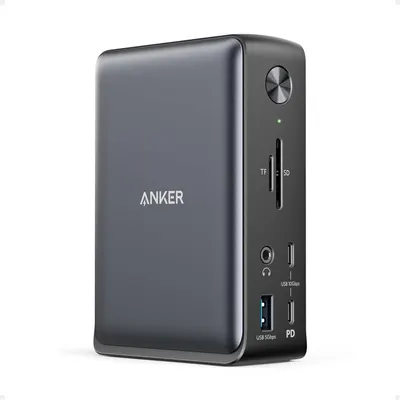 Anker Laptop Docking Station7 gallery images · #2,459 in Electronics
 Anker Laptop Docking Station 3 Monitors7 gallery images · #2,734 in Electronics
Our design team makes Amazon listing images, infographics and A+ content. £750 per day, with revisions the next day.
Last example added 2026-02-26 · 9 images. Image types are tagged by AI and checked by hand in samples.
These images belong to Anker and are shown for design research. Request removal.