Nintendo Switch Pro Controller: How to Use Images
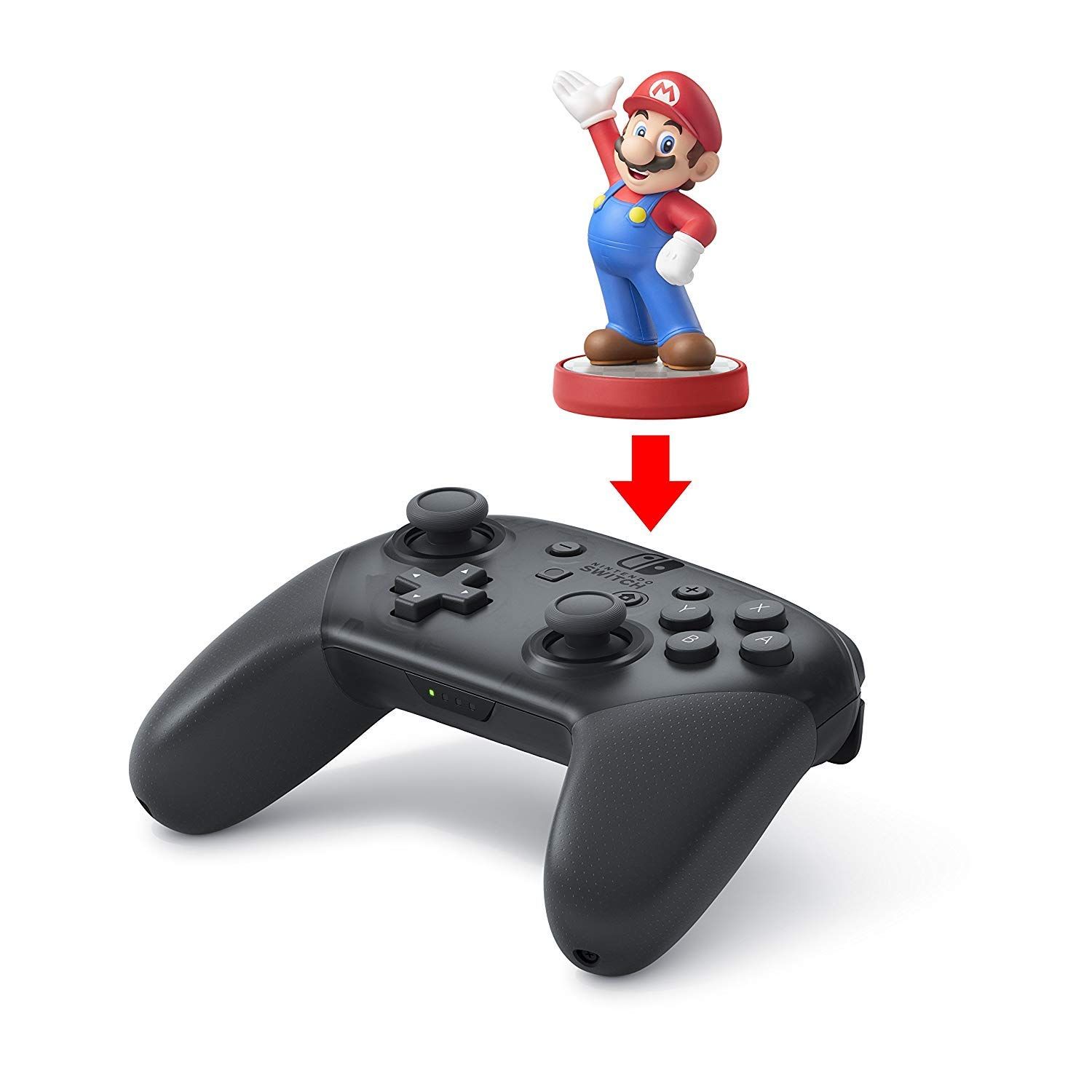
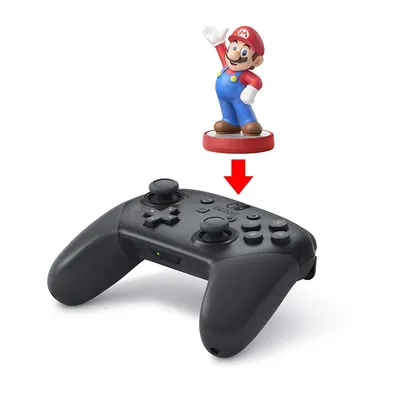
Demonstrates how the Amiibo figure connects to the controller, showing shoppers the simple setup process for using Amiibo functionality with the gaming controller. Highlights the controller's Amiibo compatibility feature, reassuring shoppers that they can use their Amiibo figures with this controller.
- Brand
- Nintendo
- Category
- Video Games › Nintendo Switch › Accessories › Controllers
- Image type
- How to Use Images, Single Benefit Images, Secondary Images
- Design focus
- Amiibo Compatibility; Controller Setup; Amiibo Compatibility
- Listing position
- Image 5
- Marketplace
- United States
- Best Sellers Rank
- #178 in Video Games (See Top 100 in Video Games) #4 in Nintendo Switch Controllers
- ASIN
- B01NAWKYZ0
See your listing next to your competitors
Paste your Amazon link. We score every image and show what the top sellers do differently. Your first comparison is free.
What this image does at a glance
- Score
- No text to measure
- Headline height
- 0.0% of the image
- Headline contrast
- Lc 0
- Text on the image
- 0.0% of the image, 0 blocks
- Blurred to tile size
- headline no longer readable
Listing bullet points
- Take your game sessions up a notch with the Nintendo Switch Pro Controller
- Handheld Nintendo Switch gaming at a great price
- Comes with charging cable (USB C to USB A)
Similar how to use images in Video Games
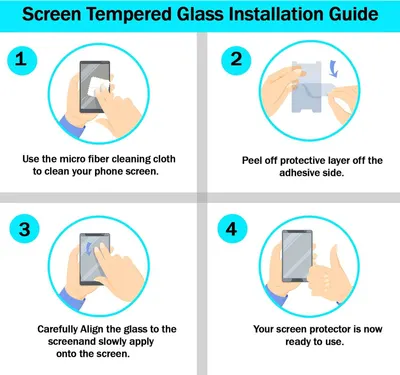 RKINC Screen Protector [2-Pack] for Nintendo Switch 2017
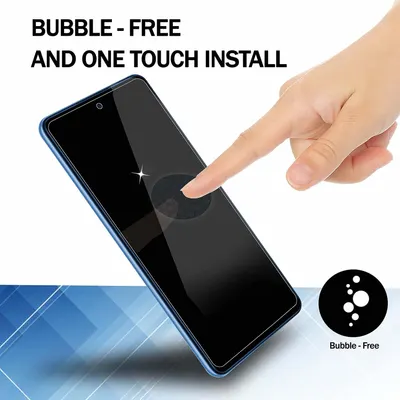 RKINC Screen Protector [2-Pack] for Nintendo Switch 2017
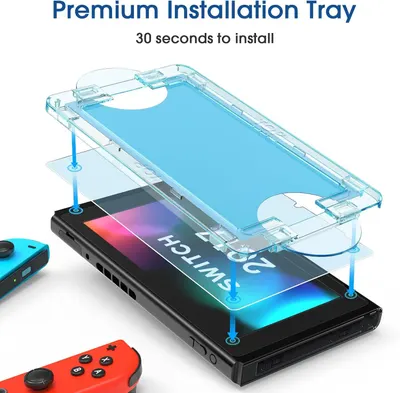 amFilm Auto-Alignment OneTouch for Nintendo Switch 6.2" 2017 Screen Protector
 Nintendo Switch Pro Controller
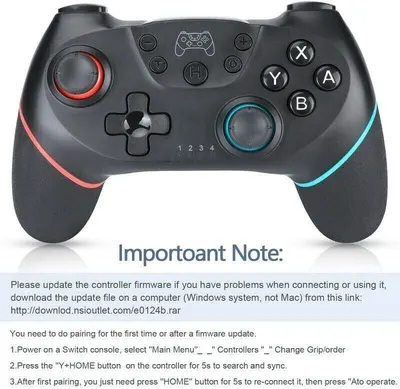 Lyyes Switch Controller
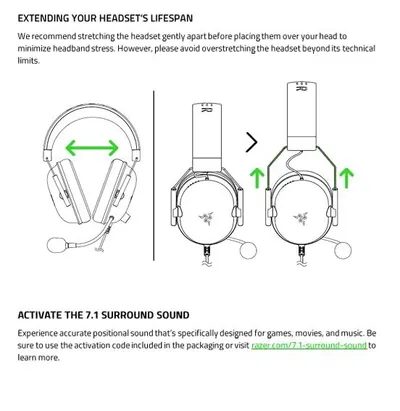 Razer BlackShark V2 X Gaming Headset: 7.1 Surround Sound
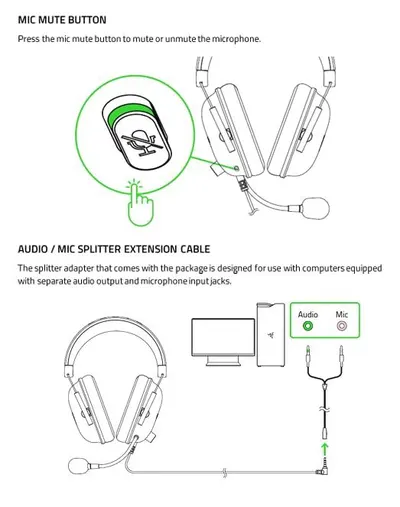 Razer BlackShark V2 X Gaming Headset: 7.1 Surround Sound
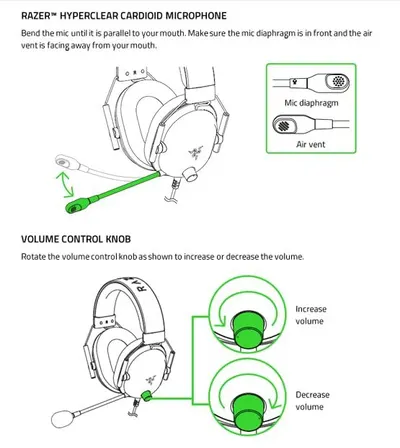 Razer BlackShark V2 X Gaming Headset: 7.1 Surround Sound
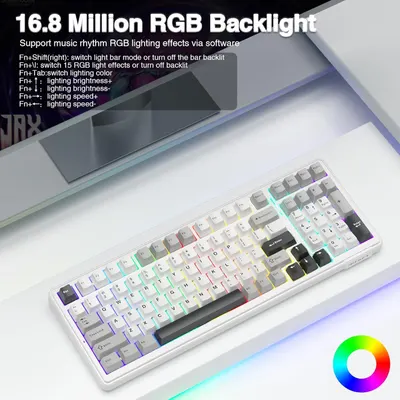 AULA F99 Wireless Mechanical Keyboard
This image belongs to Nintendo and is shown for design research. Request removal.