TP-Link AX1500 WiFi Extender Internet Booster(RE500X): How to Use Images
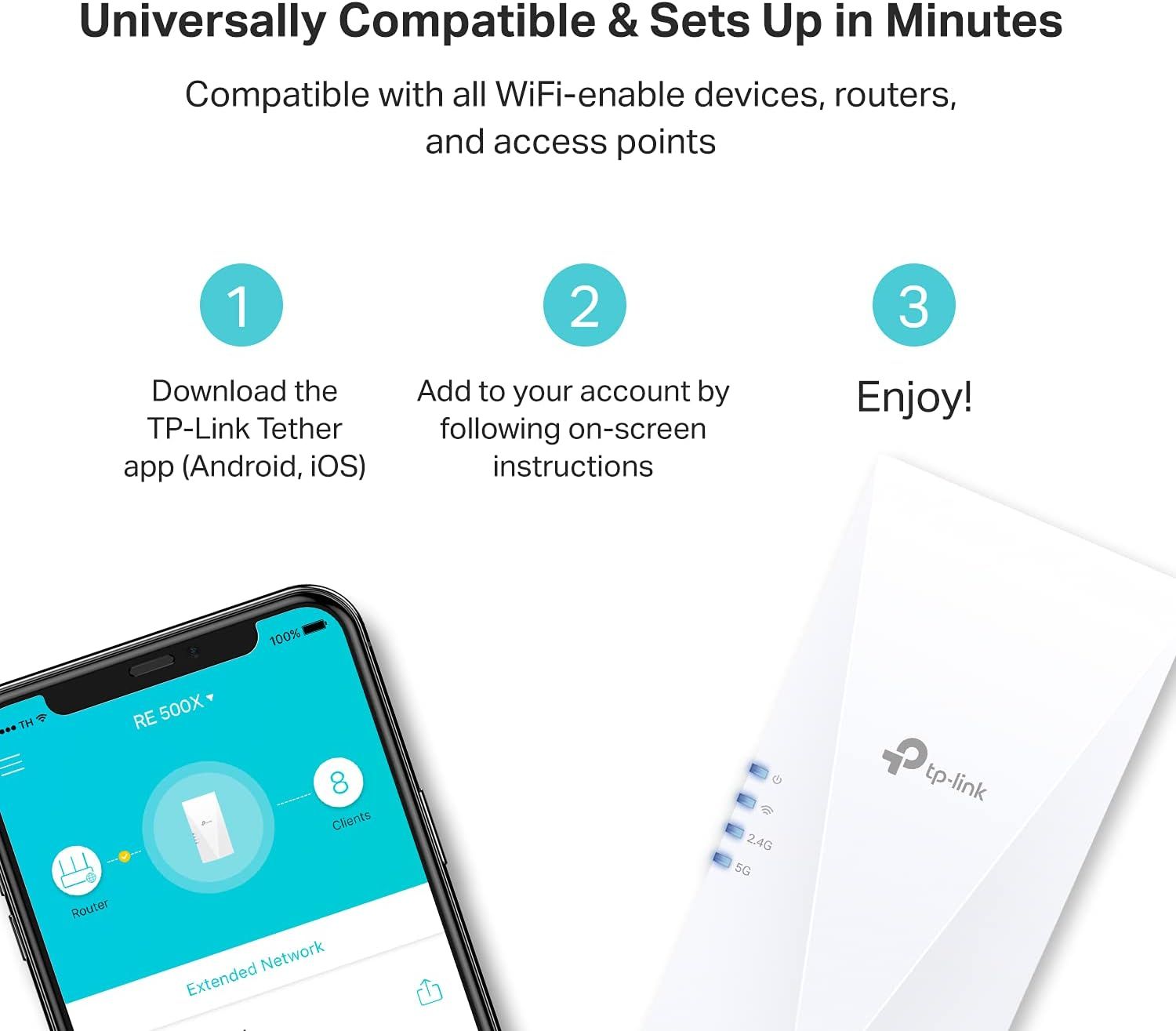
Demonstrates the simple 3-step setup process to reassure shoppers that the WiFi device is easy to install and use, reducing purchase hesitation. Highlights that the product is compatible with all WiFi-enabled devices, routers, and access points to reassure shoppers about compatibility concerns.
- Brand
- TP-Link
- Category
- Electronics › Computers & Accessories › Networking Products › Repeaters
- Image type
- How to Use Images, Secondary Images, Safety / Compatibility Images
- Design focus
- Easy Setup; Quick Installation; Universal Compatibility
- Listing position
- Image 6
- Marketplace
- United States
- Best Sellers Rank
- #1 in Repeaters
- Full listing
- See all 7 images in order
- ASIN
- B09D8X8VSV
See your listing next to your competitors
Paste your Amazon link. We score every image and show what the top sellers do differently. Your first comparison is free.
What this image does at a glance
- Score
- 2 / 100 · Unreadable small
- Headline
- 3
- Headline height
- 5.1% of the image
- Headline contrast
- Lc 37
- Text on the image
- 14.1% of the image, 19 blocks
- Blurred to tile size
- headline no longer readable
Listing bullet points
- WIFI EXTENDERS SIGNAL BOOSTER FOR HOME: Extend high-performance WiFi with RE500X featuring high-gain antennas that are specifically designed to eliminate WiFi dead zones.
- WIFI BOOSTER WITH WIFI 6 SPEEDS: Enjoy smooth and reliable streaming, gaming, downloading, and more with dual-band total bandwidth of 1.5 Gbps (up to 1201 Mbps on 5 GHz and up to 300 Mbps on 2.4 GHz).
- CONNECT MORE DEVICES TO YOUR NETWORK: Connect more devices that are out of range from your main router while eliminating poor performance and weak WiFi.
- WIFI EXTENDER WITH GIGABIT ETHERNET PORT: Experience wired speed and reliability anywhere in your home by connecting your favorite device to the gigabit ethernet port.
- DOES NOT SUPPORT 6 GHZ BAND: Please note This dual-band WiFi 7 range extender does not support the 6 GHz band. It operates on the 2.4 GHz and 5 GHz bands only.
- DOES NOT INCREASE SPEEDS: Please note that all Wireless Extenders are designed to improve WiFi coverage and not increase speeds. Actual speeds will be 50% or less from current speeds. However, improving signal reliability can boost overall performance.
- OUR CYBERSECURITY COMMITMENT: TP-Link is a signatory of the U.S. Cybersecurity and Infrastructure Security Agency’s (CISA) Secure-by-Design pledge. This device is designed, built, and maintained, with advanced security as a core requirement.
- EXTEND YOUR COVERAGE WITH ONEMESH: Pair the RE500X with any OneMesh-compatible router, range extender, or wireless powerline adapter to eliminate dead zones and enjoy one network name. Not compatible with mesh WiFi systems like Deco.
Similar how to use images in Electronics
 GEEKOM A7 Mini PC
 Sennehiser ACCENTUM Plus Wireless Headphones
 Sennehiser ACCENTUM Plus Wireless Headphones
 Sennehiser ACCENTUM Plus Wireless Headphones
 Sennheiser Consumer Audio Momentum 4 Wireless Headphones
 Sennheiser Consumer Audio Momentum 4 Wireless Headphones
 Sennheiser Consumer Audio Momentum 4 Wireless Headphones
 Sennehiser ACCENTUM Wireless Headphones
 Anker Adaptador hub USB-C
 Metal Switch Opener GPL 205G0 0.35oz
 Metal Switch Opener GPL 205G0 0.35oz
 RUNJRX
This image belongs to TP-Link and is shown for design research. Request removal.