TP-Link AX1500 WiFi Extender Internet Booster(RE500X): full Amazon image stack
TP-Link AX1500 WiFi Extender Internet Booster(RE500X) by TP-Link uses 7 gallery images. Image 1 is a product main image. The rest of the stack uses key stat images, infographic images and product detail images. It ranks #1 in Repeaters.
See your listing next to your competitors
Paste your Amazon link. We score every image and show what the top sellers do differently. Your first comparison is free.
- Brand
- TP-Link
- Niche
- Wifi Extender
- Category
- Electronics
- Gallery images
- 7
- Best Sellers Rank
- #1 in Repeaters
- ASIN
- B09D8X8VSV
Gallery images in order
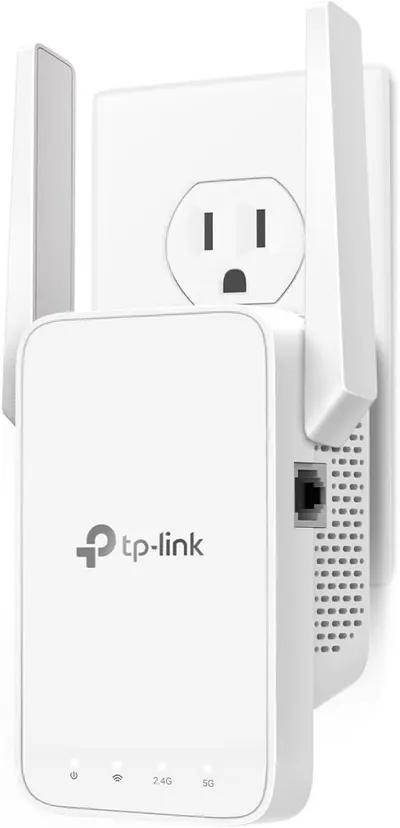
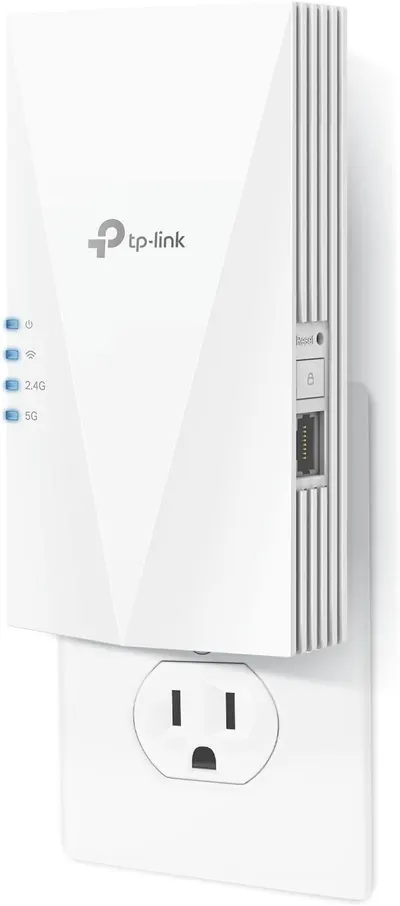 Image 1 · Product Main Images
Shows the TP-Link WiFi range extender clearly on a white background, highlighting its compact plug-in form factor, dual-band capability (2.4G and 5G indicators), and key features like the reset button and ethernet port to communicate its functionality as a network extender.
Dual-band WiFi; Plug-in Design
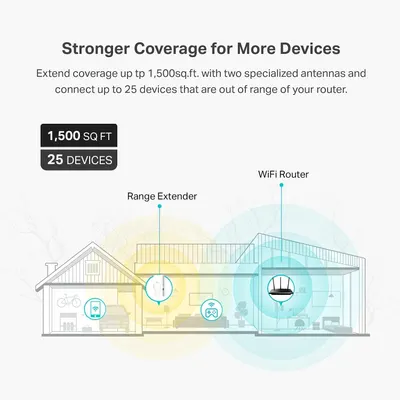 Image 2 · Key Stat Images, Single Benefit Images
Communicates the product's quantifiable performance capabilities—extended WiFi coverage area and device connection capacity—to reassure shoppers that the range extender can handle their home size and multiple devices. Demonstrates how the range extender solves the problem of weak WiFi signal by extending coverage throughout the home, providing a clear visual of the benefit in a real-world context.
Coverage Area (1,500 sq.ft.); Device Capacity (25 devices); Extended WiFi Coverage
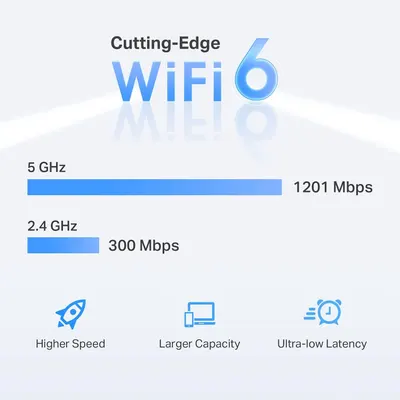 Image 3 · Infographic Images
Communicates the multiple technical benefits of WiFi 6 technology, including dual-band speeds (5 GHz at 1201 Mbps and 2.4 GHz at 300 Mbps), higher speed, larger device capacity, and ultra-low latency to reassure shoppers of superior wireless performance.
WiFi 6 Technology; Higher Speed; Larger Capacity; Ultra-low Latency
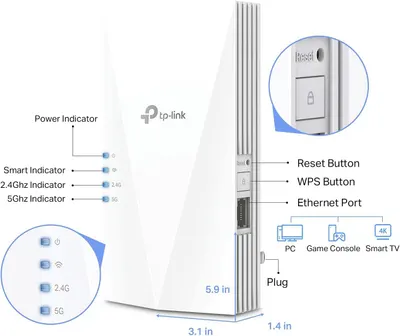 Image 4 · Product Detail Images
This image breaks down the TP-Link WiFi extender by labeling all its physical components, buttons, ports, and indicators, helping shoppers understand the device's structure and how to identify each functional element.
Power Indicator; Smart Indicator; 2.4Ghz Indicator; 5Ghz Indicator; Reset Button; WPS Button; Ethernet Port; Plug; Physical Dimensions
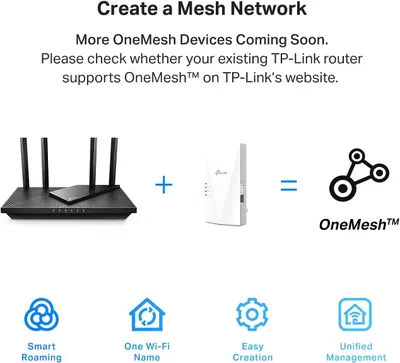 Image 5 · Infographic Images
Communicates the multiple benefits of creating a OneMesh network with TP-Link devices, including smart roaming, unified Wi-Fi naming, easy setup, and centralized management to reassure shoppers about the system's convenience and capabilities.
Smart Roaming; One Wi-Fi Name; Easy Creation; Unified Management
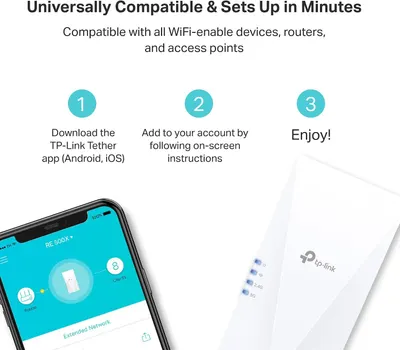 Image 6 · How to Use Images, Safety / Compatibility Images
Demonstrates the simple 3-step setup process to reassure shoppers that the WiFi device is easy to install and use, reducing purchase hesitation. Highlights that the product is compatible with all WiFi-enabled devices, routers, and access points to reassure shoppers about compatibility concerns.
Easy Setup; Quick Installation; Universal Compatibility
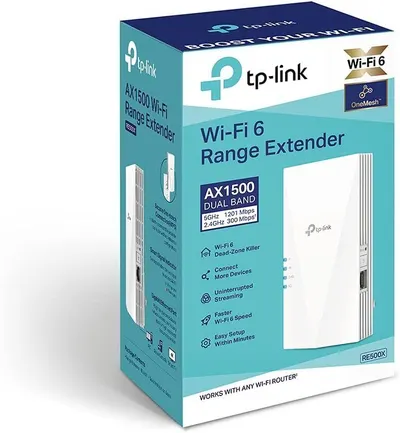 Image 7 · Infographic Images
Communicates multiple key benefits of the Wi-Fi extender in a segmented layout with icons, showing shoppers how it solves connectivity problems and improves their home network experience.
Wi-Fi 6 Dead-Zone Killer; Connect More Devices; Uninterrupted Streaming; Faster Wi-Fi Speed; Easy Setup
Design themes in this listing
- Easy Setup2
- 2.4Ghz Indicator1
- 5Ghz Indicator1
- Connect More Devices1
- Coverage Area (1,500 sq.ft.)1
- Device Capacity (25 devices)1
- Dual-band WiFi1
- Easy Creation1
Other Wifi Extender listings
 TP-Link AC1200 WiFi Extender8 gallery images · #1 in Repeaters
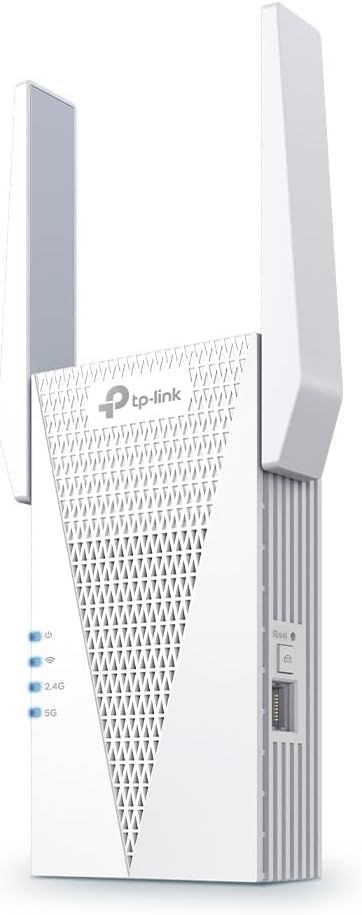 TP-Link AX3000 WiFi 6 Range Extender8 gallery images · #2 in Repeaters
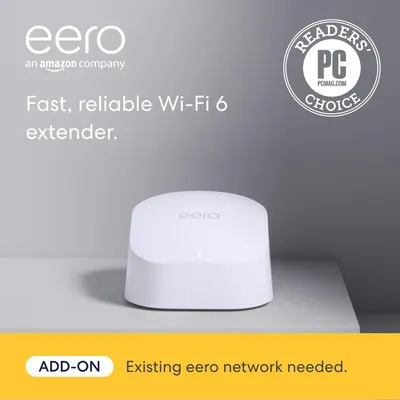 Amazon eero 6 mesh wifi add-on extender7 gallery images
 Amazon eero Pro 6E mesh wifi system7 gallery images
Our design team makes Amazon listing images, infographics and A+ content. £750 per day, with revisions the next day.
Last example added 2026-02-26 · 7 images. Image types are tagged by AI and checked by hand in samples.
These images belong to TP-Link and are shown for design research. Request removal.