1080 Full HD Wireless Mini Cameras: full Amazon image stack
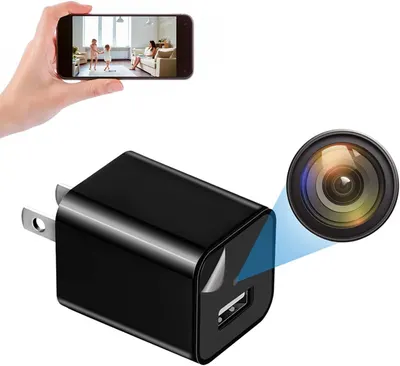
1080 Full HD Wireless Mini Cameras by Kestanlora uses 8 gallery images. Image 1 is a product main image. The rest of the stack uses how to use images and product detail images. It ranks #1,024 in Hidden Cameras.
See your listing next to your competitors
Paste your Amazon link. We score every image and show what the top sellers do differently. Your first comparison is free.
- Brand
- Kestanlora
- Niche
- Hidden Camera
- Category
- Electronics
- Gallery images
- 8
- Best Sellers Rank
- #1,024 in Hidden Cameras
- ASIN
- B0F2MRHM87
Gallery images in order
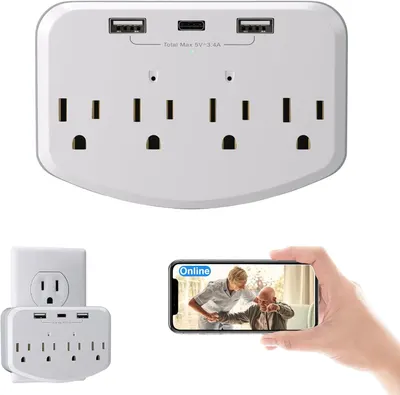 Image 1 · Product Main Images, In-Use Main Images
Shows the core product—a wall-mounted power strip with multiple AC outlets and USB charging ports—to communicate its capacity and functionality for charging multiple devices simultaneously. Demonstrates the product's smart monitoring feature by showing a smartphone displaying an online status and video feed, reassuring shoppers they can remotely monitor or control connected devices.
Multi-outlet surge protector with USB ports; Remote monitoring capability; Smart connectivity
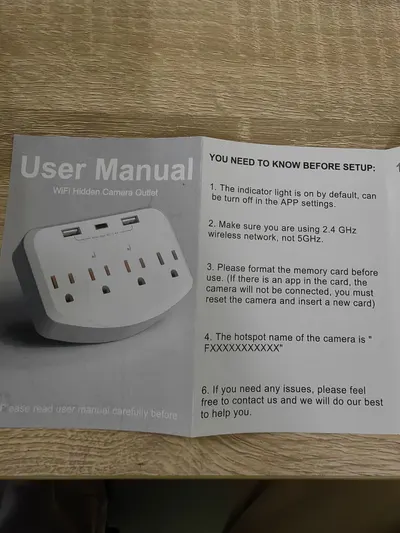 Image 2 · How to Use Images
Provides essential setup information and requirements that users need to know before installing and configuring the WiFi hidden camera outlet, ensuring proper installation and functionality.
Setup Instructions; Pre-Installation Requirements
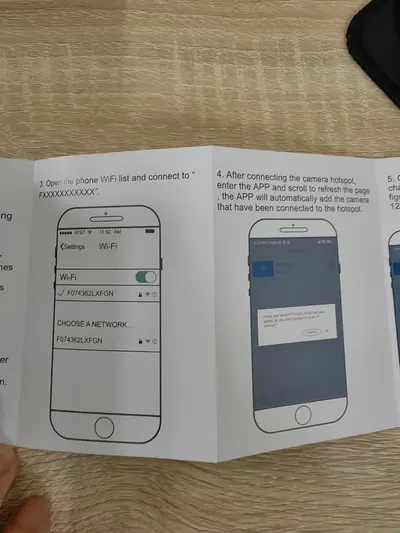 Image 3 · How to Use Images
Provides step-by-step instructions for connecting the camera to WiFi and adding it to the mobile app, helping shoppers understand the setup process is straightforward.
WiFi Setup; App Connection
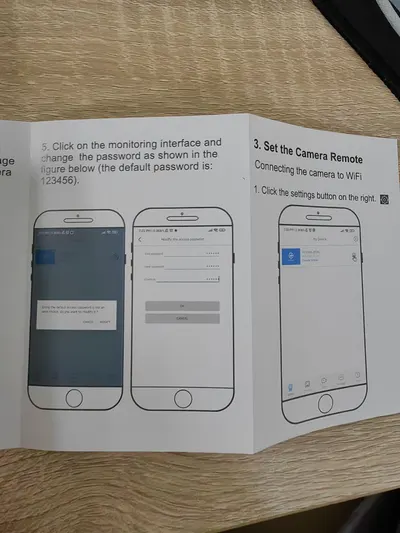 Image 4 · How to Use Images
This image provides step-by-step instructions for setting up the camera's remote monitoring interface, including connecting to WiFi and changing the default password, to help users successfully configure their device.
WiFi Setup; Password Configuration; Remote Camera Connection
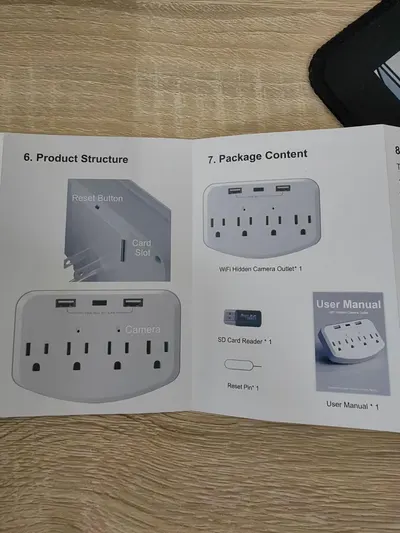 Image 5 · Product Detail Images, What's in the Box Images
Shows the physical components and structure of the WiFi hidden camera outlet, helping shoppers understand where key features like the reset button, card slot, and camera are located. Displays everything included in the package (WiFi camera outlet, SD card reader, reset pin, and user manual) so shoppers know exactly what they will receive with their purchase.
Reset Button; Card Slot; Camera Location; Package Contents
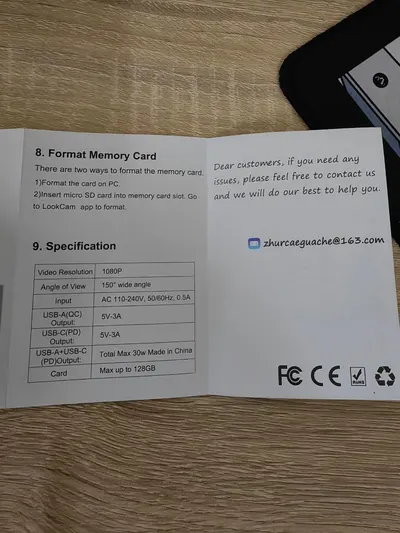 Image 6 · How to Use Images, Infographic Images
Provides step-by-step instructions on how to format the memory card, helping customers understand the setup process for the device. Displays multiple technical specifications in a structured table format to inform customers about the product's capabilities and features.
Memory Card Formatting Instructions; Technical Specifications; Video Resolution; Angle of View; Power Output; Memory Capacity
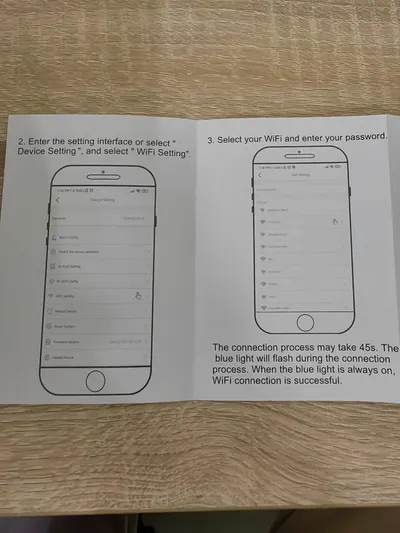 Image 7 · How to Use Images
Provides step-by-step instructions for connecting the product to WiFi through the mobile app, reassuring shoppers that setup is straightforward and guided.
WiFi Setup Instructions
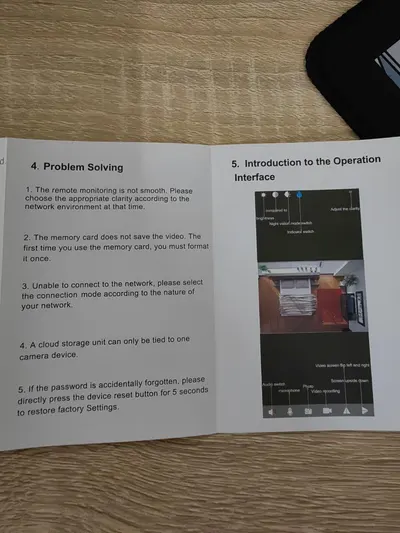 Image 8 · How to Use Images
This image explains how to use the product's operation interface and provides troubleshooting guidance for common problems, helping shoppers understand setup and usage.
Operation Interface; Problem Solving
Design themes in this listing
- WiFi Setup2
- Angle of View1
- App Connection1
- Camera Location1
- Card Slot1
- Memory Capacity1
- Memory Card Formatting Instructions1
- Multi-outlet surge protector with USB ports1
Other Hidden Camera listings
Our design team makes Amazon listing images, infographics and A+ content. £750 per day, with revisions the next day.
Last example added 2026-02-26 · 8 images. Image types are tagged by AI and checked by hand in samples.
These images belong to Kestanlora and are shown for design research. Request removal.