1080 Full HD Wireless Mini Cameras: How to Use Images
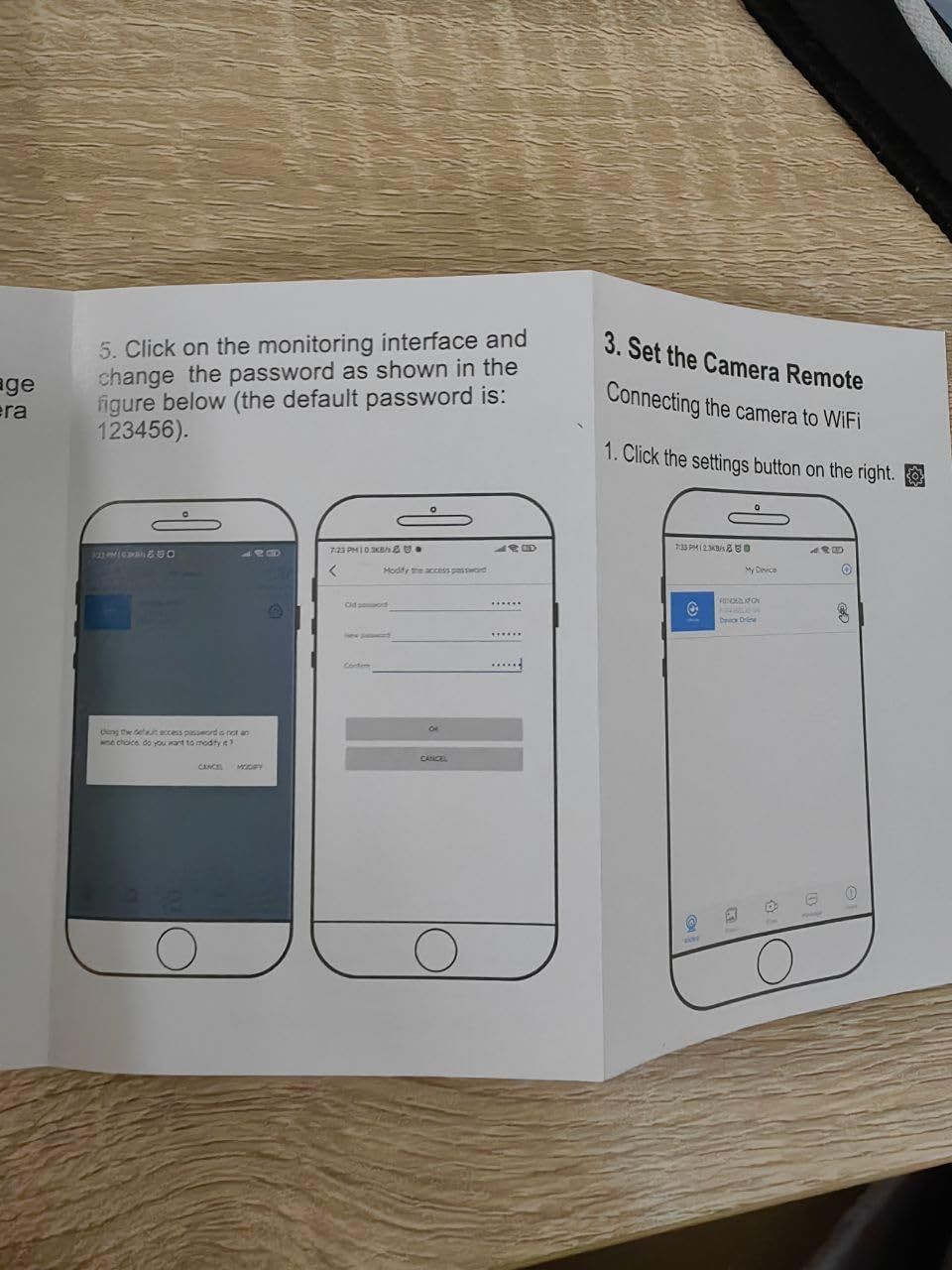
This image provides step-by-step instructions for setting up the camera's remote monitoring interface, including connecting to WiFi and changing the default password, to help users successfully configure their device.
- Brand
- Kestanlora
- Category
- Electronics › Camera & Photo › Video Surveillance › Surveillance Cameras › Hidden Cameras
- Image type
- How to Use Images, Secondary Images
- Design focus
- WiFi Setup; Password Configuration; Remote Camera Connection
- Listing position
- Image 4
- Marketplace
- United States
- Best Sellers Rank
- #1,024 in Hidden Cameras
- Full listing
- See all 8 images in order
- ASIN
- B0F2MRHM87
See your listing next to your competitors
Paste your Amazon link. We score every image and show what the top sellers do differently. Your first comparison is free.
What this image does at a glance
- Score
- 43 / 100 · Hard to read small
- Headline
- 3. Set the Camera Remote
- Headline height
- 5.2% of the image
- Headline contrast
- Lc 53
- Text on the image
- 9.0% of the image, 10 blocks
- Blurred to tile size
- headline no longer readable
Listing bullet points
- Update 4-in-1 function camera : The camera fits perfectly into the socket. 4 AC socket extenders (120V, 15A, 1200W), 3 USB PD fast charging ports (3.4A, 20W), 1700 Joule surge protectors and a mini camera, surface material flame retardant, heat resistant up to 248°F, can be used as sockets. (Do…
- Smart Motion Detection with Adjustable Sensitivity:The advanced motion sensor in this camera is capable of detecting movement in front of it. When movement is detected, the camera can VideoRecord and send alerts to your phone. You can adjust the sensitivity, so it's tailored to your needs.
- 24/7 loop:The camera uses H.265 technology to save more footage. Set the loop recording in the APP,If the memory of the SD card is full, the camera will automatically save and overwrite the oldest SD card file, and continue to work. Cloud VideoRecording for 7 or 30 days is supported(Cloud services…
- 1080P High Definition Picture Quality:1080P high resolution allows you to see clearly what's happening at home through your phone when you're outdoors. The nanny camera can monitor your home at any time, without worrying about what's happening with your baby, pet, or nanny at home, ensuring the…
- Wide-Angle View: Our security camera is designed with a 140-degree ultra-wide-angle lens, offering a comprehensive view of the entire room. Capture every corner with stunning clarity, eliminating blind spots and ensuring complete coverage.
- No professional knowledge is required &Full Warranty:Just power on the Camera,Download an APP and Connect the camera to the phone.Once the camera is set up, you can view live video and recording on your phone, whether at home or abroad, via WiFi or mobile data. It is simple and intuitive to use.If…
Similar how to use images in Electronics
 GEEKOM A7 Mini PC
 Sennehiser ACCENTUM Plus Wireless Headphones
 Sennehiser ACCENTUM Plus Wireless Headphones
 Sennehiser ACCENTUM Plus Wireless Headphones
 Sennheiser Consumer Audio Momentum 4 Wireless Headphones
 Sennheiser Consumer Audio Momentum 4 Wireless Headphones
 Sennheiser Consumer Audio Momentum 4 Wireless Headphones
 Sennehiser ACCENTUM Wireless Headphones
 Anker Adaptador hub USB-C
 Metal Switch Opener GPL 205G0 0.35oz
 Metal Switch Opener GPL 205G0 0.35oz
 RUNJRX
This image belongs to Kestanlora and is shown for design research. Request removal.