TP-Link AC1200 WiFi Router (Archer A54): full Amazon image stack
TP-Link AC1200 WiFi Router (Archer A54) by TP-Link uses 7 gallery images. Image 1 is a product main image. The rest of the stack uses as seen on images, key stat images and comparison chart images. It ranks #593 in Electronics.
See your listing next to your competitors
Paste your Amazon link. We score every image and show what the top sellers do differently. Your first comparison is free.
- Brand
- TP-Link
- Niche
- Wifi Router
- Category
- Electronics
- Gallery images
- 7
- Best Sellers Rank
- #593 in Electronics (See Top 100 in Electronics)
- ASIN
- B09G5Y1HWZ
Gallery images in order
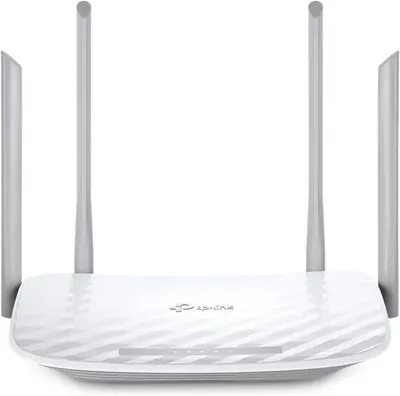 Image 1 · Product Main Images
Displays the core product clearly on a white background to show the router's physical design and four external antennas for wireless connectivity.
Multi-antenna wireless router
 Image 2 · As Seen On Images
Showcases third-party recognition from PC Magazine to build credibility and trust, highlighting that the product won the Readers' Choice award for Standalone Routers in 2023.
Readers' Choice Award Winner
 Image 3 · Key Stat Images, Use Case Images
Demonstrates multiple use cases for the dual-band Wi-Fi feature, showing high-bandwidth activities (VR gaming, 4K streaming) on the 5 GHz band and everyday activities (email, browsing) on the 2.4 GHz band to communicate versatility and optimized connectivity. Highlights the quantifiable speed performance of each Wi-Fi band to reassure shoppers of fast, reliable connectivity for different device needs.
Dual-Band Wi-Fi; 5 GHz for Gaming/4K; 2.4 GHz for Browsing/Email; 867 Mbps on 5 GHz; 300 Mbps on 2.4 GHz
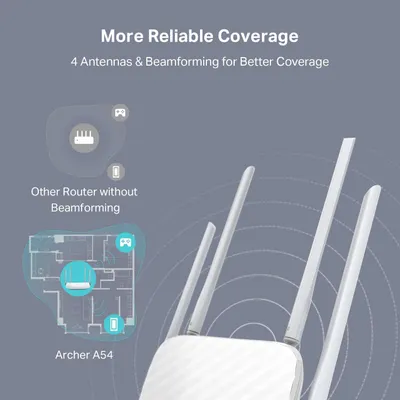 Image 4 · Comparison Chart Images
Demonstrates the superior coverage and beamforming technology of the Archer A54 router compared to a generic competitor router without beamforming, showing how it provides more reliable and wider signal distribution throughout a home.
Beamforming Technology; 4 Antennas; Better Coverage
 Image 5 · Single Benefit Images
Communicates that the router's MU-MIMO technology enables simultaneous connections to multiple devices with efficient data streaming, reassuring shoppers about improved network performance and capacity.
MU-MIMO Technology; Multi-Device Connectivity
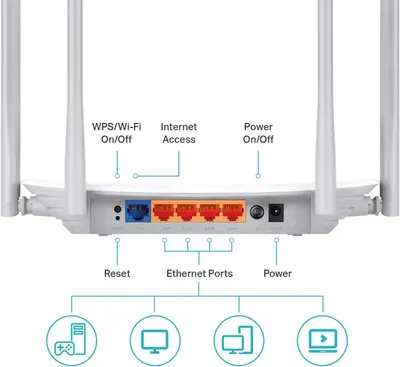 Image 6 · Product Detail Images
This image breaks down the physical components and ports of the router, helping shoppers understand the device's connectivity options and control buttons for setup and operation.
Router Ports and Buttons; WPS/Wi-Fi Button; Internet Access Port; Ethernet Ports; Power Button; Reset Button
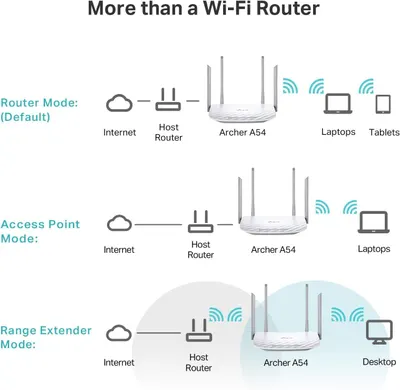 Image 7 · How to Use Images, Use Case Images
Demonstrates the three different operating modes and network configurations the Archer A54 router supports, showing shoppers the versatility and multiple use cases for the product. Explains how the router can be configured in different network topologies, helping shoppers understand setup options and how the device integrates into their existing network infrastructure.
Router Mode; Access Point Mode; Range Extender Mode; Network Setup Configurations
Design themes in this listing
- 2.4 GHz for Browsing/Email1
- 300 Mbps on 2.4 GHz1
- 4 Antennas1
- 5 GHz for Gaming/4K1
- 867 Mbps on 5 GHz1
- Access Point Mode1
- Beamforming Technology1
- Better Coverage1
Other Wifi Router listings
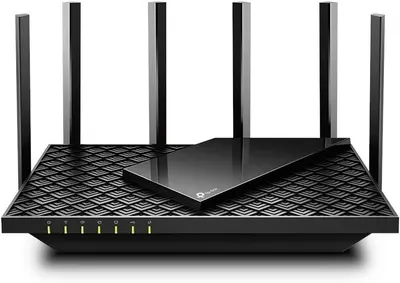 TP-Link AX5400 WiFi 6 Router (Archer AX73)- Dual Band Gigabit…7 gallery images · #7,331 in Electronics
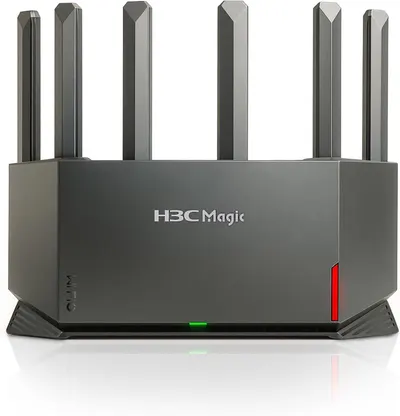 H3C AX5400 WiFi 6 Router for Wireless Internet(NX54)9 gallery images · #13,592 in Electronics
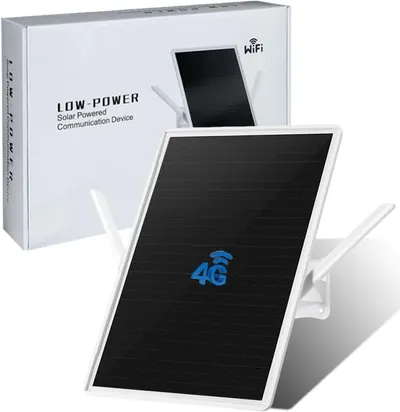 LCLCTEK® Solar Powered 4G LTE Modem Router Up to150-Feet9 gallery images · #171,643 in Electronics
 Amazon eero 6 mesh wifi router7 gallery images
Our design team makes Amazon listing images, infographics and A+ content. £750 per day, with revisions the next day.
Last example added 2026-02-26 · 7 images. Image types are tagged by AI and checked by hand in samples.
These images belong to TP-Link and are shown for design research. Request removal.