Product Detail Image Examples for Electronics

We have 450 product detail image examples from 290 Electronics listings on Amazon. They make up 8% of Electronics images, against 3% across the library. Sellers place them most often as image 4, 5 or 6 (44% of examples with a known position). Common themes: Connectivity Options, Power Button and Port Layout.

Page 4
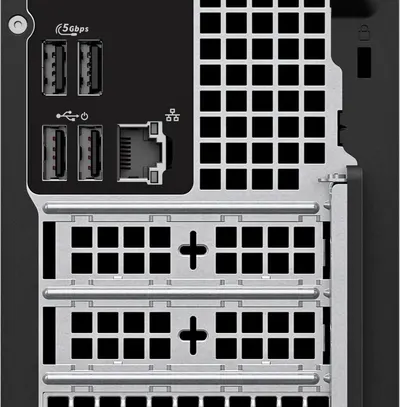
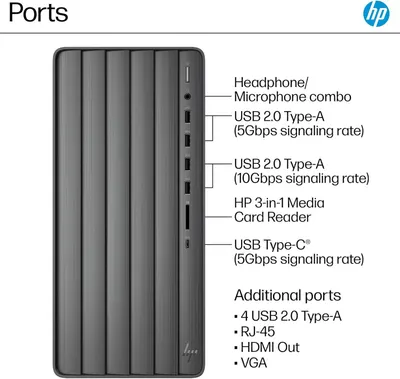
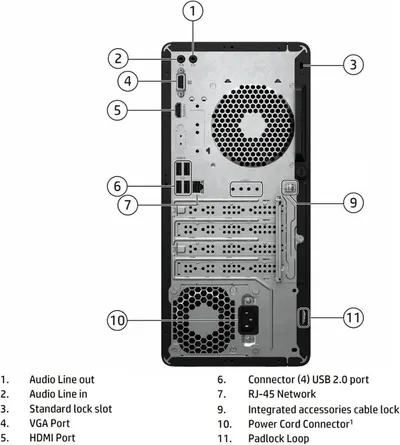
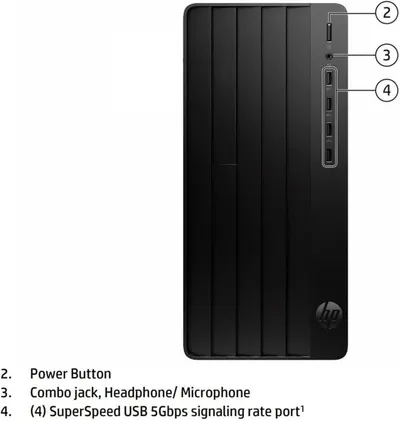
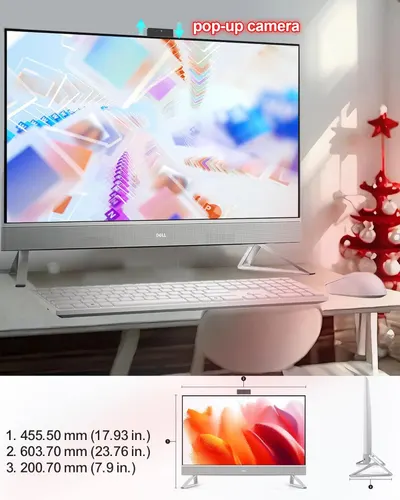
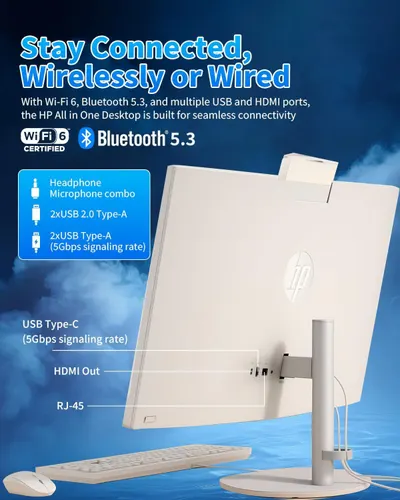
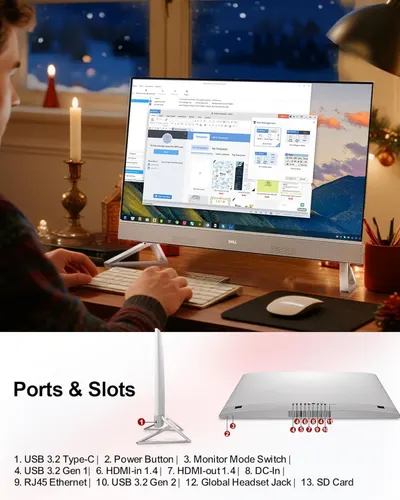
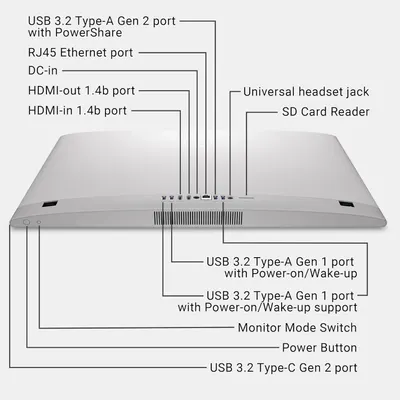
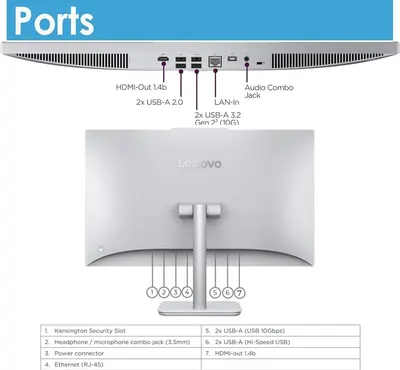
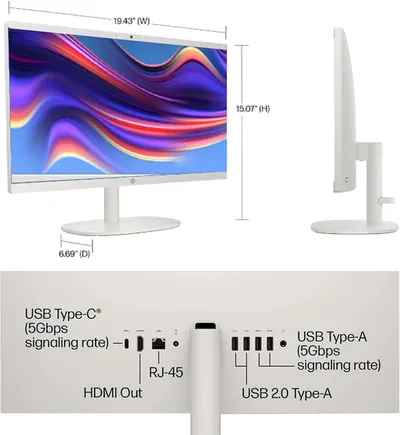
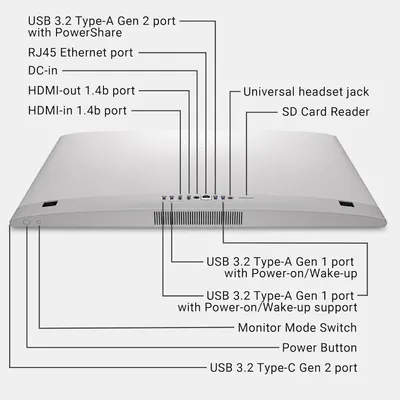
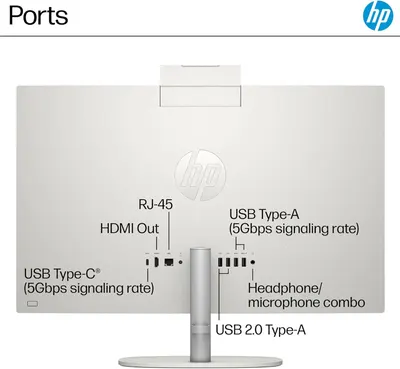
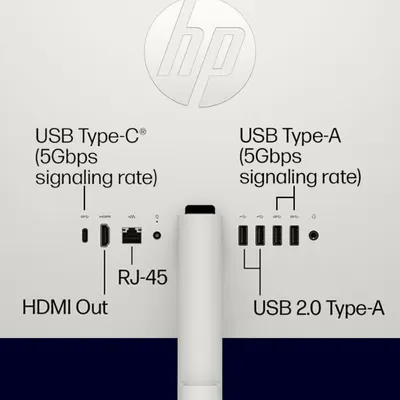
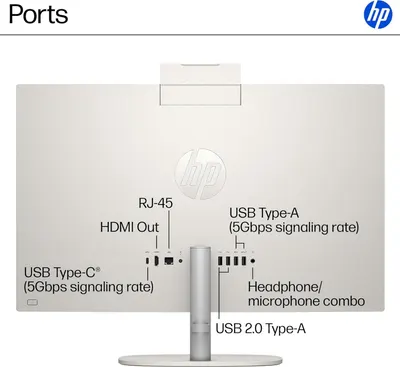
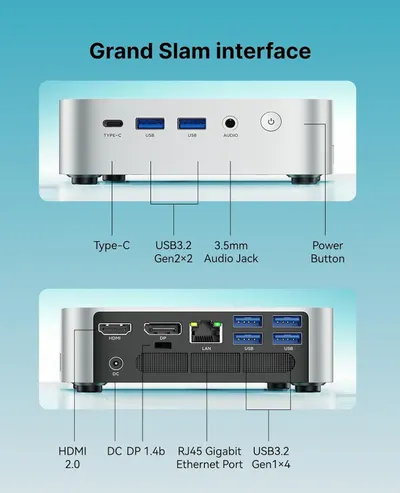
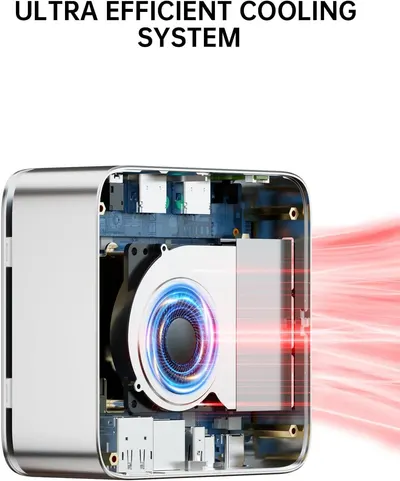
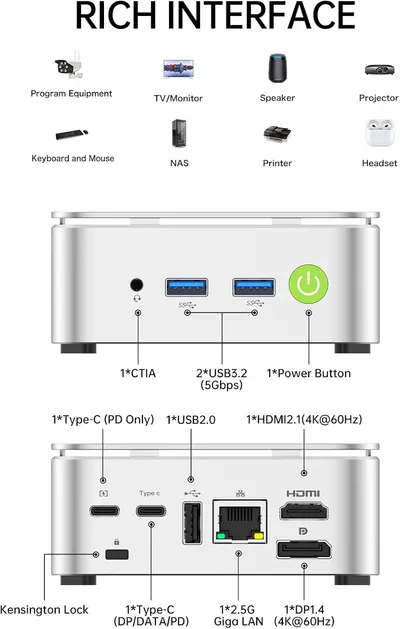
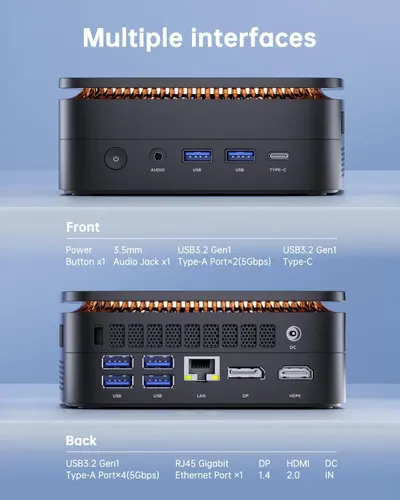
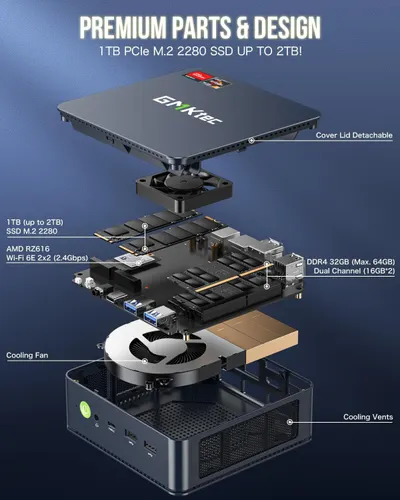
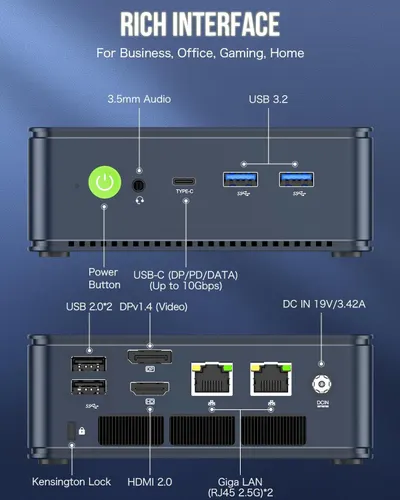
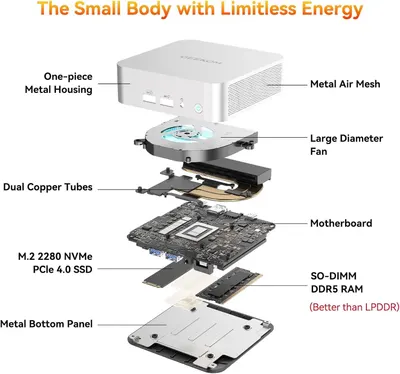
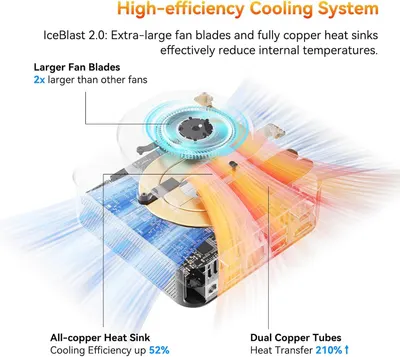
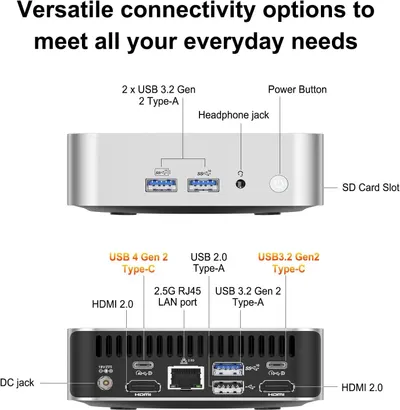
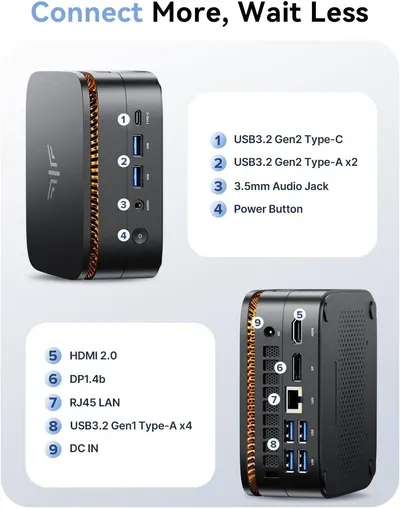
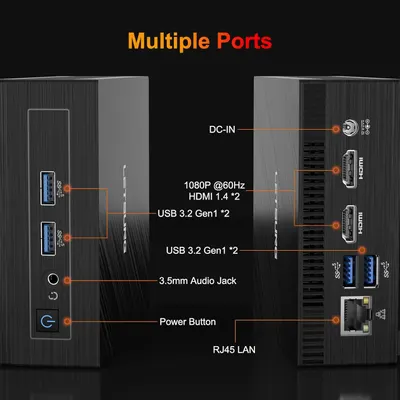
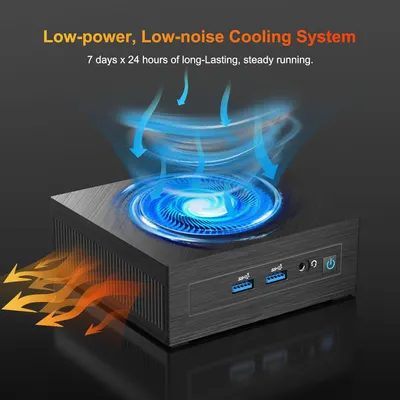
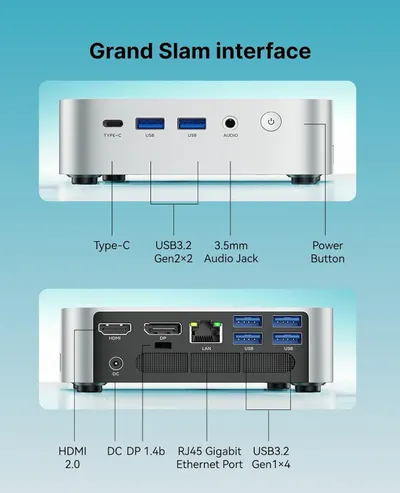
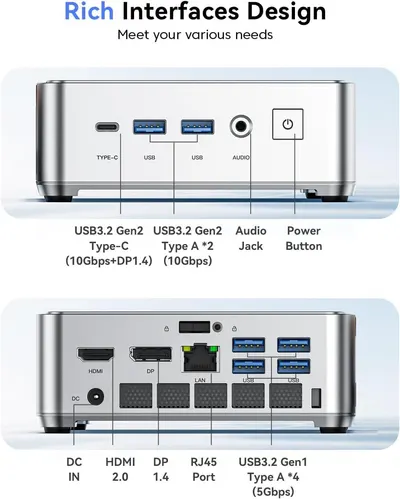
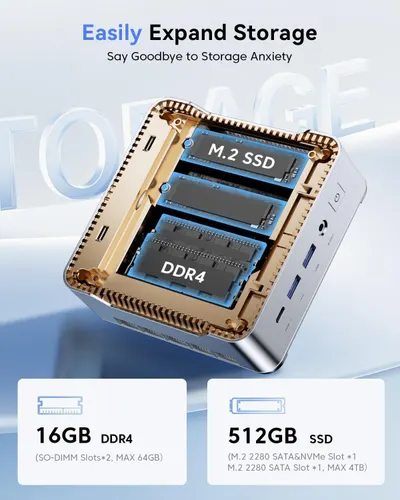
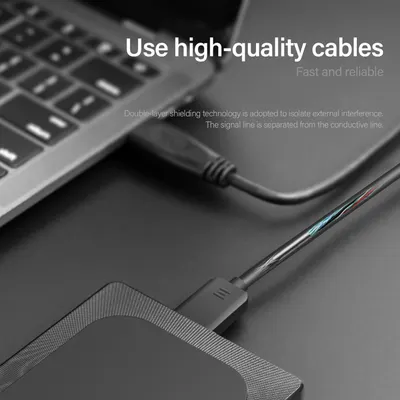
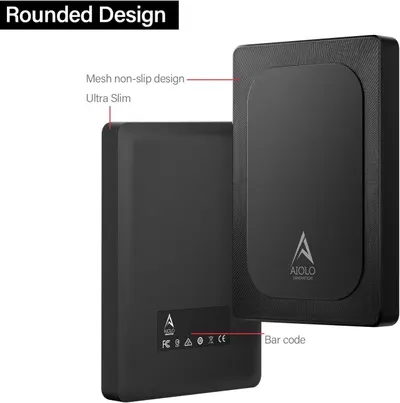
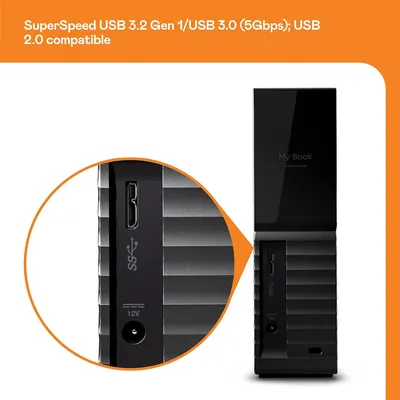
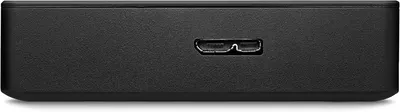
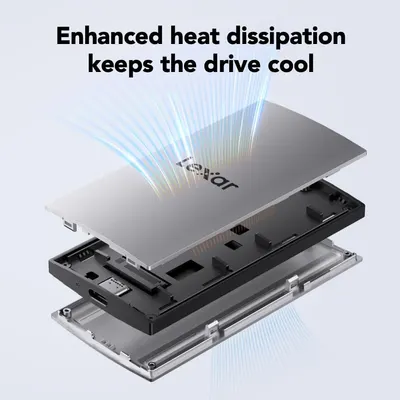
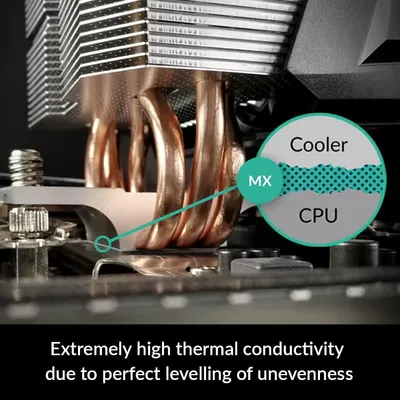
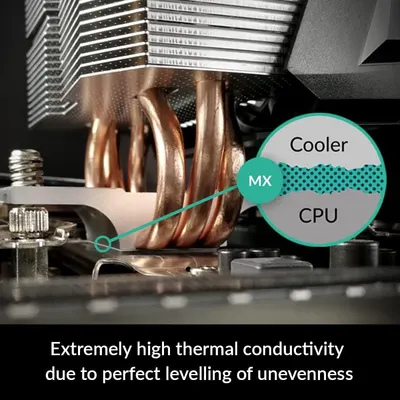
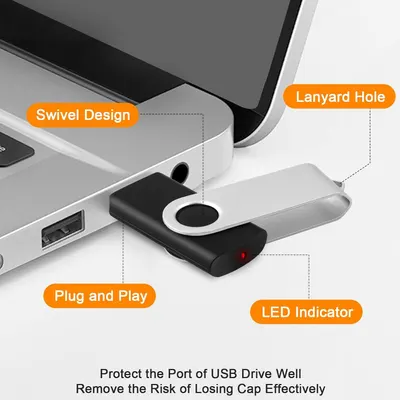
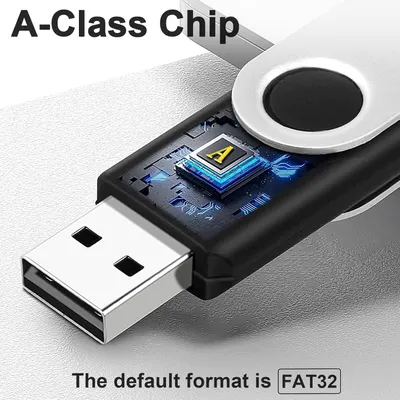
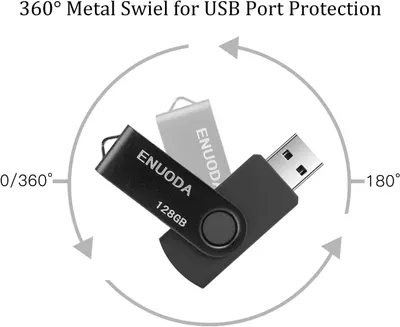
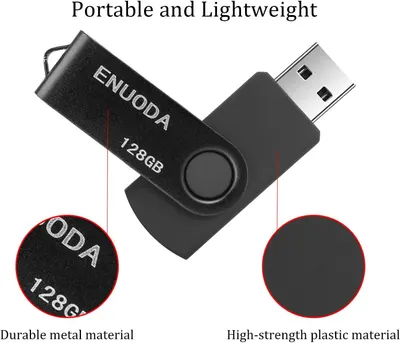
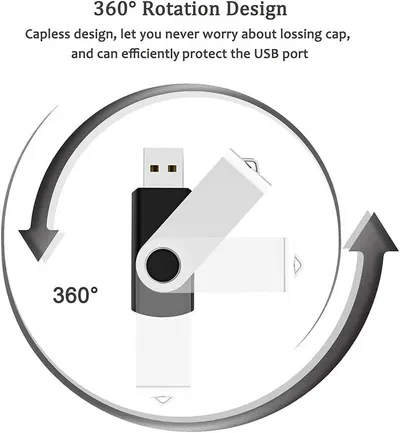
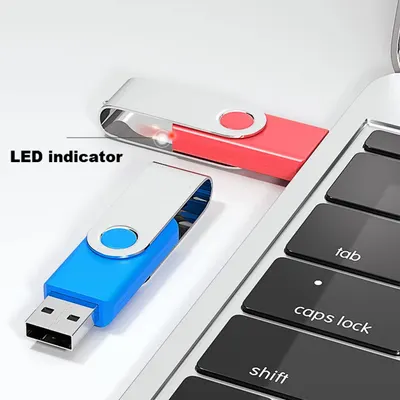
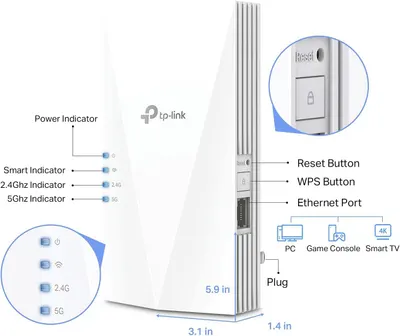
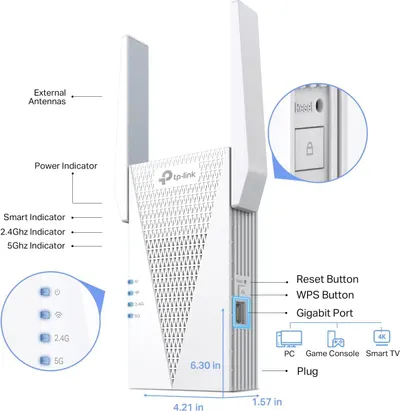
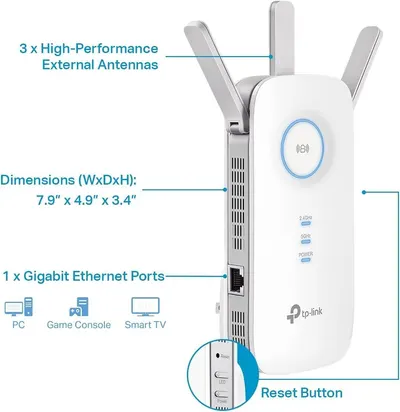
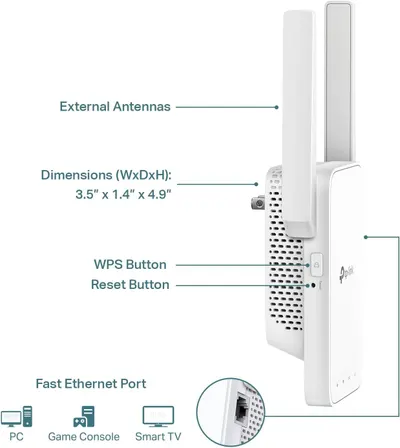
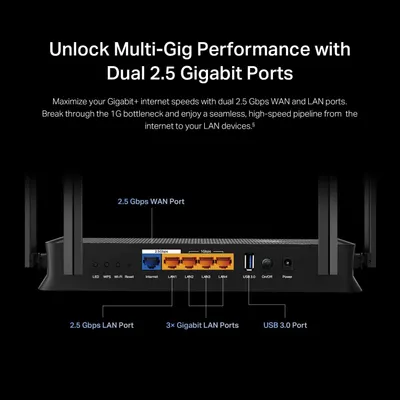
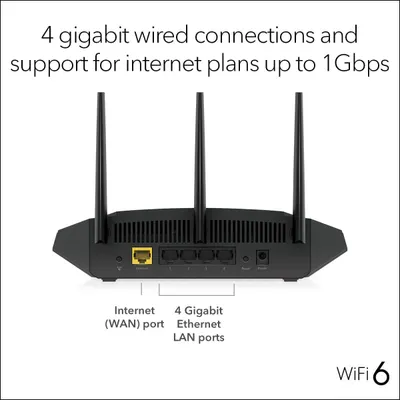
This image breaks down the physical components and ports of the device, showing shoppers the connectivity options and hardware layout including high-speed USB ports, network connectivity, and…Dell ECT1250 Slim Tower Desktop(2025)This image breaks down the physical ports and connectivity options on the HP desktop computer, helping shoppers understand what devices and peripherals they can connect to the system.HP Envy Desktop PCThis image breaks down the rear panel of the computer, labeling all physical ports, connectors, and security features to help shoppers understand the product's connectivity options and physical…HP Desktop Computer Tower for Home Student & BusinessThis image breaks down the physical components and ports on the HP desktop computer to help shoppers understand the location and function of key hardware features.HP Desktop Computer Tower for Home Student & BusinessCommunicates the exact physical dimensions of the monitor (width, height, depth) to help shoppers understand the product's size and ensure it fits their workspace. Highlights the pop-up camera…Dell 27" Touchscreen All-in-One Desktop Computer PC for BusinessThis image breaks down the HP All in One Desktop's connectivity features by labeling and pointing to specific ports and wireless capabilities, helping shoppers understand all available connection…HP 27" All-in-One Desktop ComputerThis image breaks down the physical ports and connectivity options available on the Dell monitor, helping shoppers understand the technical specifications and connection capabilities of the product.Dell 27" Touchscreen All-in-One Desktop Computer PC for BusinessThis image breaks down all the physical ports, buttons, and components of the laptop to help shoppers understand the device's connectivity options and physical interface locations.Dell 27 All-in-One Desktop ec27250-27-inch FHD Touch DisplayThis image breaks down the physical port locations and types on the Lenovo monitor, helping shoppers understand what devices and cables they can connect and where each port is located.Lenovo 24" FHD All-in-One Desktop Computer for Home & OfficeCommunicates the exact physical dimensions of the monitor (width, height, depth) to help shoppers understand the product's size and footprint before purchase. Shows the specific ports and…HP 21.5" FHD All-in-One Desktop ComputerThis image breaks down all the physical ports, buttons, and components of the laptop to help shoppers understand the device's connectivity options and physical interface locations.Dell 27 All-in-One Desktop ec27250-27-inch FHD (1920 x 1080) DisplayThis image identifies and labels all the physical ports and connectivity options on the HP device, helping shoppers understand what devices and peripherals they can connect.HP 27 inch All-in-One Desktop PCThis image labels and identifies all the ports and connectivity options available on the device, helping shoppers understand what they can plug in and how to use each connection point.HP All in one Desktop PC for HomeThis image identifies and labels all the physical ports and connectivity options on the HP monitor, helping shoppers understand what devices and cables they can connect.HP 24 Touchscreen All-in-One Desktop Computer for Home and SchoolThis image breaks down the physical ports and interface components on both the front and back of the device, helping shoppers understand what connections are available and where they are located.ACEMAGIC Mini PC Windows 11 ProThis cutaway view reveals the internal cooling fan and heat dissipation system to demonstrate the advanced engineering and efficient cooling technology inside the device. Communicates the primary…GMKtec Mini PC ComputerThis image breaks down the physical ports and connection points on both sides of the device, helping shoppers understand what devices they can connect and how to use each interface.GMKtec Mini PC ComputerThis image breaks down the physical ports and interfaces on both the front and back of the device, helping shoppers understand all available connectivity options and where each port is located.KAMRUI Pinova P1 Mini PCThis exploded-view image breaks down the mini PC's internal components and physical structure to showcase the quality of parts, upgradeability, and engineering design, reassuring shoppers about the…GMKtec M5 Plus Gaming Mini PC Ryzen 7 5825U (Upgraded 7430U)This image breaks down all the physical ports and connection points on the device, helping shoppers understand the full connectivity options available for business, office, gaming, and home use.GMKtec M5 Plus Gaming Mini PC Ryzen 7 5825U (Upgraded 7430U)This exploded view breaks down the mini PC's internal components and construction to showcase the quality of engineering, cooling system, and premium hardware specifications.GEEKOM A6 Mini PC with AMD Ryzen 7 6800HThis image breaks down the cooling system's key physical components—extra-large fan blades, all-copper heat sink, and dual copper tubes—to show shoppers what makes the IceBlast 2.0 cooling system…GEEKOM A6 Mini PC with AMD Ryzen 7 6800HThis image breaks down all the physical ports and connectivity options available on the device, helping shoppers understand the comprehensive connectivity features and where each port is located on…GEEKOM A6 Mini PC with AMD Ryzen 7 6800HThis image breaks down all the physical ports and buttons on the device, helping shoppers understand exactly what connectivity options are available and where each port is located.KAMRUI Pinova P1 Mini PC ComputerThis image breaks down the physical ports and components of the device, labeling each connection point to help shoppers understand the device's connectivity options and physical interface.Golite11 N4000 8128 Mini PCDemonstrates how the product's cooling system works by showing airflow patterns with blue arrows indicating cool air circulation and orange arrows showing heat dissipation, reassuring shoppers of…Golite11 N4000 8128 Mini PCThis image breaks down the physical ports and interface components on both the front and back of the device, helping shoppers understand what connections are available and where they are located.ACEMAGIC K1 Mini PC AMD Ryzen 4300U 16GB DDR4 1TB SSD Mini Computers (Turbo 3.7GHz)This image breaks down the physical ports and interfaces on both the front and back of the device, helping shoppers understand all available connectivity options and where each port is located.KAMRUI Pinova P2 Mini PC 16GB RAM 512GB SSDShows the internal structure and storage expansion capabilities of the device, highlighting the M.2 SSD and DDR4 memory slots to communicate upgradability and storage flexibility. Communicates the…KAMRUI Pinova P2 Mini PC 16GB RAM 512GB SSDHighlights the internal construction and technical features of the cable, specifically the double-layer shielding technology that isolates external interference and separates signal from conductive…1TB External Hard Drive Ultra Slim Portable HDD-USB 3.0 USB-C for PCThis image breaks down the physical design features of the external hard drive, highlighting its rounded design, mesh non-slip surface, and ultra-slim profile to help shoppers understand the…1TB External Hard Drive Ultra Slim Portable HDD-USB 3.0 USB-C for PCHighlights the physical ports and connectivity options on the external hard drive, showing shoppers the SuperSpeed USB 3.2 Gen 1/USB 3.0 (5Gbps) port and USB 2.0 compatibility to communicate fast…WD 16TB My Book Desktop External Hard DriveHighlights the physical port connection on the device to show shoppers the connectivity interface and build quality.Seagate Portable 5TB External Hard Drive HDDDemonstrates the internal layered construction of the drive and highlights the enhanced heat dissipation feature that keeps the drive cool during operation. Communicates the key benefit of enhanced…Lexar 2TB ES3 External SSDHighlights the thermal paste (MX) layer between the CPU cooler and CPU, demonstrating how the product achieves high thermal conductivity through perfect surface contact and leveling. Communicates…ARCTIC MX-4 (incl. SpatulaHighlights the thermal paste (MX) layer between the CPU cooler and CPU, demonstrating how the product achieves high thermal conductivity through perfect surface contact and leveling. Communicates…ARCTIC MX-4 (4 g)This image breaks down the physical components and design features of the USB drive, highlighting the swivel mechanism, lanyard attachment point, plug-and-play functionality, and LED indicator to…16GB Flash Drive 10 Pack Thumb DriveHighlights the advanced internal chip technology (A-Class Chip) to communicate superior performance and quality, reassuring shoppers of the product's technical capabilities. Communicates the premium…16GB Flash Drive 10 Pack Thumb DriveDemonstrates the physical swivel mechanism of the USB drive, highlighting the 360-degree rotation feature that protects the USB port and provides flexible usage. Communicates the key benefit of the…128GB Flash Drive ENUODA Thumb Drive 128GB Swivel Design USB 2.0 Memory Stick Data…Highlights the physical construction and materials of the USB flash drive, emphasizing durability and quality to reassure shoppers about the product's build. Communicates multiple selling benefits…128GB Flash Drive ENUODA Thumb Drive 128GB Swivel Design USB 2.0 Memory Stick Data…Highlights the USB drive's rotating mechanism and capless design to reassure shoppers that the product is convenient to use and eliminates the risk of losing a cap. Communicates the key benefit of…2 Pack 64GB USB Flash Drive USB 2.0 Thumb Drives Jump Drive Fold Storage Memory Stick…Highlights the LED indicator feature on the USB flash drive to show shoppers that the device provides visual feedback when in use or transferring data.2 Pack 64GB USB Flash Drive USB 2.0 Thumb Drives Jump Drive Fold Storage Memory Stick…This image breaks down the TP-Link WiFi extender by labeling all its physical components, buttons, ports, and indicators, helping shoppers understand the device's structure and how to identify each…TP-Link AX1500 WiFi Extender Internet Booster(RE500X)This image breaks down the physical components and ports of the TP-Link WiFi extender, helping shoppers understand the device's structure, connectivity options, and control features.TP-Link RE615X AX1800 WiFi 6 Range Extender w/Ethernet PortThis image breaks down the physical components and specifications of the WiFi extender, helping shoppers understand the device's structure, connectivity options, and key hardware features.TP-Link AC1900 WiFi Range Extender RE550This image breaks down the physical components and features of the WiFi extender, helping shoppers understand the device's structure, size, and key functional parts like buttons, antennas, and ports.TP-Link AC1200 WiFi ExtenderHighlights the physical port layout and configuration of the router, showing the dual 2.5 Gbps WAN and LAN ports, 3x Gigabit LAN ports, and USB 3.0 port to demonstrate the product's connectivity…TP-Link Dual-Band BE3600 Wi-Fi 7 Router Archer BE230Identifies and labels the physical ports on the router to help shoppers understand the connectivity options and how to set up wired connections.NETGEAR Nighthawk WiFi 6 Router (RAX36)

More Electronics image types

Product Detail Images in other categories

Need Electronics listing images designed?

Our design team makes Amazon listing images, infographics and A+ content. £750 per day, with revisions the next day.

Last example added 2026-10-21 · 450 examples. Image types are tagged by AI and checked by hand in samples.