BONSEN 14-Sheet Paper Shredder for Home Office: How to Use Images
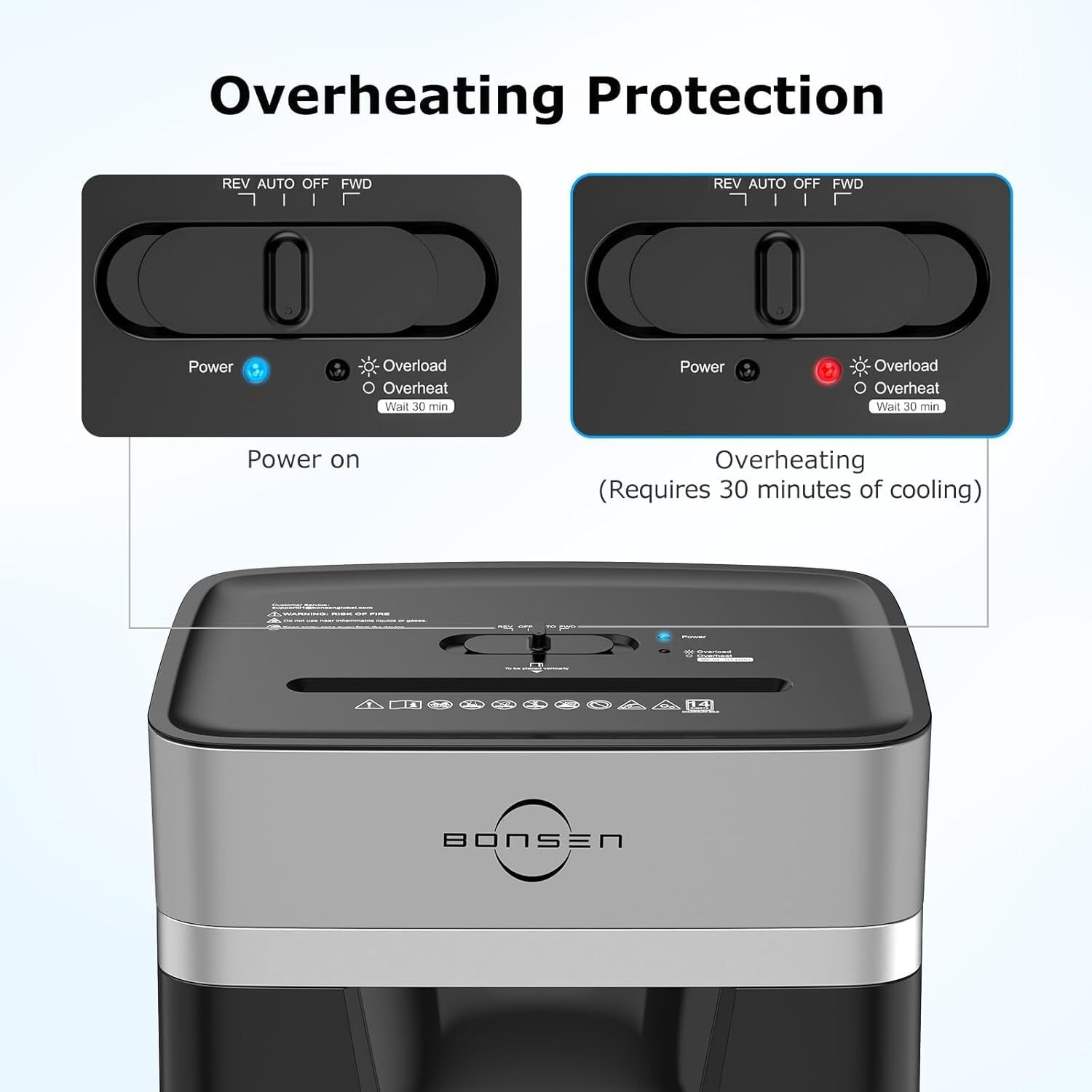
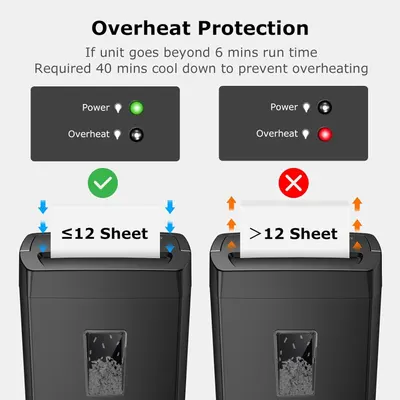
Educates shoppers on how the product's overheating protection feature works, showing the visual indicators (power on vs. overheating state) and the required 30-minute cooling period for safety. Reassures shoppers that the product has built-in safety features to prevent overheating damage and ensure safe operation.
- Brand
- BONSEN
- Category
- Office Products › Office Electronics › Other Office Equipment › Shredders
- Image type
- How to Use Images, Secondary Images, Safety / Compatibility Images
- Design focus
- Overheating Protection; Indicator Lights; Overheating Protection; Auto Shutoff
- Listing position
- Image 6
- Marketplace
- United States
- Best Sellers Rank
- #4,188 in Office Products (See Top 100 in Office Products) #14 in Shredders
- Full listing
- See all 9 images in order
- ASIN
- B0DTKBX3D9
See your listing next to your competitors
Paste your Amazon link. We score every image and show what the top sellers do differently. Your first comparison is free.
What this image does at a glance
- Score
- 36 / 100 · Unreadable small
- Headline
- Overheating Protection
- Headline height
- 3.5% of the image
- Headline contrast
- Lc 104
- Text on the image
- 6.3% of the image, 15 blocks
- Blurred to tile size
- headline no longer readable
Listing bullet points
- 20-Minute Continuous Shredding Power: Equipped with an advanced patented cooling system, BONSEN home office paper shredder can run continuously for up to 20 minutes, shredding up to 1,400 sheets of paper in one session. After heavy-duty tasks, it automatically enters 30-minute cooldown mode to…
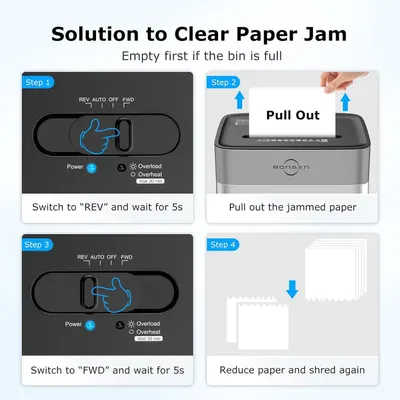
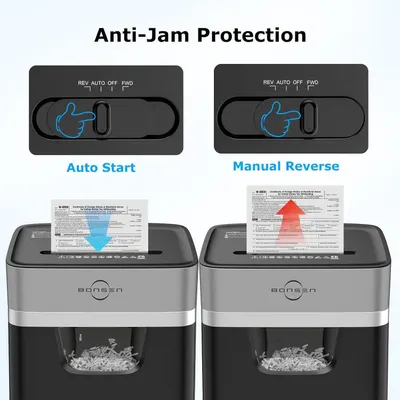
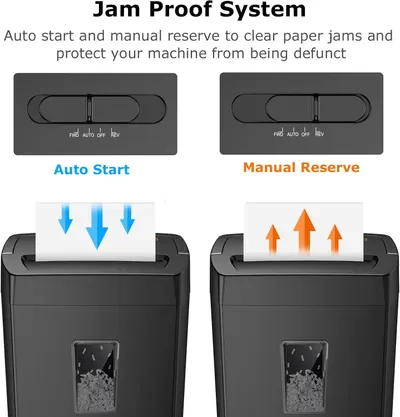
- Smart Jam-Proof System: With Auto Start/Stop/Reverse sensors and real-time indicator lights for overheating and overload, this heavy duty shredder for home office delivers hassle-free shredding performance, reduces downtime and extends shredder life, making it a reliable partner for high-volume…
- 14-Sheet Shredding Capacity: This paper shredder for home office can shred 14 sheets of paper at one time, also can shred sensitive documents, CDs, credit cards, and staples into tiny particles easily.
- High-Capacity Bins for Max Efficiency: The 5.3-gallon pull-out bins hold up to 350 sheets of shredded waste, while the clear window lets you monitor fill levels at a glance. You can effortlessly move this heavy duty shredder around your workspace with 360° smooth-rolling casters, perfect for…
- Protect Sensitive Data with Confidence: Achieving a P-4 high-security level, BONSEN home office paper shredder heavy duty can efficiently shreds sensitive documents into tiny particles measuring just 13/64 x 63/64 inches (5 x 25 mm) to keep your information safe.
- Professional Service: This office paper shredder S3112 upgraded is ETL listed and comes with 1 year professional customer service. If you have any questions during use, please tell us through Amazon, we have professional customer service to help you within 24 hours.
Similar how to use images in Office Products
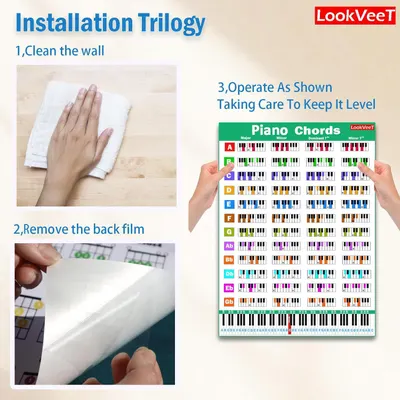 LookVeeT Piano Chord Chart Poster For Beginner And Portable A4 Laminated Chords
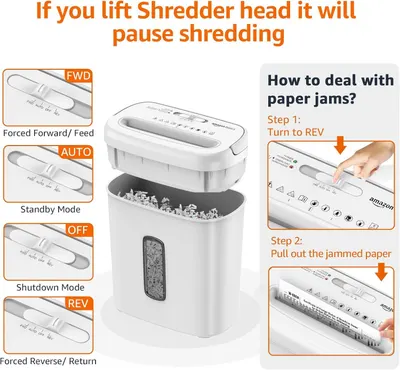 Amazon Basics 8-Sheet Cross Cut Paper and Credit Card Shredder for Security
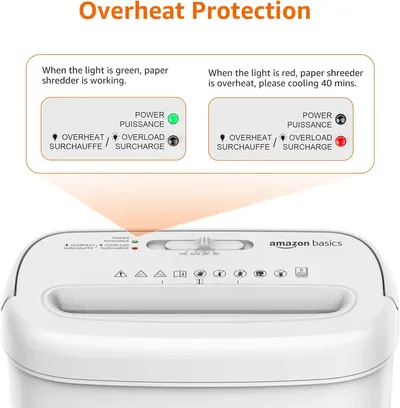 Amazon Basics 8-Sheet Cross Cut Paper and Credit Card Shredder for Security
 BONSEN 14-Sheet Paper Shredder for Home Office
 BONSEN 14-Sheet Paper Shredder for Home Office
 Bonsaii 12-Sheet Cross Cut Paper Shredder
 Bonsaii 12-Sheet Cross Cut Paper Shredder
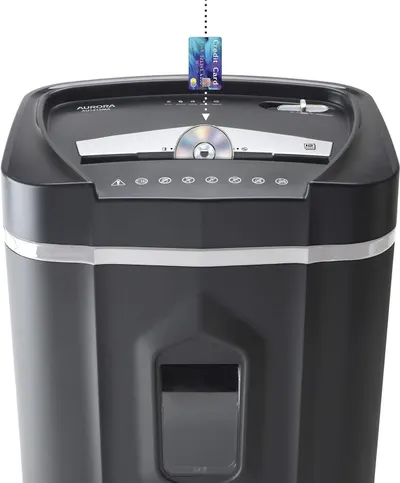 Aurora AU1210MA Professional Grade High Security 12-Sheet Micro-Cut Paper/CD and Credit…
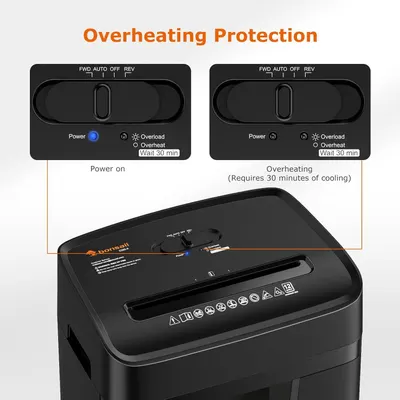 Bonsaii 12 Sheet Paper Shredder for Home Office
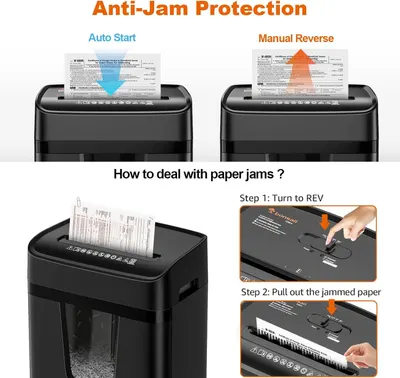 Bonsaii 12 Sheet Paper Shredder for Home Office
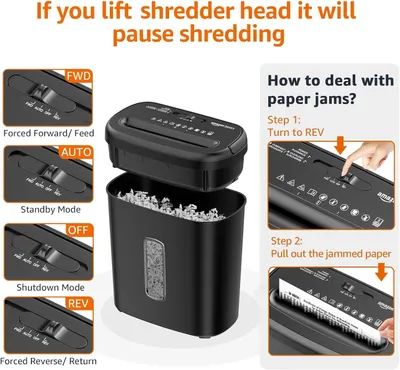 Amazon Basics 8-Sheet High Security Cross Cut Paper and Credit Card Shredder with P-4…
 Amazon Basics 12-Sheet Cross-Cut Paper and Credit Card Shredder with Overheat Protection
This image belongs to BONSEN and is shown for design research. Request removal.