AICHESON Laptop Cooling Pad for 12-15.6 Inch: How to Use Images
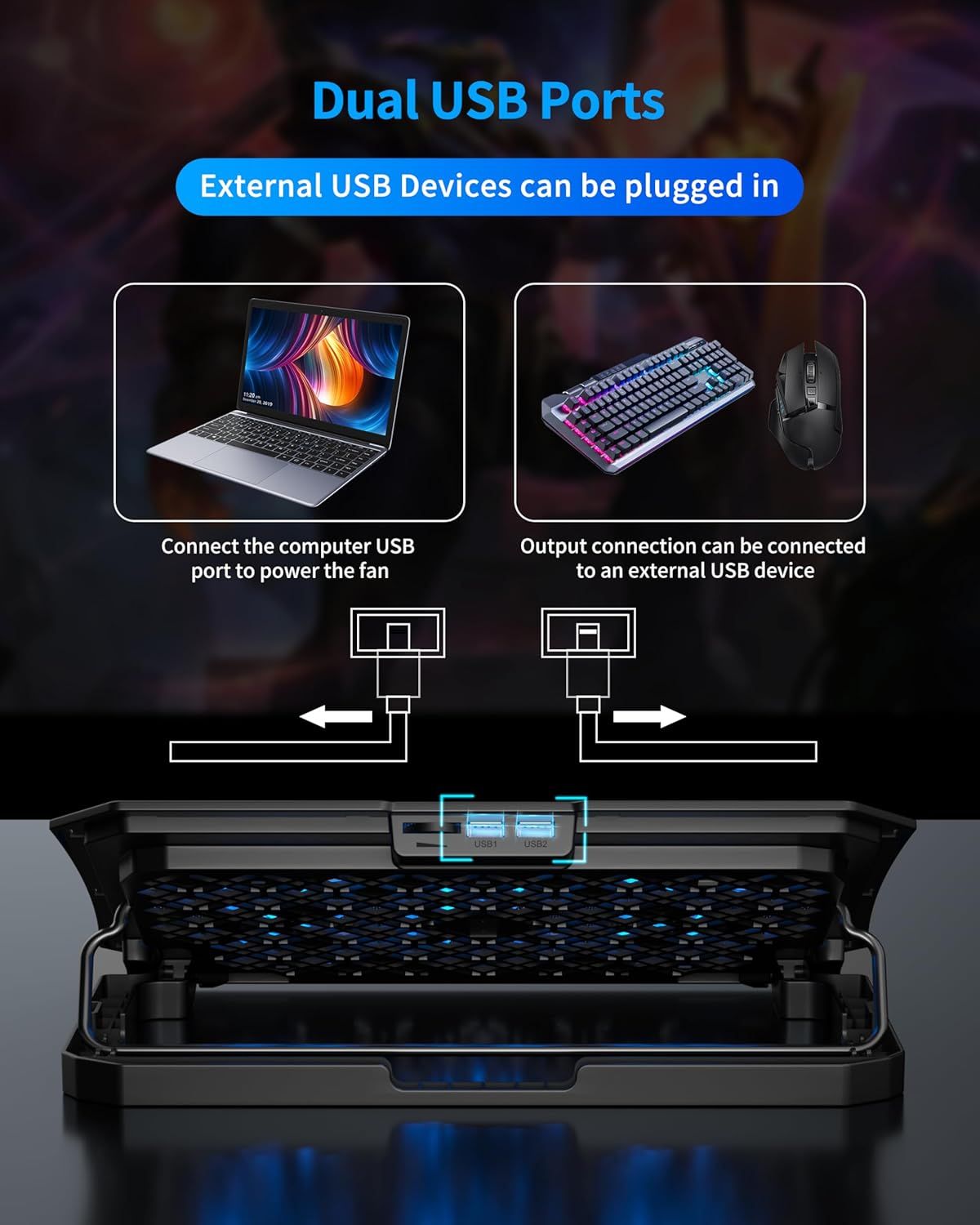
Explains how to use the dual USB ports on the product, showing that one port can power the fan via computer connection and the other can connect to external USB devices like keyboards and mice. Demonstrates the multiple applications of the dual USB ports, showing compatibility with both computer power connections and external USB peripherals.
- Brand
- AICHESON
- Category
- Electronics › Computers & Accessories › Laptop Accessories › Cooling Pads & External Fans › Cooling Pads
- Image type
- How to Use Images, Use Case Images, Secondary Images
- Design focus
- Dual USB Port Setup; USB Device Connection; Multiple USB Use Cases; Device Compatibility
- Listing position
- Image 4
- Marketplace
- United States
- Best Sellers Rank
- #10,539 in Electronics (See Top 100 in Electronics) #29 in Laptop Cooling Pads
- Full listing
- See all 9 images in order
- ASIN
- B09CYK6C93
See your listing next to your competitors
Paste your Amazon link. We score every image and show what the top sellers do differently. Your first comparison is free.
What this image does at a glance
- Score
- 16 / 100 · Unreadable small
- Headline
- Dual USB Ports
- Headline height
- 3.1% of the image
- Headline contrast
- Lc 44
- Text on the image
- 5.5% of the image, 6 blocks
- Blurred to tile size
- headline no longer readable
Listing bullet points
- Efficient Cooling with Blue LED Light: The laptop cooling fan has adjustable angles from 16 to 30 degrees and a metal mesh surface to maximize heat dispersion. The cooling pad laptop gives your setup an elegant appearance and improves your overall gaming or work experience
- Wide Compatibility with Dual USB Ports: The laptop cooler is a flexible choice that can accommodate laptops with screens as large as 12, 13, 13.3, 14, 15, and 15.6 inches. Conveniently connect additional devices like a mouse or keyboard with the two USB 2.0 ports on this computer cooling pad
- Portable and Durable: The portable laptop cooling stand has small packaging dimensions and weighs about 725g/1.6 lb. Metal and ABS plastic are used in the construction of the Aicheson laptop cooling pad with 6 cooler fans to provide durability and lifespan
- Ergonomic Design and Low Power Consumption: The laptop cooling stand is an energy-efficient choice because it runs on only 4W-5W of power with a 5V voltage. The laptop chiller provides comfortable viewing and typing positions to ease neck and wrist pain
- Simple and Quiet Operation: No software or drivers need to be installed in order to use the laptop fan. You can concentrate on your work or games since the laptop exhaust cooler functions quietly
Similar how to use images in Electronics
 GEEKOM A7 Mini PC
 Sennehiser ACCENTUM Plus Wireless Headphones
 Sennehiser ACCENTUM Plus Wireless Headphones
 Sennehiser ACCENTUM Plus Wireless Headphones
 Sennheiser Consumer Audio Momentum 4 Wireless Headphones
 Sennheiser Consumer Audio Momentum 4 Wireless Headphones
 Sennheiser Consumer Audio Momentum 4 Wireless Headphones
 Sennehiser ACCENTUM Wireless Headphones
 Anker Adaptador hub USB-C
 Metal Switch Opener GPL 205G0 0.35oz
 Metal Switch Opener GPL 205G0 0.35oz
 RUNJRX
This image belongs to AICHESON and is shown for design research. Request removal.