TP-Link BE3200 Wi-Fi 7 Range Extender RE223BE w/Ethernet Port: How to Use Images
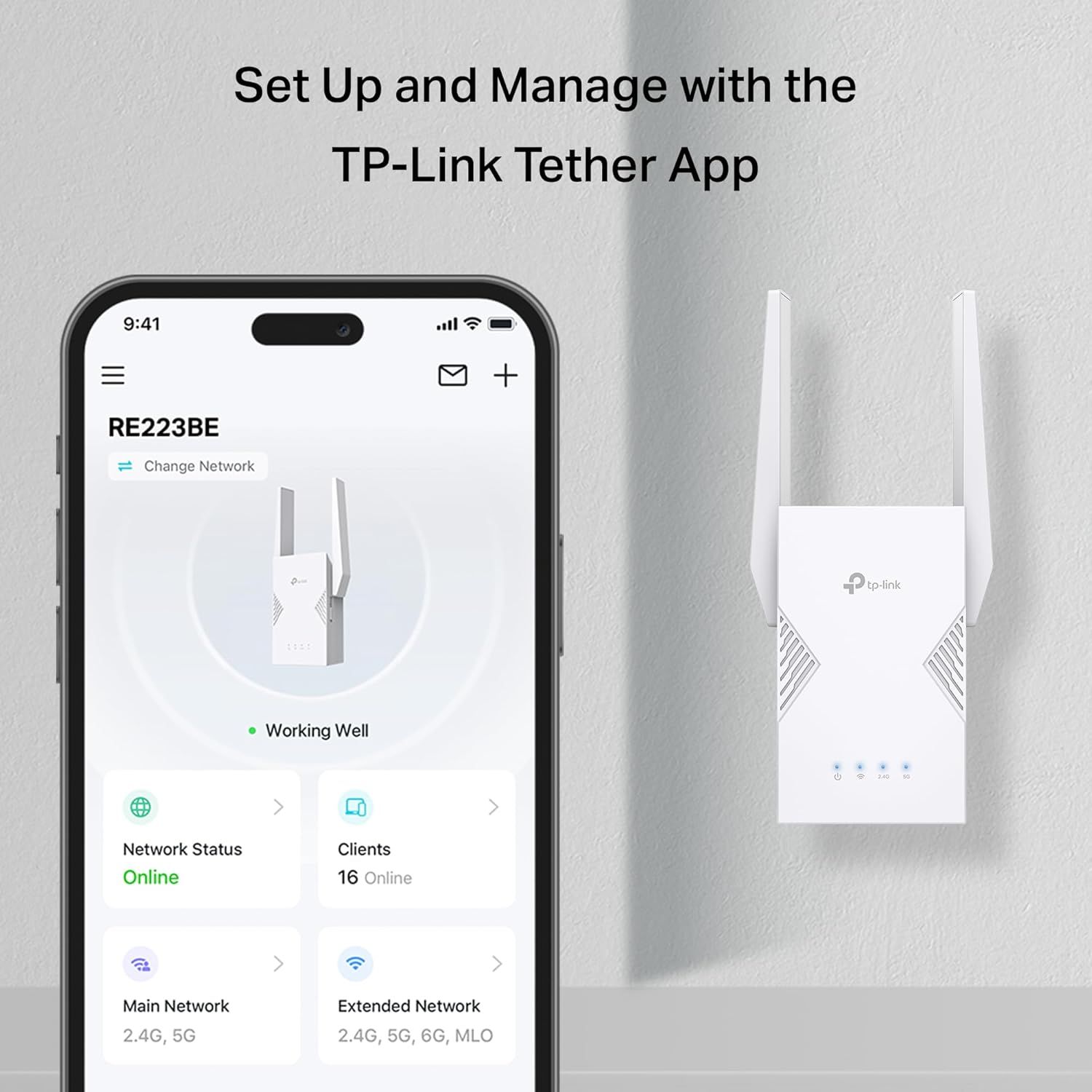
Demonstrates how to set up and manage the TP-Link router using the Tether mobile app, reassuring shoppers that the product is easy to configure and monitor. Highlights the convenience of managing the router through a user-friendly mobile app interface.
- Brand
- TP-Link
- Category
- Electronics › Computers & Accessories › Networking Products › Repeaters
- Image type
- How to Use Images, Single Benefit Images, Secondary Images
- Design focus
- App Setup and Management; Easy Setup via Mobile App
- Listing position
- Image 5
- Marketplace
- United States
- Best Sellers Rank
- #9 in Repeaters
- ASIN
- B0FH4MBRTK
See your listing next to your competitors
Paste your Amazon link. We score every image and show what the top sellers do differently. Your first comparison is free.
What this image does at a glance
- Score
- 27 / 100 · Unreadable small
- Headline
- TP-Link Tether App
- Headline height
- 4.5% of the image
- Headline contrast
- Lc 66
- Text on the image
- 6.7% of the image, 16 blocks
- Blurred to tile size
- headline no longer readable
- lower text "Set Up and Manage with t" is 2.4% of height, needs 5.5%
- headline unreadable at phone-tile blur
- 19 separate text blocks
Listing bullet points
- 𝐍𝐞𝐱𝐭-𝐆𝐞𝐧 𝐖𝐢-𝐅𝐢 𝟕 𝐏𝐞𝐫𝐟𝐨𝐫𝐦𝐚𝐧𝐜𝐞 - Pair with a Wifi 7 router and achieve the benefits of Multi-Link Operation (MLO), Multi-RUs, 160 MHz and 4K-QAM. Achieve optimized signal distribution throughout your entire home, and enjoy high performance on latest WiFi 7 devices.△
- 𝟒-𝐒𝐭𝐫𝐞𝐚𝐦, 𝐃𝐮𝐚𝐥-𝐁𝐚𝐧𝐝 𝐖𝐢𝐅𝐢 𝐰𝐢𝐭𝐡 𝟑.𝟐 𝐆𝐛𝐩𝐬 𝐓𝐨𝐭𝐚𝐥 𝐁𝐚𝐧𝐝𝐰𝐢𝐝𝐭𝐡 - Extend your router's performance with speeds up to 2594 Mbps (5 GHz band) and up to 688 Mbps (2.4 GHz band). Enjoy seamless 4K/8K streaming, AR/VR gaming, and fast downloads/uploads.⌂
- 𝐌𝐚𝐱𝐢𝐦𝐢𝐳𝐞𝐝 𝐂𝐨𝐯𝐞𝐫𝐚𝐠𝐞 𝐮𝐩 𝐭𝐨 𝟐𝟒𝟎𝟎 𝐒𝐪. 𝐅𝐭. - Four optimally positioned antennas with Beamforming technology boosts signal strength, reliability, and range, providing seamless whole-home Wi-Fi coverage and eliminating dead zones for up to 64 devices.
- 𝐎𝐮𝐫 𝐂𝐲𝐛𝐞𝐫𝐬𝐞𝐜𝐮𝐫𝐢𝐭𝐲 𝐂𝐨𝐦𝐦𝐢𝐭𝐦𝐞𝐧𝐭 - TP-Link is a signatory of the U.S. Cybersecurity and Infrastructure Security Agency’s (CISA) Secure-by-Design pledge. This device is designed, built, and maintained, with advanced security as a core requirement.
- 𝐄𝐚𝐬𝐲𝐌𝐞𝐬𝐡-𝐂𝐨𝐦𝐩𝐚𝐭𝐢𝐛𝐥𝐞 - Easily expand your network for seamless, whole-home coverage by connecting the RE223BE to any EasyMesh-compatible router. *
- 𝐃𝐨𝐞𝐬 𝐍𝐨𝐭 𝐒𝐮𝐩𝐩𝐨𝐫𝐭 𝟔 𝐆𝐇𝐳 𝐁𝐚𝐧𝐝– Please note This dual-band WiFi 7 range extender does not support the 6 GHz band. It operates on the 2.4 GHz and 5 GHz bands only.
- 𝐍𝐨𝐭 𝐓𝐨 𝐢𝐧𝐜𝐫𝐞𝐚𝐬𝐞 𝐒𝐩𝐞𝐞𝐝 - Please note that all Wireless Extenders are designed to increase or improve WiFi coverage and not to directly increase speed. In some cases improving signal reliability can affect overall throughput
- 𝐌𝐮𝐥𝐭𝐢-𝐋𝐢𝐧𝐤 𝐎𝐩𝐞𝐫𝐚𝐭𝐢𝐨𝐧 (𝐌𝐋𝐎) 𝐓𝐞𝐜𝐡𝐧𝐨𝐥𝐨𝐠𝐲 - When paired with a WiFi 7 router, frequency bands are combined to deliver enhanced throughput, lower latency, and improved reliability. Enjoy faster, more stable connections across applications. △
Similar how to use images in Electronics
 GEEKOM A7 Mini PC
 Sennehiser ACCENTUM Plus Wireless Headphones
 Sennehiser ACCENTUM Plus Wireless Headphones
 Sennehiser ACCENTUM Plus Wireless Headphones
 Sennheiser Consumer Audio Momentum 4 Wireless Headphones
 Sennheiser Consumer Audio Momentum 4 Wireless Headphones
 Sennheiser Consumer Audio Momentum 4 Wireless Headphones
 Sennehiser ACCENTUM Wireless Headphones
 Anker Adaptador hub USB-C
 Metal Switch Opener GPL 205G0 0.35oz
 Metal Switch Opener GPL 205G0 0.35oz
 RUNJRX
This image belongs to TP-Link and is shown for design research. Request removal.