TP-Link TL-SG1428PE 24 Port Gigabit PoE+ Switch: How to Use Images
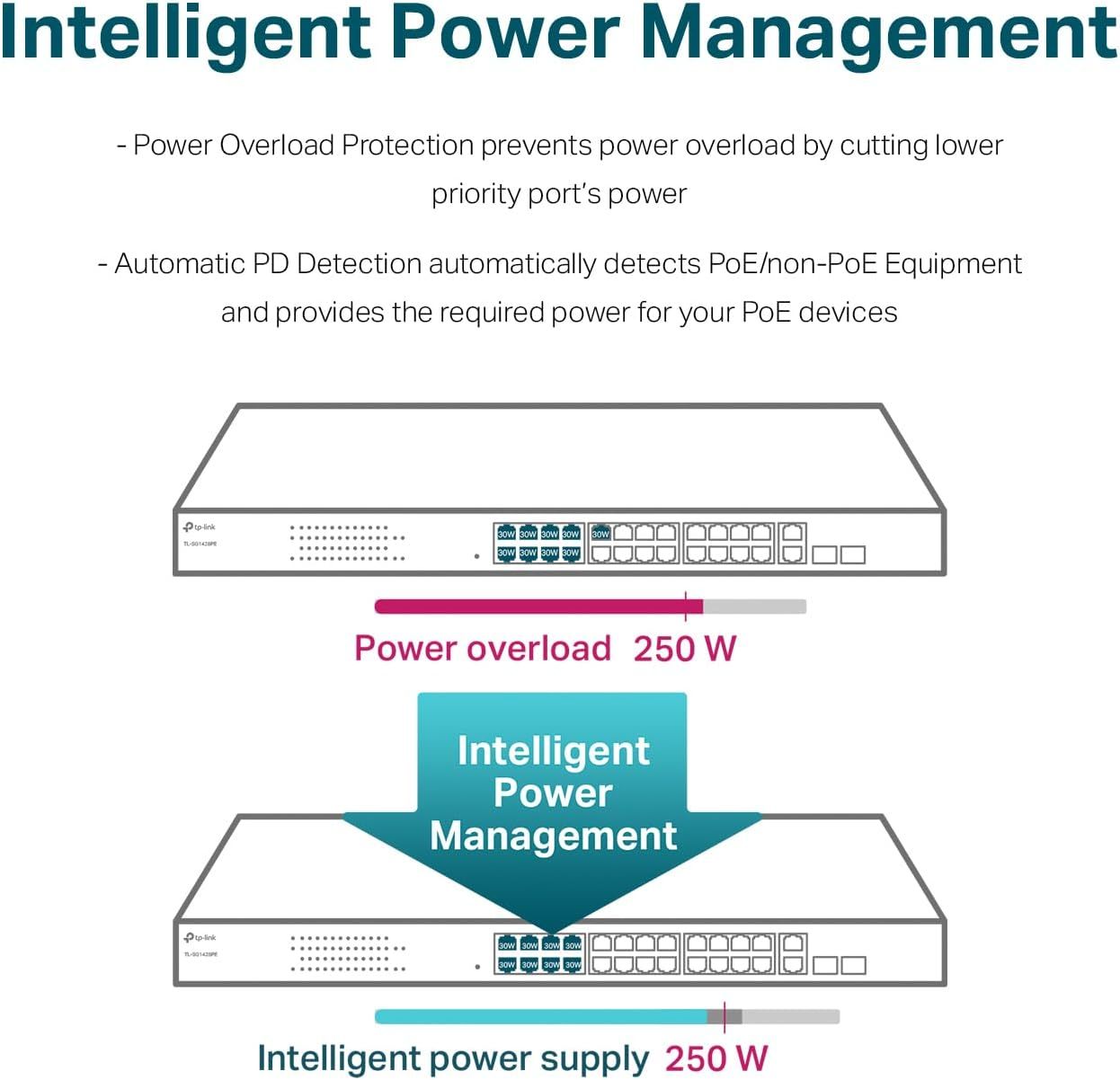
Explains how the product's intelligent power management system works by showing a before-and-after scenario where power overload is prevented through automatic detection and redistribution, reassuring buyers about safe and efficient power delivery. Highlights the core benefit of intelligent power management that prevents overload and optimizes power distribution for connected PoE devices.
- Brand
- TP-Link
- Category
- Electronics › Computers & Accessories › Networking Products › Switches
- Image type
- How to Use Images, Single Benefit Images, Secondary Images
- Design focus
- Intelligent Power Management; Power Overload Protection; Automatic PD Detection; Intelligent Power Management
- Listing position
- Image 4
- Marketplace
- United States
- Best Sellers Rank
- #5 in Computer Networking Switches
- Full listing
- See all 8 images in order
- ASIN
- B08J9ZC6J5
See your listing next to your competitors
Paste your Amazon link. We score every image and show what the top sellers do differently. Your first comparison is free.
What this image does at a glance
- Score
- 60 / 100 · Readable
- Headline
- Intelligent Power Management
- Headline height
- 4.8% of the image
- Headline contrast
- Lc 89
- Text on the image
- 19.0% of the image, 12 blocks
- Blurred to tile size
- headline still readable
- lower text "- Automatic PD Detection" is 1.4% of height, needs 5.5%
Listing bullet points
- 𝐅𝐥𝐞𝐱𝐢𝐛𝐥𝐞 𝐅𝐮𝐥𝐥 𝐆𝐢𝐠𝐚𝐛𝐢𝐭 𝟐𝟖-𝐏𝐨𝐫𝐭 𝐏𝐨𝐄 𝐂𝐨𝐧𝐟𝐢𝐠𝐮𝐫𝐚𝐭𝐢𝐨𝐧: 24 x PoE+ (802.3at/af) 10/100/1000 Mbps RJ45 ports providing up to 30W per port and total PoE power budget of 250W, together w/ 2x Gigabit Non-PoE Ports and 2 SFP Slot for high-speed connections.
- 𝐄𝐚𝐬𝐲 𝐒𝐦𝐚𝐫𝐭 𝐌𝐚𝐧𝐚𝐠𝐞𝐦𝐞𝐧𝐭: Simple setup and monitor your network with easy-to-use web-based management interface and smart configuration utility.
- 𝐍𝐞𝐭𝐰𝐨𝐫𝐤 𝐒𝐞𝐠𝐦𝐞𝐧𝐭𝐚𝐭𝐢𝐨𝐧: Abundant VLAN features improve network security via traffic segmentation.
- 𝐏𝐨𝐄 𝐀𝐮𝐭𝐨 𝐑𝐞𝐜𝐨𝐯𝐞𝐫𝐲: The switch automatically detects and reboots the dropped or unresponsive PoE-powered devices without the need for manual monitoring or resetting (Configuration Required).
- 𝐏𝐥𝐮𝐠 𝐚𝐧𝐝 𝐏𝐥𝐚𝐲: Easy setup with no software installation or configuration needed.
- 𝟑 𝐘𝐞𝐚𝐫𝐬 𝐖𝐚𝐫𝐫𝐚𝐧𝐭𝐲: Backed by our industry-leading 3-year warranty and free technical support from 6am to 6pm PST Monday to Fridays, you can work with confidence.
Similar how to use images in Electronics
 GEEKOM A7 Mini PC
 Sennehiser ACCENTUM Plus Wireless Headphones
 Sennehiser ACCENTUM Plus Wireless Headphones
 Sennehiser ACCENTUM Plus Wireless Headphones
 Sennheiser Consumer Audio Momentum 4 Wireless Headphones
 Sennheiser Consumer Audio Momentum 4 Wireless Headphones
 Sennheiser Consumer Audio Momentum 4 Wireless Headphones
 Sennehiser ACCENTUM Wireless Headphones
 Anker Adaptador hub USB-C
 Metal Switch Opener GPL 205G0 0.35oz
 Metal Switch Opener GPL 205G0 0.35oz
 RUNJRX
This image belongs to TP-Link and is shown for design research. Request removal.