TP-Link Dual-Band BE3600 Wi-Fi 7 Router Archer BE230: How to Use Images
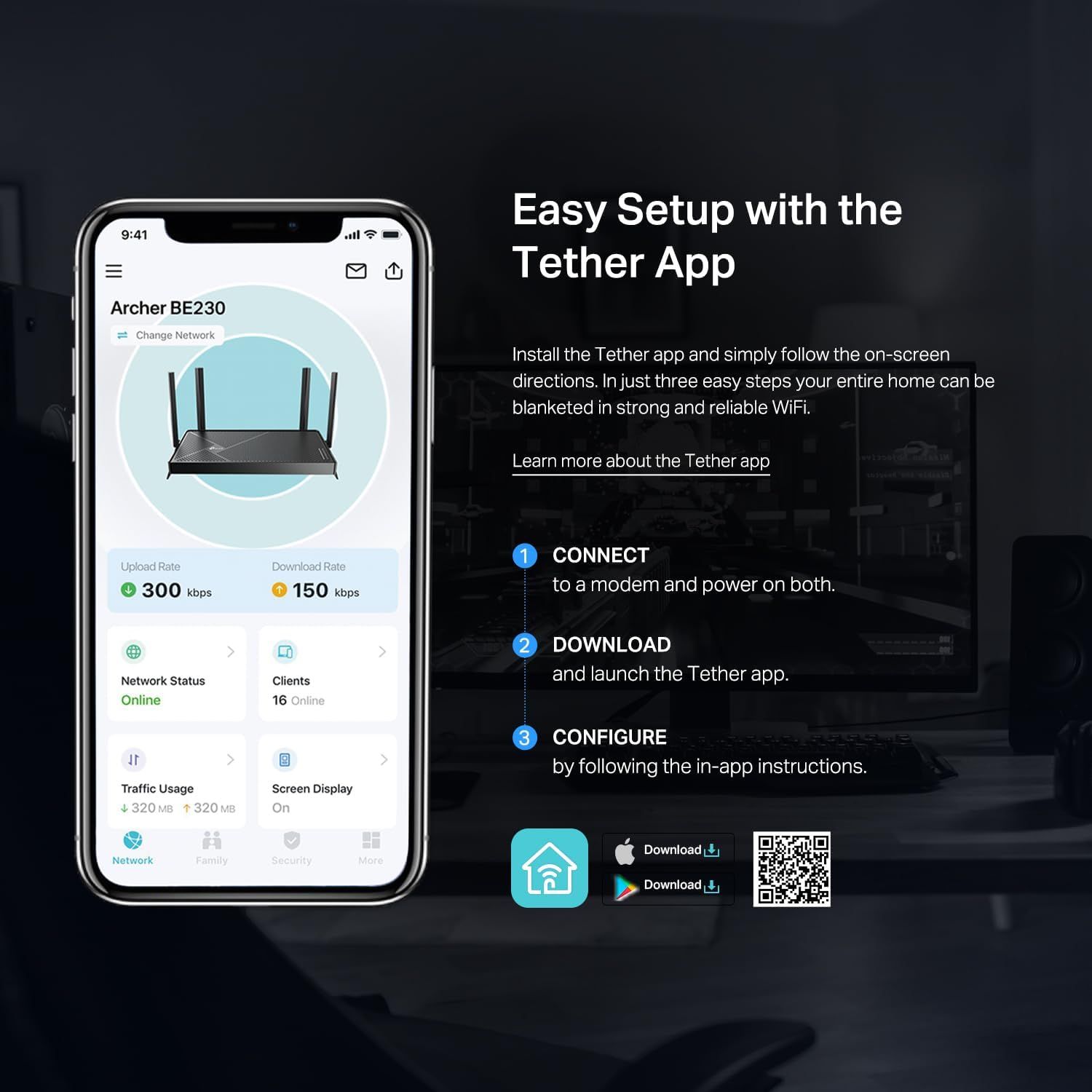
Demonstrates the simple three-step process for setting up the router using the Tether app, reassuring shoppers that installation is quick and straightforward. Highlights the ease of setup as a key benefit, showing that users can get their home network running quickly with minimal effort.
- Brand
- TP-Link
- Category
- Electronics › Computers & Accessories › Networking Products › Routers
- Image type
- How to Use Images, Single Benefit Images, Secondary Images
- Design focus
- Easy Setup; App Installation; Three-Step Configuration; Easy Setup
- Listing position
- Image 9
- Marketplace
- United States
- Best Sellers Rank
- #37 in Computers & Accessories (See Top 100 in Computers & Accessories) #3 in Computer Routers
- Full listing
- See all 9 images in order
- ASIN
- B0DC99N2T8
See your listing next to your competitors
Paste your Amazon link. We score every image and show what the top sellers do differently. Your first comparison is free.
What this image does at a glance
- Score
- 15 / 100 · Unreadable small
- Headline
- Easy Setup with the
- Headline height
- 3.0% of the image
- Headline contrast
- Lc 101
- Text on the image
- 8.4% of the image, 25 blocks
- Blurred to tile size
- headline no longer readable
- lower text "Easy Setup with the" is 2.2% of height, needs 5.5%
- headline unreadable at phone-tile blur
- 30 separate text blocks
Listing bullet points
- 𝐅𝐮𝐭𝐮𝐫𝐞-𝐏𝐫𝐨𝐨𝐟 𝐘𝐨𝐮𝐫 𝐇𝐨𝐦𝐞 𝐖𝐢𝐭𝐡 𝐖𝐢-𝐅𝐢 𝟕: Powered by Wi-Fi 7 technology, enjoy faster speeds with Multi-Link Operation, increased reliability with Multi-RUs, and more data capacity with 4K-QAM, delivering enhanced performance for all your devices.
- 𝐁𝐄𝟑𝟔𝟎𝟎 𝐃𝐮𝐚𝐥-𝐁𝐚𝐧𝐝 𝐖𝐢-𝐅𝐢 𝟕 𝐑𝐨𝐮𝐭𝐞𝐫: Delivers up to 2882 Mbps (5 GHz), and 688 Mbps (2.4 GHz) speeds for 4K/8K streaming, AR/VR gaming & more. Dual-band routers do not support 6 GHz. Performance varies by conditions, distance, and obstacles like walls.
- 𝐔𝐧𝐥𝐞𝐚𝐬𝐡 𝐌𝐮𝐥𝐭𝐢-𝐆𝐢𝐠 𝐒𝐩𝐞𝐞𝐝𝐬 𝐰𝐢𝐭𝐡 𝐃𝐮𝐚𝐥 𝟐.𝟓 𝐆𝐛𝐩𝐬 𝐏𝐨𝐫𝐭𝐬 𝐚𝐧𝐝 𝟑×𝟏𝐆𝐛𝐩𝐬 𝐋𝐀𝐍 𝐏𝐨𝐫𝐭𝐬: Maximize Gigabitplus internet with one 2.5G WAN/LAN port, one 2.5 Gbps LAN port, plus three additional 1 Gbps LAN ports. Break the 1G barrier for seamless, high-speed…
- 𝐍𝐞𝐱𝐭-𝐆𝐞𝐧 𝟐.𝟎 𝐆𝐇𝐳 𝐐𝐮𝐚𝐝-𝐂𝐨𝐫𝐞 𝐏𝐫𝐨𝐜𝐞𝐬𝐬𝐨𝐫: Experience power and precision with a state-of-the-art processor that effortlessly manages high throughput. Eliminate lag and enjoy fast connections with minimal latency, even during heavy data transmissions.
- 𝐂𝐨𝐯𝐞𝐫𝐚𝐠𝐞 𝐟𝐨𝐫 𝐄𝐯𝐞𝐫𝐲 𝐂𝐨𝐫𝐧𝐞𝐫 - Covers up to 2,000 sq. ft. for up to 60 devices at a time. 4 internal antennas and beamforming technology focus Wi-Fi signals toward hard-to-reach areas. Seamlessly connect phones, TVs, and gaming consoles.
- 𝐒𝐞𝐚𝐦𝐥𝐞𝐬𝐬 𝐖𝐡𝐨𝐥𝐞-𝐇𝐨𝐦𝐞 𝐂𝐨𝐯𝐞𝐫𝐚𝐠𝐞 𝐰𝐢𝐭𝐡 𝐄𝐚𝐬𝐲𝐌𝐞𝐬𝐡: Works with EasyMesh routers and range extenders to create a seamless Mesh WiFi network throughout your home. Enjoy uninterrupted connectivity and eliminate drops and lags as you move between signals.
- 𝗧𝗣-𝗟𝗶𝗻𝗸 𝗛𝗼𝗺𝗲𝗦𝗵𝗶𝗲𝗹𝗱: Provides comprehensive network protection, robust parental controls, and real-time IoT security when you are at home or on the go. A safer internet experience enhances your smart living.
- 𝐄𝐚𝐬𝐲 𝐒𝐞𝐭𝐮𝐩 𝐰𝐢𝐭𝐡 𝐓𝐞𝐭𝐡𝐞𝐫 𝐀𝐩𝐩: Quickly set up and manage your Archer BE230 with the free Tether App. Keep your WiFi performing at its best by keeping the firmware updated through the App. All Wi-Fi routers require a separate modem.
Similar how to use images in Electronics
 GEEKOM A7 Mini PC
 Sennehiser ACCENTUM Plus Wireless Headphones
 Sennehiser ACCENTUM Plus Wireless Headphones
 Sennehiser ACCENTUM Plus Wireless Headphones
 Sennheiser Consumer Audio Momentum 4 Wireless Headphones
 Sennheiser Consumer Audio Momentum 4 Wireless Headphones
 Sennheiser Consumer Audio Momentum 4 Wireless Headphones
 Sennehiser ACCENTUM Wireless Headphones
 Anker Adaptador hub USB-C
 Metal Switch Opener GPL 205G0 0.35oz
 Metal Switch Opener GPL 205G0 0.35oz
 RUNJRX
This image belongs to TP-Link and is shown for design research. Request removal.