TikTok Scrolling Ring Remote: full Amazon image stack
TikTok Scrolling Ring Remote by SSOBZELR uses 9 gallery images. Image 1 is a main images with accessories. The rest of the stack uses how to use images, single benefit images and use case images. It ranks #111 in Camera & Camcorder Remote Controls.
See your listing next to your competitors
Paste your Amazon link. We score every image and show what the top sellers do differently. Your first comparison is free.
- Brand
- SSOBZELR
- Niche
- Cell Phone Ring Remote
- Category
- Electronics
- Gallery images
- 9
- Best Sellers Rank
- #111 in Camera & Camcorder Remote Controls
- ASIN
- B0FHW4HXYQ
Gallery images in order
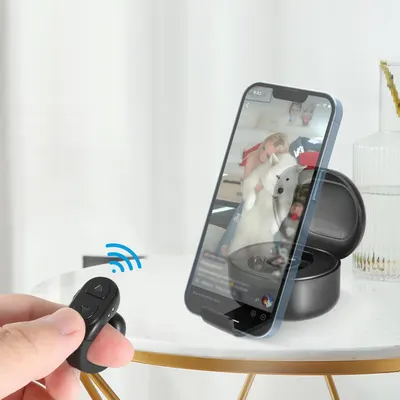 Image 1 · Main Images with Accessories, In-Use Main Images
Demonstrates how the product works by showing the remote control wirelessly controlling the pet camera to display a live video feed on a smartphone, reassuring shoppers they can monitor their pets remotely. Shows that the pet camera system includes a remote control accessory and works with smartphones, communicating the complete package contents and connectivity options to the buyer.
Remote Control Operation; Live Video Feed; Remote Control Included; Smartphone Compatibility
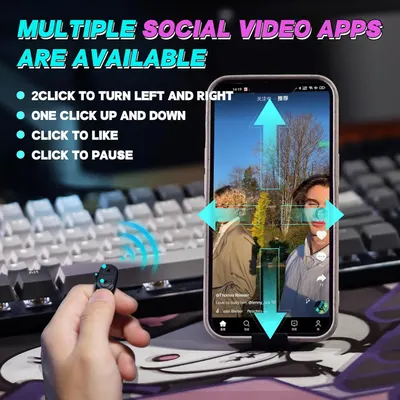 Image 2 · How to Use Images, Infographic Images
Demonstrates how to use a wireless remote control to navigate and interact with social video apps on a phone, showing the ease of hands-free operation. Highlights multiple control features available with the remote including directional navigation, scrolling, liking, and pausing across multiple social video platforms.
Remote Control Navigation; Social Media App Control; Multiple Control Functions; App Compatibility
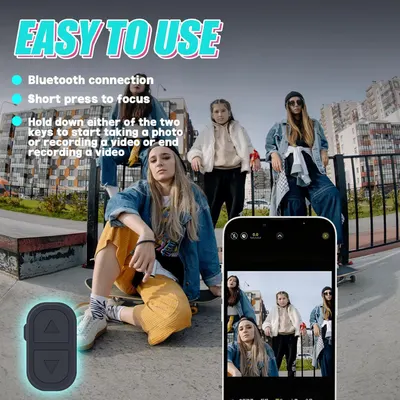 Image 3 · How to Use Images, Single Benefit Images
Demonstrates how to use the Bluetooth remote control to take photos and videos, reassuring shoppers that the product is simple and convenient to operate. Communicates the ease of use benefit through simple Bluetooth connectivity and remote control functionality.
Bluetooth Connection; Remote Control Operation; Easy to Use
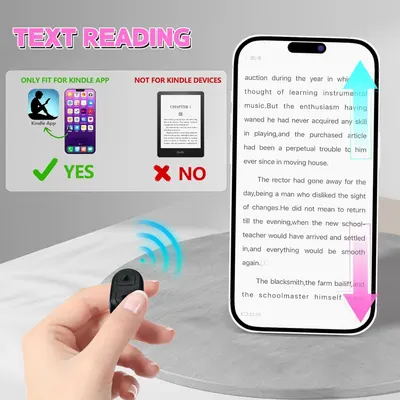 Image 4 · Single Benefit Images, Safety / Compatibility Images
Clarifies that the product is compatible only with the Kindle app on smartphones, not with physical Kindle e-reader devices, helping shoppers avoid purchasing the wrong product. Demonstrates the product's core benefit of enabling hands-free, remote-controlled page turning for reading text on a smartphone app.
Compatibility; App-only usage; Text reading on smartphone; Remote page turning
 Image 5 · Use Case Images
Demonstrates the product's versatility by showing it can be used in multiple real-world scenarios (work, workout, relaxing in bed, cooking), reassuring shoppers that the wireless earbuds fit seamlessly into various parts of their daily life.
Multiple Use Cases; Hands-Free Convenience
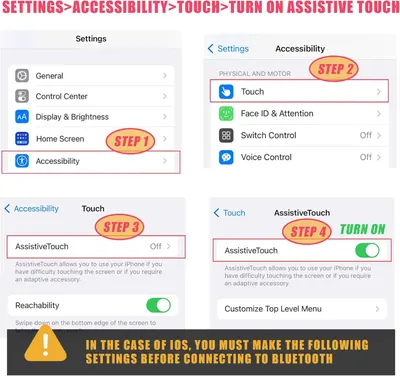 Image 6 · How to Use Images
This image provides step-by-step instructions for enabling Assistive Touch on iOS devices, guiding users through the Settings menu to activate this accessibility feature before connecting to Bluetooth.
Assistive Touch Setup
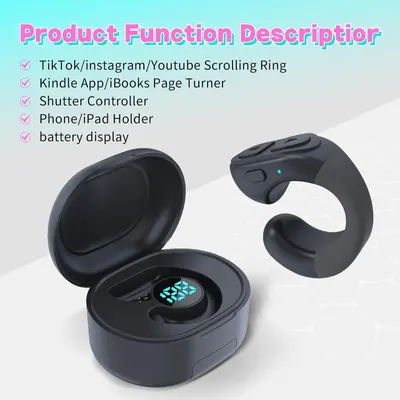 Image 7 · Infographic Images
Communicates the multiple functions and versatility of this wearable ring device, showing shoppers it can serve as a scrolling controller, page turner, shutter remote, phone holder, and includes battery monitoring.
TikTok/Instagram/Youtube Scrolling Ring; Kindle App/iBooks Page Turner; Shutter Controller; Phone/iPad Holder; Battery Display
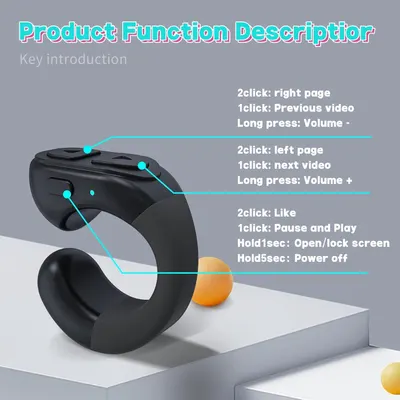 Image 8 · Product Detail Images
Explains the various button functions and controls on the device, showing shoppers how to navigate pages, control volume, pause/play, like content, and manage power through different click patterns and hold durations.
Button Functions; Multi-function Controls
 Image 9 · What's in the Box Images
Shows everything included in the package: the wireless earbuds, charging case with battery percentage display, and bonus phone stand accessory to demonstrate the complete value of the purchase.
Charging case with digital display; Wireless earbuds; Phone stand
Design themes in this listing
- Remote Control Operation2
- App Compatibility1
- App-only usage1
- Assistive Touch Setup1
- Battery Display1
- Bluetooth Connection1
- Button Functions1
- Charging case with digital display1
Other Cell Phone Ring Remote listings
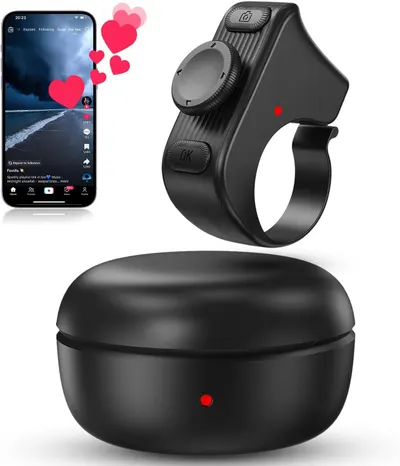 [New Upgrade9 gallery images · #12 in Camera & Camcorder Remote Controls
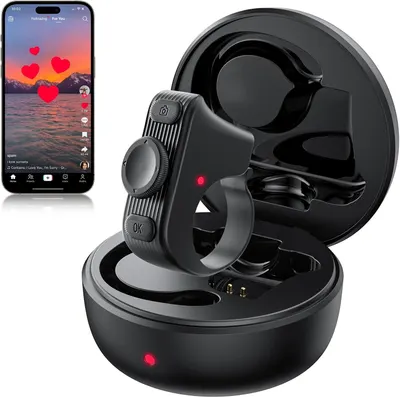 MILOUZ Remote Scrolling Ring for Tiktok8 gallery images · #20 in Camera & Camcorder Remote Controls
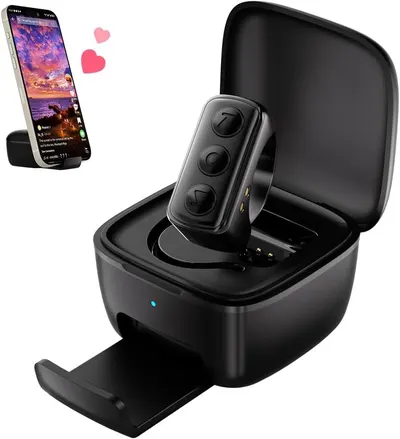 Remote Scrolling Ring for TikTok7 gallery images · #76 in Camera & Camcorder Remote Controls
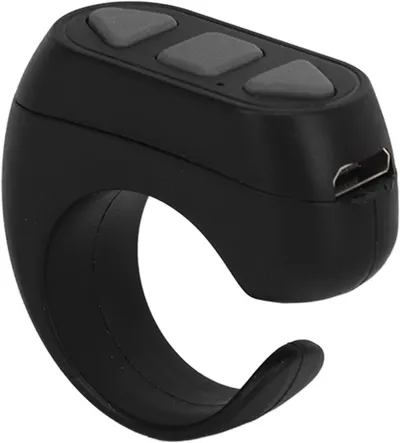 Page Turner9 gallery images · #154 in Camera & Camcorder Remote Controls
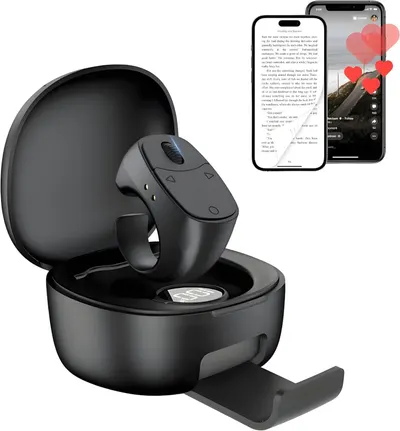 Remote Control for TikTok Scrolling Ring for iPhone9 gallery images · #502 in Camera & Camcorder Remote Controls
 Scrolling Ring Remote for TikTok YouTube IG Shorts Video Landscape…8 gallery images · #1,573 in Cell Phones & Accessories
Our design team makes Amazon listing images, infographics and A+ content. £750 per day, with revisions the next day.
Last example added 2026-02-21 · 9 images. Image types are tagged by AI and checked by hand in samples.
These images belong to SSOBZELR and are shown for design research. Request removal.