BENFEI 4K DisplayPort to HDMI Adapter: How to Use Images
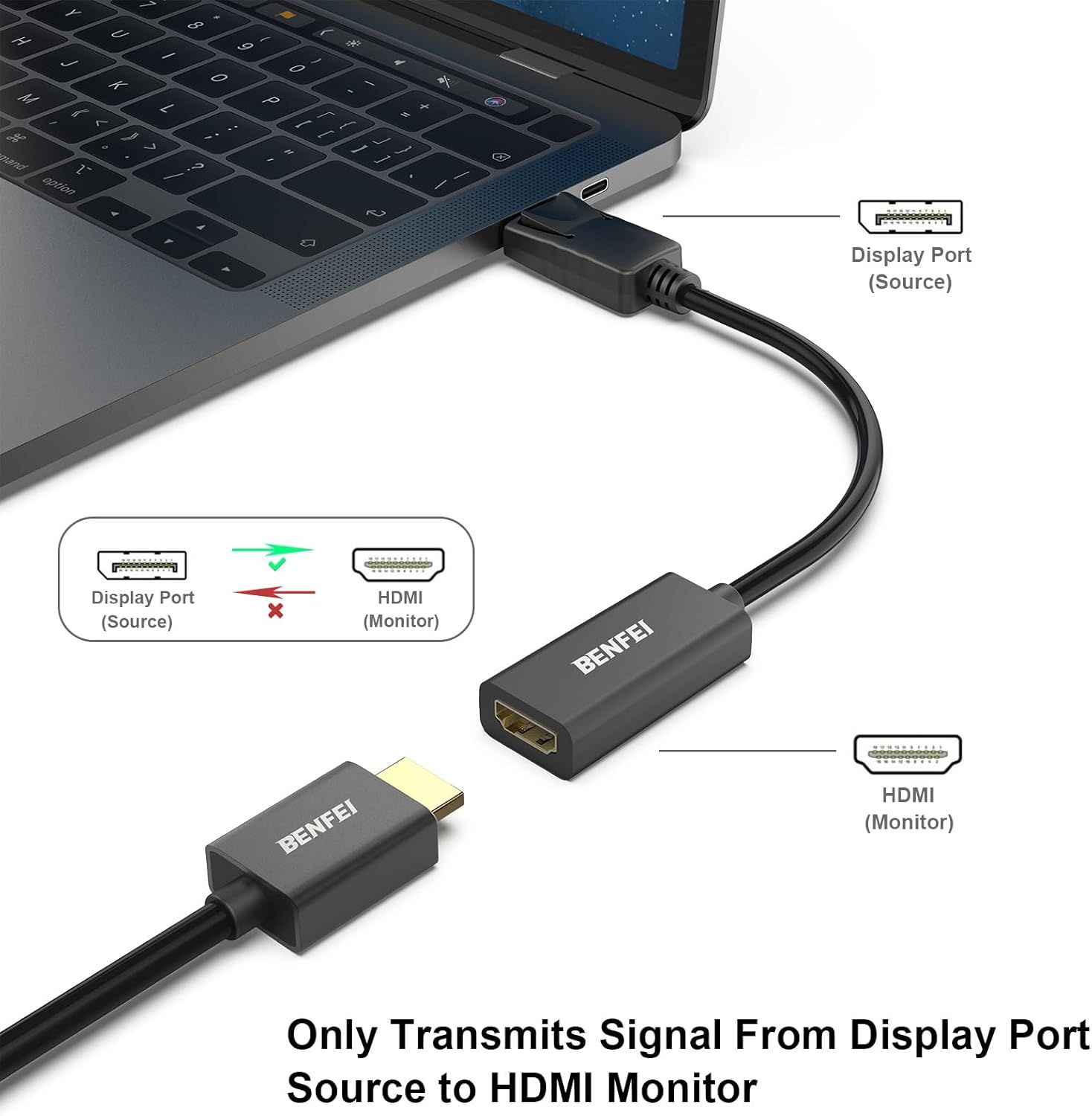
Demonstrates the proper way to connect the adapter cable from Display Port source to HDMI monitor, ensuring shoppers understand the one-way signal transmission and avoid connection errors.
- Brand
- BENFEI
- Category
- Electronics › Computers & Accessories › Computer Accessories & Peripherals › Computer Cable Adapters
- Image type
- How to Use Images, Secondary Images
- Design focus
- Correct Cable Connection Direction
- Listing position
- Image 2
- Marketplace
- United States
- Best Sellers Rank
- #7 in Computer Cable Adapters
- Full listing
- See all 7 images in order
- ASIN
- B017Q8ZVWK
See your listing next to your competitors
Paste your Amazon link. We score every image and show what the top sellers do differently. Your first comparison is free.
What this image does at a glance
- Score
- 33 / 100 · Unreadable small
- Headline
- BENFEI
- Headline height
- 6.7% of the image
- Headline contrast
- Lc 60
- Text on the image
- 7.5% of the image, 12 blocks
- Blurred to tile size
- headline no longer readable
Listing bullet points
- COMPACT DESIGN: The BENFEI DisplayPort to HDMI adapter connects a computer, laptop or devices with DisplayPort to a monitor, projector, TV with HDMI port; Tuck this lightweight gadget into pocket to do a presentation, extend your desktop to a monitor or TV.
- SUPERIOR STABILITY: Built-in advanced IC chip converts DisplayPort signal to HDMI signal; It is NOT a bi-directional converter and cannot transmit signals from HDMI Source to DisplayPort Monitor.
- INCREDIBLE PERFORMANCE: This converter supports up to 3840x2160@30Hz, 1920x1080@60Hz (1080p) including 720p, 1600x1200, 1280x1024 for monitors or projectors; Gold plated DisplayPort connector resists corrosion and abrasion and improve the signal transmission performance.
- LATCHES DESIGN: DisplayPort connector with latches provides a secure connection, the latches will improve the connection stability in usage.✅When plug out, please press the release button, and easy to pull out.
- 18 MONTH WARRANTY: Exclusive BENFEI Unconditional 18-month Warranty ensures long-time protection of your purchase; Friendly and easy-to-reach customer service to solve your problems timely
Similar how to use images in Electronics
 GEEKOM A7 Mini PC
 Sennehiser ACCENTUM Plus Wireless Headphones
 Sennehiser ACCENTUM Plus Wireless Headphones
 Sennehiser ACCENTUM Plus Wireless Headphones
 Sennheiser Consumer Audio Momentum 4 Wireless Headphones
 Sennheiser Consumer Audio Momentum 4 Wireless Headphones
 Sennheiser Consumer Audio Momentum 4 Wireless Headphones
 Sennehiser ACCENTUM Wireless Headphones
 Anker Adaptador hub USB-C
 Metal Switch Opener GPL 205G0 0.35oz
 Metal Switch Opener GPL 205G0 0.35oz
 RUNJRX
This image belongs to BENFEI and is shown for design research. Request removal.