llano V12 Gaming Laptop Cooling Pad: How to Use Images
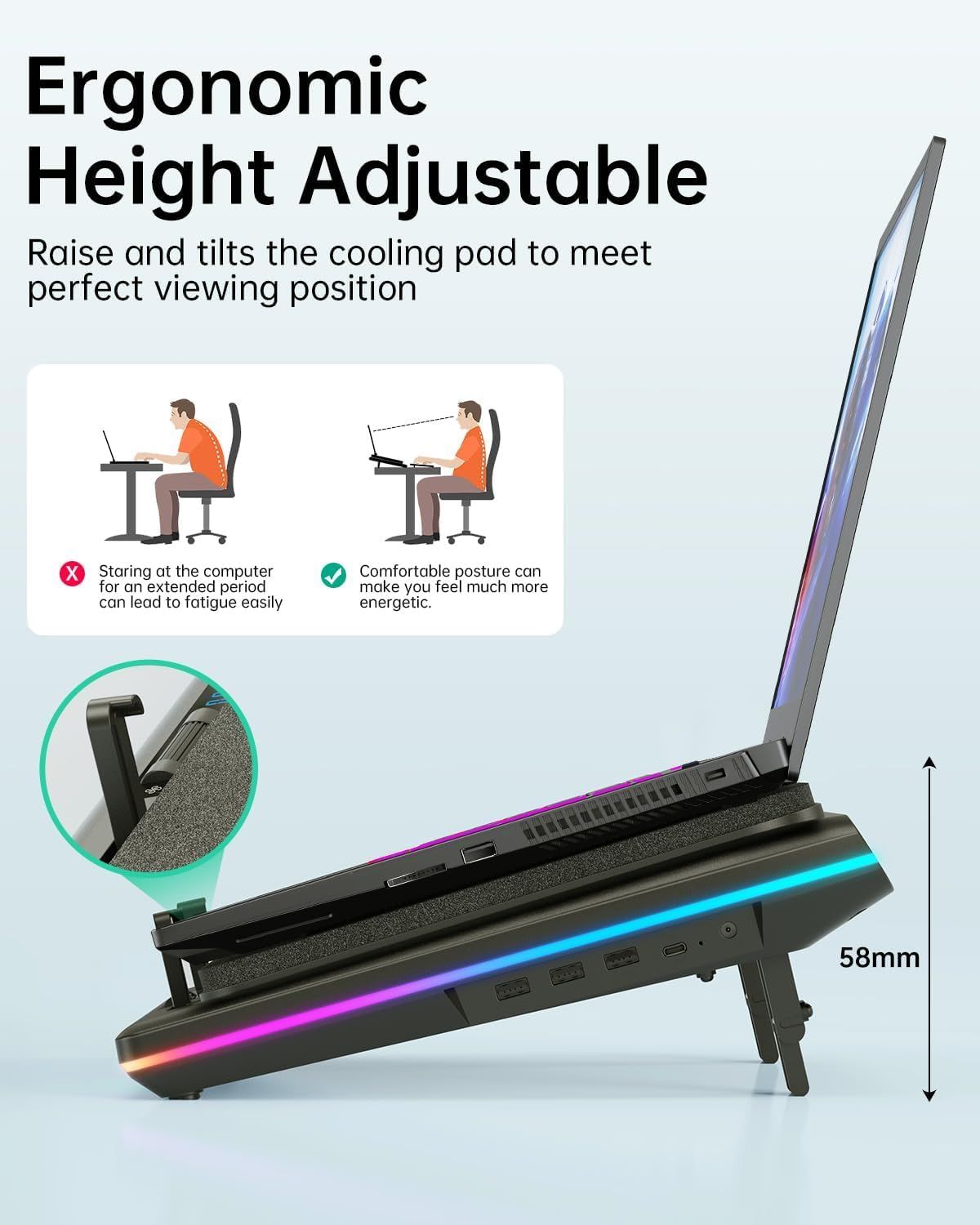
Communicates that the cooling pad can be raised and tilted to achieve a comfortable, ergonomic viewing position, reducing fatigue during extended computer use. Demonstrates the correct way to position the laptop for ergonomic comfort, showing the before (incorrect posture) and after (correct posture) scenarios.
- Brand
- llano
- Category
- Electronics › Computers & Accessories › Laptop Accessories › Cooling Pads & External Fans › Cooling Pads
- Image type
- How to Use Images, Single Benefit Images, Secondary Images
- Design focus
- Ergonomic Height Adjustable; Proper Ergonomic Setup
- Listing position
- Image 4
- Marketplace
- United States
- Best Sellers Rank
- #1,433 in Electronics (See Top 100 in Electronics) #4 in Laptop Cooling Pads
- Full listing
- See all 8 images in order
- ASIN
- B0C69BVWGB
See your listing next to your competitors
Paste your Amazon link. We score every image and show what the top sellers do differently. Your first comparison is free.
What this image does at a glance
- Score
- 72 / 100 · Readable
- Headline
- Height Adjustable
- Headline height
- 4.9% of the image
- Headline contrast
- Lc 99
- Text on the image
- 11.9% of the image, 11 blocks
- Blurred to tile size
- headline still readable
Listing bullet points
- New Upgraded Version-Coooling Gets Quiet and Quicker: Equipped with 5.5-inch large diameter turbo booster fan, combined sealed foam, ensures perfect cooling effect, 360 degrees all-round dynamic cooling, your laptop can reduce temperature by 44°C in 90 seconds (CPU+GPU), even during 4K rendering…
- 3-Port USB Hub and Precise Control: The V12 laptop cooler features three USB 2.0 ports, turning your cooling pad into a central workstation hub. This solves the problem of limited ports on modern laptops, allowing you to connect a high-speed mouse, keyboard, and hard drive simultaneously.…
- Integrated Dust Filtration Extends Laptop Lifespan: This cooler fan features a high-density, removable dust filter that effectively protects the internal fans of laptops. It captures hair and debris, preventing them from entering the vents, thus solving the common "pressure cooker" dust buildup…
- Soothing Controllable RGB: RGB linght bar on the laptop cooling pad for PC, with 10 modes and 4 light colors collection, matches your PC gears accessories for amazing synergy even in dim room. Intuitive Touch-Mute Button adjusts RGB lighting with a single finger, minimizing distractions.…
- User-Friendly Design: Featuring a reinforced chassis design, it's suitable for heavy-duty laptops from 15.6 to 19 inches. Three adjustable tilt angles (3°/12°/15°) allow you to customize your viewing height (scenario), directly alleviating neck and shoulder fatigue during long gaming or work…
- High Power Output: Equipped with a 36W power output, the cooling pad provides robust performance, ensuring that your laptop remains cool even during demanding tasks.
- What 's in the Box: 1* Laptop Cooler, 1* 36W Power Adapter, 1* Dust Filter, 1* Memery Foam Seal, 1* USB-A to C Cable
Similar how to use images in Electronics
 GEEKOM A7 Mini PC
 Sennehiser ACCENTUM Plus Wireless Headphones
 Sennehiser ACCENTUM Plus Wireless Headphones
 Sennehiser ACCENTUM Plus Wireless Headphones
 Sennheiser Consumer Audio Momentum 4 Wireless Headphones
 Sennheiser Consumer Audio Momentum 4 Wireless Headphones
 Sennheiser Consumer Audio Momentum 4 Wireless Headphones
 Sennehiser ACCENTUM Wireless Headphones
 Anker Adaptador hub USB-C
 Metal Switch Opener GPL 205G0 0.35oz
 Metal Switch Opener GPL 205G0 0.35oz
 RUNJRX
This image belongs to llano and is shown for design research. Request removal.