Anker USB C Hub: How to Use Images
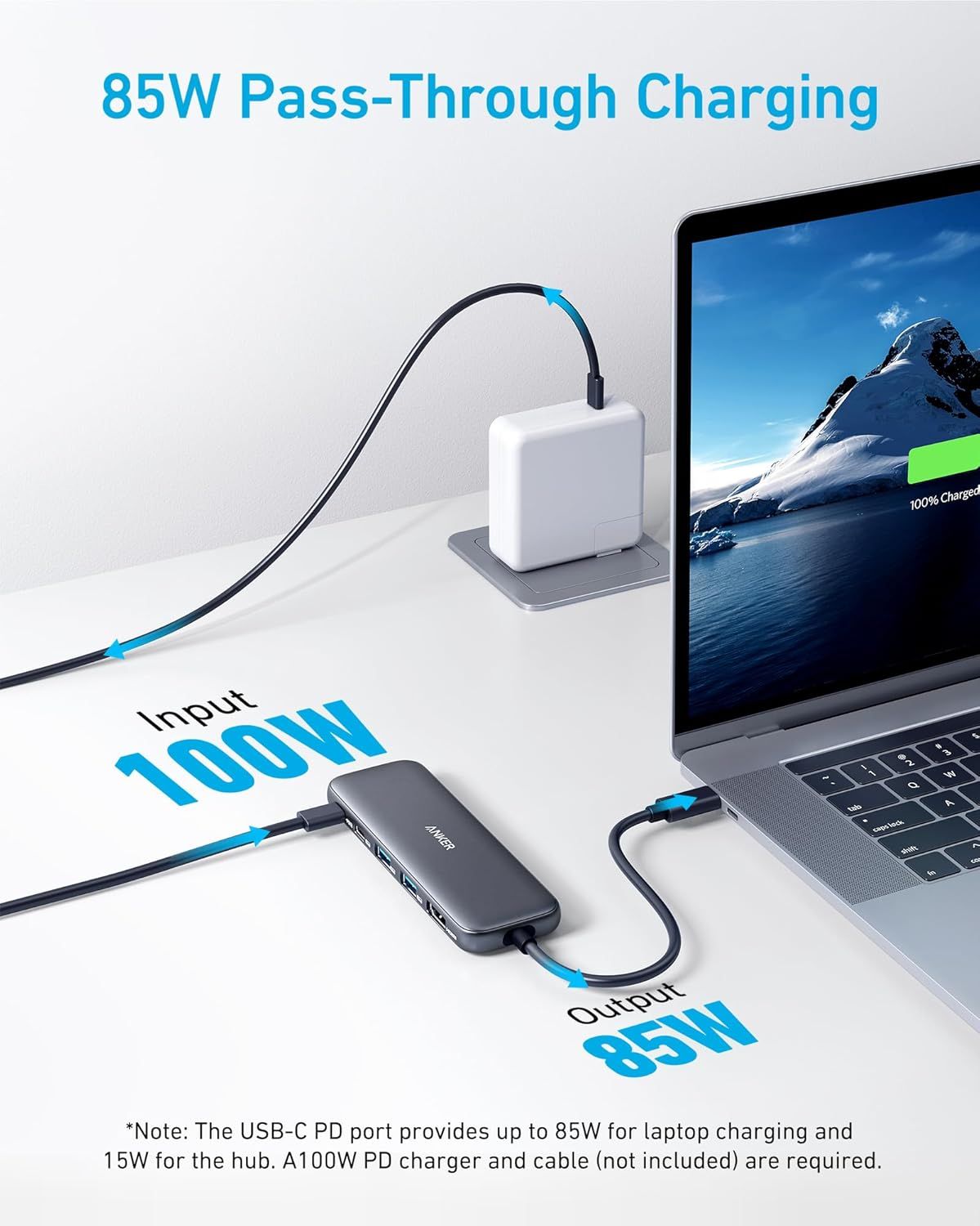
Communicates the high-wattage charging capability of the USB hub, emphasizing its ability to deliver 85W pass-through charging to power laptops while using the hub. Demonstrates how the hub connects between the charger and laptop, showing the power flow from input (100W) through the hub to output (85W) for the laptop.
- Brand
- Anker
- Category
- Electronics › Computers & Accessories › Laptop Accessories › Docking Stations
- Image type
- How to Use Images, Key Stat Images, Secondary Images
- Design focus
- 85W Pass-Through Charging; 100W Input; 85W Output; Setup and Power Flow Diagram
- Listing position
- Image 3
- Marketplace
- United States
- Best Sellers Rank
- #2 in Computers & Accessories (See Top 100 in Computers & Accessories) #1 in Laptop Docking Stations
- ASIN
- B0BQLLB61B
See your listing next to your competitors
Paste your Amazon link. We score every image and show what the top sellers do differently. Your first comparison is free.
What this image does at a glance
- Score
- 35 / 100 · Unreadable small
- Headline
- 100W
- Headline height
- 10.4% of the image
- Headline contrast
- Lc 49
- Text on the image
- 12.4% of the image, 7 blocks
- Blurred to tile size
- headline no longer readable
Listing bullet points
- 5-in-1 Connectivity: Equipped with a 4K HDMI port, a 5 Gbps USB-C data port, two 5 Gbps USB-A ports, and a USB C 100W PD-IN port. Note: The USB C 100W PD-IN port supports only charging and does not support data transfer devices such as headphones or speakers.
- Powerful Pass-Through Charging: Supports up to 85W pass-through charging so you can power up your laptop while you use the hub. Note: Pass-through charging requires a charger (not included). Note: To achieve full power for iPad, we recommend using a 45W wall charger.
- Transfer Files in Seconds: Move files to and from your laptop at speeds of up to 5 Gbps via the USB-C and USB-A data ports. Note: The USB C 5Gbps Data port does not support video output.
- HD Display: Connect to the HDMI port to stream or mirror content to an external monitor in resolutions of up to 4K@30Hz. Note: The USB-C ports do not support video output.
- What You Get: Anker 332 USB-C Hub (5-in-1), welcome guide, our worry-free 18-month warranty, and friendly customer service.
- Compatibility: Supports USB-C, USB4, and Thunderbolt connections. Compatible with MacBook (macOS 12 and newer), Windows 10 and 11, ChromeOS, and laptops equipped with DP Alt Mode and Power Delivery. Note: This device is not compatible with Linux.
Similar how to use images in Electronics
 GEEKOM A7 Mini PC
 Sennehiser ACCENTUM Plus Wireless Headphones
 Sennehiser ACCENTUM Plus Wireless Headphones
 Sennehiser ACCENTUM Plus Wireless Headphones
 Sennheiser Consumer Audio Momentum 4 Wireless Headphones
 Sennheiser Consumer Audio Momentum 4 Wireless Headphones
 Sennheiser Consumer Audio Momentum 4 Wireless Headphones
 Sennehiser ACCENTUM Wireless Headphones
 Anker Adaptador hub USB-C
 Metal Switch Opener GPL 205G0 0.35oz
 Metal Switch Opener GPL 205G0 0.35oz
 RUNJRX
This image belongs to Anker and is shown for design research. Request removal.