Samsung T7 Portable SSD: How to Use Images
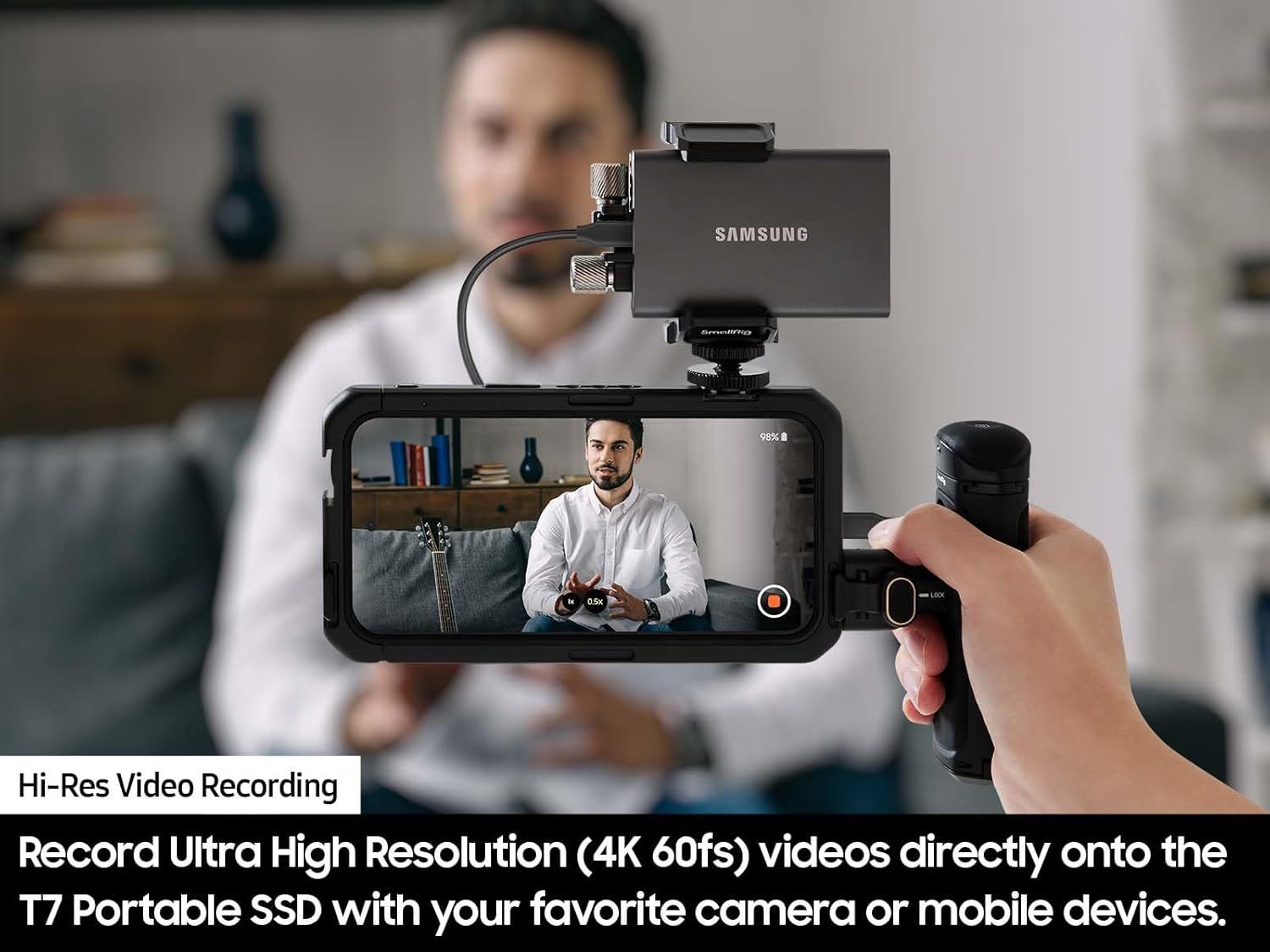
Demonstrates the product's ability to record ultra high resolution 4K 60fps videos directly onto the T7 Portable SSD using cameras or mobile devices, emphasizing professional video recording capability. Shows how to set up and use the Samsung T7 SSD with a mobile device and camera rig for video recording, demonstrating the practical application and ease of use.
- Brand
- Samsung
- Category
- Electronics › Computers & Accessories › Data Storage › External Solid State Drives
- Image type
- How to Use Images, Single Benefit Images, Secondary Images
- Design focus
- Hi-Res Video Recording; 4K 60fps Direct Recording; Setup and Usage; Direct Recording to SSD
- Listing position
- Image 6
- Marketplace
- United States
- Best Sellers Rank
- #2 in External Solid State Drives
- Full listing
- See all 8 images in order
- ASIN
- B0874XN4D8
See your listing next to your competitors
Paste your Amazon link. We score every image and show what the top sellers do differently. Your first comparison is free.
What this image does at a glance
- Score
- 25 / 100 · Unreadable small
- Headline
- Record Ultra High Resolution (4K 60fs) videos directly onto
- Headline height
- 3.3% of the image
- Headline contrast
- Lc 99
- Text on the image
- 12.3% of the image, 4 blocks
- Blurred to tile size
- headline no longer readable
- lower text "Record Ultra High Resolu" is 2.7% of height, needs 5.5%
- headline unreadable at phone-tile blur
Listing bullet points
- MADE FOR THE MAKERS: Create; Explore; Store; The T7 Portable SSD delivers fast speeds and durable features to back up any endeavor; Build your video editing empire, file your photographs or back up your blogs all in an instant
- SHARE IDEAS IN A FLASH: Don’t waste a second waiting and spend more time doing; The T7 is embedded with PCIe NVMe technology that brings fast read and write speeds up to 1,050/1,000 MB/s¹, making it almost twice as fast as the T5
- ALWAYS MAKE THE SAVE: Compact design with massive capacity; With capacities up to 4TB, save exactly what you need to your drive – from large working files to game data and everything in between
- ADAPTS TO EVERY NEED: Whether using a PC or mobile phone, count on the T7 for extensive compatibility²; It’s a true team player when it comes to heavy-duty application usage or file-saving
- HI RESOLUTION VIDEO RECORDING: Record Ultra High Resolution (4K 60fs) videos directly onto the T7 Portable SSD with your favorite camera or mobile devices; Supports iPhone 15 Pro Res 4K at 60fps video and more³
- ALL FOR THE SHOT: This strong, sturdy sidekick will help you see it through with shock resistance and fall protection up to 6 feet⁴; With its solid aluminum unibody construction, it’s made to withstand any adventure
- WORLD’S #1 FLASH MEMORY BRAND: Performance and reliability from the world’s #1 brand for flash memory since 2003⁵; All firmware and components are produced in-house, including our world renowned DRAM and NAND, for quality and you can trust
Similar how to use images in Electronics
 GEEKOM A7 Mini PC
 Sennehiser ACCENTUM Plus Wireless Headphones
 Sennehiser ACCENTUM Plus Wireless Headphones
 Sennehiser ACCENTUM Plus Wireless Headphones
 Sennheiser Consumer Audio Momentum 4 Wireless Headphones
 Sennheiser Consumer Audio Momentum 4 Wireless Headphones
 Sennheiser Consumer Audio Momentum 4 Wireless Headphones
 Sennehiser ACCENTUM Wireless Headphones
 Anker Adaptador hub USB-C
 Metal Switch Opener GPL 205G0 0.35oz
 Metal Switch Opener GPL 205G0 0.35oz
 RUNJRX
This image belongs to Samsung and is shown for design research. Request removal.