ThePhotoStick® Omni 128GB USB Flash Drive & Memory Stick: How to Use Images
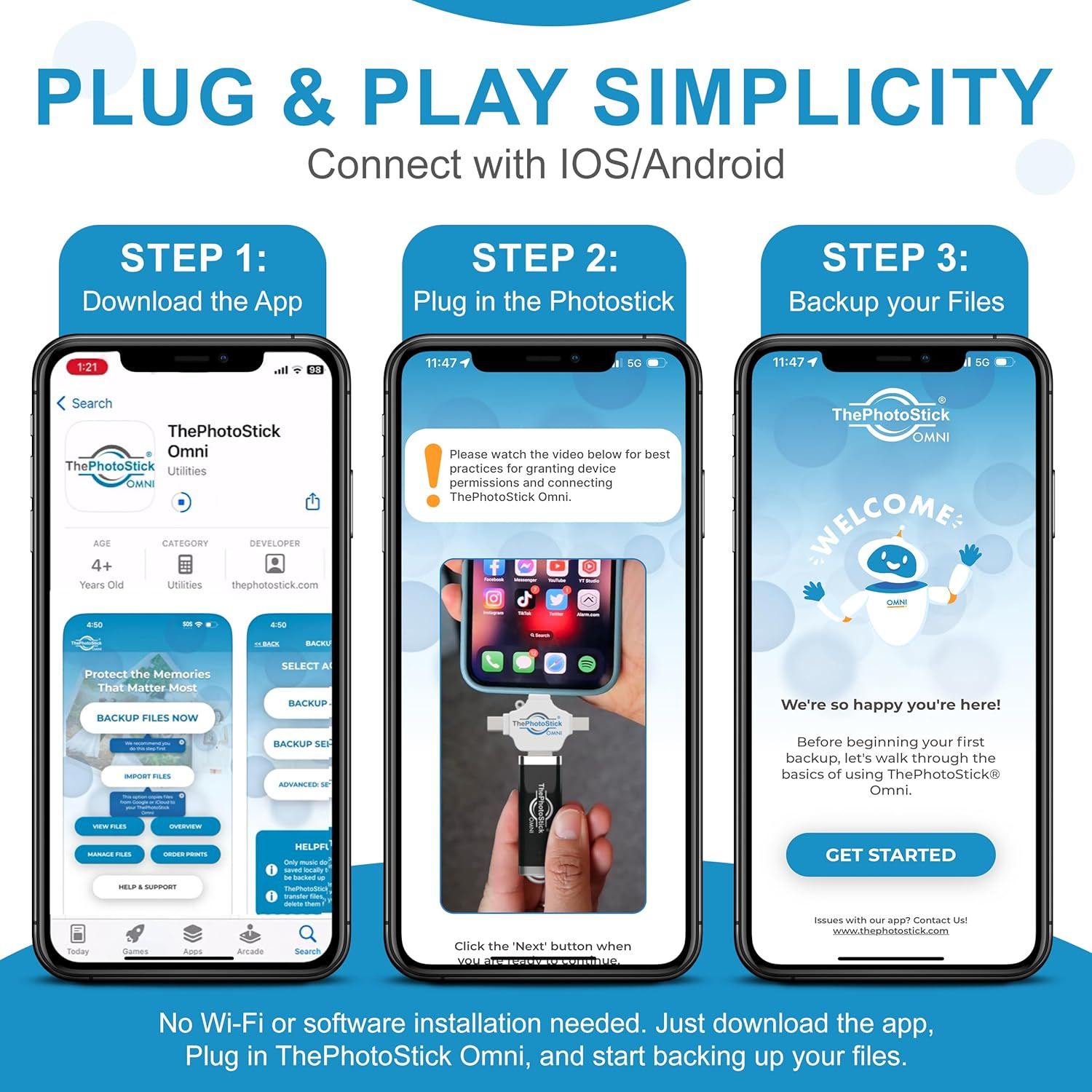
Demonstrates the simple three-step process for setting up and using ThePhotoStick Omni, reassuring shoppers that the product is easy to use with clear visual instructions. Emphasizes the product's ease of use and plug-and-play functionality, communicating that no technical expertise or Wi-Fi is required.
- Brand
- ThePhotoStick
- Category
- Electronics › Computers & Accessories › Data Storage › USB Flash Drives
- Image type
- How to Use Images, Single Benefit Images, Secondary Images
- Design focus
- 3-Step Setup Process; App Download; Device Connection; File Backup; Plug & Play Simplicity; Easy Setup
- Listing position
- Image 8
- Marketplace
- United States
- Best Sellers Rank
- #28 in USB Flash Drives
- Full listing
- See all 9 images in order
- ASIN
- B09GW86W6Y
See your listing next to your competitors
Paste your Amazon link. We score every image and show what the top sellers do differently. Your first comparison is free.
What this image does at a glance
- Score
- 51 / 100 · Hard to read small
- Headline
- PLUG & PLAY SIMPLICITY
- Headline height
- 5.3% of the image
- Headline contrast
- Lc 64
- Text on the image
- 22.7% of the image, 41 blocks
- Blurred to tile size
- headline still readable
- lower text "No Wi-Fi or software ins" is 1.3% of height, needs 5.5%
- 51 separate text blocks
Listing bullet points
- Simple, secure content backup – ThePhotoStick Omni automatically finds and saves photos, videos, and other files, helping to keep your digital life organized and protected across devices.
- Large capacity – This 128GB thumb drive and storage stick holds over 51,000 images and videos, making it a reliable and safe solution for data access and archiving.
- Multi device compatibility – Works with PC, Mac, iPhone, iPad, and most Android phones and tablets. One flashdrive for your entire digital collection.
- A thoughtful gift for any occasion – Give friends and family a simple way to relive a lifetime of memorable moments! ThePhotoStick Omni is perfect for sharing ALL of life's milestones in ONE special keepsake.
- New year, new memory backups – ThePhotoStick Omni is the simple way to declutter your devices, free up space, and start the year knowing your precious memories are safely backed up and organized.
- Easy to use with free app – Download the app, connect the photo stick with the included adapter, and follow the onscreen steps to save your images, videos, and more.
- Broad file format support – Compatible with common media types like JPEG, PNG, HEIC, GIF, MOV, and MPEG4. This memory stick works across devices for flexible storage.
- System requirements & ports – Requires Android 8.0+, iOS/iPadOS 13.0+, Windows 7 SP1+, or macOS 10.13+. Includes USBA, USBC, microUSB, and Lightning connections.
Similar how to use images in Electronics
 GEEKOM A7 Mini PC
 Sennehiser ACCENTUM Plus Wireless Headphones
 Sennehiser ACCENTUM Plus Wireless Headphones
 Sennehiser ACCENTUM Plus Wireless Headphones
 Sennheiser Consumer Audio Momentum 4 Wireless Headphones
 Sennheiser Consumer Audio Momentum 4 Wireless Headphones
 Sennheiser Consumer Audio Momentum 4 Wireless Headphones
 Sennehiser ACCENTUM Wireless Headphones
 Anker Adaptador hub USB-C
 Metal Switch Opener GPL 205G0 0.35oz
 Metal Switch Opener GPL 205G0 0.35oz
 RUNJRX
This image belongs to ThePhotoStick and is shown for design research. Request removal.