USB Multi Plug Outlet Extender: How to Use Images
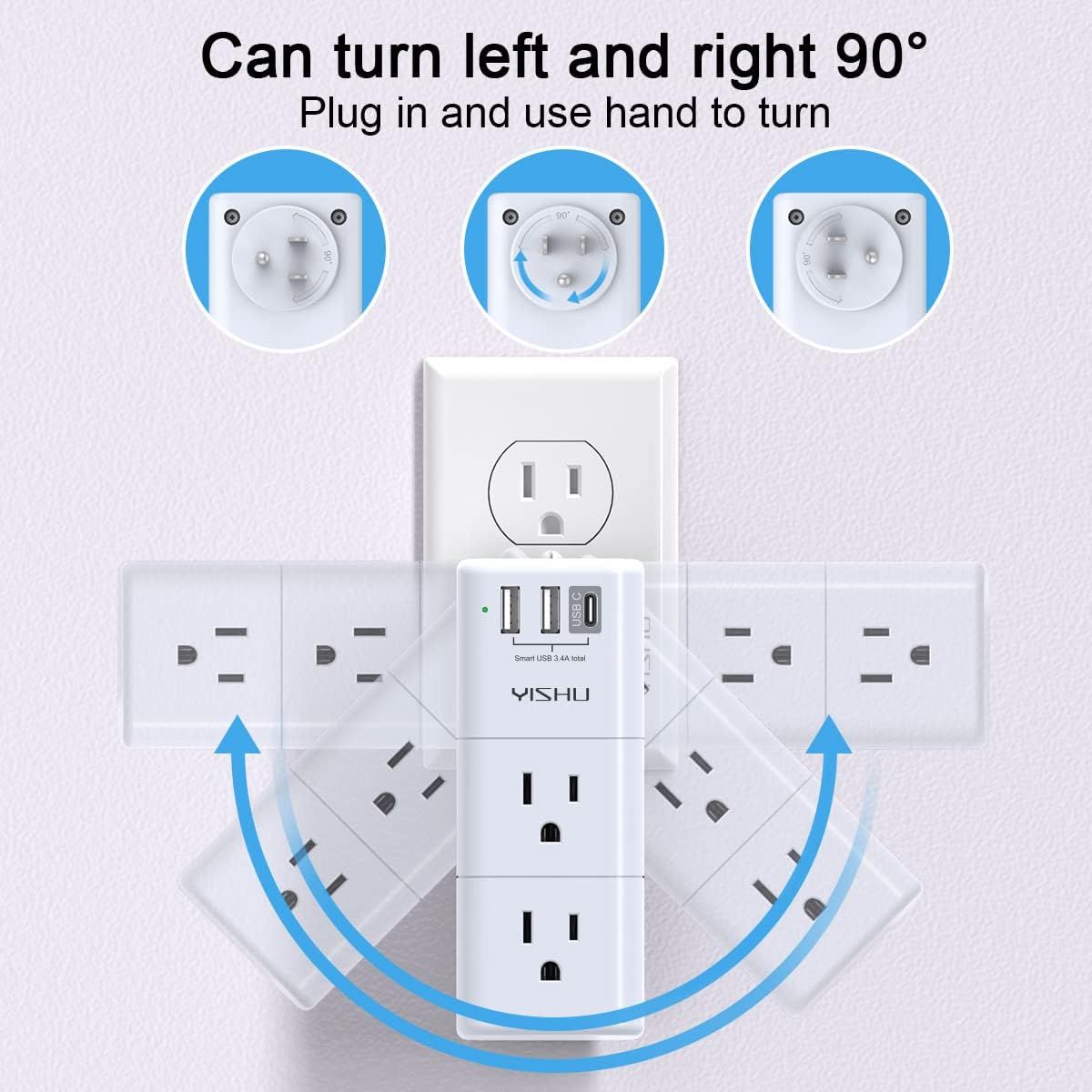
Demonstrates how the product can be manually rotated 90 degrees left or right to fit into tight spaces or adjust outlet orientation, emphasizing ease of use and flexibility. Highlights the product's rotatable design as a key benefit, showing shoppers how it solves the problem of awkward outlet positioning and maximizes usability.
- Brand
- YISHU
- Category
- Electronics › Accessories & Supplies › Power Strips & Surge Protectors › Power Strips
- Image type
- How to Use Images, Single Benefit Images, Secondary Images
- Design focus
- 90-Degree Rotation; Hand-Turn Operation; Rotatable Design; Space-Saving Flexibility
- Listing position
- Image 5
- Marketplace
- United States
- Best Sellers Rank
- #373 in Electronics (See Top 100 in Electronics) #48 in Power Strips
- ASIN
- B0BPNJVYS4
See your listing next to your competitors
Paste your Amazon link. We score every image and show what the top sellers do differently. Your first comparison is free.
What this image does at a glance
- Score
- 55 / 100 · Hard to read small
- Headline
- Can turn left and right 90°
- Headline height
- 4.3% of the image
- Headline contrast
- Lc 92
- Text on the image
- 6.6% of the image, 4 blocks
- Blurred to tile size
- headline no longer readable
- headline unreadable at phone-tile blur
Listing bullet points
- 【Portable outlet plug adapter】: 6 AC Outlet Splitter (3 side) with built-in surge protector (900 Joules) and 3USB charging ports (total output DC 5V/3.4A), 90 degree rotating AC plug. LED grounded indicator light shows it's safe to use.
- 【Multi Plug Outlet】: Unique 3 Side Design Power Strip with 6 AC Outlets, Use 3 large adapters or 6 standard plugs. the rotating AC plug can turn left and right 90 degrees conveniently, use anywhere needed. Best Ideal stocking stuffers for adults
- 【Smart Charge USB A&C Ports】: 2USB A Charging Ports and 1USB C Charging Port (total output DC 5V/3.4A), Each USB A port features 5V/2.4A Max output. USB C charging port features 5V/3A MAX. Built in smart technology, detecting charging devices and deliver optimal charging speed automatically,…
- 【Surge Protector Outlets】: The multi plug outlet provide surge protector against electrical spikes. Three complementary Surge Protection Circuits, TVS(transient voltage suppressor) MOV(metal oxide varistor) GDT(gas discharge tube), with response speed less than 1Ns, and minimum energy-absorbing…
- 【Safety Guaranteed & After-Sale Service】: ETL Certified,Our friendly and reliable customer service will respond to you within 24 hours. You can purchase with confidence, with our 30-day return and 12-month warranty.
Similar how to use images in Electronics
 GEEKOM A7 Mini PC
 Sennehiser ACCENTUM Plus Wireless Headphones
 Sennehiser ACCENTUM Plus Wireless Headphones
 Sennehiser ACCENTUM Plus Wireless Headphones
 Sennheiser Consumer Audio Momentum 4 Wireless Headphones
 Sennheiser Consumer Audio Momentum 4 Wireless Headphones
 Sennheiser Consumer Audio Momentum 4 Wireless Headphones
 Sennehiser ACCENTUM Wireless Headphones
 Anker Adaptador hub USB-C
 Metal Switch Opener GPL 205G0 0.35oz
 Metal Switch Opener GPL 205G0 0.35oz
 RUNJRX
This image belongs to YISHU and is shown for design research. Request removal.