Soundcore by Anker Q20i Hybrid Active Noise Cancelling Headphones: How to Use Images
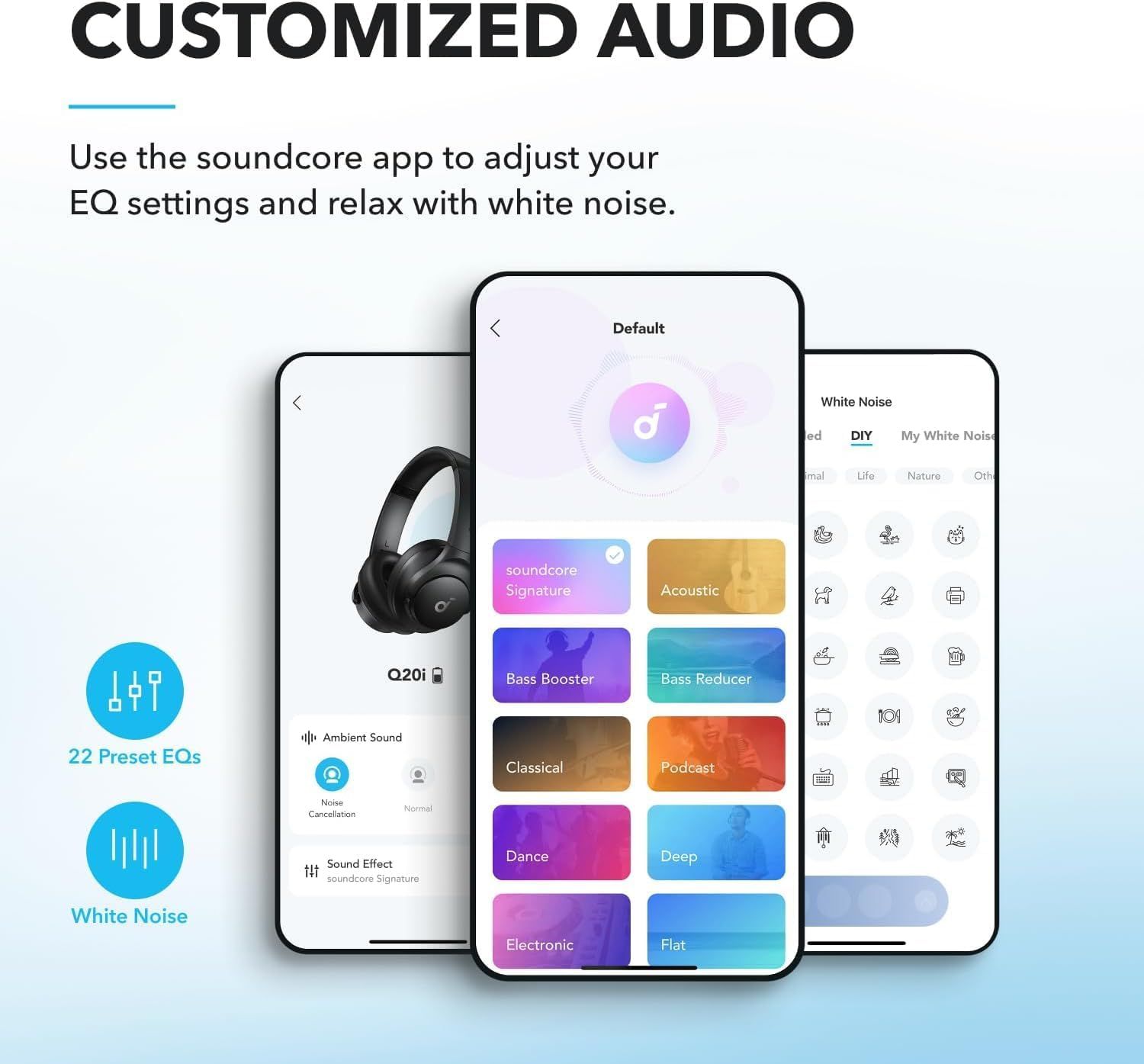
Demonstrates how to use the companion app to customize audio settings and access white noise features, reassuring shoppers that the product offers flexible sound personalization. Highlights multiple audio customization benefits including preset equalizers and white noise functionality through the app interface.
- Brand
- Soundcore
- Category
- Electronics › Headphones, Earbuds & Accessories › Headphones & Earbuds › Over-Ear Headphones
- Image type
- How to Use Images, Infographic Images, Secondary Images
- Design focus
- App-based EQ customization; White noise feature; 22 Preset EQs; White Noise; App Control
- Listing position
- Image 4
- Marketplace
- United States
- Best Sellers Rank
- #21 in Electronics (See Top 100 in Electronics) #1 in Over-Ear Headphones
- Full listing
- See all 8 images in order
- ASIN
- B0C3HCD34R
See your listing next to your competitors
Paste your Amazon link. We score every image and show what the top sellers do differently. Your first comparison is free.
What this image does at a glance
- Score
- 52 / 100 · Hard to read small
- Headline
- CUSTOMIZED AUDIO
- Headline height
- 5.2% of the image
- Headline contrast
- Lc 103
- Text on the image
- 9.8% of the image, 26 blocks
- Blurred to tile size
- headline still readable
- lower text "EQ settings and relax wi" is 1.6% of height, needs 5.5%
- 29 separate text blocks
Listing bullet points
- Hybrid Active Noise Cancelling: 2 internal and 2 external mics work in tandem to detect external noise and effectively reduce up to 90% of it, no matter in airplanes, trains or offices.
- Immerse Yourself in Detailed Audio: The noise cancelling headphones have oversized 40mm dynamic drivers that produce detailed sound and thumping beats with BassUp technology for your every travel, commuting and gaming. Compatible with Hi-Res certified audio via the AUX cable for more detail.
- 40-Hour Long Battery Life and Fast Charging: With 40 hours of battery life with ANC on and 60 hours in normal mode, you can commute in peace with your Bluetooth headphones without thinking about recharging. Fast charge for 5 mins to get an extra 4 hours of music listening for daily users.
- Dual-Connections: Connect to two devices simultaneously with Bluetooth 5.0 and instantly switch between them. Whether you're working on your laptop, or need to take a phone call, audio from your Bluetooth headphones will automatically play from the device you need to hear from.
- App for EQ Customization: Download the soundcore app to tailor your sound using the customizable EQ, with 22 presets, or adjust it yourself. You can also switch between 3 modes: ANC, Normal, and Transparency, and relax with white noise.
- Hear Your Surroundings: Switch to Transparency mode on your noise cancelling headphones when you need to be aware of your surroundings, such as transportation announcements, crossing the road, or just staying connected to the world around you.
Similar how to use images in Electronics
 GEEKOM A7 Mini PC
 Sennehiser ACCENTUM Plus Wireless Headphones
 Sennehiser ACCENTUM Plus Wireless Headphones
 Sennehiser ACCENTUM Plus Wireless Headphones
 Sennheiser Consumer Audio Momentum 4 Wireless Headphones
 Sennheiser Consumer Audio Momentum 4 Wireless Headphones
 Sennheiser Consumer Audio Momentum 4 Wireless Headphones
 Sennehiser ACCENTUM Wireless Headphones
 Anker Adaptador hub USB-C
 Metal Switch Opener GPL 205G0 0.35oz
 Metal Switch Opener GPL 205G0 0.35oz
 RUNJRX
This image belongs to Soundcore and is shown for design research. Request removal.