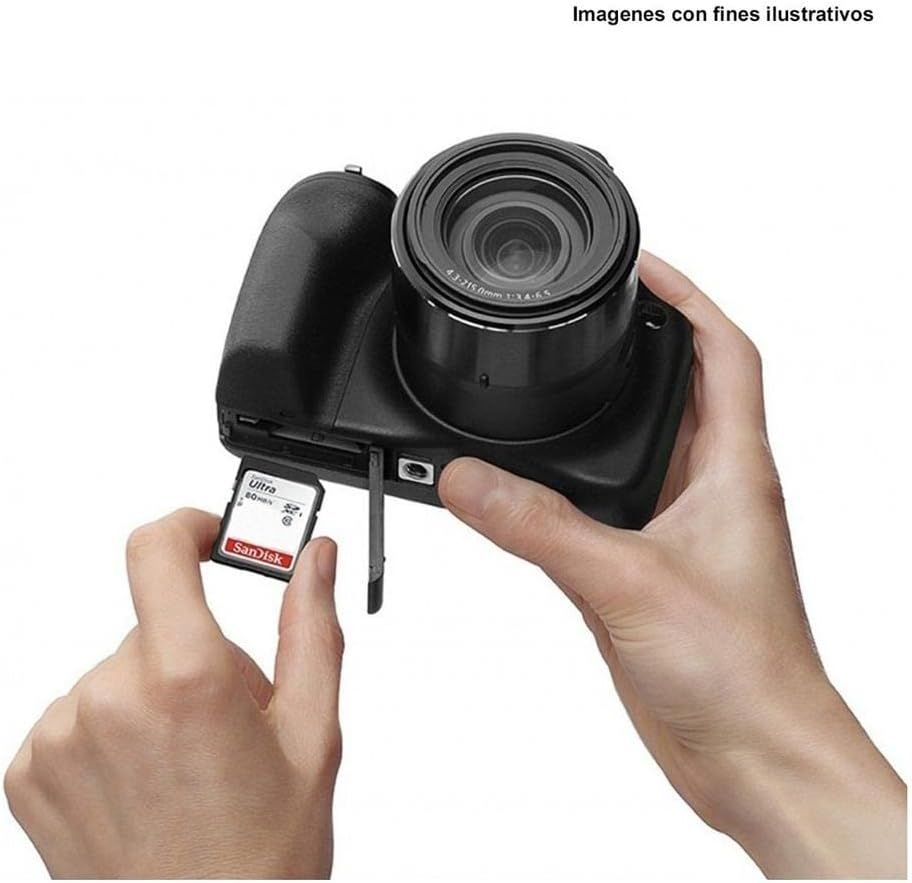
SanDisk Ultra 64GB Class 10 SDXC UHS-I Memory Card up to 80MB/s (SDSDUNC-064G-GN6IN): How to Use Images
Demonstrates how to insert a memory card into the camera, reassuring shoppers about ease of use and setup.
- Brand
- Sandisk
- Category
- Electronics › Computers & Accessories › Computer Accessories & Peripherals › Memory Cards › SD Cards
- Image type
- How to Use Images, Secondary Images
- Design focus
- Memory Card Installation
- Listing position
- Image 2
- Marketplace
- United States
- Best Sellers Rank
- #5 in SecureDigital Memory Cards
- ASIN
- B0143IIP4W
See your listing next to your competitors
Paste your Amazon link. We score every image and show what the top sellers do differently. Your first comparison is free.
What this image does at a glance
- Score
- 35 / 100 · Unreadable small
- Headline
- San)isk
- Headline height
- 3.5% of the image
- Headline contrast
- Lc 73
- Text on the image
- 1.1% of the image, 3 blocks
- Blurred to tile size
- headline no longer readable
Listing bullet points
- Great for Compact to midrange Point and Shoot digital Cameras and camcorders
- Twice As Fast As Ordinary SDHC Cards, Allowing You To Take Pictures And Transfer Files Quickly
- Exceptional video recording performance with class 10 rating for Full HD video (1080p); Compatibility : SDHC I/SDXC I devices
- Quick transfer speeds up to 80MB/s and WaterProof, temperature Proof, X ray Proof, magnet Proof, shockProof
Similar how to use images in Electronics
 GEEKOM A7 Mini PC
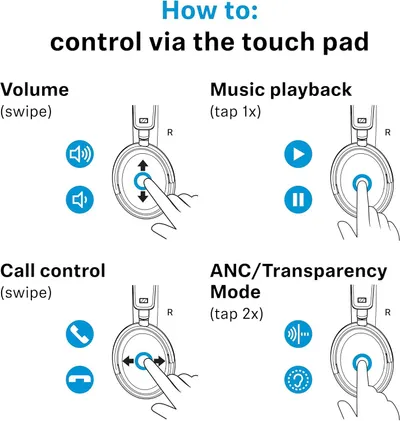 Sennehiser ACCENTUM Plus Wireless Headphones
 Sennehiser ACCENTUM Plus Wireless Headphones
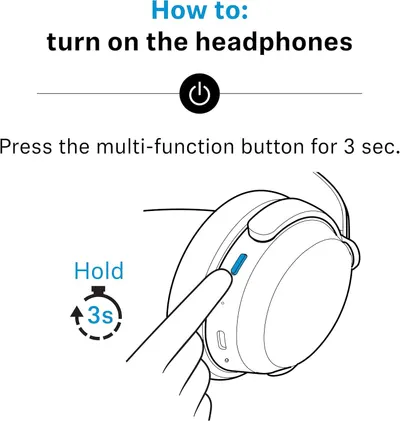 Sennehiser ACCENTUM Plus Wireless Headphones
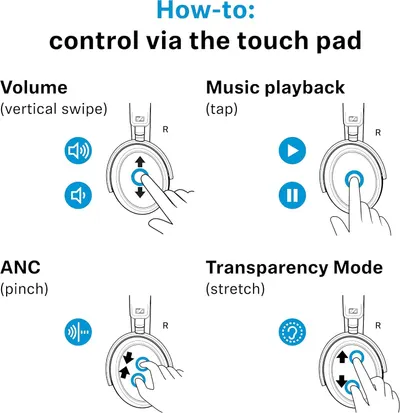 Sennheiser Consumer Audio Momentum 4 Wireless Headphones
 Sennheiser Consumer Audio Momentum 4 Wireless Headphones
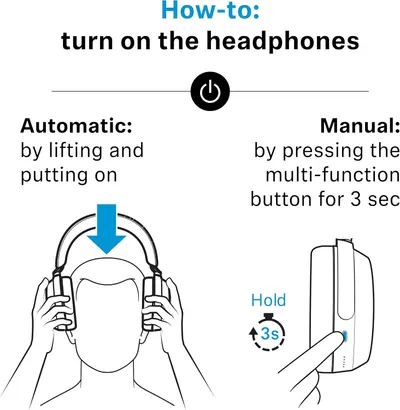 Sennheiser Consumer Audio Momentum 4 Wireless Headphones
 Sennehiser ACCENTUM Wireless Headphones
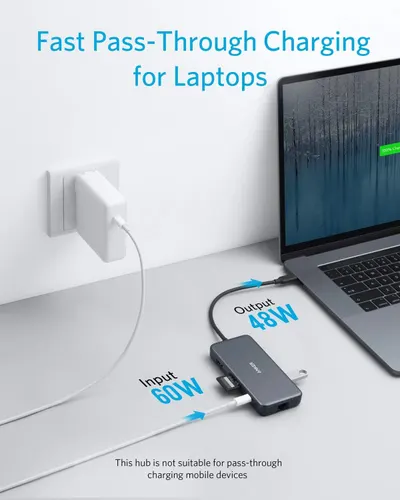 Anker Adaptador hub USB-C
 Metal Switch Opener GPL 205G0 0.35oz
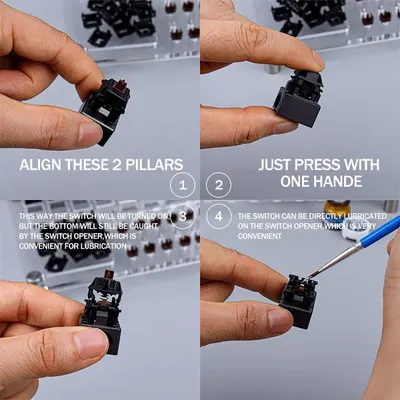 Metal Switch Opener GPL 205G0 0.35oz
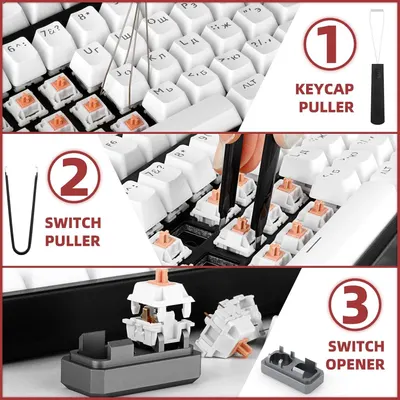 RUNJRX
This image belongs to Sandisk and is shown for design research. Request removal.