Kensington VeriMark™ Gen2 USB-A Fingerprint Key Reader: How to Use Images
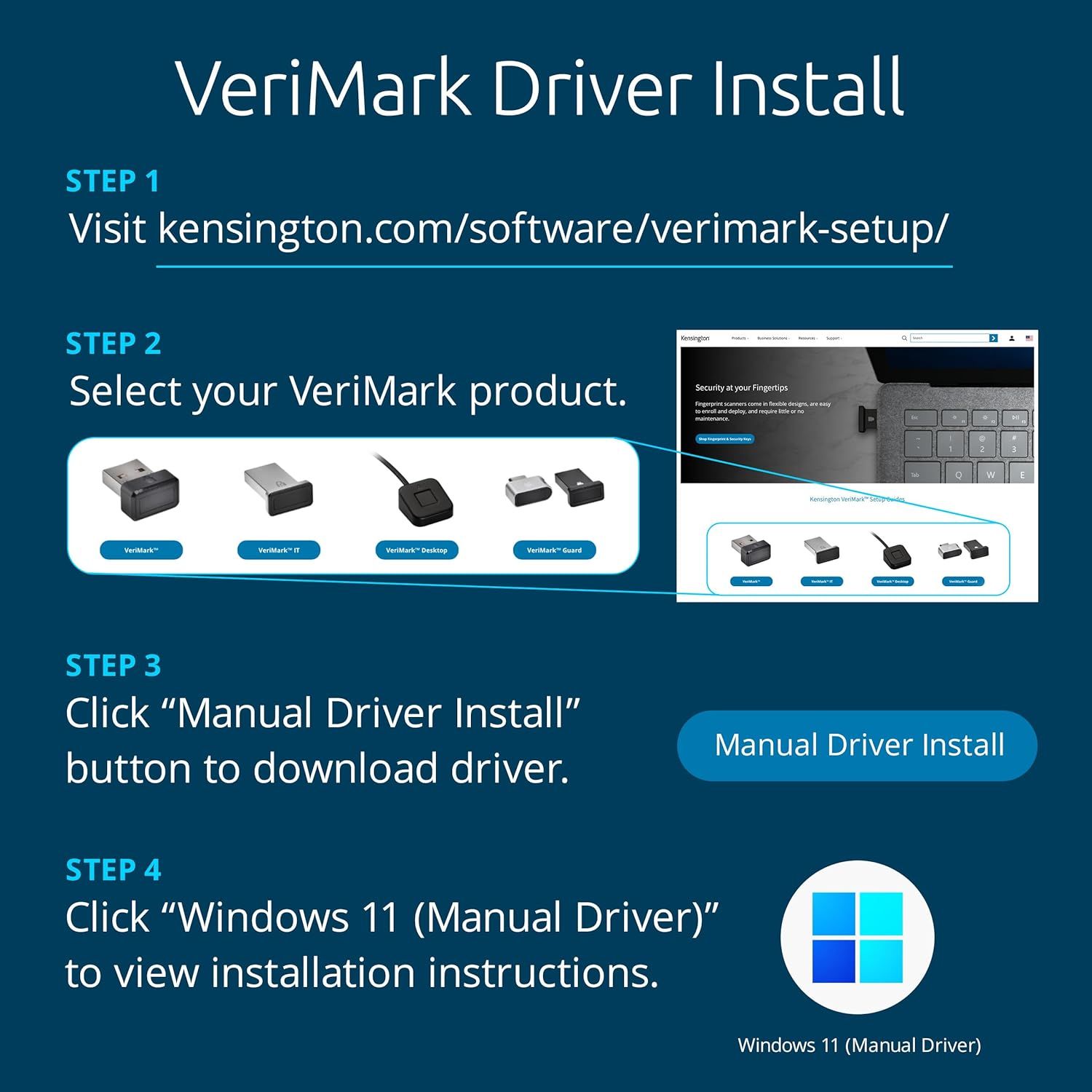
Provides step-by-step instructions for installing VeriMark driver software, guiding users through the complete setup process from website visit to final installation.
- Brand
- Kensington
- Category
- Electronics › Security & Surveillance › Biometrics
- Image type
- How to Use Images, Secondary Images
- Design focus
- Driver Installation; Software Setup
- Listing position
- Image 6
- Marketplace
- United States
- Best Sellers Rank
- #17 in Security & Surveillance Biometrics
- Full listing
- See all 7 images in order
- ASIN
- B07W8W74QR
See your listing next to your competitors
Paste your Amazon link. We score every image and show what the top sellers do differently. Your first comparison is free.
What this image does at a glance
- Score
- 42 / 100 · Hard to read small
- Headline
- VeriMark Driver Install
- Headline height
- 5.1% of the image
- Headline contrast
- Lc 94
- Text on the image
- 21.0% of the image, 14 blocks
- Blurred to tile size
- headline still readable
Listing bullet points
- Match-in-Sensor Advanced Fingerprint Technology: Combines excellent biometric performance and 360° readability with anti-spoofing technology. Exceeds industry standards for false rejection rate (FRR 2%) and false acceptance rate (FAR 0.001%). Fingerprint data is isolated and secured in the sensor,…
- Designed for Windows Hello and Windows Hello for Business (Windows 10 and Windows 11): Login on your Windows using Microsoft's built-in login feature with just your fingerprint, no need to remember usernames and passwords; can be used with up to 10 different fingerprints. NOT compatible with MacOS…
- Designed to Support Passkey Access with Tap and Go CTAP2 protocol: Supports users and businesses in their journey to a passwordless experience. Passkeys are supported by >90% of devices, with a wide range supported across different operating systems and platforms.
- Compatible with Popular Password Managers: Supports popular tools, like Dashlane, LastPass (Premium), Keeper (Premium) and Roboform, through Tap and Go CTAP2 protocol to authenticate and automatically fill in usernames and passwords for websites.
- Great for Enterprise Deployments: Enables the latest web standards approved by the World Wide Web Consortium (W3C). Authenticates without storing passwords on servers, and secures the fingerprint data it collects, allowing it to support a company’s cybersecurity measures consistent with (but not…
- Windows ARM-based computers are currently not supported. Please check back for future updates on compatibility
Similar how to use images in Electronics
 GEEKOM A7 Mini PC
 Sennehiser ACCENTUM Plus Wireless Headphones
 Sennehiser ACCENTUM Plus Wireless Headphones
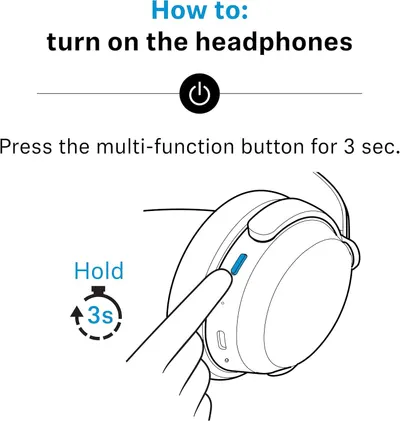 Sennehiser ACCENTUM Plus Wireless Headphones
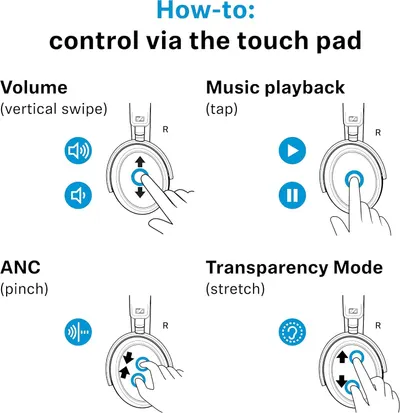 Sennheiser Consumer Audio Momentum 4 Wireless Headphones
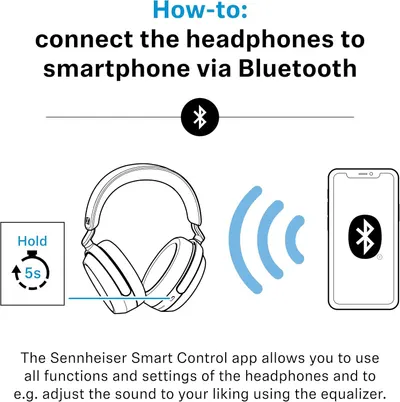 Sennheiser Consumer Audio Momentum 4 Wireless Headphones
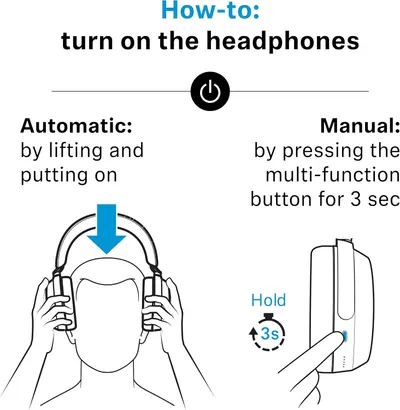 Sennheiser Consumer Audio Momentum 4 Wireless Headphones
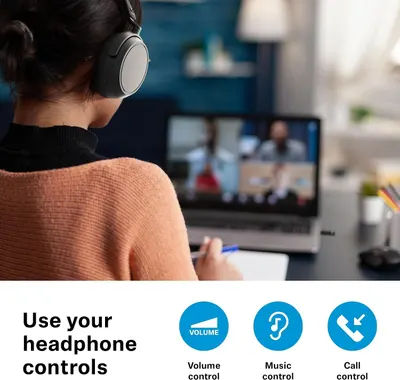 Sennehiser ACCENTUM Wireless Headphones
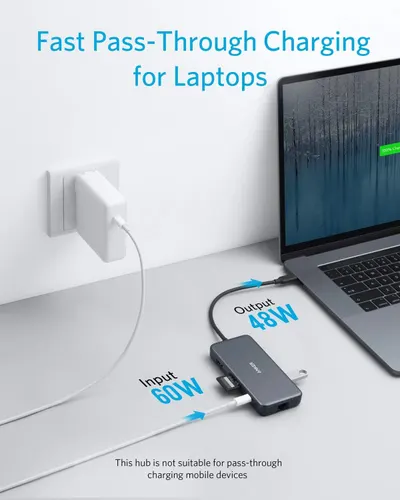 Anker Adaptador hub USB-C
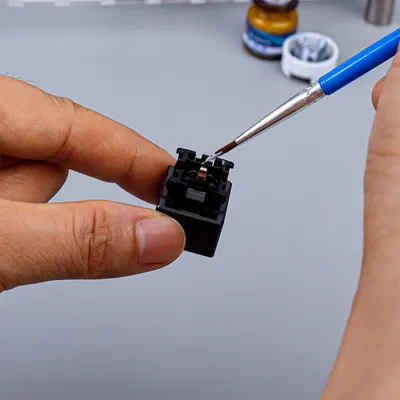 Metal Switch Opener GPL 205G0 0.35oz
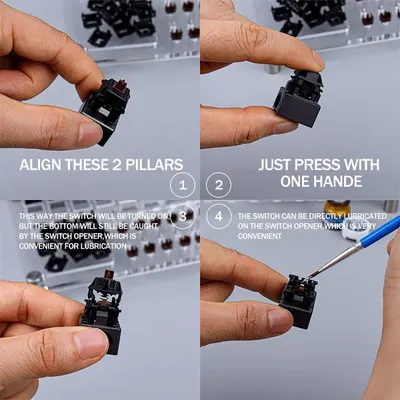 Metal Switch Opener GPL 205G0 0.35oz
 RUNJRX
This image belongs to Kensington and is shown for design research. Request removal.