Spotting Scopes with Desktop-Tripod: Product Detail Images
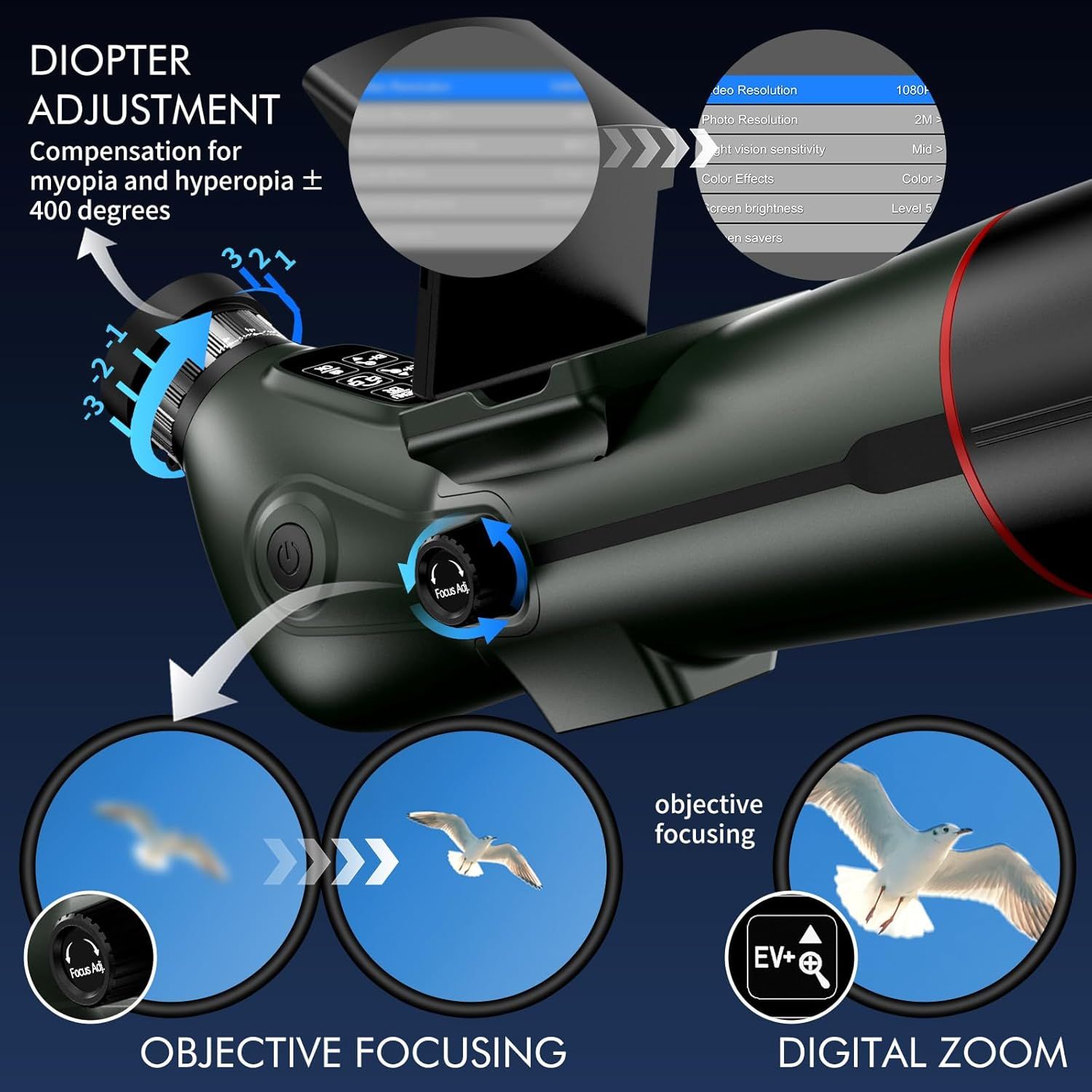
This image breaks down the key functional components and controls of the spotting scope, showing shoppers how to adjust diopter settings, use objective focusing, and access digital zoom features. Highlights multiple distinct features of the spotting scope including vision correction, focusing capabilities, and digital zoom functionality to demonstrate the product's versatility and advanced optical features.
- Brand
- GOWWPUN
- Category
- Sports & Outdoors › Hunting & Fishing › Shooting › Optics › Spotting Scopes
- Image type
- Product Detail Images, Infographic Images, Secondary Images
- Design focus
- Diopter Adjustment; Objective Focusing; Digital Zoom; Settings Menu; Diopter Adjustment; Objective Focusing; Digital Zoom; High Resolution
- Listing position
- Image 5
- Marketplace
- United States
- Best Sellers Rank
- #206,419 in Sports & Outdoors (See Top 100 in Sports & Outdoors) #69 in Spotting Scopes
- ASIN
- B0FPC8Z8QY
See your listing next to your competitors
Paste your Amazon link. We score every image and show what the top sellers do differently. Your first comparison is free.
What this image does at a glance
- Score
- 17 / 100 · Unreadable small
- Headline
- DIOPTER
- Headline height
- 2.9% of the image
- Headline contrast
- Lc 89
- Text on the image
- 7.0% of the image, 19 blocks
- Blurred to tile size
- headline no longer readable
- caps text "OBJECTIVE FOCUSING" is 2.9% of height, needs 6.5%
- headline unreadable at phone-tile blur
- 24 separate text blocks
Listing bullet points
- 【Powerful 18-350x Magnification】Our spotting scope has an adjustable 18x digital zoom magnification, whether you are Stargazing, bird watching, wildlife viewing, hiking, archery, landscape, outdoor sports, astronomical observation, etc., it is easy to focus on the target and zoom in to see more…
- 【Fully Multi-coated Lens】Unlike ordinary objective scopes, ours can capture more light even at a distance with the help of a 78mm objective lens, with a hood in front. Reduce redundant stray light, capture light at a longer distance, and provide clear, sharp, high-contrast and saturated details.
- 【Manually adjust parameters】including 7 levels of IR conditions and adaptive night mode, to set appropriate exposure, ISO, parameters, clarity, and contrast according to different target scenes. [Warning] Do not look directly at the sun with spotting scopes!
- 【Touch-type buttons reduce jitter】Touch with fingers (wet hands will cause insensitive touch function). First turn on the machine and press the power button for 3 seconds to turn it on or off. The screen function keys have long press and short press. For example, a short light touch is to cycle…
- 【4K video resolution & 30MP image resolution】Our bird watching telescope is different from others. It has 30MP camera and 4K video recording function. It can be inserted with a memory card (not included). The TF card supports up to 512GB. It is recommended to use Class 10 or above.
- 【Eyepiece Adjustment】After turning on the camera, ensure the display is set to the eyepiece (internal screen). If not, press the internal/external screen toggle key. In any mode, press the MENU key to enter the menu and check the clarity of the menu text. If it is blurry, adjust the eyepiece…
- 【Video Resolution and Field of View (FOV)】: 4K (1.5°x0.9°), 2.7K (1.4°x0.9°), FHD (1.3°x0.8°), 1080P (1.5°x1.1°), HD (1.5°x0.9°), HD 60FPS (1.5°x0.9°), HD for lunar viewing/VGA for cosmic viewing. 【Image Resolution and Field of View (FOV)】: 30MP (1.5°x1.1°), 24MP (1.5°x1.1°), 16MP (1.5°x1.1°), 8MP…
- 【Tips for reducing camera shake when taking photos】When adjusting the focus, gently squeeze the objective lens focus wheel and adjust it slowly. After releasing it, let it sit for a moment until the camera stabilizes before observing the sharpness. When shooting, enable the automatic mode…
Similar product detail images in Sports & Outdoors
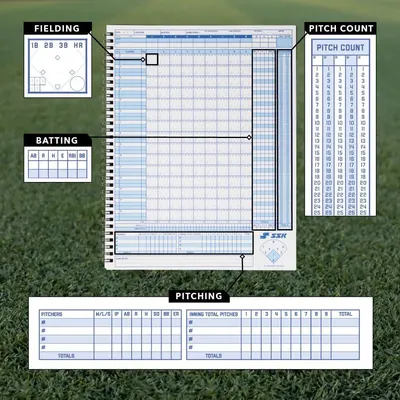 SSK 50 Game Official Scorebook Baseball + Softball
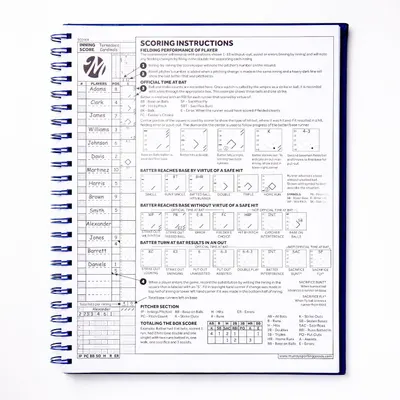 Murray Sporting Goods Premium Baseball Softball Scorebook
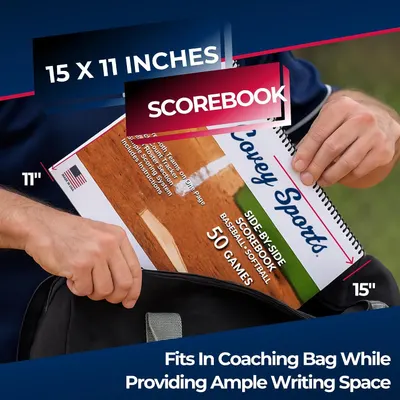 Covey Sports Baseball Softball Scorebook
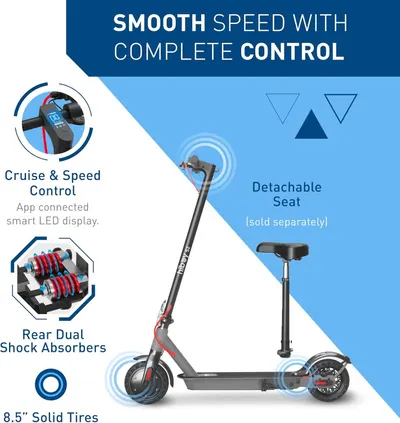 Hiboy S2 Electric Scooter
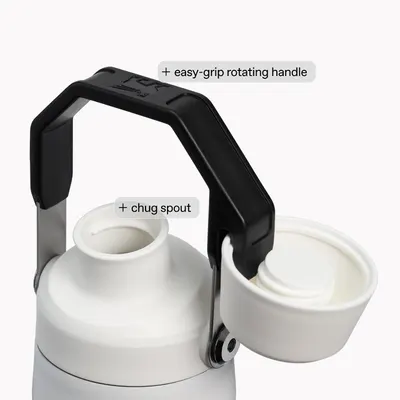 STANLEY IceFlow Fast Flow Bottle
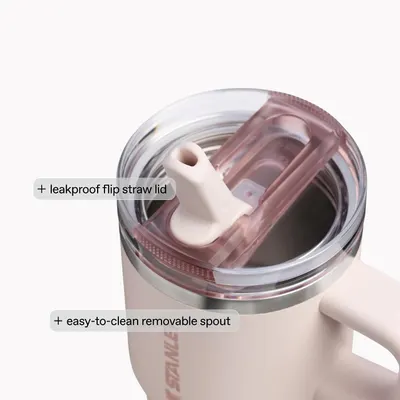 STANLEY Quencher ProTour Flipstraw Tumbler
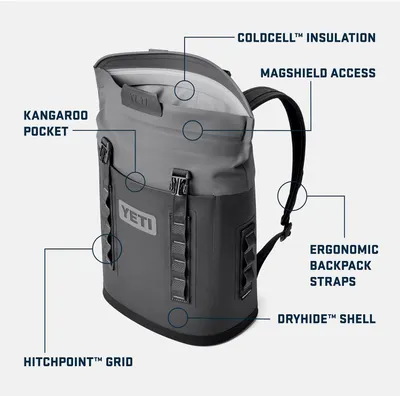 YETI Hopper M Series Backpack Soft Sided Coolers with MagShield Access
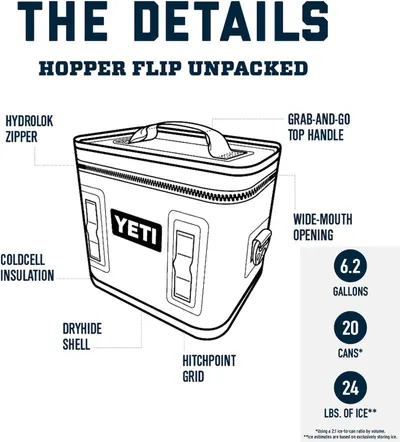 YETI Hopper Flip 18 Portable Cooler
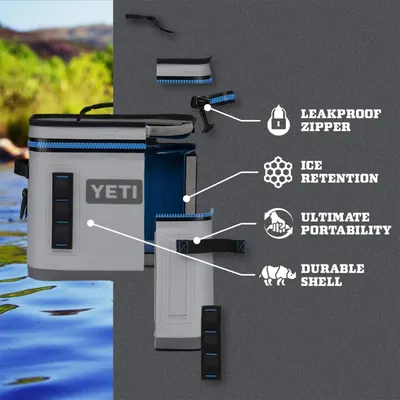 YETI Hopper Flip 8 Portable Soft Cooler
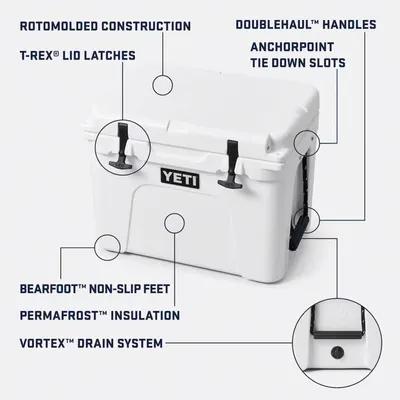 YETI Tundra 35 Cooler
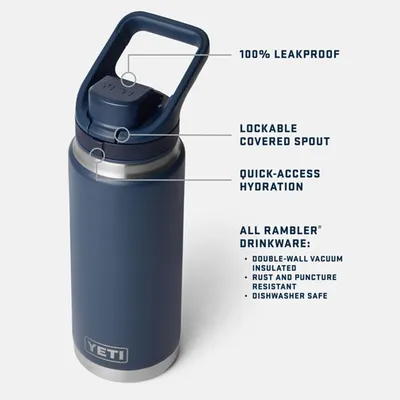 YETI Rambler 18 oz Leakproof Bottle with Flip Chug Cap
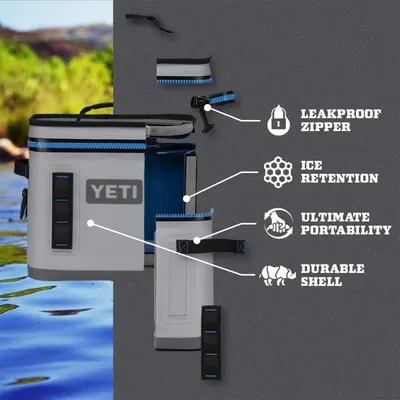 YETI Hopper Flip 12 Portable Cooler
This image belongs to GOWWPUN and is shown for design research. Request removal.