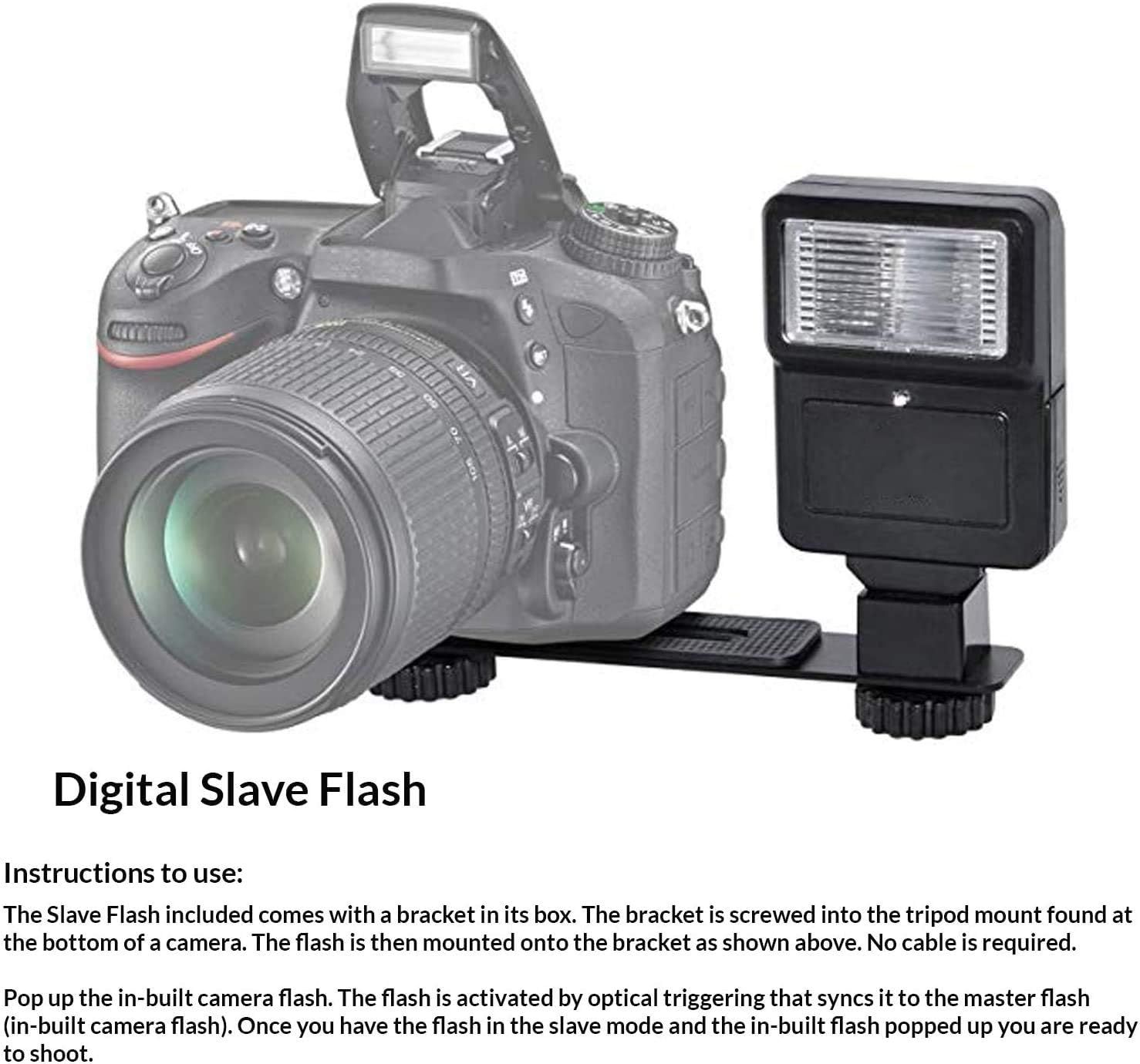
Canon EOS 2000D / Rebel T7 DSLR Camera w/EF-S 18-55mm f/3.5-5.6 Lens 3 Lens Kit: 128GB…: How to Use Images
Explains how to mount and use the digital slave flash accessory with a camera, including bracket installation and optical triggering setup.
- Brand
- Amazon Renewed
- Category
- Electronics › Camera & Photo › Digital Cameras › DSLR Cameras
- Image type
- How to Use Images, Secondary Images
- Design focus
- Installation and Setup
- Listing position
- Image 7
- Marketplace
- United States
- Full listing
- See all 8 images in order
- ASIN
- B0BTDT3NF5
See your listing next to your competitors
Paste your Amazon link. We score every image and show what the top sellers do differently. Your first comparison is free.
What this image does at a glance
- Score
- 25 / 100 · Unreadable small
- Headline
- Digital Slave Flash
- Headline height
- 3.2% of the image
- Headline contrast
- Lc 105
- Text on the image
- 10.7% of the image, 7 blocks
- Blurred to tile size
- headline no longer readable
Listing bullet points
- Deluxe Bundle with: Camera, 18-55mm Lens, Wide-angle and Telephoto, 128gb, Case, Filter Kit, Flash, Tripod and More
- 24.1MP APS-C CMOS Sensor - DIGIC 4+ Image Processor - 3.0'' 920k-Dot LCD Monitor
- Full HD 1080p Video Recording at 30 fps - 9-point AF System and AI Servo AF - Extended ISO 12800, 3 fps Shooting
- Built-In Wi-Fi with NFC - Scene Intelligent Auto Mode - Basic+ and Creative Auto Modes - On-board Feature Guide
- Canon EOS 2000D is kn as Canon EOS Rebel T7 - International Model, No Manufacturers
- Optical zoom: 3.0 multiplier_x
Similar how to use images in Electronics
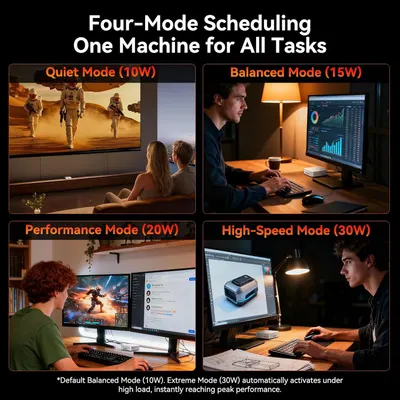 GEEKOM A7 Mini PC
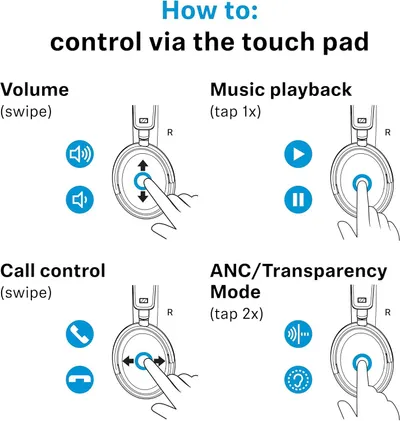 Sennehiser ACCENTUM Plus Wireless Headphones
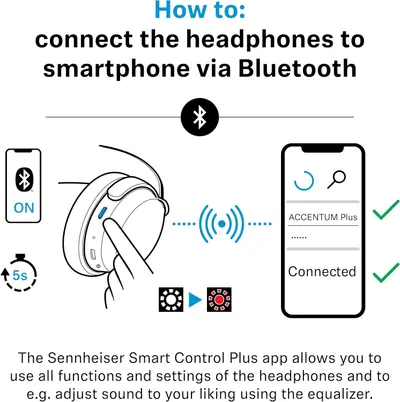 Sennehiser ACCENTUM Plus Wireless Headphones
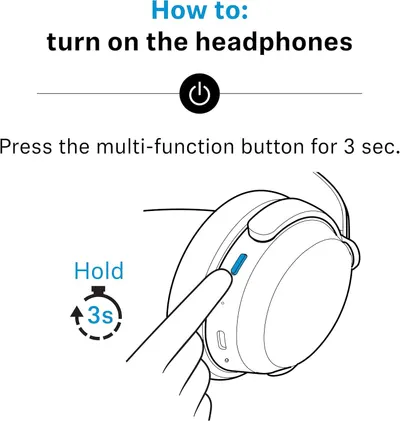 Sennehiser ACCENTUM Plus Wireless Headphones
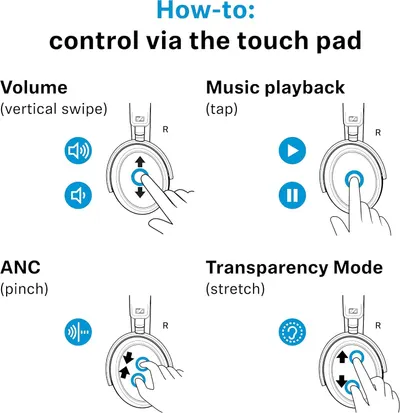 Sennheiser Consumer Audio Momentum 4 Wireless Headphones
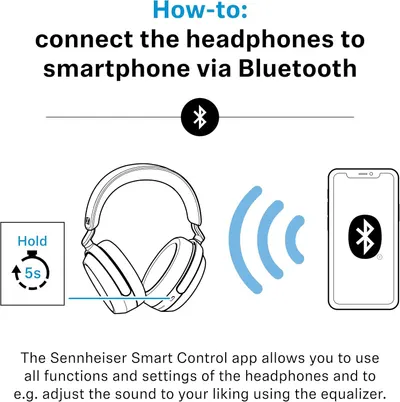 Sennheiser Consumer Audio Momentum 4 Wireless Headphones
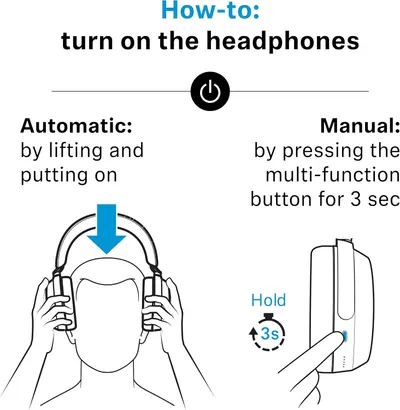 Sennheiser Consumer Audio Momentum 4 Wireless Headphones
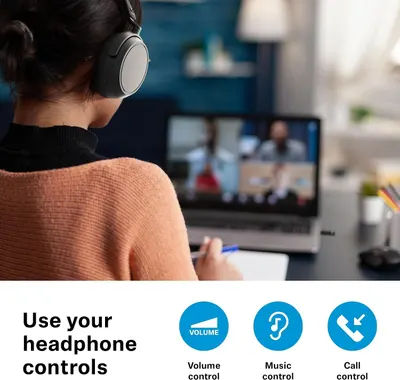 Sennehiser ACCENTUM Wireless Headphones
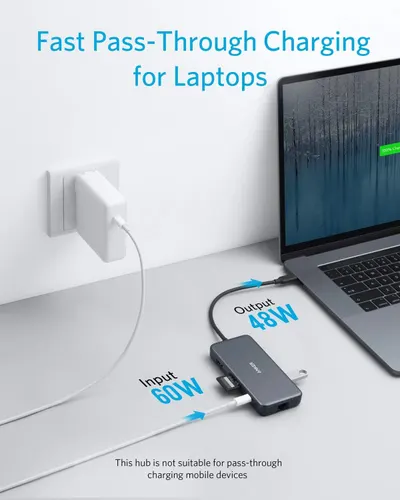 Anker Adaptador hub USB-C
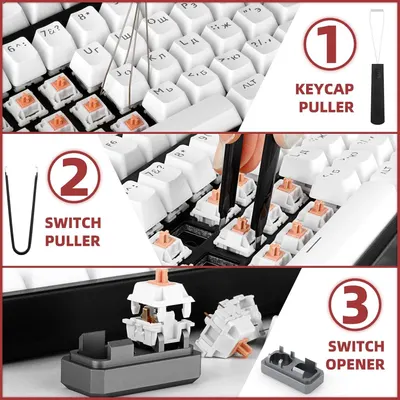
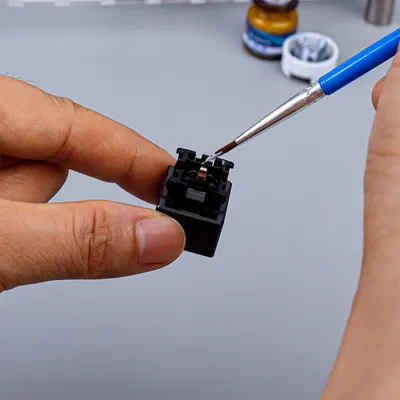 Metal Switch Opener GPL 205G0 0.35oz
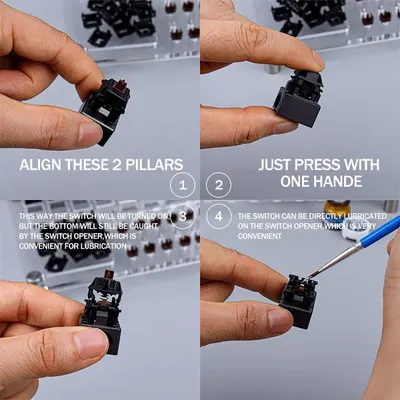 Metal Switch Opener GPL 205G0 0.35oz
 RUNJRX
This image belongs to Amazon Renewed and is shown for design research. Request removal.