Insta360 X4 Standard Bundle: How to Use Images
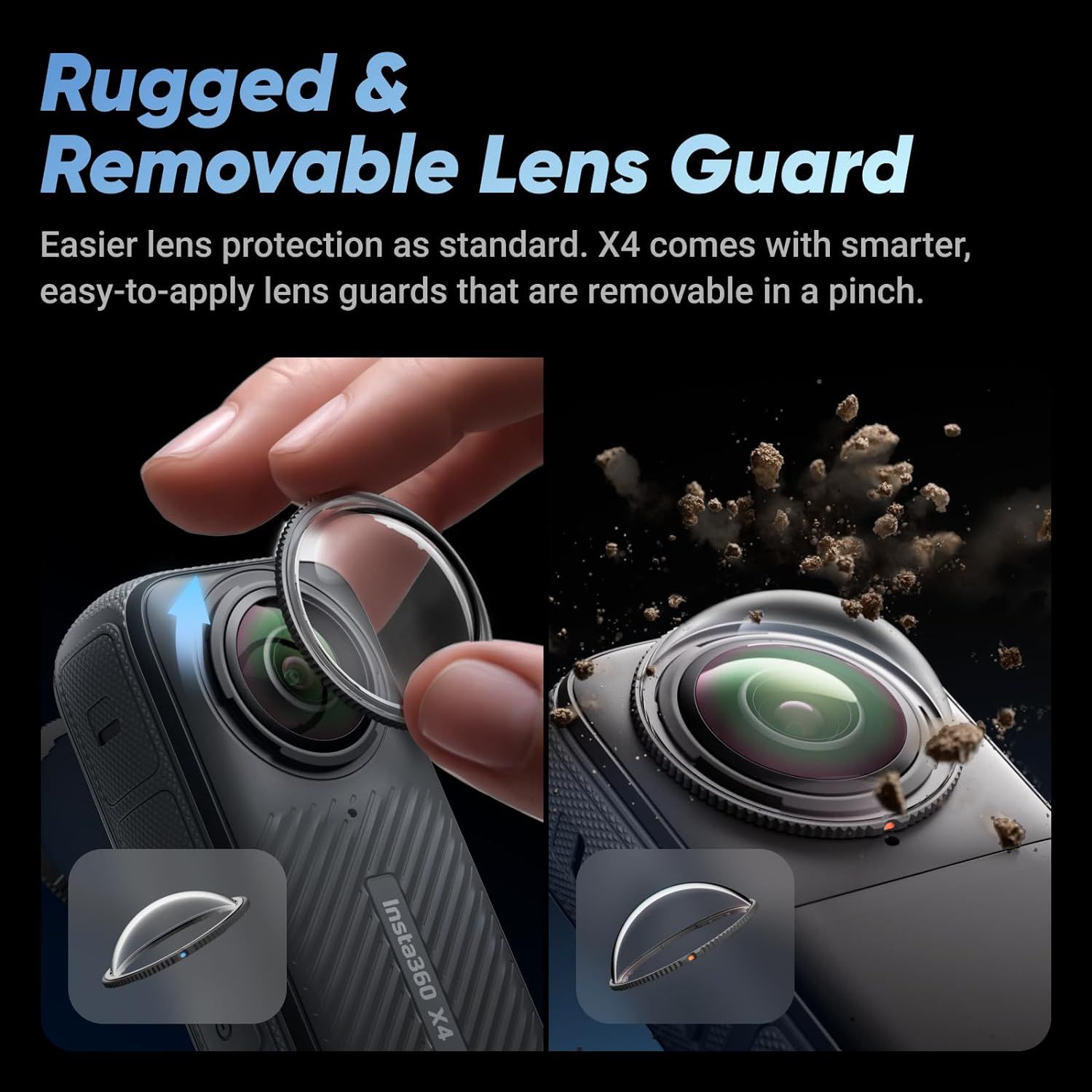
Demonstrates how the removable lens guard is easily applied and removed with a simple pinch gesture, reassuring shoppers that lens protection is convenient and user-friendly. Highlights the product's rugged, removable lens guard feature that provides superior protection while remaining easy to use.
- Brand
- Insta360
- Category
- Electronics › Camera & Photo › Video › Sports & Action Video Cameras
- Image type
- How to Use Images, Single Benefit Images, Secondary Images
- Design focus
- Easy-to-apply removable lens guard; Pinch-to-remove installation; Rugged lens protection; Removable design
- Listing position
- Image 6
- Marketplace
- United States
- Best Sellers Rank
- #5,922 in Electronics (See Top 100 in Electronics) #29 in Sports & Action Video Cameras
- Full listing
- See all 8 images in order
- ASIN
- B0DBQBMQH2
See your listing next to your competitors
Paste your Amazon link. We score every image and show what the top sellers do differently. Your first comparison is free.
What this image does at a glance
- Score
- 35 / 100 · Unreadable small
- Headline
- nsta360 X4
- Headline height
- 12.6% of the image
- Headline contrast
- Lc 29
- Text on the image
- 15.6% of the image, 5 blocks
- Blurred to tile size
- headline no longer readable
- headline contrast below APCA minimum (Lc 29)
- headline unreadable at phone-tile blur
Listing bullet points
- IMMERSIVE 360 VIDEO - The 8K era is here. Insta360 X4 delivers 360° video in stunning 8K or 5.7K60fps! Use Active HDR to keep shots color accurate too, even in action scenarios.
- SIMPLE, EASY REFRAMING - With Insta360 X4, get out there and shoot, not having to worry about lining up a shot. Shoot first, then reframe easily after, all in the AI-powered Insta360 app.
- INVISIBLE SELFIE STICK EFFECT - The signature third-person Insta360 shot, a specialty of 360 cameras. Immerse your viewers in obstruction-free 360° video, just like you're using a drone or as if you have your own film crew. (Note: The stick is not included in Standalone Version)
- 4K & 170° MAXVIEW - X4 can also be used as a wide-angle 4K action camera at a whopping 4K60fps, or get super wide views with the incredible 170° MaxView at 4K30fps.
- ULTRA STABLE FOOTAGE - FlowState Stabilization and 360° Horizon Lock deliver smooth, level shots, no matter how intense the action is.
- SMARTER, RUGGED BUILD - X4 withstands bumps and hardcore action like a pro. The lens guards are also upgraded, now easier to apply and remove on the go.
- COLD RESISTANT & WATERPROOF - X4 can handle temperatures as low as -4ºF (-20ºC) with ease. You can also take X4 down to 33ft (10m) without a dive case or 164ft (50m) with the Invisible Dive Case.
- IMPROVED 2290MAH BATTERY, FAST CHARGING - Compared to Insta360 X3, X4 offers 67% longer run time. Capture up to 135 minutes on one charge, with fast charging to get back out there faster than ever.
Similar how to use images in Electronics
 GEEKOM A7 Mini PC
 Sennehiser ACCENTUM Plus Wireless Headphones
 Sennehiser ACCENTUM Plus Wireless Headphones
 Sennehiser ACCENTUM Plus Wireless Headphones
 Sennheiser Consumer Audio Momentum 4 Wireless Headphones
 Sennheiser Consumer Audio Momentum 4 Wireless Headphones
 Sennheiser Consumer Audio Momentum 4 Wireless Headphones
 Sennehiser ACCENTUM Wireless Headphones
 Anker Adaptador hub USB-C
 Metal Switch Opener GPL 205G0 0.35oz
 Metal Switch Opener GPL 205G0 0.35oz
 RUNJRX
This image belongs to Insta360 and is shown for design research. Request removal.