Projector Screen with Stand: How to Use Images
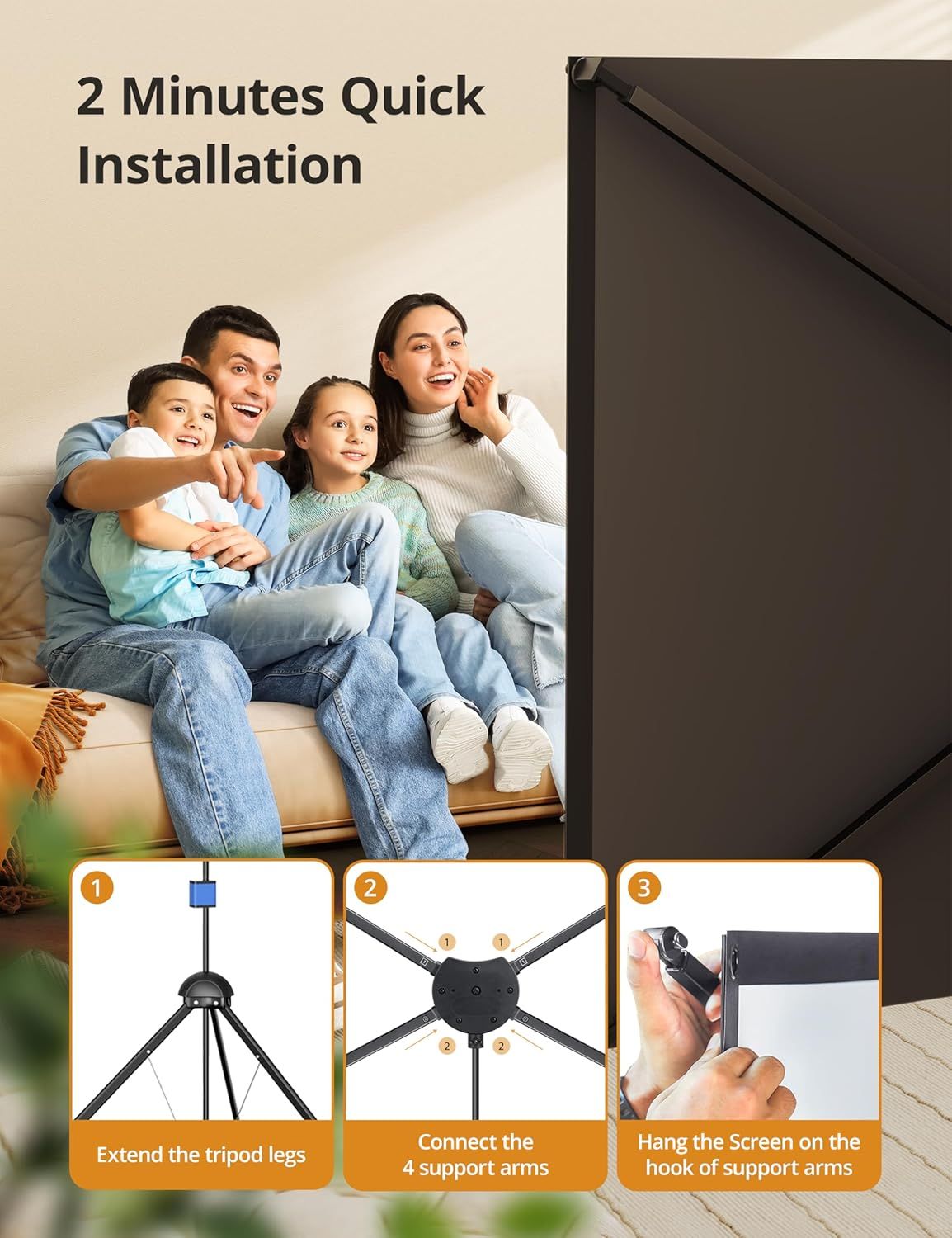
Demonstrates the simple 3-step installation process to reassure shoppers that the product can be set up quickly and easily in just 2 minutes. Highlights the product's fast and easy installation as a key benefit to reduce setup concerns and emphasize convenience.
- Brand
- HYZ
- Category
- Electronics › Television & Video › Accessories › Projector Accessories › Projection Screens
- Image type
- How to Use Images, Single Benefit Images, Secondary Images
- Design focus
- Quick Installation; Easy Setup; Quick Installation; Ease of Use
- Listing position
- Image 6
- Marketplace
- United States
- Best Sellers Rank
- #89 in Projection Screens
- Full listing
- See all 8 images in order
- ASIN
- B0D1GGMDQN
See your listing next to your competitors
Paste your Amazon link. We score every image and show what the top sellers do differently. Your first comparison is free.
What this image does at a glance
- Score
- 25 / 100 · Unreadable small
- Headline
- 2 Minutes Quick
- Headline height
- 3.1% of the image
- Headline contrast
- Lc 79
- Text on the image
- 4.9% of the image, 7 blocks
- Blurred to tile size
- headline no longer readable
- numerals text "2 Minutes Quick" is 3.1% of height, needs 8.5%
- headline unreadable at phone-tile blur
Listing bullet points
- HOME THEATER LEVEL ENJOYMENT: HYZ projector screen with stand uses cinema-grade material, which can achieve theater-grade 1.5-level gain reflection effect, five-layer preferred material, in order to ensure that the visual experience of the maximum degree of refusal to roll edges, creases. 160°…
- ADJUSTABLE & STABLE STAND: 1) HYZ screen with stand is equipped with a professional-grade reinforced antioxidant aluminum alloy X-type tripod, which is more stable and secure to use. And you can adjust the height according to your needs: 64 - 85 inches, adapting to a variety of heights and…
- Portable and Easy to Store: The HYZ professional-grade projection screen is made from upgraded multi-layer PVC material, offering excellent wrinkle resistance. It comes with a storage tube and a convenient carrying bag, ensuring easy transport without compromising on professional display quality.…
- 2-in-1 Mode, More Convenient Viewing: In order to adapt to various viewing environments, you can choose to use a tripod or wall-mounted installation. Tripod can flexibly adjust the angle and position to meet the needs of your different scenes, providing a more convenient viewing experience.
- Professional Customer Support: Your satisfaction and happiness are our top priorities. We offer 24/7 pre-sales and post-sales support, along with lifetime service for your HYZ products. Your choice is our greatest support, and we’re always here to meet your every need
Similar how to use images in Electronics
 GEEKOM A7 Mini PC
 Sennehiser ACCENTUM Plus Wireless Headphones
 Sennehiser ACCENTUM Plus Wireless Headphones
 Sennehiser ACCENTUM Plus Wireless Headphones
 Sennheiser Consumer Audio Momentum 4 Wireless Headphones
 Sennheiser Consumer Audio Momentum 4 Wireless Headphones
 Sennheiser Consumer Audio Momentum 4 Wireless Headphones
 Sennehiser ACCENTUM Wireless Headphones
 Anker Adaptador hub USB-C
 Metal Switch Opener GPL 205G0 0.35oz
 Metal Switch Opener GPL 205G0 0.35oz
 RUNJRX
This image belongs to HYZ and is shown for design research. Request removal.