Remote Scrolling Ring for TikTok: How to Use Images
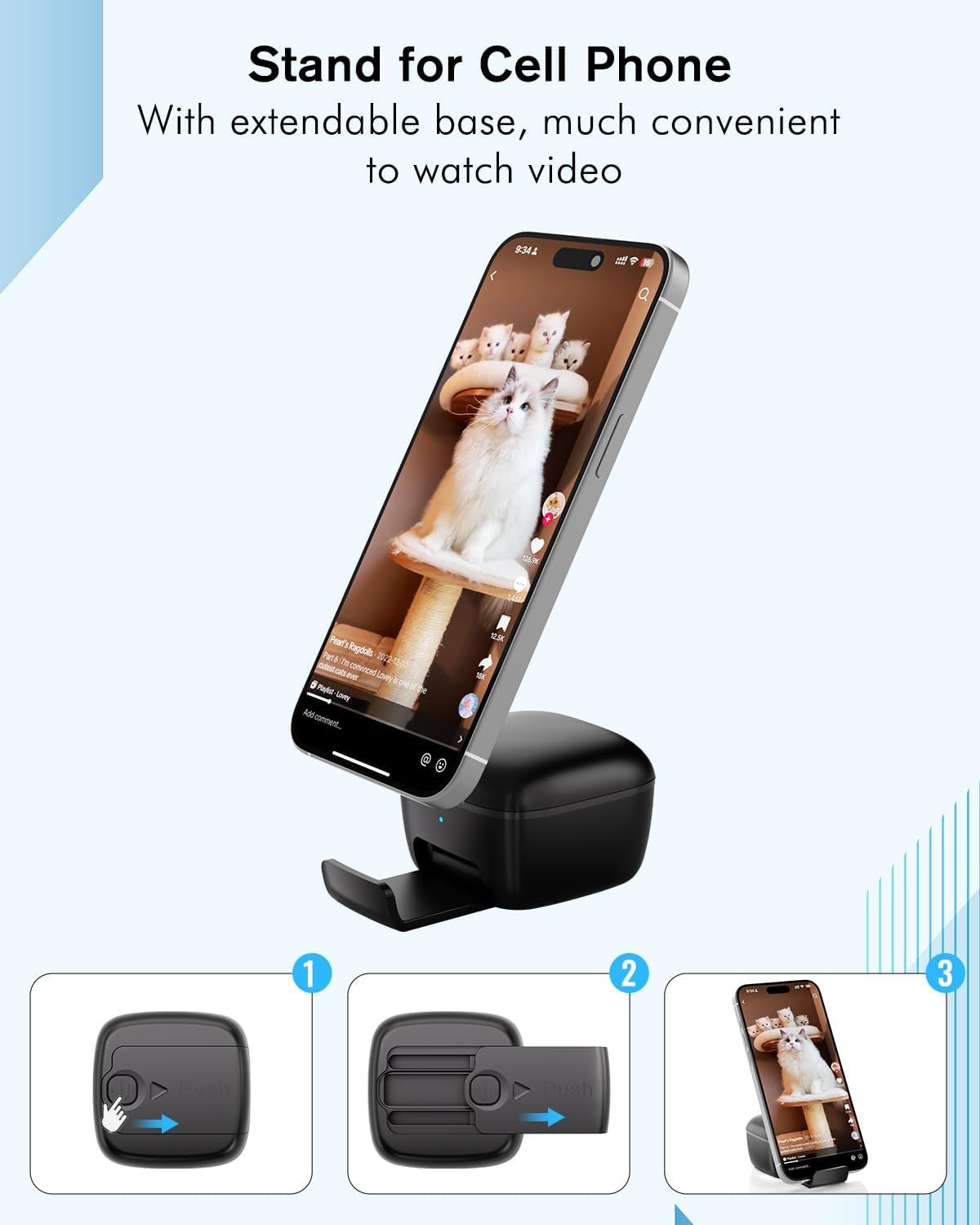
Demonstrates how to set up and use the extendable base feature in three simple steps, showing shoppers how the product transforms into a convenient hands-free video viewing stand. Highlights the convenience of using the phone stand for hands-free video watching, appealing to shoppers who want a more comfortable viewing experience.
- Brand
- INNCNN
- Category
- Electronics › Camera & Photo › Accessories › Remote Controls
- Image type
- How to Use Images, Single Benefit Images, Secondary Images
- Design focus
- Extendable Base Setup; Video Viewing Stand; Hands-Free Video Viewing
- Listing position
- Image 4
- Marketplace
- United States
- Best Sellers Rank
- #76 in Camera & Camcorder Remote Controls
- Full listing
- See all 7 images in order
- ASIN
- B0CX4DFNRH
See your listing next to your competitors
Paste your Amazon link. We score every image and show what the top sellers do differently. Your first comparison is free.
What this image does at a glance
- Score
- 25 / 100 · Unreadable small
- Headline
- Stand for Cell Phone
- Headline height
- 3.0% of the image
- Headline contrast
- Lc 102
- Text on the image
- 5.7% of the image, 5 blocks
- Blurred to tile size
- headline no longer readable
- lower text "With extendable base, mu" is 1.5% of height, needs 5.5%
- headline unreadable at phone-tile blur
Listing bullet points
- Multifunctional Wireless Remote: The remote ring allows you remotely scroll TikTok videos and effortlessly turn pages on iPads, smartphones, and tablets. It also functions as a camera remote for photos and videos, controls music playback, and manages incoming calls—all in one device, simplifying…
- Two Modes: Our remote ring features Video mode and Music mode, allowing you to control different apps in each mode. In Video mode, you can remotely control TikTok videos and eBooks. In Music mode, you can manage music playback and handle incoming phone calls (answer or reject).
- Stand for Cell Phone: Designed with a built-in phone stand holder for a better video-watching experience. It allows you to securely hold your cell phone anywhere.
- Easy to Set-Up: Bluetooth connection, simply turn on the remote scrolling ring, search for Bluetooth A1 Pro, and connect it. You can then use it to scroll through videos or turn pages. For iOS devices, please enable "AssistiveTouch" before using.
- Portable On-the-Go Design and Long Battery Life: Our INNCNN remote scroller ring with charging case is compact and lightweight, making it easy to slip into your pocket. It offers 16 hours of battery life on a single charge, with the case extending it to 84 hours.
Similar how to use images in Electronics
 GEEKOM A7 Mini PC
 Sennehiser ACCENTUM Plus Wireless Headphones
 Sennehiser ACCENTUM Plus Wireless Headphones
 Sennehiser ACCENTUM Plus Wireless Headphones
 Sennheiser Consumer Audio Momentum 4 Wireless Headphones
 Sennheiser Consumer Audio Momentum 4 Wireless Headphones
 Sennheiser Consumer Audio Momentum 4 Wireless Headphones
 Sennehiser ACCENTUM Wireless Headphones
 Anker Adaptador hub USB-C
 Metal Switch Opener GPL 205G0 0.35oz
 Metal Switch Opener GPL 205G0 0.35oz
 RUNJRX
This image belongs to INNCNN and is shown for design research. Request removal.