MILOUZ Remote Scrolling Ring for Tiktok: How to Use Images
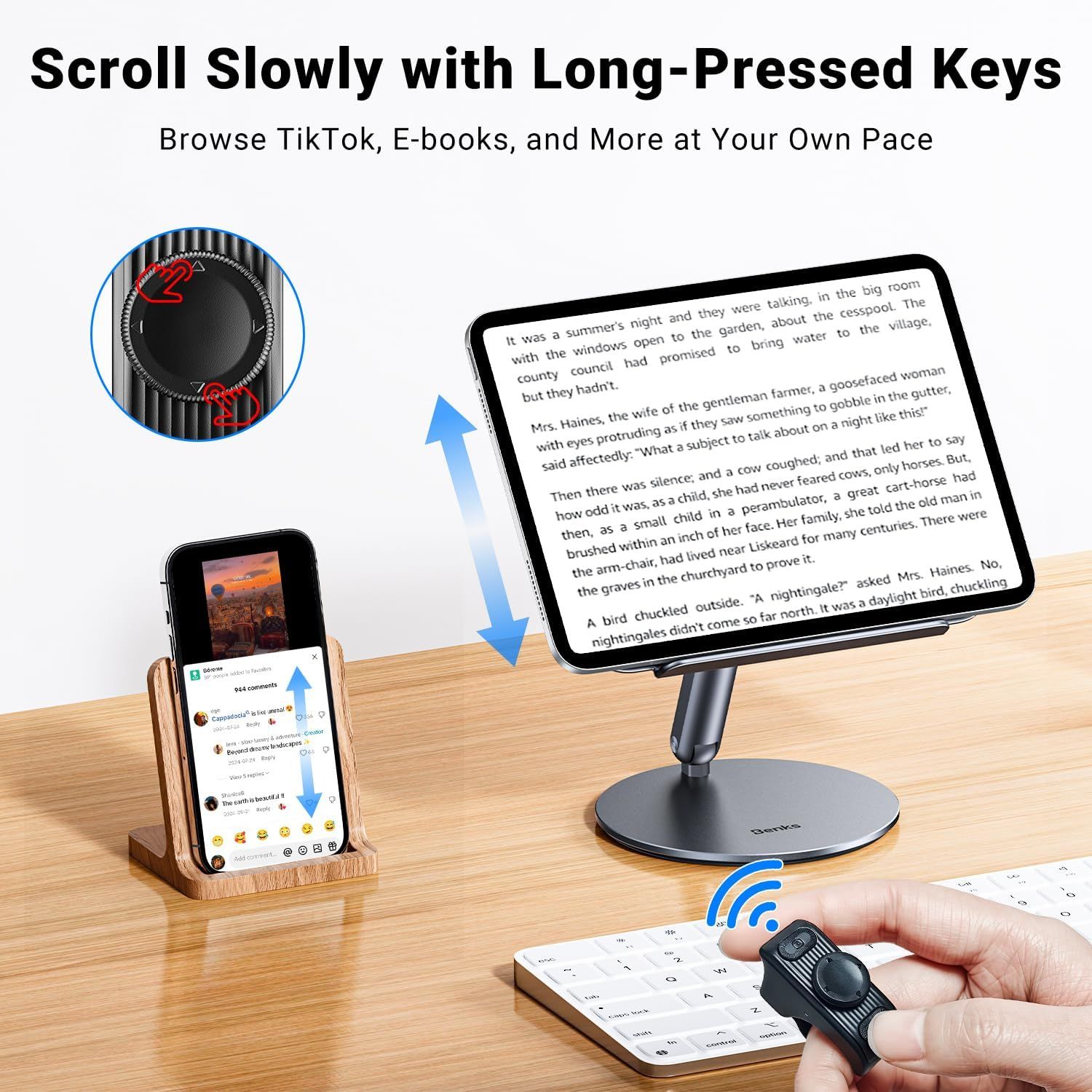
Demonstrates how to use the wireless remote control with long-pressed keys to scroll through content on devices like tablets, phones, and e-readers at a controlled pace. Shows the product's versatility across multiple applications including social media browsing, e-book reading, and general content consumption on various devices.
- Brand
- MILOUZ
- Category
- Electronics › Camera & Photo › Accessories › Remote Controls
- Image type
- How to Use Images, Use Case Images, Secondary Images
- Design focus
- Long-Press Scrolling Control; Multiple Use Cases: TikTok, E-books, Browsing
- Listing position
- Image 3
- Marketplace
- United States
- Best Sellers Rank
- #20 in Camera & Camcorder Remote Controls
- Full listing
- See all 8 images in order
- ASIN
- B0F37MRWPC
See your listing next to your competitors
Paste your Amazon link. We score every image and show what the top sellers do differently. Your first comparison is free.
What this image does at a glance
- Score
- 28 / 100 · Unreadable small
- Headline
- Then there was silence, and a cow coughed; and that led her
- Headline height
- 7.3% of the image
- Headline contrast
- Lc 52
- Text on the image
- 44.2% of the image, 18 blocks
- Blurred to tile size
- headline no longer readable
Listing bullet points
- Bluetooth Scrolling Ring for TikTok: No more smudged screens or awkward scrolling. With the MILOUZ Scrolling Ring, effortlessly swipe up/down, adjust volume +/-, pause/play, or like videos and live streams—completely hands-free.(Note: Not applicable to music apps)
- Remote Page Turner for Reading Apps:Enjoy a smooth reading experience with remote page-turning for iOS and Android e-book apps.Whether you're relaxing at home or on the go, simply press the remote ring to flip to the previous or next page without touching your screen. (Note: Not compatible with…
- Snap, Record & Focus-Remotely:Capture the perfect shot, hands-free. Use the bluetooth ring to remotely snap photos, video recordings, and you can turn on auto focus with remote ring to take clearer photos. Ideal for selfies, vlogging, and creative photography—anytime, anywhere
- Weeks of Power, Minutes to Charge:The MILOUZ ring comes with a sleek portable charging case. Fully charges in just 1.5 hours and powers daily use for weeks. Whether you're traveling, working, or relaxing, it’s always ready when you are
- Featherlight Comfort & Adjustable Ring Size:Crafted from premium, lightweight materials and designed for all-day wear. The adjustable size ring fits all finger sizes comfortably—no slipping, no breakage
- Auto continuous likes & Surprise Gift:The scroll ring can realize automatic likes in the live broadcast room—easily send thousands of likes without lifting a finger. A perfect surprise for birthdays, holidays, or any special moment
Similar how to use images in Electronics
 GEEKOM A7 Mini PC
 Sennehiser ACCENTUM Plus Wireless Headphones
 Sennehiser ACCENTUM Plus Wireless Headphones
 Sennehiser ACCENTUM Plus Wireless Headphones
 Sennheiser Consumer Audio Momentum 4 Wireless Headphones
 Sennheiser Consumer Audio Momentum 4 Wireless Headphones
 Sennheiser Consumer Audio Momentum 4 Wireless Headphones
 Sennehiser ACCENTUM Wireless Headphones
 Anker Adaptador hub USB-C
 Metal Switch Opener GPL 205G0 0.35oz
 Metal Switch Opener GPL 205G0 0.35oz
 RUNJRX
This image belongs to MILOUZ and is shown for design research. Request removal.