UBeesize 12'' Selfie Ring Light with 62’’ Tripod Stand for Video Recording: How to Use Images
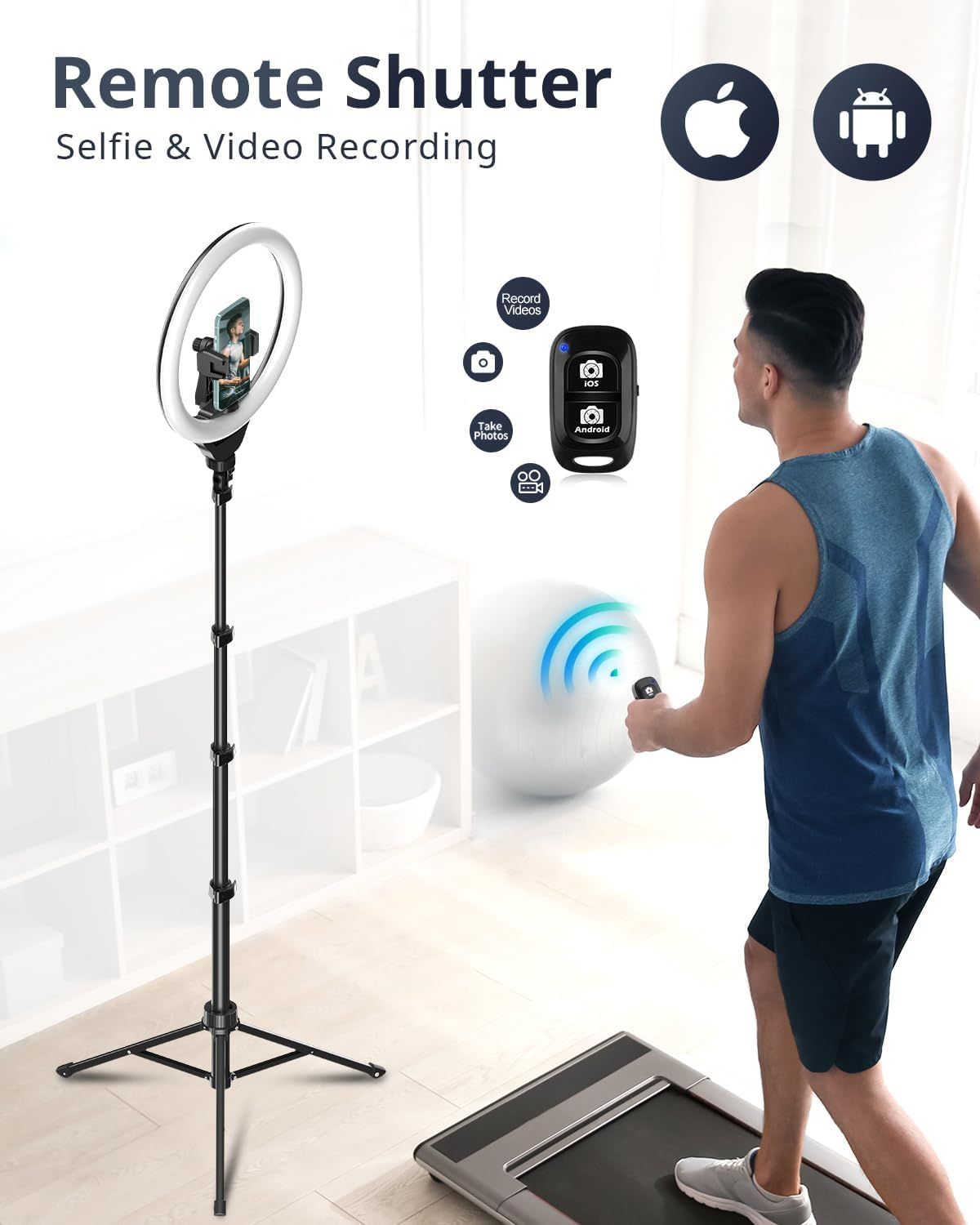
Demonstrates how to use the remote shutter feature for hands-free selfie and video recording, showing the wireless connection between the remote and the phone setup. Highlights the convenience of hands-free operation with the remote shutter, allowing users to take photos and record videos from a distance.
- Brand
- UBeesize
- Category
- Electronics › Camera & Photo › Flashes › Macro & Ringlight Flashes
- Image type
- How to Use Images, Single Benefit Images, Secondary Images
- Design focus
- Remote Shutter Operation; Wireless Control; Remote Shutter; Hands-Free Recording
- Listing position
- Image 5
- Marketplace
- United States
- Best Sellers Rank
- #1 in Macro & Ringlight Flashes
- ASIN
- B08L5VKNWR
See your listing next to your competitors
Paste your Amazon link. We score every image and show what the top sellers do differently. Your first comparison is free.
What this image does at a glance
- Score
- 70 / 100 · Readable
- Headline
- Remote Shutter
- Headline height
- 4.2% of the image
- Headline contrast
- Lc 92
- Text on the image
- 4.4% of the image, 6 blocks
- Blurred to tile size
- headline still readable
Listing bullet points
- Powerful 12-Inch LED Ring Light- Features a robust 12-inch ring design with 240 high-efficiency LEDs that output 10W of power—25% more powerful than standard 10-inch models. Delivers consistent, bright illumination ideal for video calls, content creation, and live streaming.
- Customizable Brightness & Color Temperatures- Offers 10 brightness levels (10%–100%) and 5 adjustable color temperatures ranging from 3000K to 6000K (warm to cool). Effectively reduces shadows and provides balanced lighting for various recording environments.
- Adjustable 62’’ Tripod Stand & Selfie Stick Combo-Versatile tripod transforms into a selfie stick, extending up to 62 inches. Stable and lightweight, it's ideal for scenarios such as interviews, virtual meetings, travel shots, and overhead recording.
- Flexible Angles with Broad Compatibility- Equipped with a 360° rotatable tripod head and adjustable phone holder, allowing for quick angle adjustments—portrait, landscape, low-angle, or overhead. Supports most smartphones, cameras, GoPros, webcams, and even tablets.
- All-in-One Video Lighting Kit-Includes everything you need: 12” LED ring light, extendable tripod, phone holder, Bluetooth remote, and USB power cable. A complete setup for creators, educators, or professionals working with video, streaming, or online communication.
Similar how to use images in Electronics
 GEEKOM A7 Mini PC
 Sennehiser ACCENTUM Plus Wireless Headphones
 Sennehiser ACCENTUM Plus Wireless Headphones
 Sennehiser ACCENTUM Plus Wireless Headphones
 Sennheiser Consumer Audio Momentum 4 Wireless Headphones
 Sennheiser Consumer Audio Momentum 4 Wireless Headphones
 Sennheiser Consumer Audio Momentum 4 Wireless Headphones
 Sennehiser ACCENTUM Wireless Headphones
 Anker Adaptador hub USB-C
 Metal Switch Opener GPL 205G0 0.35oz
 Metal Switch Opener GPL 205G0 0.35oz
 RUNJRX
This image belongs to UBeesize and is shown for design research. Request removal.