Kasa 1080p Indoor Pan/Tilt Wired Security Camera: How to Use Images
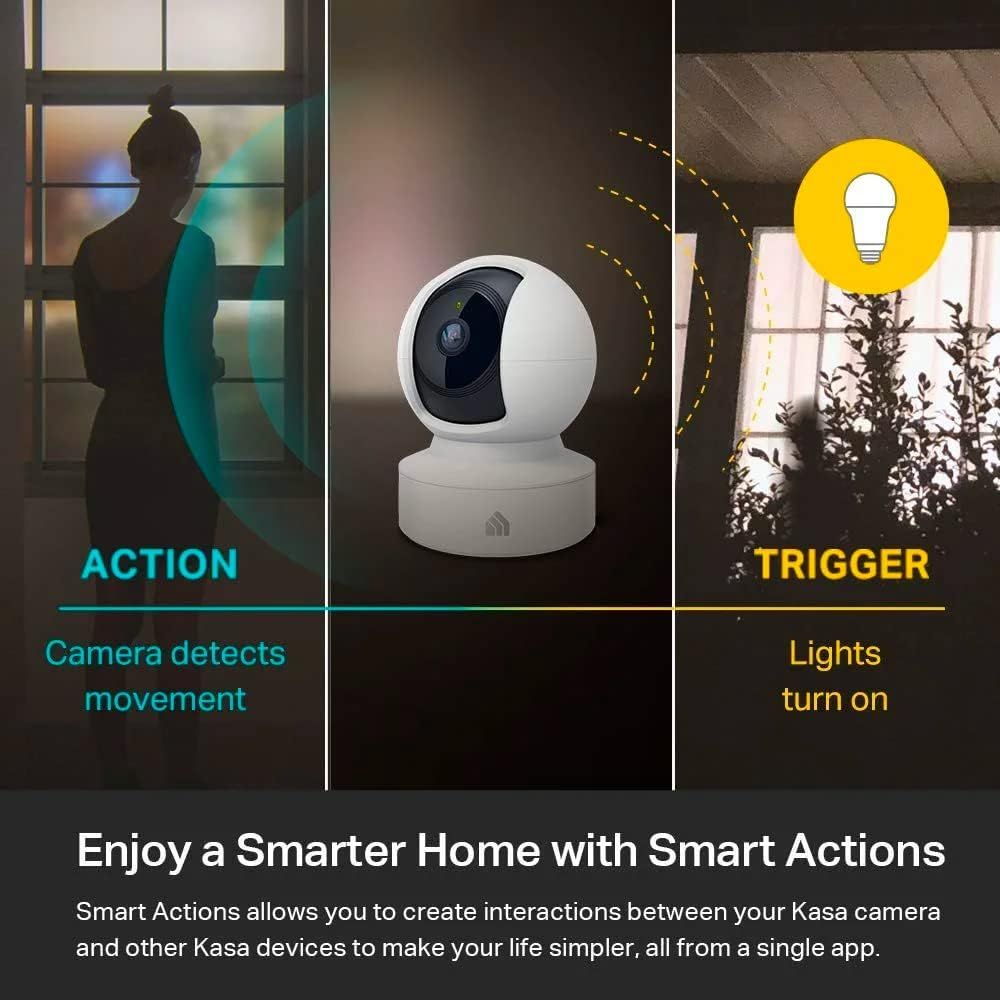
Demonstrates how the camera's motion detection can automatically trigger smart lights to turn on, showing shoppers the product's smart home integration and automation capabilities. Shows the product's ability to work with other smart home devices in an ecosystem, reassuring shoppers about compatibility and versatility.
- Brand
- Kasa Smart
- Category
- Electronics › Camera & Photo › Video Surveillance › Surveillance Cameras › Dome Cameras
- Image type
- How to Use Images, Use Case Images, Secondary Images
- Design focus
- Smart Home Automation; Camera-Triggered Lighting; Smart Home Integration; Device Compatibility
- Listing position
- Image 5
- Marketplace
- United States
- Best Sellers Rank
- #98 in Baby (See Top 100 in Baby) #1 in Dome Surveillance Cameras #3 in Video Baby Monitors #3 in Pet Cameras & Monitors
- ASIN
- B08GHX9G5L
See your listing next to your competitors
Paste your Amazon link. We score every image and show what the top sellers do differently. Your first comparison is free.
What this image does at a glance
- Score
- 18 / 100 · Unreadable small
- Headline
- ACTION
- Headline height
- 3.0% of the image
- Headline contrast
- Lc 47
- Text on the image
- 12.8% of the image, 9 blocks
- Blurred to tile size
- headline no longer readable
Listing bullet points
- Live Stream from Anywhere with Pan/Tilt: Sharp and clear 1080p Full HD provides high quality video right in the palm of your hand. Camera is operated with the Tapo or Kasa App. 2.4 GHz Wi-Fi required.
- Real-Time Motion/Sound Detection: Get alerts on your smart phone whenever motion or sound is detected even at night (30ft). Enable patrol mode on your home security camera system, to make most use of cameras for home security as pet camera or nanny cam
- No Subscription Storage Option: EC70 mini camera continuously records and stores footage or video clips on a local MicroSD card up to 256 GB (sold separately), with no monthly fees. Or subscribe to Kasa Care Plan where you can view up to 30 days of video history and enjoy more advanced features.
- Smart Actions: As one of the most user-friendly security cameras, EC70 provides you a way to set your lights to turn on when your camera detects motion with Smart Actions, which allow you to create interactions between your camera and other Kasa devices
- For best performance: keep firmware updated by checking the Tapo or Kasa App.
Similar how to use images in Electronics
 GEEKOM A7 Mini PC
 Sennehiser ACCENTUM Plus Wireless Headphones
 Sennehiser ACCENTUM Plus Wireless Headphones
 Sennehiser ACCENTUM Plus Wireless Headphones
 Sennheiser Consumer Audio Momentum 4 Wireless Headphones
 Sennheiser Consumer Audio Momentum 4 Wireless Headphones
 Sennheiser Consumer Audio Momentum 4 Wireless Headphones
 Sennehiser ACCENTUM Wireless Headphones
 Anker Adaptador hub USB-C
 Metal Switch Opener GPL 205G0 0.35oz
 Metal Switch Opener GPL 205G0 0.35oz
 RUNJRX
This image belongs to Kasa Smart and is shown for design research. Request removal.